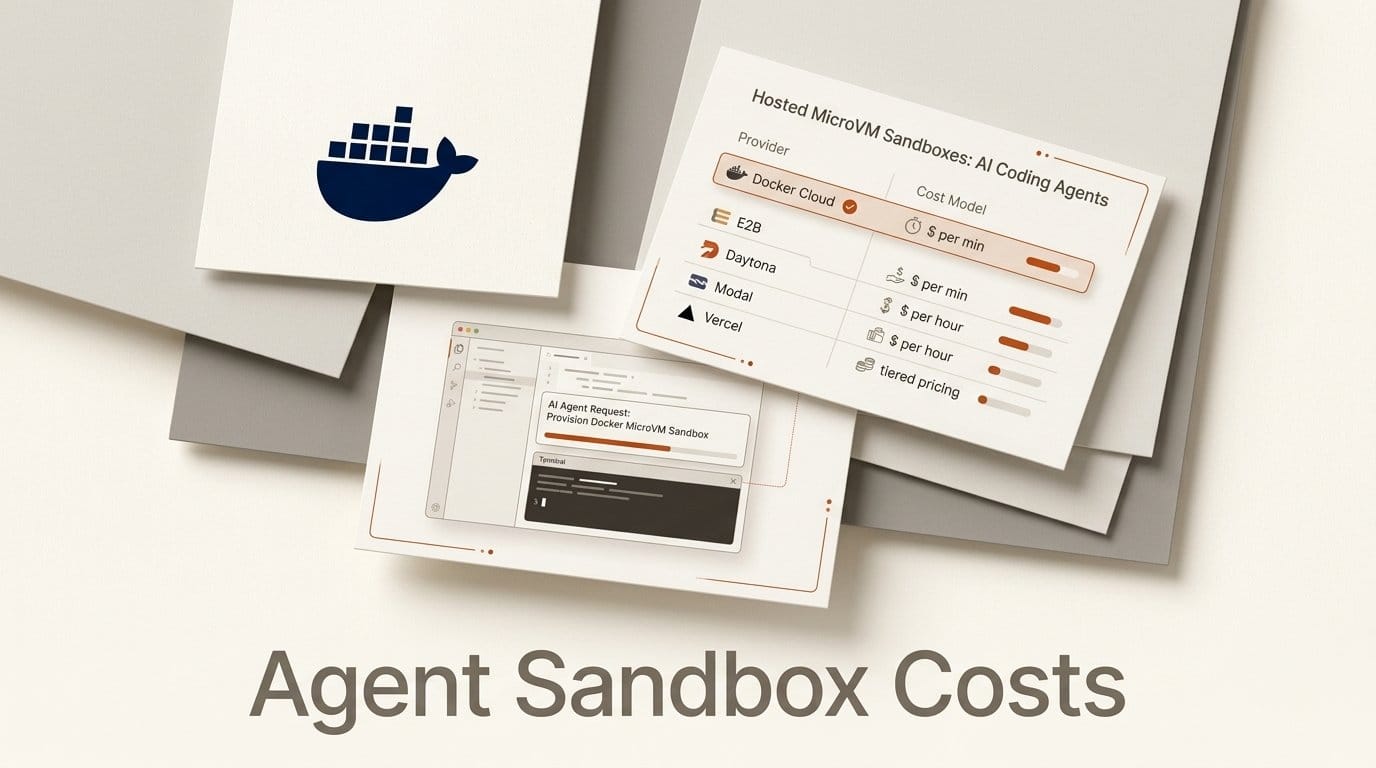
Docker launched Cloud Sandboxes on 24 September 2026 at WeAreDevelopers North America. It is a hosted version of the microVM sandbox Docker already ships for laptops, built for coding agents such as Claude Code, Codex and Copilot that need to keep working after you close the lid. Pricing is pay-as-you-go by the second, from $0.07 an hour for 1 vCPU and 2 GiB up to $1.12 an hour for 16 vCPUs and 32 GiB.
The press release says customers avoid "paying for unused capacity." Docker's own credit terms say idle time counts. That gap matters more than the headline rate, because a coding agent spends much of its wall-clock time waiting for a model to answer. This piece puts Docker's rates next to E2B, Daytona, Modal and Vercel Sandbox, runs the numbers for one agent, and walks through the setup and the catches in the documentation.
What Docker Shipped on 24 September
Cloud Sandboxes run the same microVM as local Docker Sandboxes, with its own kernel and Docker daemon, on compute that Docker manages. The launch post pitches it as the answer to one question: "how do I run a dozen agents at once, for five, ten, or 21 hours each, without watching any of them?" Pre-built Kits are ready for Claude Code, Codex, Copilot, Antigravity, Open Code and Hermes, and you can add your own agent.
Everything runs through the same sbx CLI you use locally, with a --cloud flag. The launch post asks for sbx 0.45.1 or later, which is on the sbx releases page, plus the pay-as-you-go plan on a Docker Personal or Pro account. Local sandboxes stay free. Speaking on stage, Docker president Mark Cavage told The Register the sandboxes "boot in hundreds of milliseconds" and have "secrets, policies, networks, agent config, CloudMCP gateways, all built in." His framing for the whole product: "We have to separate containers from containment."
One status detail is worth knowing before you build on it. The press release says the product is available today, but the cloud sandbox documentation carries a note that "Cloud sandbox support in the sbx CLI is experimental. Features and behavior may change." Docker is also submitting its Kits specification, which packages an agent's network rules, credentials and volumes as a standard OCI image, to the CNCF.

The Price Table, One Agent at 2 vCPU and 4 GiB
Every vendor below bills a little differently, so the fair comparison is one shape. Docker, E2B and Vercel all default to 2 vCPUs and 4 GiB of memory, so that is the shape used here. Rates come from each vendor's own pricing page on 24 September: E2B, Daytona, Modal and Vercel. The hourly figures are our arithmetic from those published per-second and per-hour rates.
| Provider | How it bills | 2 vCPU, 4 GiB per hour | Longest session | Free to start |
|---|---|---|---|---|
| Docker Cloud Sandboxes | Flat per size, by the second, while running | $0.14 | 24 hours from creation | $25 credit ($250 for 22-26 Sep signups) |
| E2B | $0.000014 per vCPU-second plus $0.0000045 per GiB-second | $0.166 | 1 hour on Hobby, 24 hours on Pro ($150/month) | $100 one-time credit |
| Daytona | $0.0504 per vCPU-hour plus $0.0162 per GiB-hour | $0.166 | Not stated on the pricing page | $200 compute |
| Modal | $0.00003942 per physical core-second (2 vCPU) plus $0.00000667 per GiB-second | $0.238 | Not stated on the pricing page | $30 a month on Starter |
| Vercel Sandbox | $0.128 per active vCPU-hour plus $0.0212 per GB-hour of memory | $0.085 to $0.341, depending on CPU use | 45 minutes on Hobby, 24 hours per session on Pro | 5 CPU-hours a month on Hobby |
At full reservation, Docker's $0.14 is the lowest flat rate in the table, about 15% under E2B and Daytona, which charge identical unit prices. Modal is the most expensive of the flat-rate options at the same shape. Vercel is the odd one out: its range runs from below Docker to more than double it, and where you land depends entirely on how busy your agent keeps the processor.
Waiting on the Model Is Where the Bills Split
Vercel's pricing page says time spent "waiting for I/O (such as network requests, database queries, or AI model calls) does not count toward Active CPU." Memory is still billed the whole time, at $0.0848 an hour for 4 GB, but the processor charge only runs while code is actually executing. A coding agent that sends a prompt, waits for Claude or GPT to reply, then runs a quick test spends much of its session in exactly that waiting state.
Docker bills the other way. Its credit terms spell out what counts: "Sandbox compute only, measured from start to stop. Setup, idle time, and retries all count." A running Docker sandbox costs $0.14 an hour at the Small size whether the agent is compiling or waiting. What Docker does not bill is a stopped sandbox: "A paused sandbox costs nothing," and volumes and egress are free.
The crossover is simple to work out. Vercel's fixed memory charge is $0.0848 an hour, leaving $0.0552 of headroom under Docker's $0.14. At $0.256 an hour for two fully busy vCPUs, that headroom runs out at about 22% CPU utilisation. If your agent keeps the processor busy less than roughly 22% of the time, Vercel is cheaper per hour. Above that, Docker wins, and at sustained builds or test suites the gap is large.
We have not measured a typical agent's CPU utilisation, and it varies a lot: an agent editing a small repository idles most of the time, while one running a full test suite on every change does not. Check it on your own workload before choosing a vendor on price.

What an Eight-Hour Overnight Run Costs
The use case Docker is selling is the unattended overnight run. Here is one agent on 2 vCPUs and 4 GiB for eight hours, using the published rates above. Model inference is billed separately by your model provider on every platform, and for most agent runs it will be the larger line on the bill.
| Provider | Eight hours, 2 vCPU, 4 GiB | Plan needed for an eight-hour session |
|---|---|---|
| Docker Cloud Sandboxes | $1.12 | Pay-as-you-go, no monthly fee; set --ttl 8h |
| E2B | $1.32 | Pro at $150 a month (Hobby caps sessions at 1 hour) |
| Daytona | $1.32 | Pay-as-you-go |
| Modal | $1.90 at full reservation | Starter |
| Vercel Sandbox, 10% CPU busy | $0.88 | Pro (Hobby caps sessions at 45 minutes) |
| Vercel Sandbox, 25% CPU busy | $1.19 | Pro |
| Vercel Sandbox, 100% CPU busy | $2.73 | Pro |
The spread is small in absolute terms: every option is under $3 for the night. What changes the answer is the plan floor. E2B's $150 monthly Pro fee is the price of any session longer than an hour, which is more than a hundred Docker overnight runs. For one person running a few agents, Docker and Daytona have no floor at all, and Docker is the cheaper of the two.
Four Catches in the Docker Documentation
Claude Code runs on an API key, not your subscription login. Docker's credentials guide says "For Claude Code, use an Anthropic API key," set with sbx --cloud secret set anthropic. The OAuth route it documents is for Codex. It also warns that "An agent's interactive sign-in can write credentials inside the sandbox," and those files end up in templates and move snapshots. Cloud secrets are a separate store from local ones, so nothing you set up on your laptop carries over.
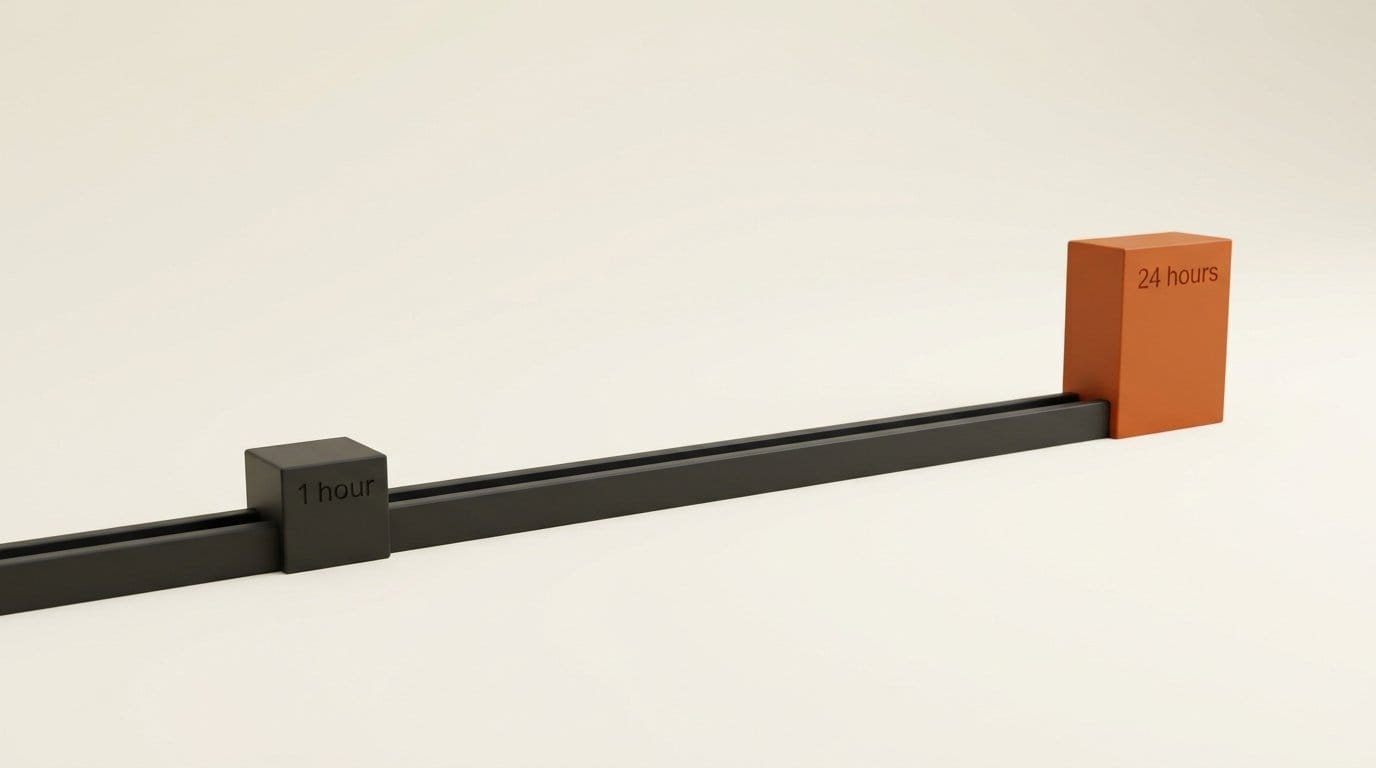
The 24-hour cap counts from creation. The usage docs set a one-hour default, and "Extensions cannot move expiration beyond 24 hours from creation." Vercel's 24-hour limit, by contrast, applies per session and resets when a persistent sandbox stops and resumes. If you omit --on-timeout, Docker "stops sandboxes that can be resumed and deletes the rest," and volume-backed sandboxes require the delete action. Push your branch before the clock runs out.
Moving to the cloud is a snapshot, not a migration. sbx move copies the sandbox filesystem. It does not carry running processes, memory, local workspace mounts or managed secrets, and it does not convert between linux/amd64 and linux/arm64. Workspace files mounted from your laptop stay behind, so commit them into the sandbox or clone the repository inside it first.
Cloud policy is coarser than local. The cloud network policy matches destinations only: "HTTP method and path restrictions, --protocol, and local governance profiles aren't supported." The local versus cloud comparison also rules out GPU, USB, display and nested virtualization options in the cloud, and published ports become public HTTPS URLs that you must protect with your own authentication.
How to Run Claude Code in a Docker Cloud Sandbox
These steps follow Docker's documentation as published on launch day. Budget about 15 minutes for the first run.
- Install the CLI. On macOS run
brew install docker/tap/sbx. Docker also listswinget install Docker.sbxfor Windows andsudo apt-get install docker-sbxfor Debian and Ubuntu. Confirm you have version 0.45.1 or later. - Sign in and activate billing. Run
sbx login, then activate the Docker Agentic Platform pay-as-you-go plan in the web console. The launch-credit offer requires a valid card at signup. Runsbx --cloud diagnoseto check access. - Store the model key in the cloud secret store. Run
sbx --cloud secret set anthropicand paste an Anthropic API key. Do not sign in interactively inside the sandbox. - Lock down the network first. Run
sbx --cloud policy init deny-all, then allow what the agent needs, for examplesbx --cloud policy allow network api.github.com:443. - Create the sandbox with an explicit timeout. Run
sbx --cloud create --name overnight-run --ttl 8h --on-timeout stop claude. Add--cpus 4 --memory 8gonly if your build needs it; the default is 2 CPUs and 4 GiB. - Get the code in. Either clone the repository inside the sandbox, or copy files with
sbx --cloud cp ./src overnight-run:/home/agent/workspace/src. If you started locally,sbx move local-project --to cloudtransfers the sandbox filesystem instead. - Attach, give the task, and walk away. Run
sbx --cloud attach overnight-run, hand Claude Code the task with an instruction to commit and push when done, then detach. - Stop billing when it finishes. Run
sbx --cloud stop overnight-runto pause at no compute cost, orsbx --cloud rm overnight-runto delete it. Check the remaining time any time withsbx --cloud ttl overnight-run.
Who Should Use Which
Pick Docker Cloud Sandboxes if you already run agents in local Docker Sandboxes and want the same CLI, the same Kits and the same isolation model in the cloud, or if you run long, CPU-heavy jobs such as full builds and test suites, where its flat $0.14 rate beats everything else here. Claim the launch credit if you sign up by 26 September.
Pick Vercel Sandbox if your agents mostly wait on model calls and your code is already on Vercel. Below about 22% CPU use it is the cheapest option, and its session limit resets on resume.
Pick Daytona if you want per-second pay-as-you-go with a $200 free allowance and GPU options, which Docker's cloud does not offer. Pick E2B if you are already on its SDK and paying for Pro; for short sub-hour jobs its free Hobby tier is enough.
For the security case against running agents on bare containers, our earlier piece on the Docker socket sandbox escape shows what the microVM boundary is protecting against.
What to Do Next
Before paying for any hosted sandbox, measure one real agent run locally: note wall-clock time and how long the CPU was actually busy, using time or your OS activity monitor. If the busy share is under a fifth, price Vercel first. If it is higher, or you want to move the same sandbox between laptop and cloud, try Docker on the launch credit with an eight-hour TTL and a deny-all network policy, and compare the bill against your model provider's invoice for the same night.
Frequently Asked Questions
How much do Docker Cloud Sandboxes cost?
They are pay-as-you-go, metered by the second: $0.07 an hour for Micro (1 vCPU, 2 GiB), $0.14 for Small (2 vCPU, 4 GiB, the default), $0.28 for Medium, $0.56 for Large and $1.12 for XL (16 vCPU, 32 GiB). Stopped sandboxes, volumes and egress are free. Model API usage is billed separately by your provider.
Are local Docker Sandboxes still free?
Yes. Docker says sandboxes on your laptop "remain free and standalone," and the documentation lists no metered charge for local use. Only the cloud version needs the pay-as-you-go plan.
How long can a Docker cloud sandbox run?
One hour by default. You can set a longer time-to-live with --ttl or extend it with sbx --cloud ttl +30m, but not beyond 24 hours from creation.
Can I use my Claude Pro or Max subscription inside a Docker cloud sandbox?
Docker's credentials guide tells you to authenticate Claude Code with an Anthropic API key stored through sbx --cloud secret set anthropic. It documents OAuth only for Codex, and warns that interactive sign-in writes credentials into the sandbox filesystem.
Is Docker cheaper than E2B for AI agents?
At 2 vCPUs and 4 GiB, Docker charges $0.14 an hour against E2B's $0.166, about 15% less. For sessions longer than one hour, E2B also requires its $150 monthly Pro plan, while Docker has no monthly fee.
Do Docker cloud sandboxes support GPUs?
No. Docker's local versus cloud comparison lists GPU, USB, display and nested virtualization options as unsupported in the cloud. Daytona and Modal both sell GPU capacity if you need it.