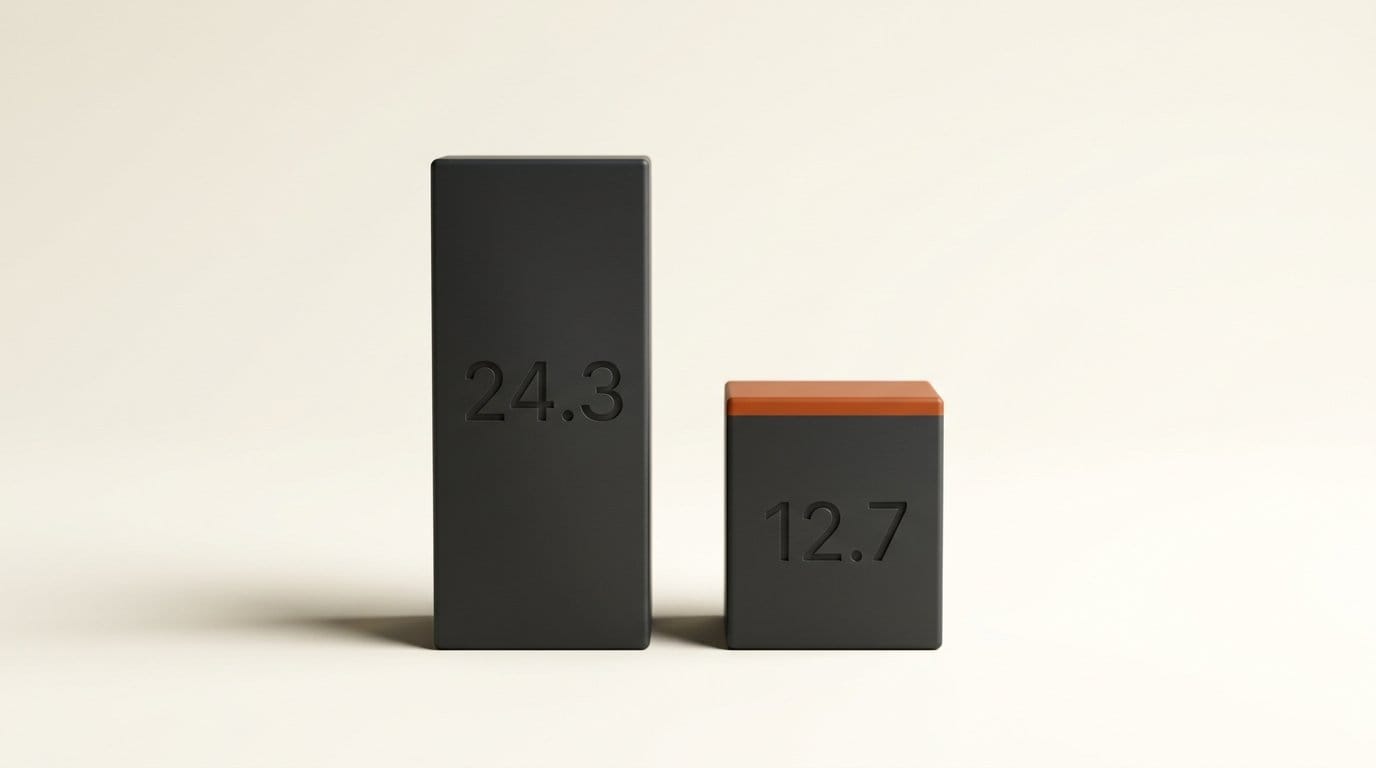
ComfyUI shipped a rewrite of the MiniMax H3 video VAE on 22 September 2026 that drops a full encode and decode round trip from 24.3 seconds to 12.7 seconds on a 1344x768, 129-frame clip. The ComfyUI engineering post puts encoding at up to 2.2x faster and decoding at 1.4x to 2.7x faster, all measured on an RTX 5090 as same-day A/B runs against the build from the day before.
That is a real 1.9x on the round trip, and the VAE is a part of the pipeline most people never think about. But the headline number is not what you get by updating. Only one of the three changes is on by default. The other two need a launch flag and a separate file download, and the ComfyUI documentation describes that flag in language designed to make you hesitate. This is what each piece is actually worth, and how to decide whether to turn it on.
Three Changes, Only One of Them Free
The VAE is the encoder and decoder that moves video between pixel space and the compressed latent space the model actually works in. Every image-to-video and reference-to-video run pays for it twice, once on the way in and once on the way out, and none of that time is spent on generation. It is overhead, and until now it was overhead nobody was optimising.
The rewrite has three parts, and they do not apply equally.
| Change | Affects | Speedup | How you get it |
|---|---|---|---|
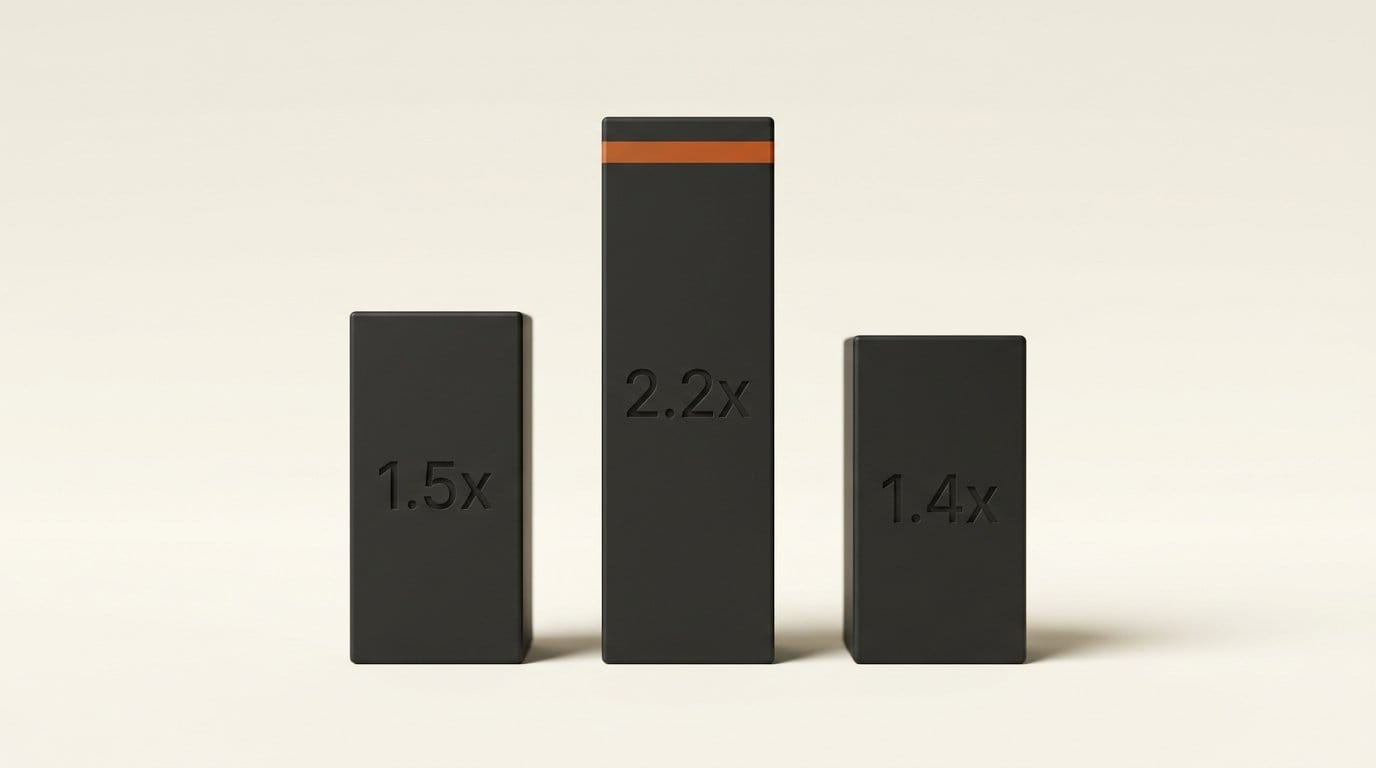
| Fused encoder kernel | Encode | About 1.5x | On by default from v0.36.0 |
| Convolutions honouring fp16 accumulation | Encode | Takes encode to about 2.2x | Launch with --fast fp16_accumulation |
| Int8 decoder | Decode | 1.4x over the previous int8 path | Download and load the int8 VAE file |
The first one is genuinely free. Between convolutions the encoder used to normalise each frame, apply an activation and pad the edges as three separate passes over hundreds of megabytes. Those are now a single pass that writes straight into the memory layout the next convolution wants. ComfyUI describes the output as identical, which makes this a pure win: it removes memory traffic, so it helps on any NVIDIA card rather than only the newest ones.
The second one is the interesting one. PyTorch routes convolutions to cuDNN, and there has never been a way to ask cuDNN for fp16 accumulation. So when ComfyUI added the fp16_accumulation option in early 2025, it only ever applied to matrix multiplications. Convolutions, which is most of what a VAE encoder does, got nothing from it. The new custom convolution honours the flag and folds the bias and skip connection into it, which is what carries the encoder from 1.5x to 2.2x.
The third, the int8 decoder, quantises the decoder weights to 8 bits and folds normalisation, activation and the skip connection into the matrix multiplications so intermediate results never round-trip to memory. Attention runs in 8-bit too. Note the baseline carefully: the 1.4x is measured against the previous int8 VAE, not against the standard fp16 one. If you were already running int8, that is your number. If you were not, you are changing two things at once.
Why the Advertised Number Is Opt-In
Put the table together and the picture changes. A creator who updates ComfyUI and launches it the way they always have gets the fused encoder kernel and nothing else: roughly 1.5x, on the encode half of the job only. The 24.3 to 12.7 figure is the best case, with the flag set and the int8 file loaded.
The flag is the friction point, and the ComfyUI startup flags reference is blunt about it. --fast is off by default and documented as enabling "experimental optimizations that may affect quality or stability", with fp16_accumulation listed as one of four sub-options alongside fp8_matrix_mult, cublas_ops and autotune. That warning is accurate as a general statement about the flag. It is also why a large number of people have never turned it on, and it is doing them a disservice in this specific case, for reasons the quality numbers make clear below.
The saving compounds in a way that is easy to underrate. Eleven and a half seconds per round trip is nothing on a single clip. Across a thirty-clip iteration session it is about six minutes; across a hundred clips it is roughly nineteen minutes of pure waiting removed from the day. And the test clip is modest. At 1344x768 and 129 frames it is well under the 2K, 15-second ceiling H3 supports, so heavier jobs have more to give back.
Does Int8 Cost You Quality
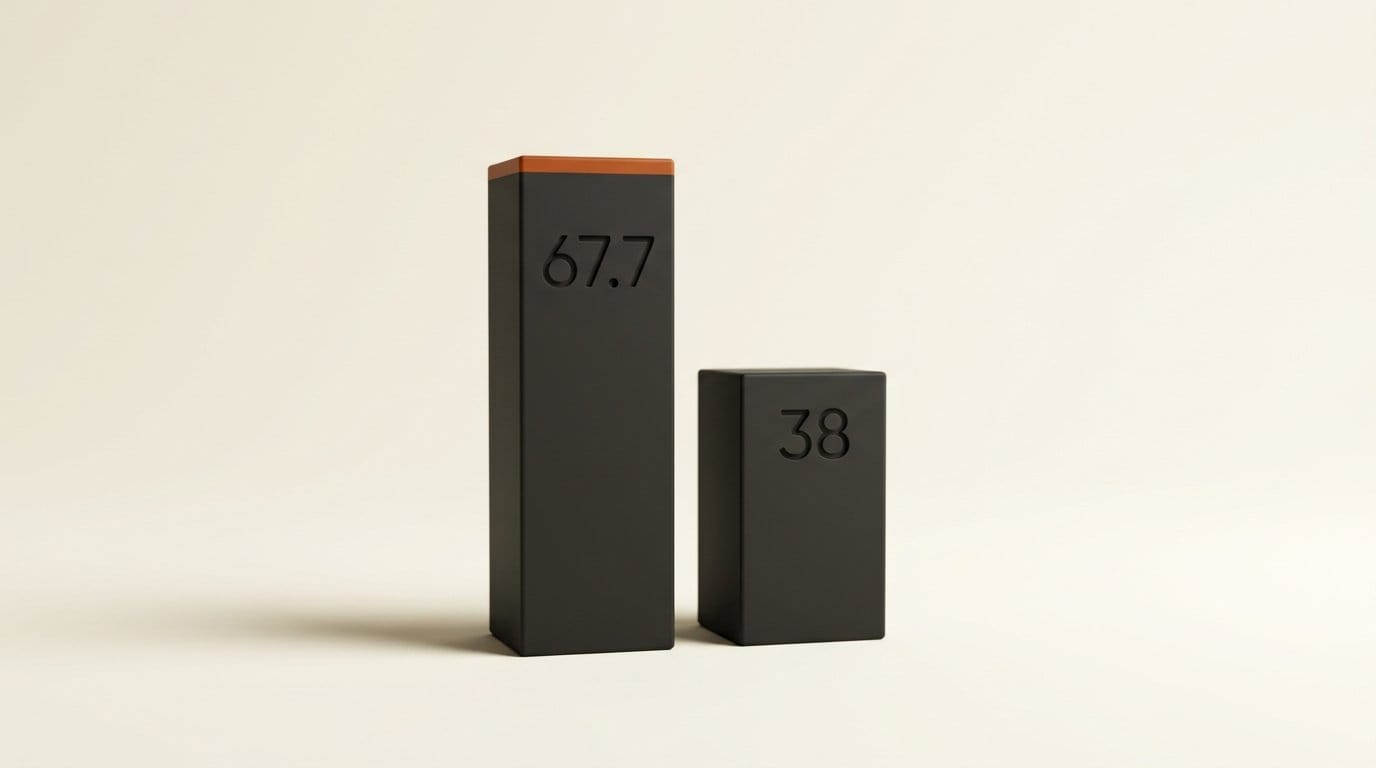
This is the question that stops people, and it is the one place the ComfyUI post is unusually specific. The int8 decoder matches the standard decoder at 67.7 dB PSNR. The faster encoder lands at about 68 dB. The VAE's own reconstruction of real footage sits at roughly 38 dB.
That last number is the one that settles it. A VAE always loses detail when it compresses video and rebuilds it, and that loss is present whether you quantise anything or not. What the int8 path adds on top is, in ComfyUI's phrasing, roughly 30x smaller again. You are adding a rounding error to a lossy process that is already an order of magnitude lossier. ComfyUI's own summary is that you will most likely not see a difference by eye, and the gap between 67.7 dB and 38 dB is why that claim is credible rather than promotional.
Two caveats worth holding onto. Encoding still runs in fp16 even when the int8 VAE file is loaded, so the int8 change is a decode-side change only. And the fused encoder kernel is lossless by construction: it computes the same values in a different order, which is a different kind of claim from "the error is small".
How to Turn It On
- Update ComfyUI to v0.36.0 or above. The fused encoder kernel needs nothing beyond this. The current release at the time of writing is v0.37.0, which also brings Qwen3 series cudagraph support and MoGe 3.
- Launch with the flag. Start ComfyUI as
python main.py --fast fp16_accumulationrather than bare--fast. Naming the sub-option explicitly gives you the convolution speedup without also enablingfp8_matrix_mult,cublas_opsandautotune, which are separate trades you have not evaluated. - Download the int8 VAE. Grab
minimax_h3_video_vae_int8_convrot.safetensorsfrom the Comfy-Org MiniMax-H3 repository and drop it into your VAE directory. It is a drop-in replacement for the standard file, so the swap is a single node change. - Pull the current workflow templates. The text-to-video, image-to-video and reference-to-video graphs live in the Comfy-Org workflow templates repository and in the in-app template library. If you are working from a graph you built weeks ago, compare it against the current t2v template before blaming the VAE for a discrepancy.
- Measure your own round trip. Time the VAE Encode and VAE Decode nodes specifically, at your real resolution and frame count, before and after. ComfyUI's figures are RTX 5090 numbers, and the fp16 accumulation path pays off most on consumer cards where fp16 accumulation runs at double rate.
Where This Sits in the Stack
Decoder optimisation has quietly become its own category this year, which is a sign that generation itself is no longer the only bottleneck worth attacking. PrunaVAED took a similar 2x at the LTX-2.3 decoder, and NVIDIA's PiD decoder went further and replaced the VAE outright for 4K diffusion. The pattern is consistent: as models get faster, the fixed cost of moving between pixels and latents becomes a larger share of the clock, and it turns out to have been carrying a lot of unoptimised code.
For H3 specifically, this lands on a model that has been the centre of a lot of local video work since its open-weights release and ComfyUI integration. The MiniMax H3 repository remains the upstream source for the weights themselves. What changed on 22 September is not the model, it is the plumbing either side of it, which is the kind of update that never makes a launch video and quietly gives back more time than most model upgrades do.
Frequently asked questions
How much faster is the MiniMax H3 VAE after this update?
Encoding is up to about 2.2x faster and decoding is 1.4x to 2.7x faster. A 1344x768, 129-frame encode and decode round trip drops from 24.3 seconds to 12.7 seconds, which is about 1.9x, measured on an RTX 5090 against the build from immediately before the change.
Do I need to change anything to get the speedup?
Partly. Updating to ComfyUI v0.36.0 or later gives you the fused encoder kernel, worth about 1.5x on encoding, with no other action. The rest is opt-in: the full 2.2x encode needs --fast fp16_accumulation at launch, and the fastest decode needs the int8 VAE file downloaded and loaded.
Will the int8 VAE make my videos look worse?
Almost certainly not visibly. The int8 decoder matches the standard decoder at 67.7 dB PSNR, against roughly 38 dB for the VAE's own reconstruction of real footage. The quantisation error is around 30x smaller than the loss the VAE already imposes, so it sits far below what shows up in a frame.
Is the --fast flag safe to use?
ComfyUI documents --fast as experimental and potentially quality-affecting, which is a fair general warning because it covers four different optimisations. Naming the sub-option, as --fast fp16_accumulation, limits you to the convolution path rather than enabling fp8 matrix multiplication, cuBLAS ops and autotune at the same time.
Does this help on older or non-NVIDIA GPUs?
The fused encoder kernel removes memory traffic, so it helps on any NVIDIA GPU rather than only the newest ones. The fp16 accumulation path specifically pays off on consumer cards where fp16 accumulation runs at double rate, so the benefit is uneven across the range and worth measuring on your own hardware.
What is the int8 decoder actually doing differently?
It stores the decoder weights at 8 bits and folds normalisation, activation and the skip connection into the matrix multiplications, so intermediate results never get written out to memory and read back. Attention runs in 8-bit as well. The 1.4x figure is measured against the previous int8 implementation, not against the standard fp16 decoder.