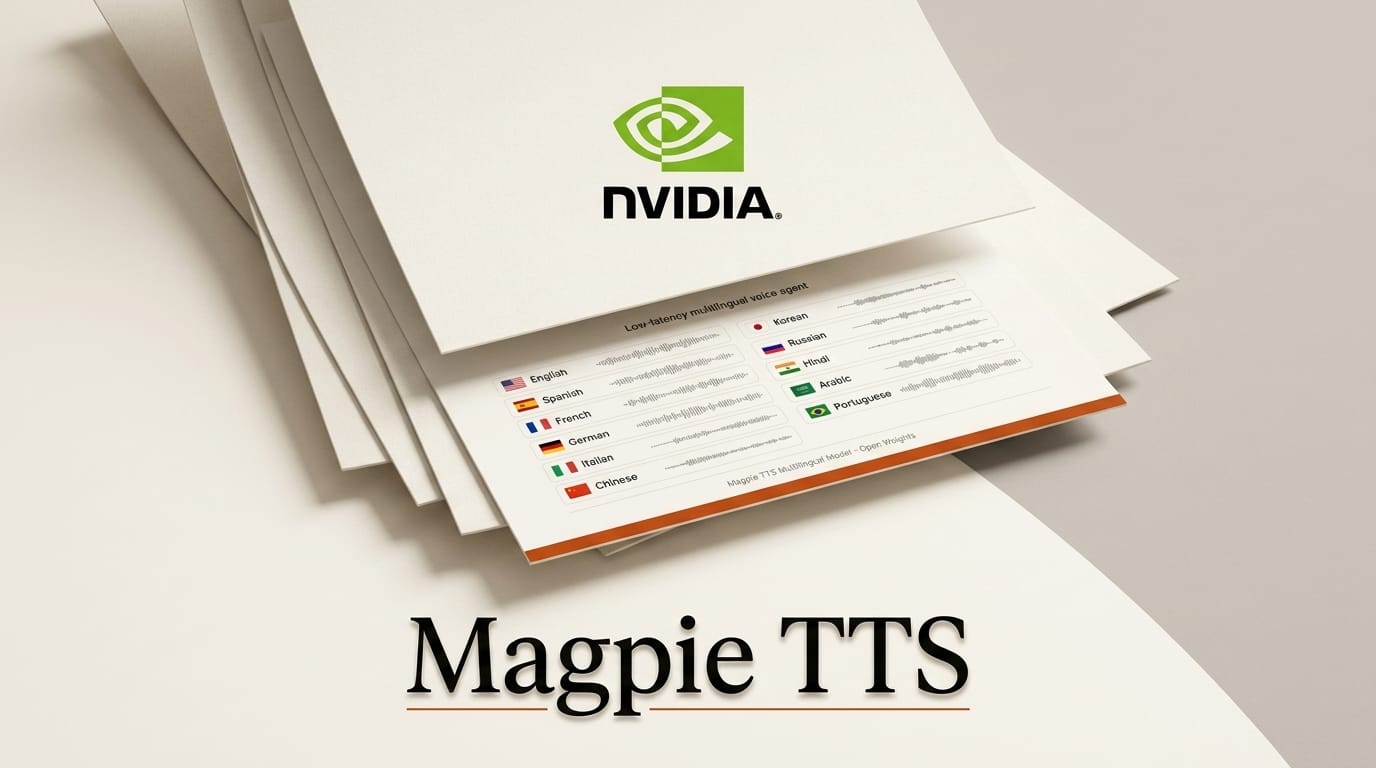
NVIDIA released Magpie TTS Multilingual on August 10, 2026, an open-weights text-to-speech model that generates speech in 12 languages and hits a 32ms time-to-first-audio on a B200 GPU. At 364M parameters and released under the NVIDIA Open Model License, it is small enough to self-host and fast enough to sit inside a live voice agent, where the gap between a user finishing a sentence and the reply starting is what makes a conversation feel human or robotic.
The update adds Modern Standard Arabic, Korean, and Brazilian Portuguese to the existing set, and NVIDIA is shipping it alongside a full deployment blueprint rather than a demo you cannot reproduce. For anyone building narration tools, dubbing pipelines, or conversational agents, the interesting part is not the voices themselves but that you can run the whole stack on your own hardware with no per-character API bill and no data leaving your infrastructure.
What NVIDIA Magpie TTS Multilingual Actually Ships
Magpie TTS Multilingual is a 364M-parameter transformer encoder-decoder that outputs mono 16-bit PCM audio at 22.05 kHz. The model card lists 12 supported languages, five built-in voices (Aria, Jason, John Van Stan, Leo, and Sofia), and a standard synthesis window of up to 20 seconds per call. It uses frame stacking at a factor of two plus a local transformer refinement step, which is how a model this small keeps latency low without collapsing audio quality.
The reported quality numbers are strong for the size class: character error rates between 0.34% and 3.17% depending on language, and speaker-similarity scores from 0.725 to 0.833. One deliberate omission matters for creators: zero-shot voice cloning was removed for safety, so you work from the five provided speakers rather than uploading a reference clip of an arbitrary person.

Magpie TTS vs Other Open and Hosted Voice Models
The decision most builders face is open self-hosted weights versus a hosted API. Magpie sits firmly in the open, deployable camp, which trades polish and cloning flexibility for cost control and privacy. The table below compares it against the options creators reach for most often.
| Model | Weights | Languages | Latency (TTFA) | Voice cloning | Cost model |
|---|---|---|---|---|---|
| NVIDIA Magpie TTS Multilingual | Open (NVIDIA Open Model License) | 12 | ~32ms on B200 | No (removed for safety) | Self-host, no per-use fee |
| ElevenLabs Multilingual v2 | Closed, hosted API | 29+ | ~250-400ms typical | Yes | Per-character subscription |
| OpenAI TTS (gpt-4o-mini-tts) | Closed, hosted API | Many | Streaming, network-bound | No custom upload | Per-character API |
| Kokoro-82M | Open (Apache 2.0) | ~8 | Very low (tiny model) | No | Self-host, no per-use fee |
Magpie's edge is the combination of open weights, sub-100ms first-audio latency, and enterprise-grade language coverage in one downloadable package. If you need voice cloning, ElevenLabs still wins. If you need the smallest possible footprint, Kokoro is lighter. If you need a low-latency multilingual agent you fully control, Magpie is the new default. This mirrors the open-versus-hosted split we covered in Grok Voice Think Fast 2.0.
How to Build a Low-Latency Voice Agent With Magpie
NVIDIA ships a reference voice-agent blueprint so you are not wiring speech-to-text, an LLM, and TTS together from scratch. Here is the practical path from download to a talking agent.
- Try it in the browser first. Open the Hugging Face demo Space, pick a language and one of the five voices, and confirm the output quality fits your use case before you commit hardware.
- Pull the weights. Download the model from the Hugging Face model card. It runs inside NVIDIA NeMo, so you install the NeMo toolkit and load the checkpoint from there.
- Wire the full agent. Clone the Nemotron voice agent blueprint, which chains automatic speech recognition, an LLM for reasoning, and Magpie for the reply into one low-latency loop.
- Normalize your text. Magpie expects UTF-8 with proper punctuation and capitalization. Its long-form mode degrades on raw, unpunctuated strings, so run text normalization before synthesis. The NeMo TTS docs cover the preprocessing steps.
- Tune for streaming. Keep individual synthesis calls under the 20-second window and stream chunks so the agent starts speaking while the rest generates. This is what turns the 32ms first-audio figure into a conversation that feels instant.
What This Enables for Creators
For a solo creator or a small studio, the meaningful shift is cost and privacy. A hosted TTS API charges per character, which quietly punishes high-volume work like a daily narrated video, a multilingual course, or an audiobook. Self-hosting Magpie turns that variable bill into a fixed hardware cost, and the audio never leaves your machine, which matters for client work under NDA.
Concretely, you can dub short-form video into 12 languages from one script, build a multilingual customer-facing voice agent for a product, or generate consistent narration across an entire series using the same speaker. Because the model runs locally, you can iterate on wording and re-render instantly instead of round-tripping to an API and watching the meter. The native-audio direction here rhymes with what we saw in FLUX 3 Video's native audio launch.
Licensing and Deployment Control
Magpie ships under the NVIDIA Open Model License, which permits commercial use and deployment of the weights, a genuine differentiator against closed hosted APIs where you rent access rather than own the pipeline. Review the license terms for your specific product before shipping, but for most creator and studio workflows the open license removes the recurring API dependency entirely and lets you deploy on-premise, in your own cloud, or at the edge.
Frequently Asked Questions
Is NVIDIA Magpie TTS Multilingual free to use?
The weights are open under the NVIDIA Open Model License and carry no per-character fee. Your cost is the GPU you run it on, not usage. Confirm the license terms fit your commercial use case.
What languages does Magpie TTS support?
Twelve: Arabic, Chinese, English, French, German, Hindi, Italian, Japanese, Korean, Portuguese, Spanish, and Vietnamese. Arabic, Korean, and Brazilian Portuguese are new in this release.
Can I clone my own voice with Magpie?
No. Zero-shot voice cloning was deliberately removed for safety. You choose from five built-in speakers: Aria, Jason, John Van Stan, Leo, and Sofia. If cloning is essential, a hosted service like ElevenLabs is the alternative.
How fast is it, really?
NVIDIA reports a 32ms time-to-first-audio on a B200 GPU, and 32 to 79ms across single streams on other NVIDIA GPUs. That sub-100ms first-audio latency is what makes it viable for live conversational agents rather than only batch narration.
What hardware do I need to run it?
At 364M parameters it is small by modern standards and runs on a single NVIDIA GPU through the NeMo toolkit. The headline 32ms figure is measured on a B200, but the model runs on far more modest cards with higher latency.
Can I use it for commercial audiobooks or dubbing?
Yes, subject to the NVIDIA Open Model License terms. The 20-second-per-call window and text normalization requirement mean you segment long scripts, but the open license and per-render cost of zero make high-volume narration and dubbing practical.