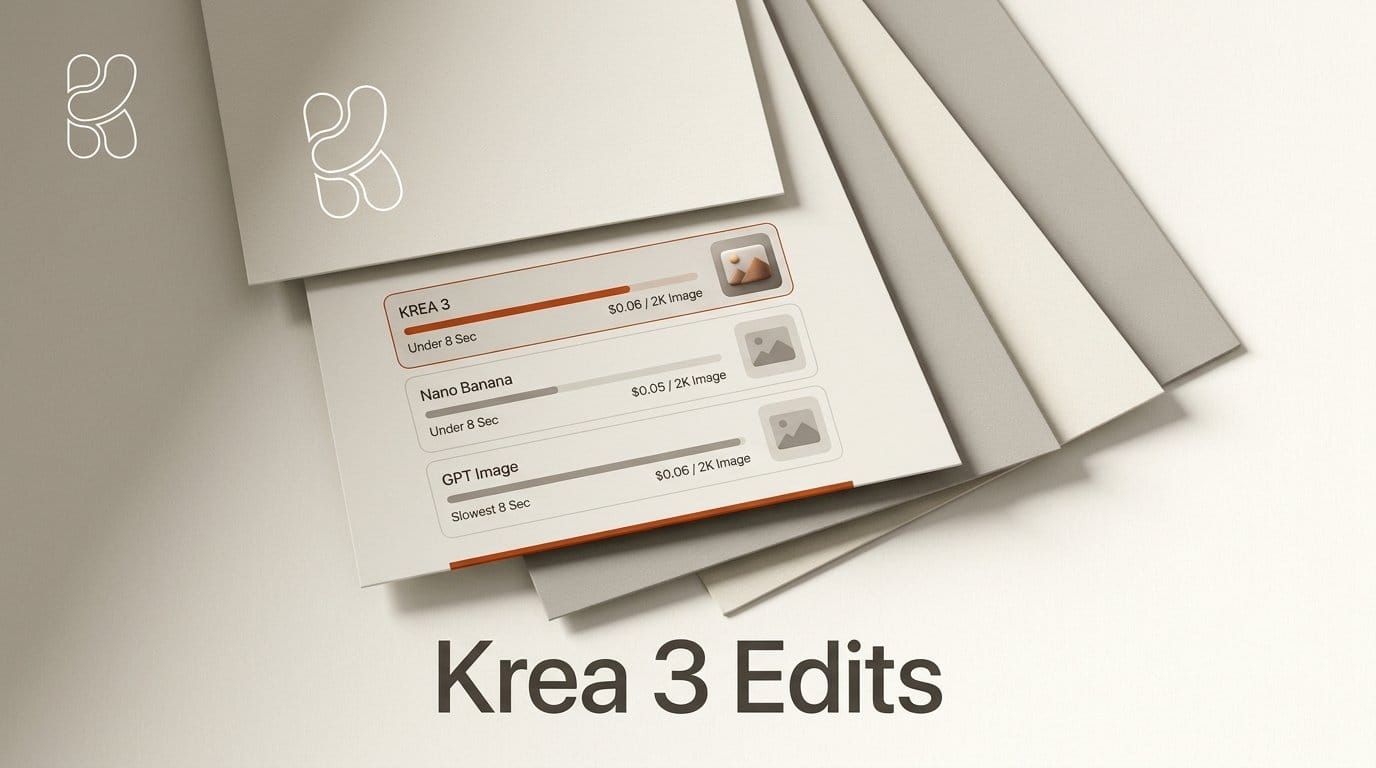
Krea 3, released on October 15, 2026, is an image editing model from Krea that finishes most edits in under 8 seconds at 2K and costs $0.06 per image at 2K or $0.03 at 1K. Krea says it changes only the part of the picture you ask about, and it is opening the model as a beta in the Krea app and on partner platforms such as fal, Replicate, OpenRouter and Together AI.
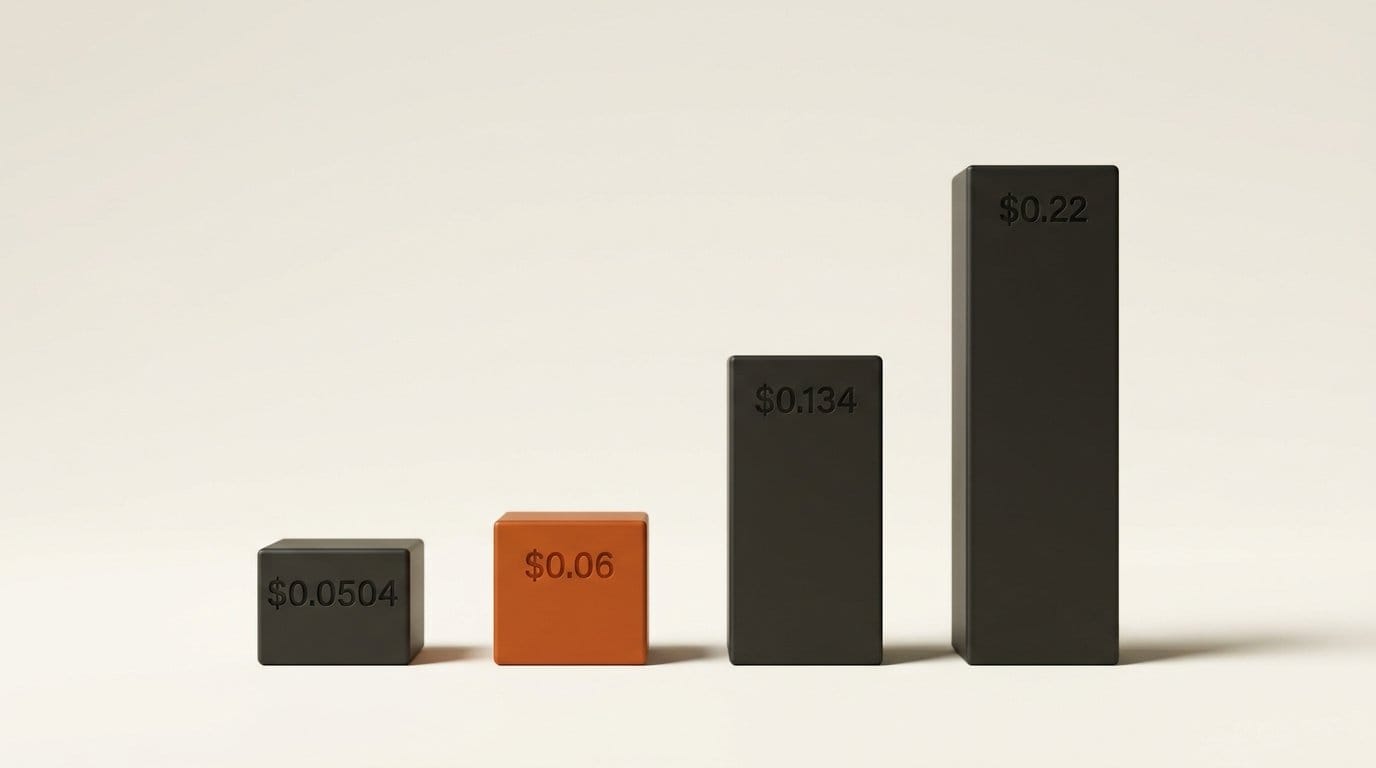
Krea's headline is "10x faster, 3x cheaper". The speed claim holds up across every number Krea has published. The price claim is true against GPT Image 2 and Nano Banana Pro, but not against Nano Banana 2.1, which Google cut to $0.0504 per 2K image last week and which Krea's comparison leaves out. Below: what Krea 3 costs per edit next to seven other editors, how to try it without code, and what we could not verify on launch day.
What Krea 3 is, and what it is not
Krea 3 is an editing model first. You give it a photo (or several) and a written instruction, and it returns the changed image. Krea's own Krea 3 page says it is "best at product scene changes, object removal and photo cleanup", and the launch examples are product shots: a glass mug restyled, pasta swapped for a banana, a pool turned pink, a raincoat recolored.
Krea explains the speed in its FAQ: "Most edits change a small part of the image. Krea 3 finds that region first and renders only what changes." It also says the model is new, "not a distilled copy of a larger model."
Three things it is not:
- Not open weights. Krea released open weights for Krea 2 in June, but Krea 3 has none. Self-hosting is offered "on enterprise plans" only, with license terms by negotiation.
- Not finished. Krea's launch post on X calls this the beta, and AlphaSignal reports Krea saying the full release and more benchmarks follow in about a week.
- Not on krea3.pro or krea3.org. Those are unrelated third-party sites using the name. The official app link is krea.ai/image/k3-edit.
What an edit costs, model by model
Krea compares itself to six editors on its launch page. We added the two cheapest Google and Ideogram options it leaves out, using Google's Gemini API price list and fal's Ideogram 4.5 prices from our Ideogram 4.5 Precise Edit test. All prices are per image at about 2K unless marked.
| Model | Price per edit | Source of the price |
|---|---|---|
| Ideogram 4.5, Low quality (fal) | $0.03 | fal price list |
| Krea 3 at 1K | $0.03 | Krea |
| Nano Banana 2.1 | $0.0504 | Google price list |
| Krea 3 at 2K | $0.06 | Krea |
| Grok Imagine 2.0 | $0.06 | Krea's chart |
| Ideogram 4.5, Medium quality (fal) | $0.06 | fal price list |
| Seedream 5.0 Pro | $0.09 | Krea's chart |
| Nano Banana 2 | $0.101 (Krea's chart shows $0.067, the 1K price) | Google price list |
| Nano Banana Pro | $0.134 | Google price list |
| GPT Image 2 | $0.22 | Krea's chart |
| Ideogram 4.5, High quality (fal) | $0.22 | fal price list |
Read the table from the creator's side. If you edit in volume and use Nano Banana Pro or GPT Image 2 today, Krea 3 cuts the bill by more than half: Krea's own sum puts 100,000 edits a month at $6,000 against $13,500 for Nano Banana Pro and $22,000 for GPT Image 2. If you already use Nano Banana 2.1, Krea 3 costs about a cent more per 2K edit, and Google's Batch API halves Nano Banana 2.1 again to $0.0252 if you can wait for results.
Krea's FAQ says the launch price "is the list price" and that "we expect it to go down, not up." Prices on partner platforms may differ from Krea's own. Check the rate where you actually call the model before you budget a campaign around it.
Speed: the claim that holds up
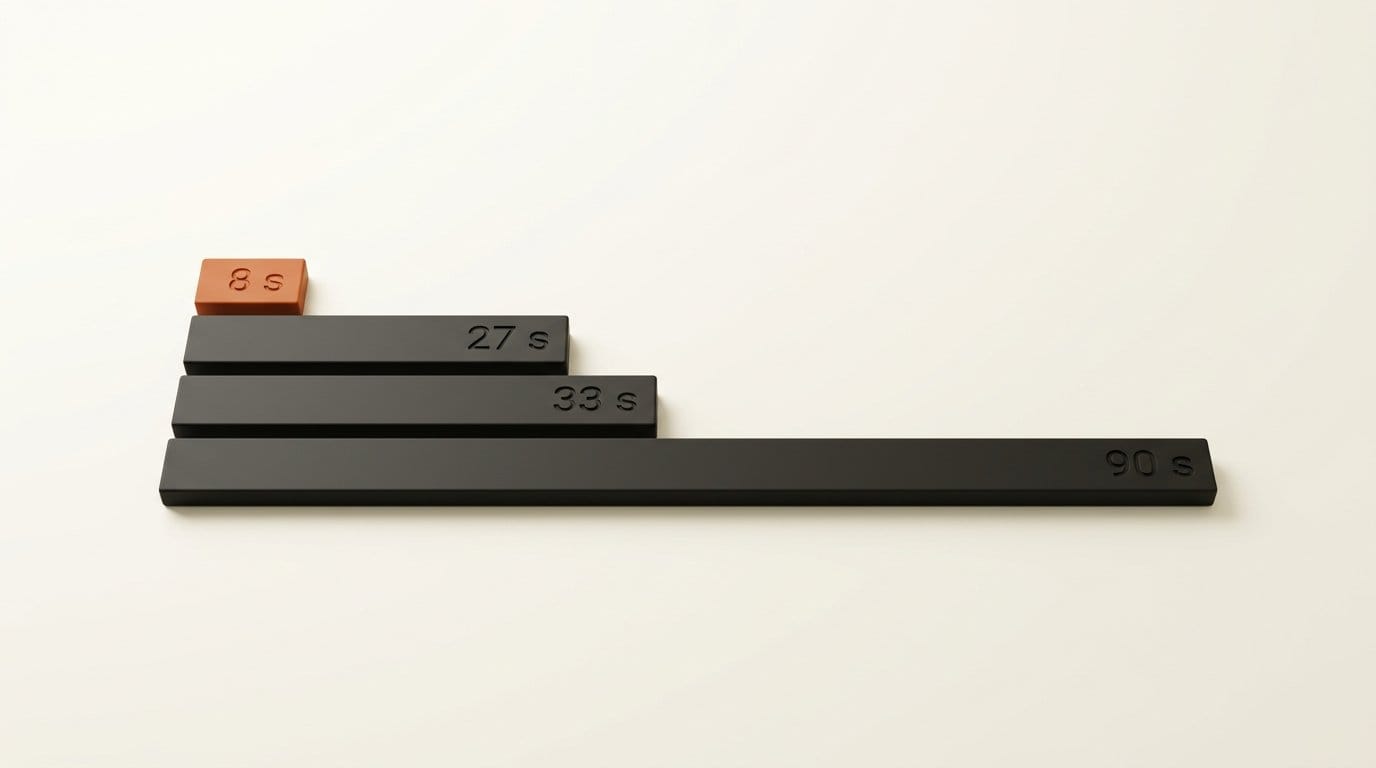
Krea has published three different sets of timings, and they do not agree with each other on the competitors. The launch post gives median request-to-image times for edit jobs on Krea from September 24 to October 1, queue time included. The launch page chart uses other figures, and a side-by-side demo on the same page uses a third set:
| Model | Launch post median | Launch page chart | 12-prompt side-by-side |
|---|---|---|---|
| Krea 3 | under 8 s | under 8 s | under 8 s |
| Nano Banana 2 | 27 s | 33 s | not shown |
| Nano Banana Pro | 33 s | 29 s | about 26.8 s |
| GPT Image 2 | 90 s | 118 s | not shown |
| GPT Image 2.5 | not shown | not shown | about 39.9 s |
| Grok Imagine 2.0 | not shown | 19 s | not shown |
The competitor numbers move by up to 30% depending on which Krea page you read, which is what you would expect from timings that include queue time on one platform. The Krea 3 number never moves, and it is 2 to 15 times faster than the alternatives on every version. Krea also says its fastest setup finishes an edit in about 4 to 5 seconds and that the model is "not yet real time."
For a creator, the speed matters more than the price. An art director asking for ten small changes to one product shot waits about 80 seconds on Krea 3 and about five and a half minutes on Nano Banana Pro, going by Krea's launch post medians. That is the difference between iterating in a meeting and sending the job off and coming back later.
Where you can use it without code
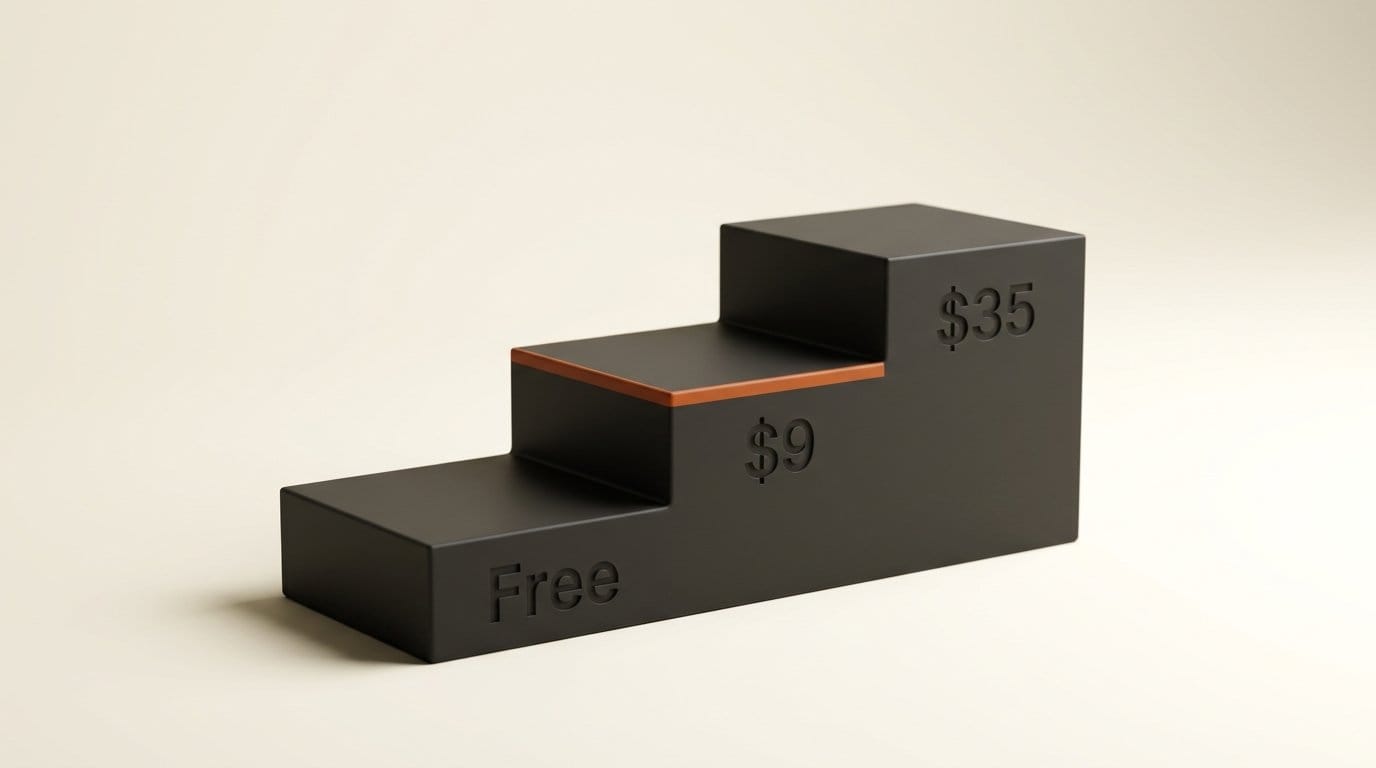
The simplest route is the Krea app. Krea's pricing page lists a Free plan with 100 compute units a day and no credit card, covering "all image models". Paid plans start at Basic for $9 a month ($5 a month billed yearly) with 5,000 units, and Pro at $35 a month ($21 yearly) with 20,000 units. Only the paid plans include a commercial license, so client work and product listings need Basic or higher.
Krea does not list how many units one Krea 3 edit uses. Basic's 5,000 units cover 64 Nano Banana 2 images, by Krea's own example, so check the cost shown in the model picker before you plan a batch.
Outside Krea, the model is already live on fal. Krea also names Hedra, Flora, Envato, Creative Fabrica, Civitai, Together AI, OpenRouter and Replicate as launch or distribution partners. Replicate's model page was not live when we checked at 3 PM ET, so look in each app's model list before assuming it is there.
A product-shot workflow in Krea 3
This is the job Krea built the model for: one product photo turned into a set of scenes and colorways for a shop or an ad, done in the Krea app.
- Start from your best product photo. Shoot or export it at the largest size you have. Krea says the model keeps labels and logos intact while it changes the scene around them, so a sharp label in the source matters.
- Open Krea 3 Edit and upload the photo. Use the official link above, not a lookalike site.
- Write one change per instruction, and say "only". Krea's examples read like "Make the cup cherry red" or "Change to a copper dripper". Krea says adding "only" keeps the rest of the frame untouched.
- Add references for the look. Krea says you can attach up to six reference images per edit: a mood board, a color palette, a location photo or a second product. fal's version of the model accepts up to eight.
- Edit in rounds. Keep the result you like and give the next instruction on top of it: background first, then light, then the colorway. Krea's launch thread advertises multi-turn editing for this.
- Compare against the original at full size. Zoom in on the label, the edges and the hands. A fast edit that quietly redraws your logo is a returned product photo.
- Turn the best still into a clip. Our product photo to video ad guide picks up from here.
What we could not check on launch day
We did not run Krea 3 ourselves for this article. The Krea app needs an account and the partner APIs are paid, so every speed, price and quality figure above is Krea's, Google's or fal's, as labelled. Four claims need care:
- Quality. Krea says Krea 3 "matches Nano Banana Pro or GPT Image 2.5 quality". AlphaSignal and Glitchwire report Krea's score of 4.81 out of 5 for an "Ultra" tier on Alibaba's CPI-Bench editing benchmark, second to GPT Image 2.5. Krea has not said which app or API setting that Ultra tier maps to, and no independent leaderboard has scored the model yet.
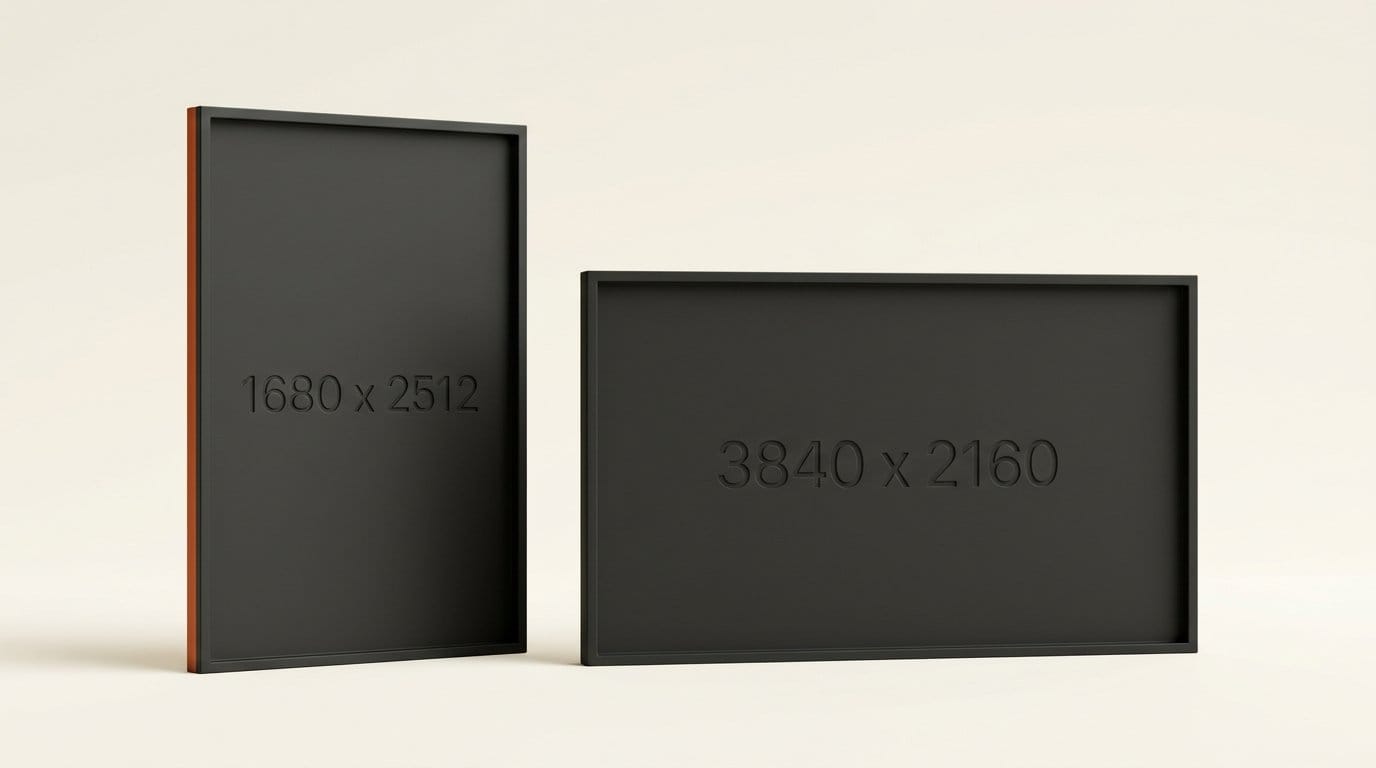
- 4K. Launch coverage says the model supports up to 4K. fal's API schema caps output at 4,220,160 pixels (1680 x 2512), about half of a 3840 x 2160 frame, and defaults to about 2048 x 2048.
- Custom training. Krea calls Krea 3 the first editing model you can train on your own product, person or style with a LoRA. AlphaSignal reports that LoRA training needs early-access approval for now.
- Pixel stability. "Changes only what you ask" is the claim that matters most for product work, and the one we have measured on other editors. In our FLUX 3 Image edit test, Black Forest Labs' own "pixel-exact" showcase edits left only 67.8-94.1% of pixels identical, and three of nine changed areas well beyond the edited object. We will run the same test on Krea 3 when we have access.
Who should switch, and who should wait
Try it now if you edit product photos, ads or listings in volume and pay Nano Banana Pro or GPT Image 2 prices today. The free plan is enough to see whether the edits hold your labels and edges, and the speed alone may change how you work with a client in the room.
Stay where you are if your edits are rare, if you already use Nano Banana 2.1 (it is cheaper per image), or if you need open weights to run on your own GPU. Krea 2's open weights remain the Krea option for that.
Wait a week if you need the LoRA training or the published benchmarks before committing a client project. Krea says both arrive with the full release.
Frequently asked questions
How much does Krea 3 cost per image?
Krea lists $0.06 per edit at 2K and $0.03 at 1K. In the Krea app the cost comes out of your compute units: Free gives 100 units a day, Basic is $9 a month for 5,000 units. Krea has not published the unit cost of one Krea 3 edit.
Is Krea 3 free to use?
You can try it on Krea's Free plan, which includes all image models and 100 units a day. Images made on the Free plan are not covered by Krea's commercial license; that starts with the Basic plan.
Is Krea 3 faster than Nano Banana Pro?
By Krea's own measurements, yes: under 8 seconds per edit against 26.8 to 33 seconds for Nano Banana Pro, depending on which Krea page you read. These are Krea's numbers, measured on its own platform with queue time included.
Is Krea 3 cheaper than Nano Banana 2.1?
No. Google's price list puts Nano Banana 2.1 at $0.0504 per 2K image, against $0.06 for Krea 3. At 1K, Krea 3 is slightly cheaper: $0.03 against $0.0336.
Can I download Krea 3 and run it on my own computer?
No. Krea 3 has no open weights. Krea offers self-hosting on enterprise plans only. Krea 2 is the Krea model with open weights.
How many reference images can Krea 3 use?
Krea says up to six per edit. The version on fal accepts up to eight image inputs.