Black Forest Labs released FLUX 3 Image on 1 October 2026, the image tier of the FLUX 3 family it announced in July. One endpoint generates from text, edits with up to ten reference images, places elements with bounding boxes and renders up to 4K (about 16 megapixels). It costs $0.041 to $0.607 per image, and The Decoder reports a 50% API discount through 8 October, with open weights promised "in the coming weeks".
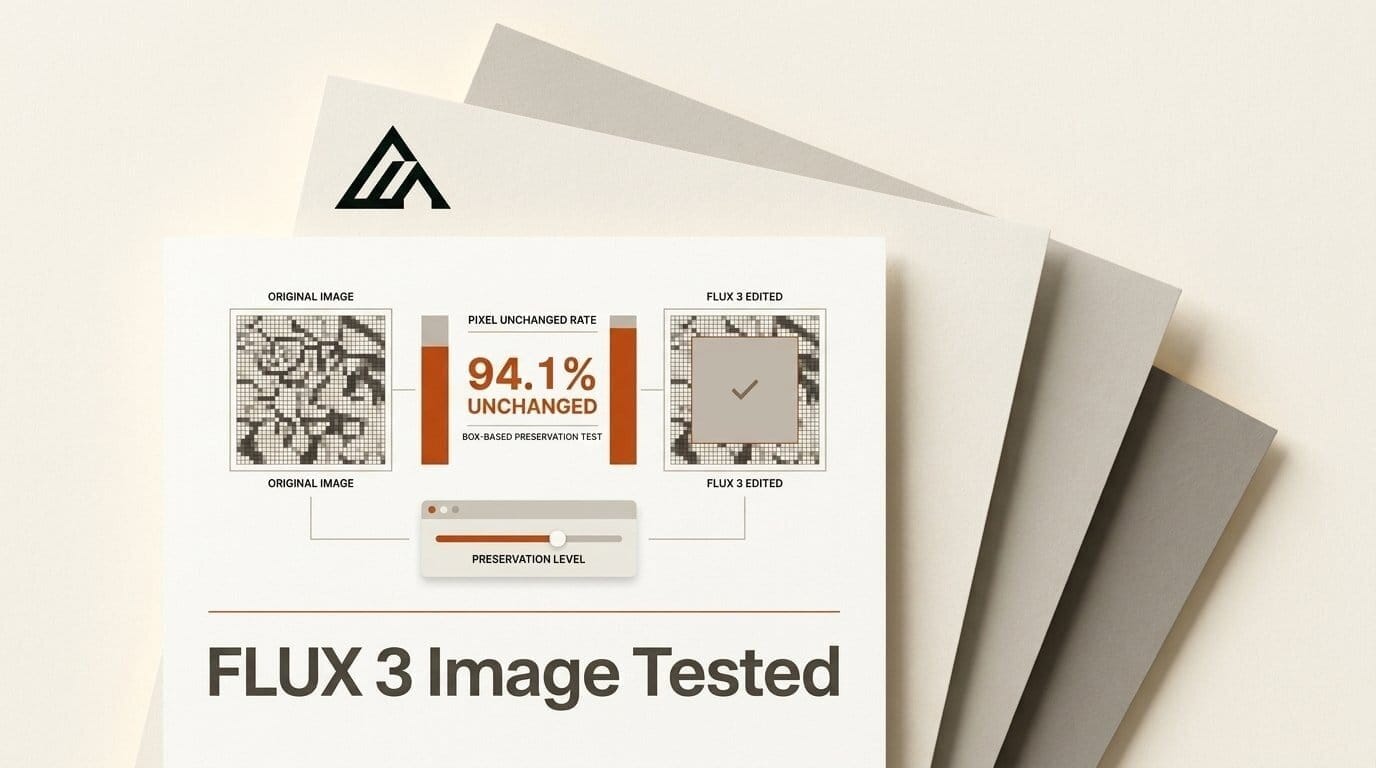
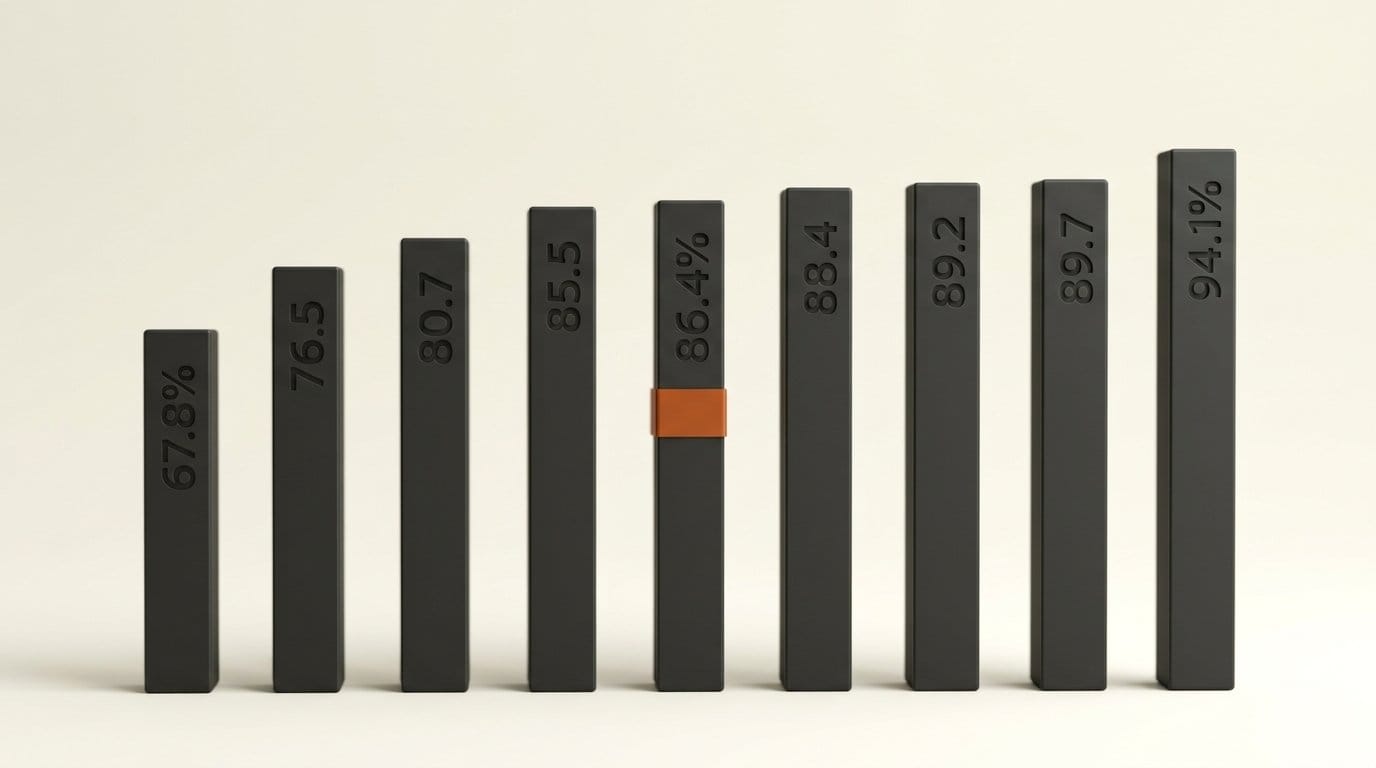
The headline claim is "pixel-exact local edits": change one element and keep the rest of the image as it was. We tested that claim on Black Forest Labs' own published samples, at no cost. BFL's nine showcase edits leave 67.8-94.1% of pixels identical by its own count. In three of them the changes reach well beyond the edited object. Below are the numbers, how FLUX 3 Image compares with Ideogram 4.5, and a free step that locks untouched pixels for good.
What FLUX 3 Image ships
BFL announced FLUX 3 Image on X at 19:00 UTC on 1 October. It lives at one URL, api.bfl.ai/v1/flux-3-image, and the prompt decides the job. Send only text and it generates. Add one image and an instruction and it edits. Add 2 to 10 images and it combines them. There is no mode field, and the FLUX 3 Image quickstart warns that fields from older BFL endpoints, including seed, width and input_image, are rejected with HTTP 422.
| Feature | FLUX 3 Image |
|---|---|
| Inputs | Prompt, plus up to 10 reference images (each 16 MP or smaller, at least 256 x 256) |
| Output sizes | 768sq, 1k, 2k, 4k (about 16 MP), at 15 aspect ratios |
| Layout control | A JSON list of boxes at the end of the prompt, [top, left, bottom, right] on a 0 to 1000 grid |
| Edit types | Recolor, replace, move, resize or remove several elements in one request |
| Seed | Not accepted, so you cannot re-run an identical request for an identical result |
| Result | Poll a returned URL; the image link expires after 1 hour |
| Weights | Commercial license for self-hosting now; open weights announced, no date |
The box format is the new part, and AlphaSignal's launch write-up calls it out for developers placing objects at exact coordinates. Each row has an id, a description and two boxes: src_bbox (where the element is in your image) and tgt_bbox (where it should be after the edit). A row copied from your image with identical boxes is an anchor, which tells the model to keep that element. A row with "from": null is new content. The bounding boxes tutorial adds a warning worth remembering: "Boxes guide placement; they are not clipping masks."
What it costs per image
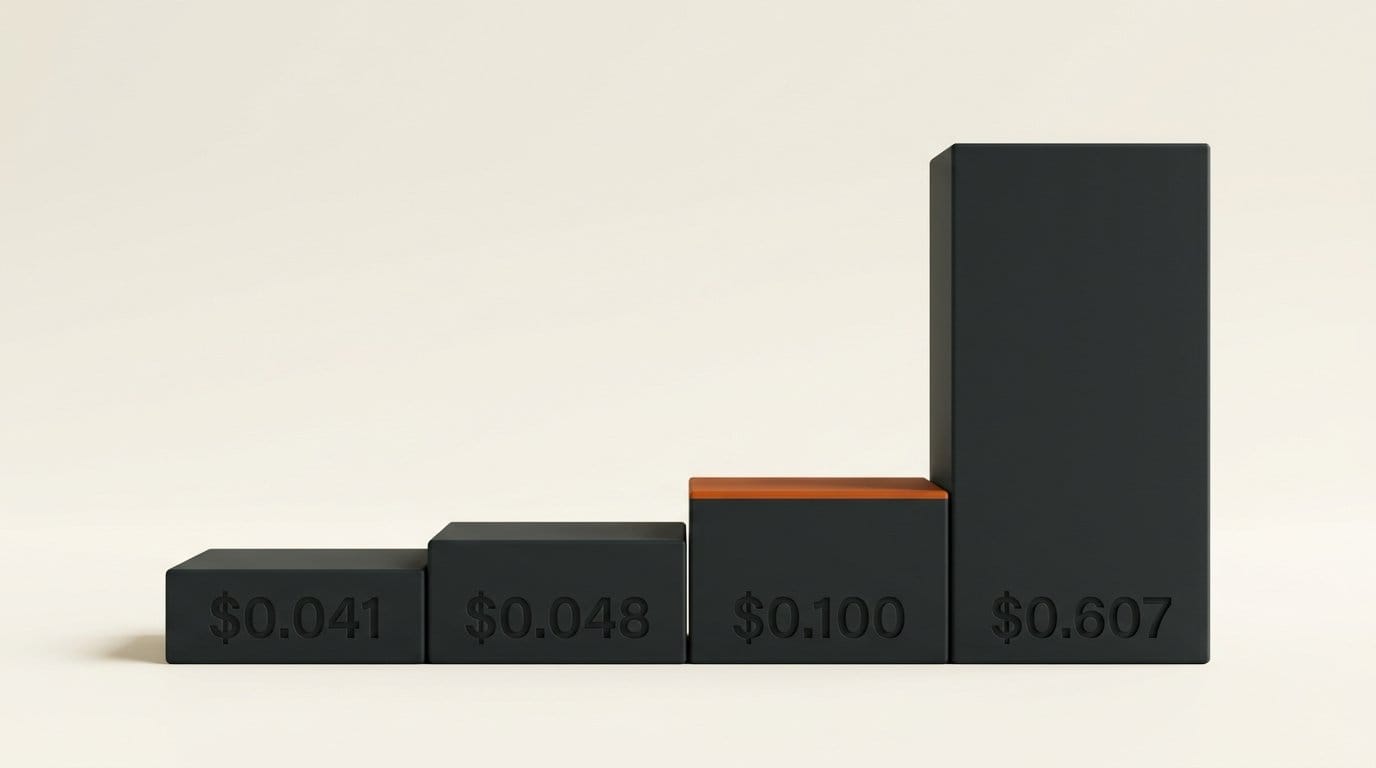
BFL bills per image by resolution class, the same in the API and the playground, and every submit response returns the cost of that request. The BFL pricing page lists four tiers. We divided each by its approximate megapixel count to show where the value sits.
| Resolution | Output | Price | Per megapixel | With 50% off (to 8 Oct) |
|---|---|---|---|---|
768sq | 768 x 768 (0.59 MP) | $0.041 | $0.070 | $0.021 |
1k | About 1 MP | $0.048 | $0.048 | $0.024 |
2k | About 4 MP | $0.100 | $0.025 | $0.050 |
4k | About 16 MP | $0.607 | $0.038 | $0.304 |
2K is the cheapest pixel on the list. 4K buys four times the pixels of 2K for 6.07 times the price, so a 4K image only pays off when you need detail the model draws natively, not an enlargement. A ten-step edit chain at 2K costs $1.00, or $0.50 during the discount. For comparison, the fal prices we recorded for our Ideogram 4.5 Precise Edit test put the same chain at $0.08 to $2.20 for Ideogram 4.5 depending on quality, $1.50 for Nano Banana Pro edits and $1.20 for Nano Banana 2.
We checked the "pixel-exact" claim
BFL's documentation backs the claim with its own evidence. The bounding boxes page carries a "Changed pixels" viewer with nine edits, each published with the input, the result, a difference mask and an "identical" score. It also says: "Pixels outside the edited boxes usually stay identical." We downloaded all nine masks and counted how many separate areas each one marks as changed. One edit should produce one area of change around the object.
| BFL sample | Edit | Identical (BFL's score) | Separate changed areas | Changes outside the main area |
|---|---|---|---|---|
| Hair | Recolor hair blue | 67.8% | 1 | 0% |
| Sofa | Armchairs replaced with a sofa | 76.5% | 1 | 0% |
| Cats | Orange cat removed | 80.7% | 2 | 2% |
| Duck | Rubber duck replaced | 85.5% | 4 | 25% |
| Bird | Small bird added | 86.4% | 3 | 5% |
| Burger | Plate swapped for a burger | 88.4% | 1 | 0% |
| Moto | Motorcyclist added | 89.2% | 6 | 32% |
| Shirt | Cat print added to a T-shirt | 89.7% | 1 | 0% |
| Divers | Two divers added | 94.1% | 13 | Scattered (see below) |
The median sample keeps 86.4% of its pixels identical, so a typical edit touches about one pixel in seven. That is far more than the object itself. Four edits are clean: one patch and nothing else. Three are not. In the moto sample, 32% of the changed pixels sit in five separate patches in the scenery above the road, nowhere near the new rider. In the duck sample, a quarter of the changes are in patches away from the duck. The divers sample adds two swimmers but marks 13 areas, including the outline of the island, patches of the coral reef and the sunlit water at the top right.
BFL also publishes five larger examples it calls "more layouts and edits from the FLUX 3 launch", with the exact box rows it sent. Outside the edit boxes, only 0.6-1.3% of pixels are identical, and the mean difference is 8.1 to 13.6 levels out of 255. To rule out file compression, we saved the original once as WebP at quality 90: that moves pixels by 1.4 to 1.9 levels on average. So the gap is real. The surroundings were redrawn, not copied. Three samples on the editing page, by contrast, kept 99.0-99.9% of pixels outside the box identical. We compared lossless downloads of BFL's files with a short script. BFL does not say which model build made which sample.
What the misses look like
None of this shows up at a glance. In the launch samples the composition holds, but fine detail is redrawn: stray fibers on the crocheted yarn figures change shape, snowflakes behind a recolored tiger shift and the tone drifts a few levels. In the bird sample, the changed area is a block nearly twice the bird's height, so the currants and leaves around it were repainted too.
For one image this rarely matters. It matters in three jobs. Product shots where the packshot must match the approved file, multi-step edit chains where each pass redraws the background again, and composites where an edited layer must line up with untouched layers in Photoshop or After Effects. A shift of 8 to 13 levels is hard to see in one image and easy to see when you flip between two versions or cut between them.
FLUX 3 Image vs Ideogram 4.5 for multi-step edits
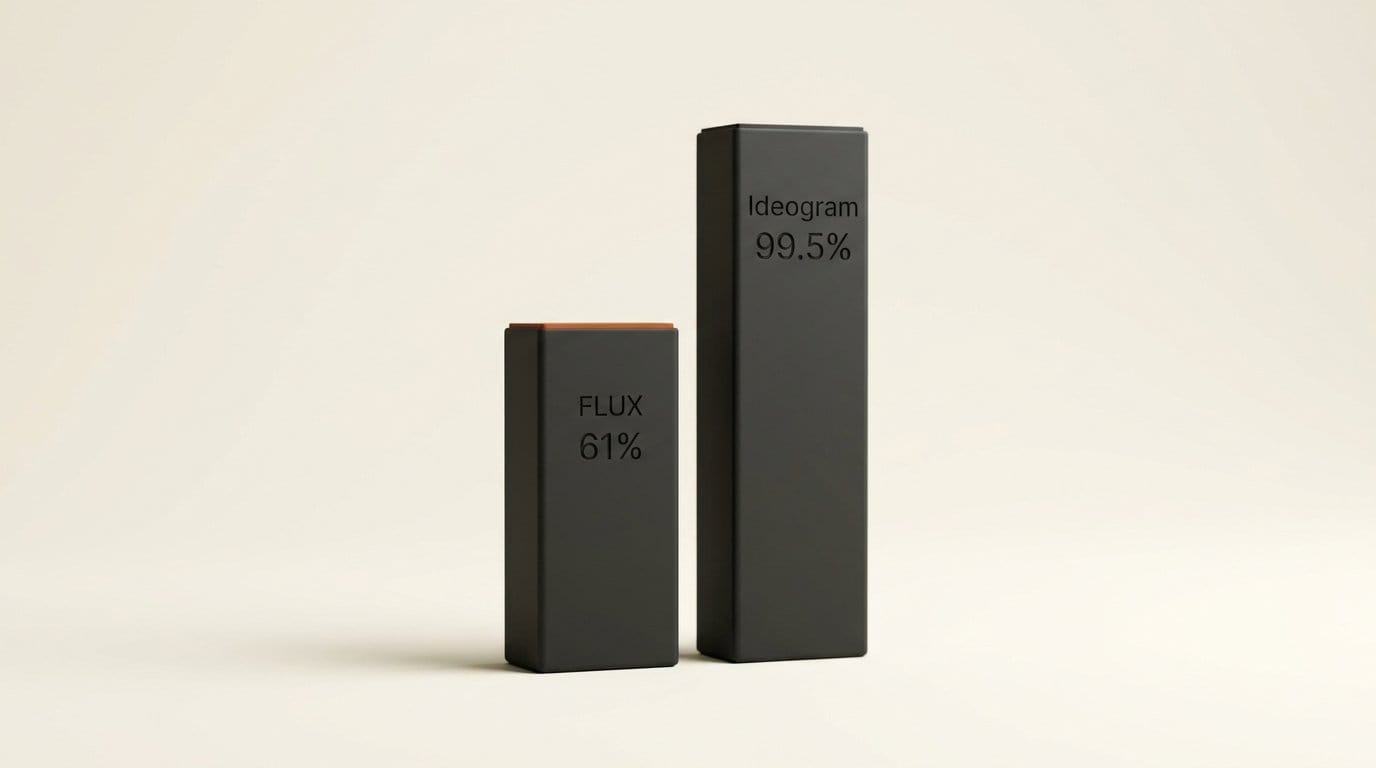
Ideogram shipped Ideogram 4.5 on 30 September with the same pitch, edits that leave the rest alone. Our pixel test of its published samples found 72.3% of untouched pixels identical and 99.5% within 8 levels. Measured the same way, BFL's five launch examples reach only 58-61% within 8 levels in their untouched areas. The three samples on BFL's editing page beat Ideogram's sample on identity (99.0% or more against 72.3%).
| FLUX 3 Image | Ideogram 4.5 Precise Edit | |
|---|---|---|
| Released | 1 Oct 2026 | 30 Sep 2026 |
| How you mark the edit | Box rows in the prompt, anchors for what stays | Optional mask (black = edit) |
| References | Up to 10 | Up to 4 (a mask uses one slot) |
| Max output | About 16 MP (4K) | 1K or 2K presets; Precise Edit keeps the input size |
| 2K edit price | $0.100 ($0.050 to 8 Oct) | $0.008 to $0.22 on fal, by quality |
| Pixel identity in vendor samples | 67.8-94.1% of frame (BFL's score) | 65.7% of frame, 72.3% of untouched area |
| Open weights | Announced, no date | Announced, no date |
The honest summary: both vendors show their best cases, both are close to their claim on some samples, and neither guarantees untouched pixels. FLUX 3 Image is the stronger tool for layout, since you can place every element by box and feed ten references, and it is the only one of the two that renders natively at 4K. Ideogram 4.5 is cheaper at low quality settings and takes a real mask. If the backdrop must not change by a single level, do not leave that to either model.
How to keep untouched pixels truly locked
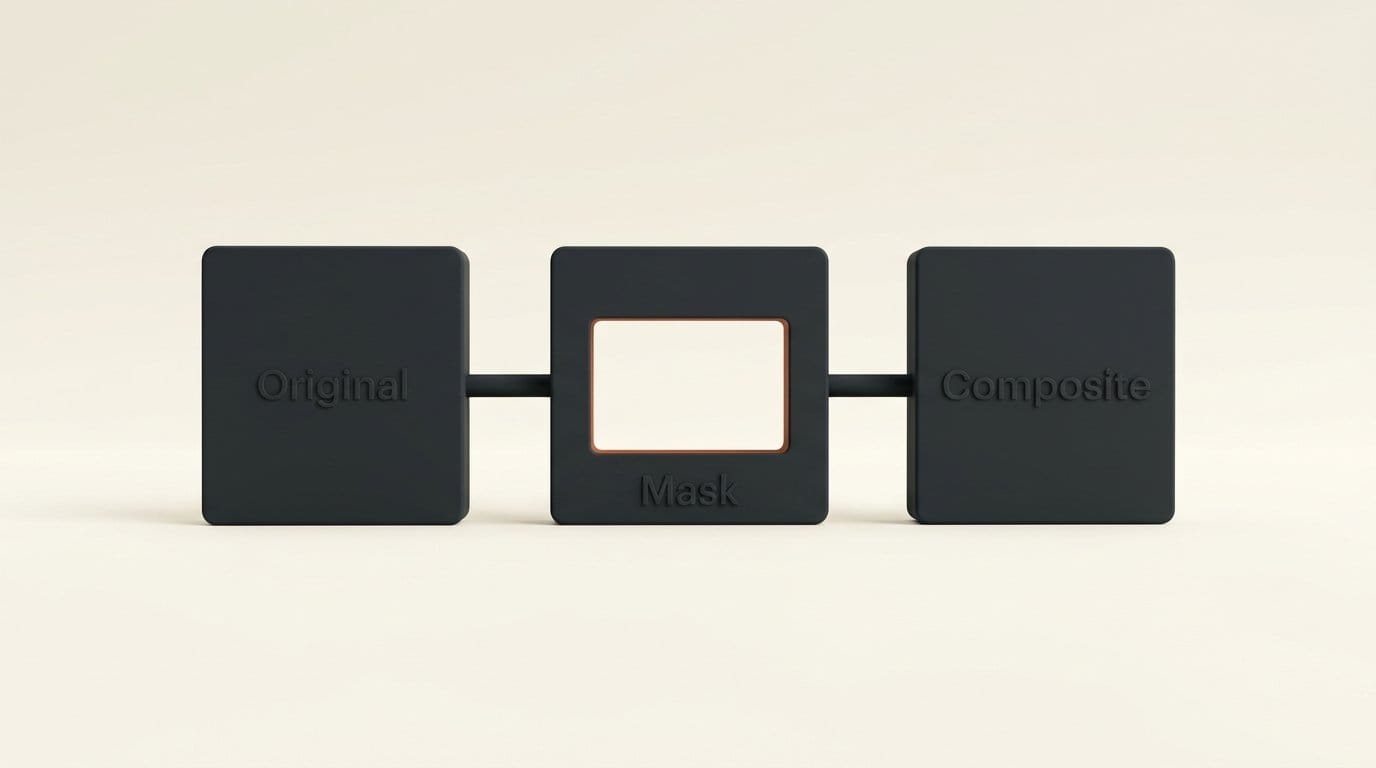
The fix is to composite the edit back onto your original, so only the area you meant to change can differ. It costs nothing and takes about a minute to set up. We ran it on BFL's own tiger recolor: every pixel outside the padded boxes came out 100% identical to the original.
- Keep the original file. Export it at the size you will deliver. FLUX 3 Image returns its own resolution class, so you will resize the result back to the original's exact dimensions.
- Send the edit with box rows. One new row (
"from": null) per element you change, and anchor rows for the elements that must stay, as the FLUX 3 Image editing guide shows. Write down thetgt_bboxvalues. - Download the result within the hour. The result link expires after 1 hour.
- Build a mask from your own boxes, not from the difference. A difference mask would keep the stray patches we found. Pad each box by about 30 grid units, because elements can spill past their box, and feather the edge by a few pixels.
- Composite. Edited pixels inside the mask, original pixels everywhere else.
- Chain from the composite. Send the locked image, not the raw output, into the next edit, so changes outside the boxes never build up.
- Check it. Count identical pixels outside the mask. Anything under 100% means the sizes did not match.
Steps 4 and 5 in Python with Pillow:
from PIL import Image, ImageDraw, ImageFilter

def lock(original, edited, boxes, pad=30, feather=6):
    src = Image.open(original).convert("RGB")
    out = Image.open(edited).convert("RGB").resize(src.size)
    w, h = src.size
    mask = Image.new("L", src.size, 0)
    draw = ImageDraw.Draw(mask)
    for top, left, bottom, right in boxes:  # FLUX order, 0-1000 grid
        draw.rectangle([max(0, left - pad) * w / 1000, max(0, top - pad) * h / 1000,
                        min(1000, right + pad) * w / 1000, min(1000, bottom + pad) * h / 1000], fill=255)
    mask = mask.filter(ImageFilter.GaussianBlur(feather))
    return Image.composite(out, src, mask)

lock("original.png", "flux_edit.png", [(250, 50, 850, 650)]).save("locked.png")
The same idea works without code: stack the original and the result in Photoshop, Affinity or GIMP, add a layer mask to the result and paint only the edited box white. In ComfyUI, the core ImageCompositeMasked node does the same job.
Who should use FLUX 3 Image now
Use it this week if you build layouts: posters, thumbnails, product grids, comics, anything where you want to say exactly where each element goes. The box format is one of the most direct layout controls in any hosted image model, and the discount halves the cost of learning it until 8 October. Start at 1k ($0.024 during the discount) while you tune the rows, then render the keeper at 2k.
Wait, or add the composite step, if your work depends on an approved image staying approved. Brand assets, packshots and long edit chains need the pixel lock above whichever model you choose. If you plan to self-host, the open weights have no date yet. Our FLUX 3 announcement coverage explains how the image tier fits next to FLUX 3 Video, which went live in August.
Frequently asked questions
When was FLUX 3 Image released?
Black Forest Labs released FLUX 3 Image on 1 October 2026, through its API and playground. It is the image tier of the FLUX 3 family announced on 23 July 2026.
How much does FLUX 3 Image cost?
$0.041 at 768 x 768, $0.048 at about 1 MP, $0.100 at about 4 MP (2K) and $0.607 at about 16 MP (4K), per image. The API is 50% off through 8 October 2026.
Are FLUX 3 Image edits really pixel-exact?
Not always. BFL's own nine showcase edits keep 67.8-94.1% of pixels identical, and three of them change separate areas away from the edited object. Composite the result onto your original inside your edit boxes if untouched pixels must stay identical.
Can I use a seed with FLUX 3 Image?
No. The endpoint rejects seed, width and input_image with HTTP 422, so the same request can return a different image. Save every result you might want to keep.
Is FLUX 3 Image open source?
Not yet. BFL sells a commercial license for self-hosting now and has announced open weights "in the coming weeks", without a date.
How many reference images can FLUX 3 Image use?
Up to ten per request, named ref_image_0 to ref_image_9 in the prompt, each 16 megapixels or smaller.