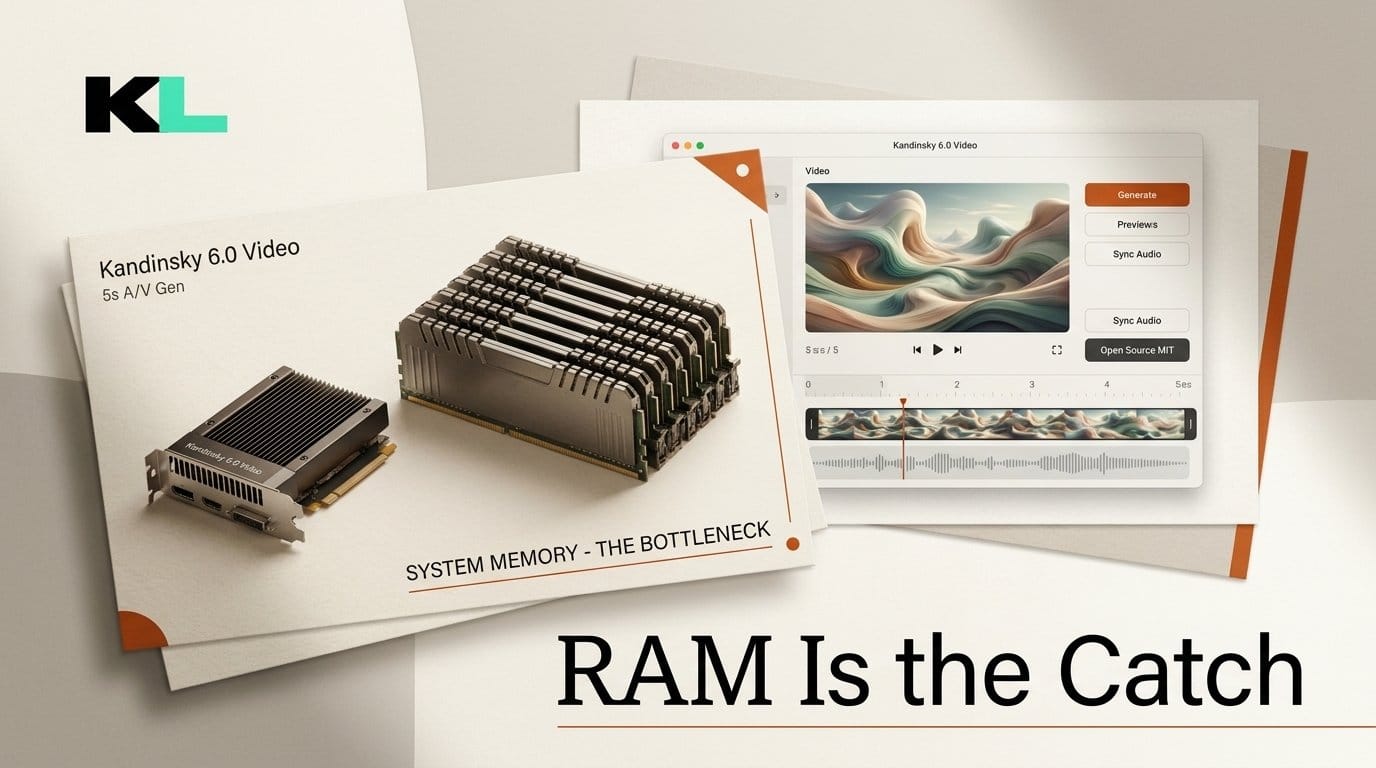
Kandinsky Lab open-sourced Kandinsky 6.0 Video on October 6, 2026: two MIT-licensed models, Lite (3B parameters) and Pro (29B), that generate a 5-second clip with synchronized 44 kHz audio, lip-synced speech included, from a text prompt or a starting image. A separate super-resolution model lifts the result to 1920x1080. The headline claim is that both run on 16 GB consumer cards. The claim holds, but the requirement didn't go away. It moved to system RAM: according to the team's technical report, the Pro model needs about 58 GiB of process memory to run on a 16 GB GPU.
We read the weights directly to check the parameter counts, compared the download sizes, and tested which install path actually works on launch day. The short version: Lite is the version most creators can run, ComfyUI nodes already work, and the standard pip install diffusers does not load the model yet.
What Kandinsky Lab shipped on October 6
The release is a full stack rather than a single checkpoint. The Hugging Face collection holds base, distilled and pretrain checkpoints for both sizes, plus two super-resolution bundles. The GitHub repository ships a command-line runner with presets for seven GPUs, and the team published a free Hugging Face Space running the distilled Pro model, so you can test prompts before downloading anything.
- Output: 121 frames at 24 fps (5 seconds), with audio generated in the same pass rather than added afterward.
- Modes: text-to-audio-video and image-to-audio-video. Pass
sample_audio=Falsefor silent video. - Base resolution: the paper lists SD geometries of 768x512, 512x768 and 512x512, and HD geometries of 768x432 and 864x480. Full HD comes from the separate super-resolution pass at x2, x2.25 or x4.
- Distilled checkpoints: the distilled Pro samples in 10 steps instead of 50. The report's blind test found viewers preferred it 51% to 49% over the full model, a statistical tie.
- Training data: 20 million video scenes, 40 million audio tracks and 7 million paired audio-video segments, with prompts in both Russian and English.
- License: MIT for code and weights, with no revenue threshold.
One checkpoint needs an extra step: the full, non-distilled Pro repository is gated behind an automatic click-through on Hugging Face, so you have to be logged in to download it. The distilled Pro, both Lite versions and the super-resolution bundles are open downloads.
Lite vs Pro: what the parameter counts leave out
Instead of trusting the model cards, we read the safetensors headers of the published weights over HTTP, which lists every tensor's shape without downloading the files. The video-and-audio transformer in Kandinsky 6.0 Lite holds 3.18 billion parameters, matching the 3B label. The distilled Pro transformer holds 30.14 billion against the advertised 29B.
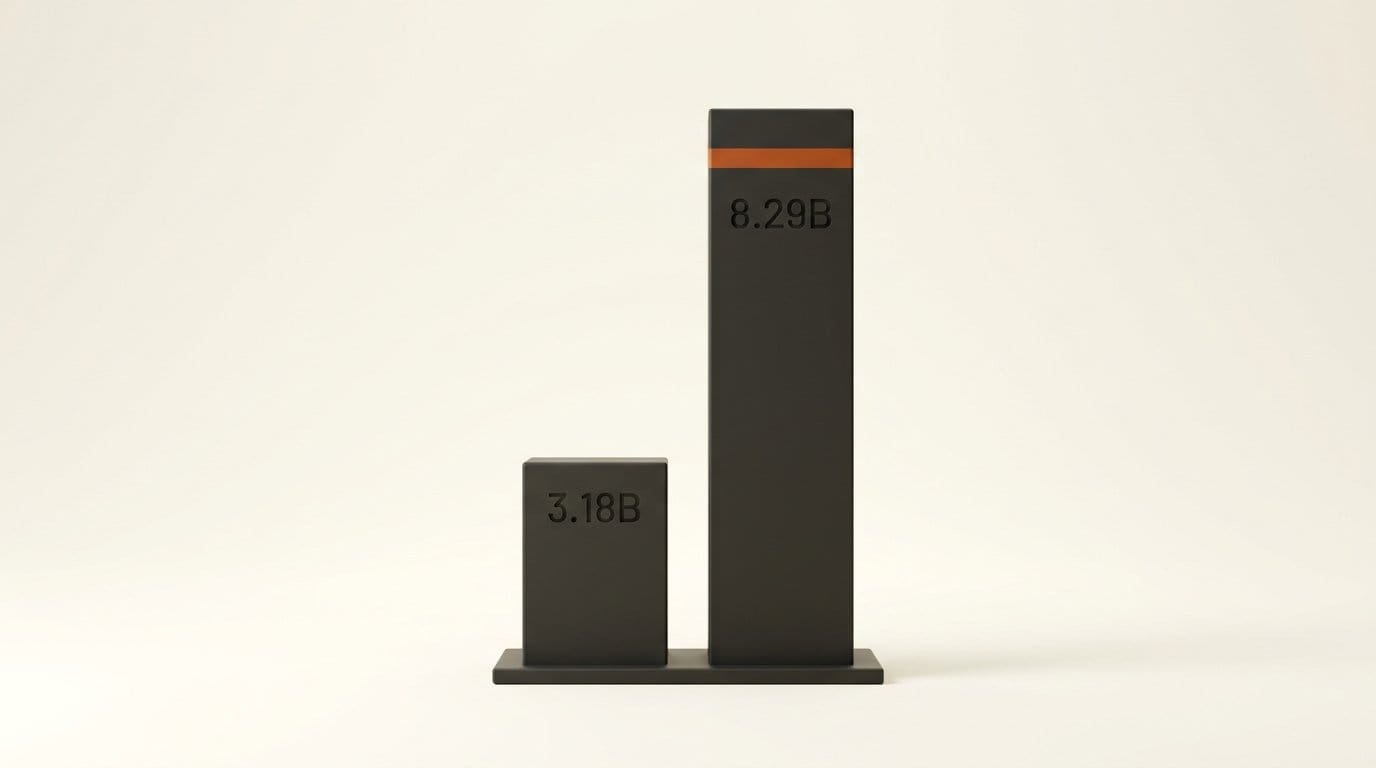
The labels leave out the text encoder. Both models load the same Qwen2.5-VL encoder, which counts 8.29 billion parameters and takes up 16.6 GB on disk. For Lite, the encoder that reads your prompt is 2.6 times larger than the model that generates the clip. That's why a "3B" model is a 27.8 GB download.
| Checkpoint | Generator | Total download | Steps | Access |
|---|---|---|---|---|
| Lite | 3.18B, 7.48 GB | 27.78 GB | 50 | Open |
| Lite distill | 6.38 GB on disk | 26.68 GB | Distilled | Open |
| Pro distill | 30.14B, 60.34 GB | 80.65 GB | 10 | Open |
| Pro | 69.73 GB on disk | 90.04 GB | 50 | Gated (auto-approve) |
| Super-resolution, 2-step | 1.4B SR DiT | 17.46 GB | 2 per tile | Open |
Sizes are the sums the Hugging Face API reports for each repository. The super-resolution bundle is separate, so a Full HD workflow with Lite needs about 45 GB of disk before you generate anything.
The VRAM problem is solved. System RAM is the new floor
Run fully on the GPU, Kandinsky 6.0 Pro peaks at 72.8 GiB of allocated memory and Lite at 43.5 to 44.8 GiB, per Table 7 of the report. The consumer presets avoid that with block offloading: only two transformer blocks stay on the GPU while the next one streams in from system memory, so model size no longer drives VRAM. That's why Lite and Pro report the same peaks.
| Base mode | 32 / 24 GB preset | 16 GB preset |
|---|---|---|
| SD | 21.7 GiB | 7.9 GiB |
| HD | 17.7 GiB | 13.7 GiB |
| Full HD | 21.7 GiB | 12.3 GiB |
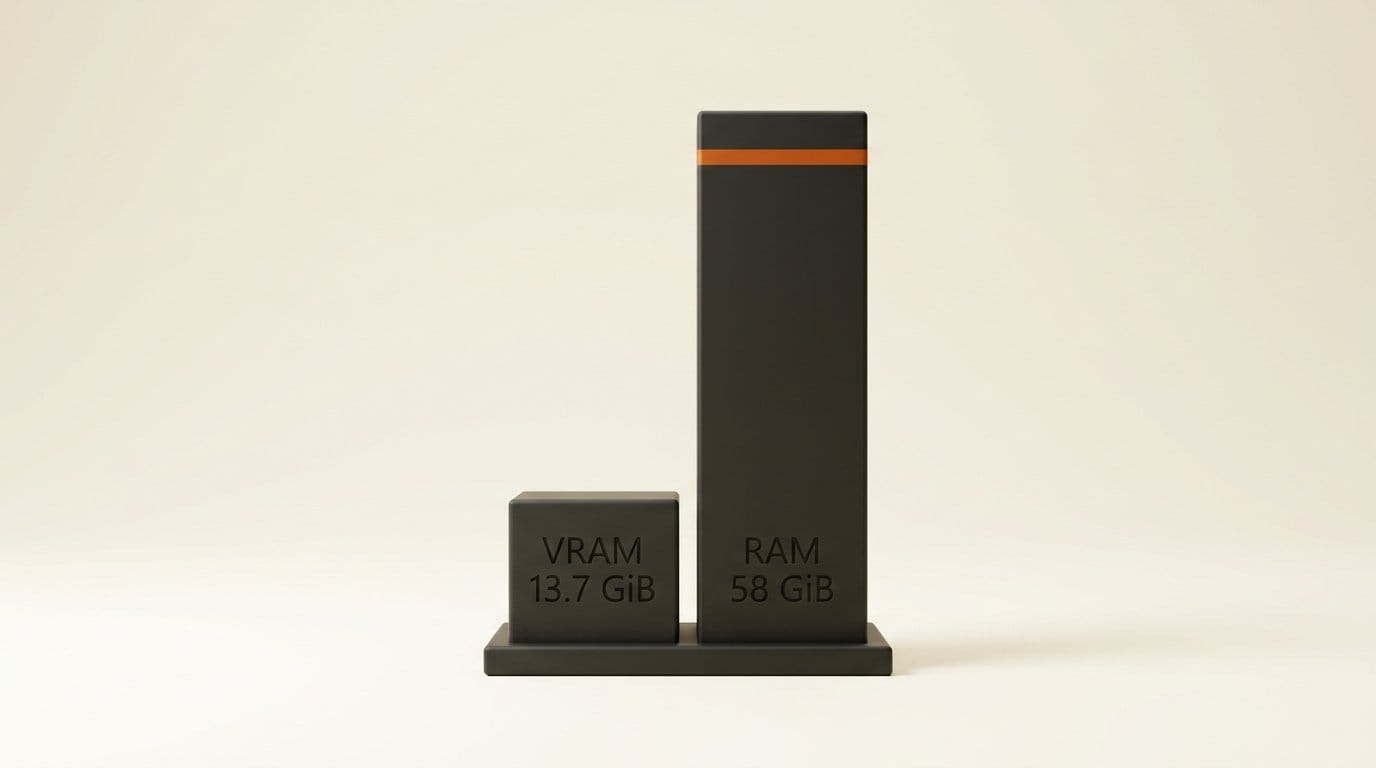
The weights still have to live somewhere. The report says host RAM "must be large enough to hold the full set of model weights together with their pinned copies," and if any of them get paged to disk, generation becomes disk-bound and slows sharply. At the 16 GB preset, Pro needs about 58 GiB of process memory. On a real 16 GB card, the process used 15.1 of the 15.6 GiB available. So a 16 GB GPU with 32 GB of system RAM is a Lite machine, not a Pro machine.
The 16 GB preset has a second catch. It quantizes the Qwen2.5-VL text encoder to NF4, and the report says this is the only memory setting that changes the clip itself: "a different textual representation produces a different video." A prompt and seed you tuned on a 24 GB card won't reproduce exactly on a 16 GB card. The 32 GB and 24 GB presets share identical settings, because, as the team puts it, extra headroom above 24 GB "does not translate into speed."
How long a 5-second clip takes on your GPU
The repository's performance table times one 5-second clip after warmup, excluding weight loading and MP4 encoding. These are times for the non-distilled 50-step models. Every GPU preset defaults to the distilled Pro checkpoint, which samples in 10 steps, but Kandinsky Lab has not published distilled timings.
| GPU | Lite SD | Lite Full HD | Pro SD | Pro Full HD |
|---|---|---|---|---|
| RTX 5060 Ti 16 GB | 1,310 s | 1,774 s | 3,080 s | 3,530 s |
| RTX 5080 | 577 s | 770 s | 1,336 s | 1,546 s |
| RTX 4090 | 437 s | 578 s | 936 s | 1,247 s |
| RTX 5090 | 309 s | 406 s | 754 s | 854 s |
| H100 | 239 s | 284 s | 356 s | 402 s |
Two patterns stand out. First, a 16 GB card is usable but slow: almost 22 minutes per Lite clip and nearly an hour per Pro Full HD clip on the RTX 5060 Ti. Second, HD is often no slower than SD. Lite HD took 422 seconds on the RTX 4090 against 437 for SD, and Pro HD beat Pro SD on six of the seven GPUs. The memory table shows the same pattern, with HD peaking at 17.7 GiB against 21.7 for SD on the 24 GB preset. If you want a 16:9 clip, start at HD.
Kandinsky 6.0 vs Prism vs LTX-2.5
Kandinsky 6.0 didn't launch alone. On the same day, a preview checkpoint of Prism, from Fudan University, Tencent Hunyuan and Zhejiang University, went public on Hugging Face. Prism also generates video and audio together, natively at 720p, 1080p and 2K. The open model most creators already run is LTX-2.5, which Lightricks released in August with day-one ComfyUI support.
| Kandinsky 6.0 Lite | Kandinsky 6.0 Pro | Prism preview | LTX-2.5 | |
|---|---|---|---|---|
| Released | Oct 6, 2026 | Oct 6, 2026 | Preview, Oct 6, 2026 | Aug 11, 2026 |
| Native output | SD/HD base, Full HD via SR | SD/HD base, Full HD via SR | 720p, 1080p, 2K | Up to 121 frames |
| Clip length | 5 s | 5 s | Up to 289 frames (about 12 s at 24 fps) | Up to 121 frames |
| Smallest GPU | 16 GB (block offload) | 16 GB, about 58 GiB RAM | One 80 GB GPU at 720p; 4+ at 1080p/2K | Not covered here |
| Download | 27.78 GB | 80.65 GB (distill) | 65.31 GB per preview checkpoint, plus base | See model card |
| License | MIT | MIT | MIT, base model Apache-2.0 | Free under $10M annual revenue |
| ComfyUI | Custom nodes | Custom nodes | None yet | Native |
Prism's own README says 720p inference fits on "a single NVIDIA 80 GB GPU" with CPU offload, and 1080p or 2K needs "4 or more NVIDIA 80 GB GPUs." Its two preview checkpoints, alpha (stable) and beta (motion), weigh 65.31 GB each and sit on top of the MOVA-360p base model, which is Apache-2.0. Prism is a research release for anyone who rents H100s. Kandinsky 6.0 is the one built for a desktop.
The license difference matters more than the specs. LTX-2.5's community license is free only below $10 million in annual revenue. Kandinsky 6.0 and Prism are both MIT, so a studio of any size can ship client work with them without asking.
What the blind tests say, and what they don't
The technical report runs side-by-side human evaluations of the Pro model against six systems, and it's more candid than most launch papers:
- vs LTX-2.5: Kandinsky 6.0 Pro is preferred on overall visual quality and task solving, both statistically significant, and on speech quality. LTX-2.5 keeps a small edge on audio-video sync, overall audio quality and sound-prompt following, though none of those three reaches significance.
- vs Veo 3.1 Fast: in text-to-audio-video mode, Kandinsky wins on artifacts and camera motion. Veo leads on visual prompt following, audio-video sync, overall audio quality, sound-prompt following and task solving. In image-to-audio-video mode, Kandinsky wins overall visual quality.
- vs Kling 2.6: mixed. Kling leads on visual aesthetics and audio quality, while Kandinsky leads on audio-prompt alignment and image-mode camera control.
- vs MiniMax H3 and Seedance 2.0: MiniMax H3 is preferred on the majority of criteria, and Seedance 2.0 wins the visual criteria by significant margins.
Reinforcement learning made the biggest measurable difference in speech. It cut the Pro model's word error rate from 0.235 to 0.124, a 47% reduction. The team lists the limits plainly: 5-second clips, base generation at SD with Full HD only through super-resolution, and "a gap" to the strongest proprietary systems in visual and overall audio quality. If you already run MiniMax H3 locally and have the hardware for it, Kandinsky 6.0 isn't an upgrade on looks. Its advantages are size, license and clearer speech.
How to run Kandinsky 6.0 today
There are three ways to run it, and on launch day they don't all work. We checked each one.
- Try the Space first. The Hugging Face demo runs distilled Pro in a browser. Write prompts with a separate "Audio:" sentence, the way the model card's example does ("Audio: heavy rain, deep thunder, metallic sword hum"), and check that the speech and sound effects land before committing 30 to 90 GB of disk.
- ComfyUI: install the two custom node packs. In ComfyUI Manager, install kandinsky6 (version 1.0.1, published October 5) and kandinsky6-sr (0.1.2, published October 6), then restart. ComfyUI doesn't support the model natively yet. A feature request for native nodes opened on October 6 and is still open.
- Command line: use the repository's own runner. Clone the repo, install
uvandjust, then runjust setup,just download pro-distillandjust generate "your prompt" --config kandinsky/configs/devices/rtx-4090.yaml, choosing the preset for your card. It requires Python 3.13 or 3.14, and on Ampere, Ada and consumer Blackwell cardsnvccmust be on your PATH, because setup compiles SageAttention. - Diffusers: install from the pull request, not PyPI. The model cards use
from diffusers import Kandinsky6TI2VAPipeline. We downloaded diffusers 0.41.0, which reached PyPI at 06:24 UTC on October 6, and searched it: it contains no Kandinsky 6 classes, so the import fails. The support lives in pull request #14949 (38 files, 6,759 added lines), which is still open. Install diffusers from that branch, or wait for the merge. - Use the step count from the model card. The distilled Pro card says to use 10 steps with guidance 1.0, while the draft diffusers docs in the pull request say 16. Start with 10, the number in the report, and only raise it if motion breaks up.
- Add super-resolution last. Generate at HD, choose the clip you want, then upscale it with the 2-step SR bundle at
resolution_scale=2.25. The diffusers SR pipeline outputs video only, so mux the original audio back in afterward.
If you run model servers, there's also a fourth route: Kandinsky Lab added vLLM-omni support on launch day.
Frequently asked questions
Can Kandinsky 6.0 run on a 16 GB GPU?
Yes. The 16 GB preset uses block offloading and an NF4 text encoder, and peaks at 7.9 to 13.7 GiB of VRAM depending on resolution. It is slow: the repository times a Lite SD clip at 1,310 seconds on an RTX 5060 Ti with the non-distilled model.
How much system RAM does Kandinsky 6.0 need?
Enough to hold every weight plus its pinned copy. The report puts Pro at about 58 GiB of process memory at the 16 GB preset. Kandinsky Lab gives no figure for Lite, but its download is 27.8 GB, so plan for at least that much free RAM plus overhead. If weights spill to disk, generation slows sharply.
Is Kandinsky 6.0 free for commercial use?
Code and weights are MIT-licensed, which allows commercial use with no revenue cap. The only access step is a Hugging Face login to download the full, non-distilled Pro checkpoint, which uses an automatic click-through gate.
Does Kandinsky 6.0 work in ComfyUI?
Through custom nodes, yes: install kandinsky6 and kandinsky6-sr from ComfyUI Manager. ComfyUI has no native support yet. A community feature request asking for it opened on October 6.
Why does the diffusers import fail?
The Kandinsky 6 pipeline isn't in any released diffusers version. Version 0.41.0, published the same morning, doesn't include it. Install from diffusers pull request #14949 or use the repository's just runner until the pull request is merged.
How does Kandinsky 6.0 compare with LTX-2.5?
In the report's blind test, Pro beat LTX-2.5 on visual quality and speech, while LTX-2.5 kept a small, non-significant edge on audio sync and overall audio. Kandinsky 6.0 is MIT-licensed, while LTX-2.5 is free only below $10 million in annual revenue. LTX-2.5 has native ComfyUI support, while Kandinsky 6.0 uses custom nodes for now.
How is Prism different?
Prism, from Fudan, Tencent Hunyuan and Zhejiang University, generates natively at up to 2K and runs longer than Kandinsky's 5-second clips, but its preview needs one 80 GB GPU at 720p and four or more at 1080p or 2K. It's a research preview, not a desktop tool.