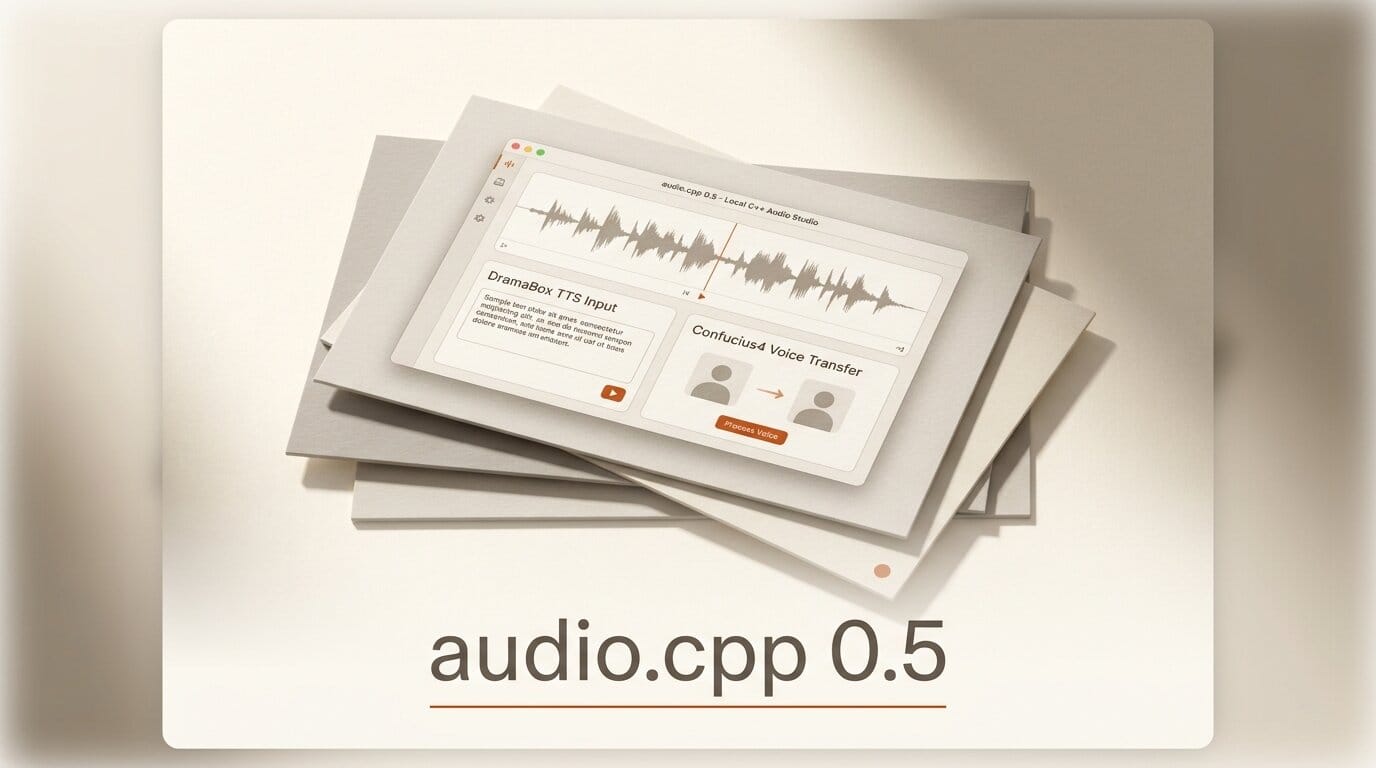
The open-source audio engine audio.cpp shipped Release 0.5 on July 31, 2026, and it is the biggest jump the project has made so far. The new version adds nine model families, including Resemble AI's DramaBox expressive text-to-speech and NetEase Youdao's Confucius4 cross-lingual voice transfer, plus early AMD ROCm and HIP support and a Metal speedup of more than 5x on select models. The pitch stays the same: a single, pure C++ binary that runs 44 audio model families with no Python, no Conda environments, and no dependency conflicts. If you have ever spent an afternoon untangling CUDA and PyTorch versions just to synthesize one line of speech, this release is aimed squarely at you.
Release 0.5 turns audio.cpp from a fast local TTS runner into something closer to a full local audio studio. You can now generate expressive dialogue, transfer a voice across languages, separate stems, transcribe streaming audio, and run it all from one command line or one local server. This is the follow-up to audio.cpp 0.4, which introduced local Higgs Audio v3 and Fish S2 support two weeks earlier.
What audio.cpp 0.5 ships
The headline of the 0.5 release is coverage. audio.cpp now supports 44 model families across text-to-speech, speech-to-text, voice conversion, music generation, source separation, speaker diarization, forced alignment, and audio codecs. Nine of those families are new in this version:
- dramabox and glm_tts for expressive and multilingual text-to-speech
- confucius4_tts for cross-lingual, zero-shot voice transfer
- rvc for real-time voice conversion
- bs_roformer for high-quality music source separation
- parakeet_tdt, kroko_asr, and fun_asr_nano for speech recognition
- inflect_v2 for prosody and text normalization
On the systems side, 0.5 adds early HIP and ROCm backend support, which means AMD GPU owners get hardware acceleration for the first time without the usual Python-and-driver gymnastics. Apple users get a Metal boost of more than 5x on select models, Qwen3 ASR gains streaming, and a new live PCM server endpoint at POST /v1/audio/transcriptions/live makes real-time transcription possible from the built-in server.
The new voice models: DramaBox and Confucius4
Two of the nine additions matter most for creators. DramaBox is Resemble AI's expressive TTS, built as an IC-LoRA fine-tune of Lightricks' open-source LTX-2.3 3.3B audio-only model. Instead of feeding it flat text, you write a stage direction: a prompt like A woman speaks warmly, "Hello, how are you today?" She laughs, "Hahaha, it is so good to see you." DramaBox controls speaker identity, emotion, delivery style, laughs, sighs, pauses, and transitions, with optional voice cloning from a short reference clip. That makes it a strong fit for narration, character dialogue, and animatics where a monotone read would break the scene.
Confucius4-TTS from NetEase Youdao solves a different problem: cross-lingual, zero-shot voice transfer. It uses a speech encoder, an LLM-based text-to-semantic stage, and a flow-matching semantic-to-acoustic stage, and it can clone a voice without a matching reference transcript. In practice, you can take a voice recorded in English and have it speak Mandarin or Spanish while staying recognizable. For dubbing, localization, and multilingual voiceover, running that locally instead of through a paid API changes the economics of a project. Creators who want a hosted alternative can compare the results against Qwen-Audio-3.0-TTS.
How audio.cpp compares to a Python audio stack
The reason a C++ engine matters is not raw speed alone. It is that audio.cpp is built on ggml, the same tensor library behind llama.cpp and whisper.cpp, so it inherits GGUF quantization and a portable build across CUDA, HIP and ROCm, Vulkan, Metal, and CPU. A typical Python setup requires a fresh virtual environment per model to keep dependencies from colliding. audio.cpp replaces that with one binary.
| Dimension | audio.cpp 0.5 | Typical Python audio stack |
|---|---|---|
| Runtime | Single native binary, no Python | Python plus PyTorch per model |
| Setup | Homebrew or one build step | Conda or venv per model, frequent conflicts |
| Backends | CUDA, HIP/ROCm, Vulkan, Metal, CPU | Usually CUDA-first, spotty AMD support |
| Model coverage | 44 families in one runtime | One repo and env per model |
| Serving | Built-in OpenAI-style endpoints | Custom Flask or FastAPI wrapper |
| Quantization | GGUF, runs on modest hardware | Full precision unless hand-tuned |
The server mode is the part most creators will actually touch. Running audiocpp_server exposes GET /health, GET /v1/models, POST /v1/audio/speech, POST /v1/audio/transcriptions, and POST /v1/tasks/run. Because the speech and transcription routes mirror the OpenAI audio API shape, tools already written against that API can be pointed at a local audio.cpp instance with a URL change.
Run it: a local audio workflow in five steps
Here is a concrete path from install to a finished, dubbed voice clip on a single machine.
- Install. On macOS, install via Homebrew; on Linux or Windows, build from source with the backend flag for your GPU, such as HIP/ROCm for AMD or CUDA for NVIDIA.
- List available models. Run
audiocpp_cliagainst the model registry, or hitGET /v1/modelson the server to confirm the DramaBox and Confucius4 GGUF files are present. - Write expressive dialogue. Feed DramaBox a stage-direction prompt with emotion and laughter cues, and pass a short reference clip if you want a specific voice.
- Transfer the voice across a language. Send the same speaker reference and a target-language script through Confucius4 to produce a localized read that keeps the original vocal identity.
- Serve or batch. Start
audiocpp_serverto expose the OpenAI-style endpoints, then callPOST /v1/audio/speechfrom your editor, a script, or a video pipeline.

What this enables for creators
The practical outcome of Release 0.5 is that a full voice pipeline now fits on your own hardware. A solo creator can script a scene, generate expressive character voices with DramaBox, localize them into other languages with Confucius4, separate a music bed with bs_roformer, and transcribe the final cut for captions, all offline and all from one binary. Nothing leaves the machine, there are no per-second API charges, and AMD owners are no longer locked out. For anyone producing narration, explainer videos, dubbed shorts, or podcasts at volume, that is the difference between a recurring cloud bill and a one-time setup. It also pairs well with local-first video tools such as Timeline Studio for an end-to-end offline production loop.
Frequently asked questions
Is audio.cpp 0.5 free and open source?
Yes. audio.cpp is an open-source project on GitHub. Individual model weights it runs, such as DramaBox, carry their own licenses; DramaBox uses the LTX-2 Community License Agreement, so check each model's terms before commercial use.
Do I need a GPU to run it?
No. audio.cpp supports CPU-only execution, and GGUF quantization keeps memory use modest. A GPU with CUDA, Metal, or the new HIP/ROCm backend will speed up generation substantially, but it is not required to get started.
What is new for AMD users in this release?
Release 0.5 adds early HIP and ROCm backend support, giving AMD GPU owners hardware acceleration for audio models without relying on a Python and driver stack that historically favored NVIDIA.
How is DramaBox different from a standard TTS model?
DramaBox is prompt-driven and expressive. You write stage directions that specify emotion, laughs, sighs, and delivery, and it can clone a voice from a short sample. It is a fine-tune of Lightricks' LTX-2.3 audio model rather than a conventional read-the-text engine.
Can I use it as a drop-in for the OpenAI audio API?
Largely, yes. The built-in server exposes OpenAI-style routes for speech and transcription, so many tools written against that API can point at a local audio.cpp server with a base-URL change. Confirm the exact request fields your tool sends, since coverage of optional parameters may vary.
What can Confucius4 do that other TTS models cannot?
Confucius4 specializes in cross-lingual, zero-shot voice transfer. It can reproduce a speaker's voice in a different language without a matching reference transcript, which is useful for dubbing and localization while preserving vocal identity.





