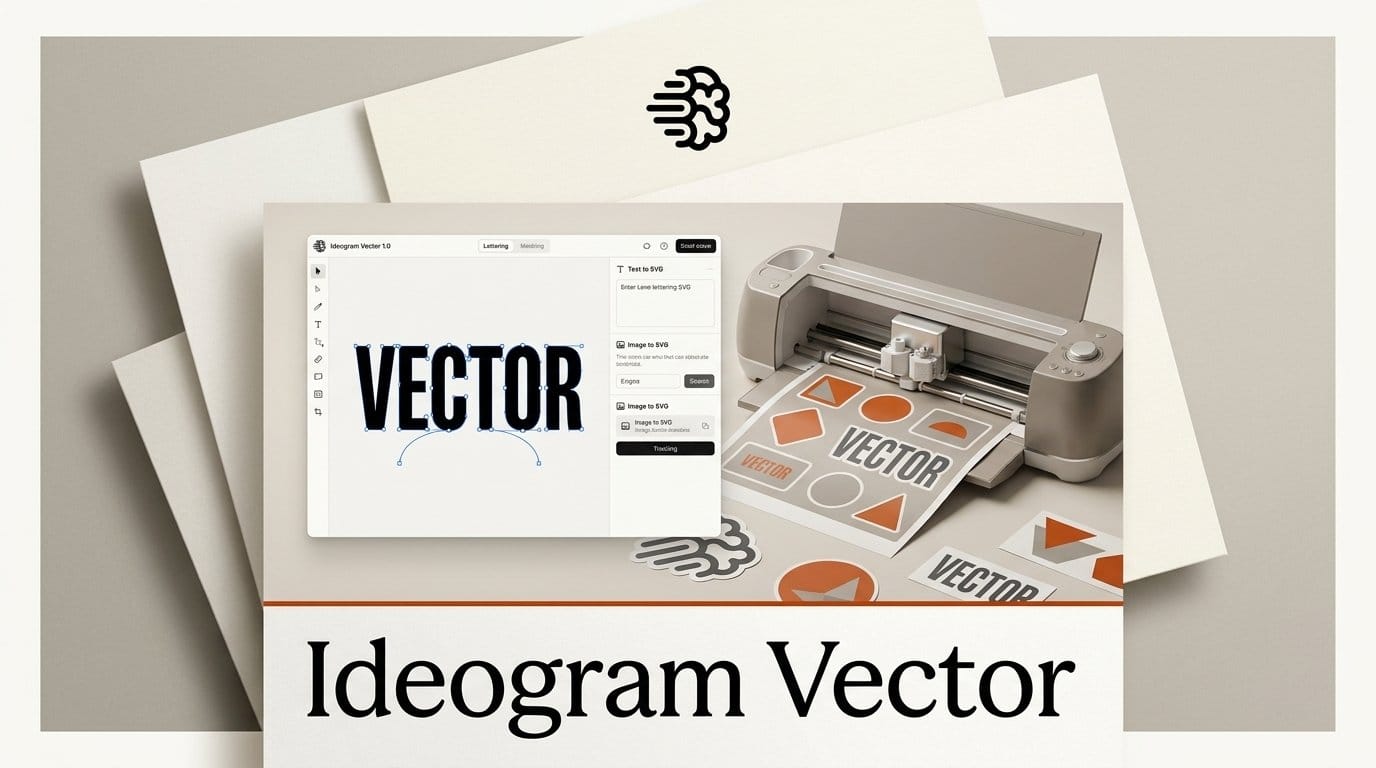
Ideogram launched Ideogram Vector 1.0 on October 22, 2026: a new model that turns a text prompt or an existing image into an editable SVG file for logos, lettering, posters, stickers and print designs. A prompt-made SVG costs $0.13 to $0.32 depending on quality, and converting an image you already have costs $0.10. That makes it the priciest of the three main text-to-SVG tools: Recraft's V4.1 Vector works out to about 5 cents a file on its cheapest paid plan.
So the question for a designer, a merch seller or a Cricut crafter is not whether Ideogram can make vectors. It is whether Ideogram's known strength, readable lettering, is worth roughly double to triple the price per file. Below we lay out what the new model does, what a file and a month of files cost on each tool, the two catches in Ideogram's own documentation, and a step-by-step route from prompt to a print-ready file. We built this from each company's product pages, help docs and price lists, checked October 22, 2026. We did not run a paid head-to-head, so the strengths below are what each vendor documents, and the test we recommend is the one you can run yourself with the same prompt in each app.
What Ideogram Vector does
Ideogram Vector has two modes, both listed on the launch page. Text to vector starts from a prompt, with optional reference images to steer the style. Image to vector skips the prompt entirely: you upload artwork and get it back as shapes. Either way, the result is an SVG you can "scale and refine", recolor to match a brand palette, and open in a vector editor to move, resize or rotate individual shapes.
Ideogram's launch post says the model is "live now on all plans and through the API", and pitches it on lettering: Ideogram was first to get text right in AI images, the company says, and Vector brings that to SVG. Its gallery leads with typography, then illustrations, logos and branding, print and merch, and labels and stickers. That ordering is telling. Ideogram built its reputation on images where the words come out spelled right, and its earlier models, including the Ideogram 4.5 editing model we covered in September, only ever downloaded as JPEG, PNG or WEBP. Until today, getting an Ideogram logo onto a vinyl cutter meant tracing it yourself in a separate tool.
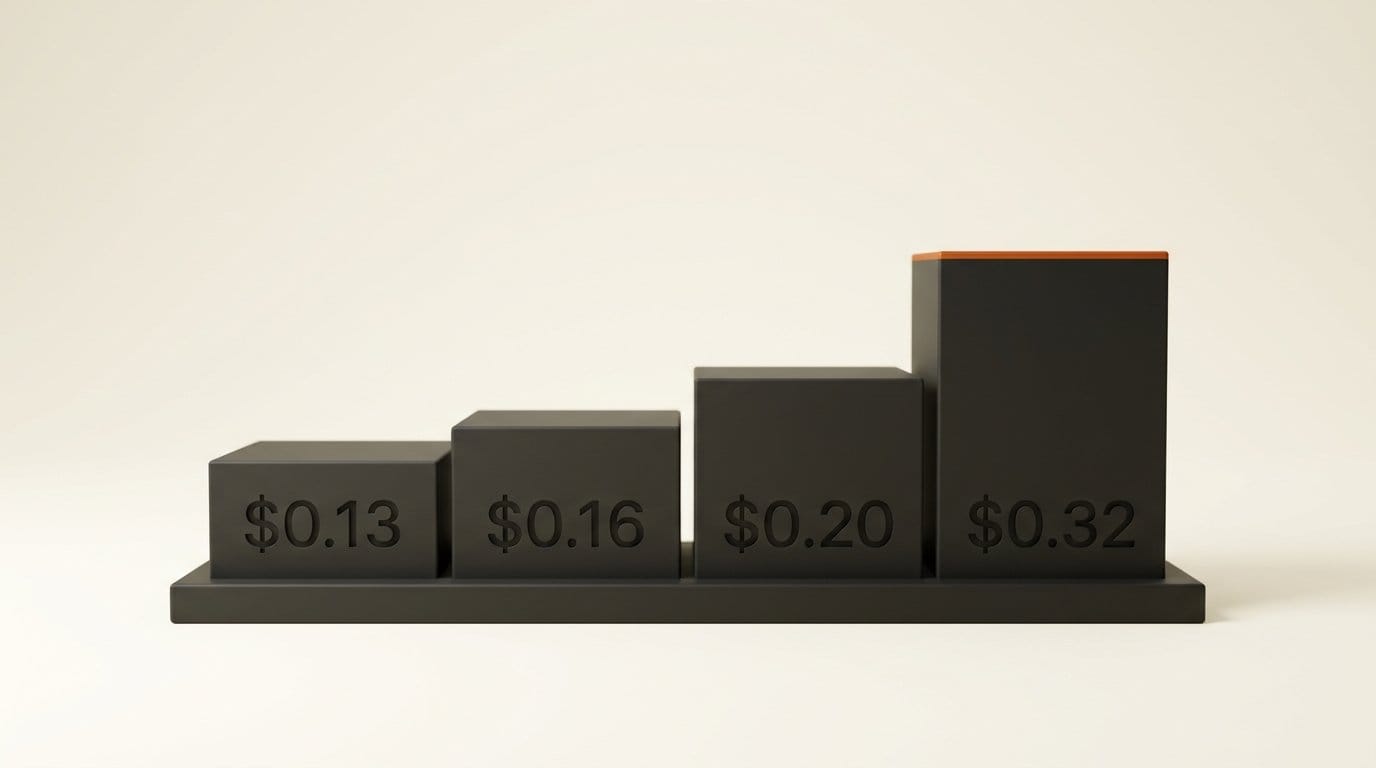
Quality is a setting you pick per file. Low, Medium and High cost $0.13, $0.16 and $0.20 for a prompt alone. Adding reference images leaves Low and Medium unchanged but raises High to $0.32.
Ideogram Vector vs Recraft vs Quiver: the prices
Two other companies sell AI that writes SVG files from a prompt. Recraft has offered vector generation since its early models and includes it on every plan, Free included. QuiverAI released Arrow 2 on September 7, 2026, a model that draws vectors as code and can also animate them. Here is how they line up for someone working in the app, not through code.
| Ideogram Vector | Recraft V4.1 Vector | QuiverAI Arrow 2 | |
|---|---|---|---|
| SVG from a prompt | $0.13 Low, $0.16 Medium, $0.20 High ($0.32 High with references) | 4 credits, about 5 cents on Basic; Pro Vector 12 credits, about 14 cents | Billed by usage; Quiver's sample request costs $0.08 (Telos $0.12) |
| Convert an image to SVG | $0.10 per image | 1 credit, about 1 cent | Included in app plans |
| Cheapest paid plan | Plus, $20 a month, 2,400 credits | Basic, $12 a month, 1,000 credits | Go, $8 a month, $5 of usage a week |
| Free way to try | Free plan, 30 credits a week: two Low SVGs | Free plan includes vector generation; results are public | 14-day Go trial, card required |
| Editing after | In your own vector editor | Built-in Vector Editor | Editing and animation in the app |
| Best known for | Lettering and text in designs | Lowest cost per file, brand styles | Clean paths, diagrams, animated SVGs |
Ideogram sells credits at one US cent each, so its dollar prices translate straight into credits: a Low SVG is 13 credits, a High one with references is 32. Recraft's app prices are in credits too, and at $12 for 1,000 credits on Basic, each credit is worth 1.2 cents. Quiver charges by how much work a file takes, so its price per SVG moves with the complexity of the design; its pricing page warns that one finished SVG can take several charges.
What a month of designs costs
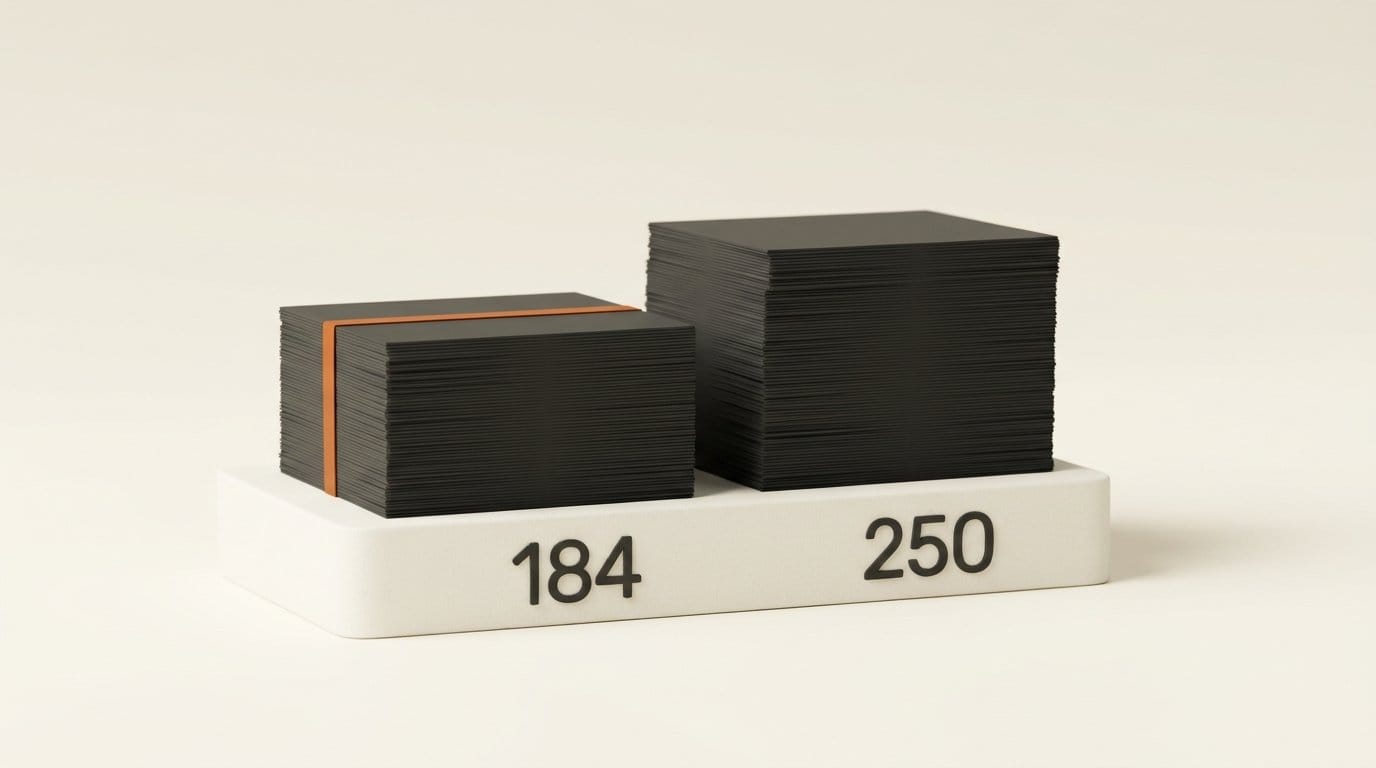
Per-file prices are easier to compare as a monthly budget. On Ideogram Plus ($20, 2,400 credits), Low quality SVGs cost 13 credits each, so a month's credits cover about 184 of them, or 120 at High. Ideogram Pro ($60, 7,500 credits) stretches to about 576 Low files. These are our sums from Ideogram's listed prices; the app shows the exact credit cost on the button before each run, so check it there.
On Recraft Basic ($12, 1,000 credits), V4.1 Vector costs 4 credits, so the same month covers 250 SVGs for $8 less. Recraft's credit table also lists generation time: about 11 seconds for V4.1 Vector and 14 seconds for Pro Vector. Ideogram has not published a speed figure.
Volume decides it. A sticker shop testing 50 designs a week, about 215 a month, runs past the 184 Low files Ideogram Plus covers, while the same output fits inside Recraft Basic's 250. A designer who makes five careful logos a month barely notices either bill, and should pick on output quality alone.
Turning an existing image into an SVG
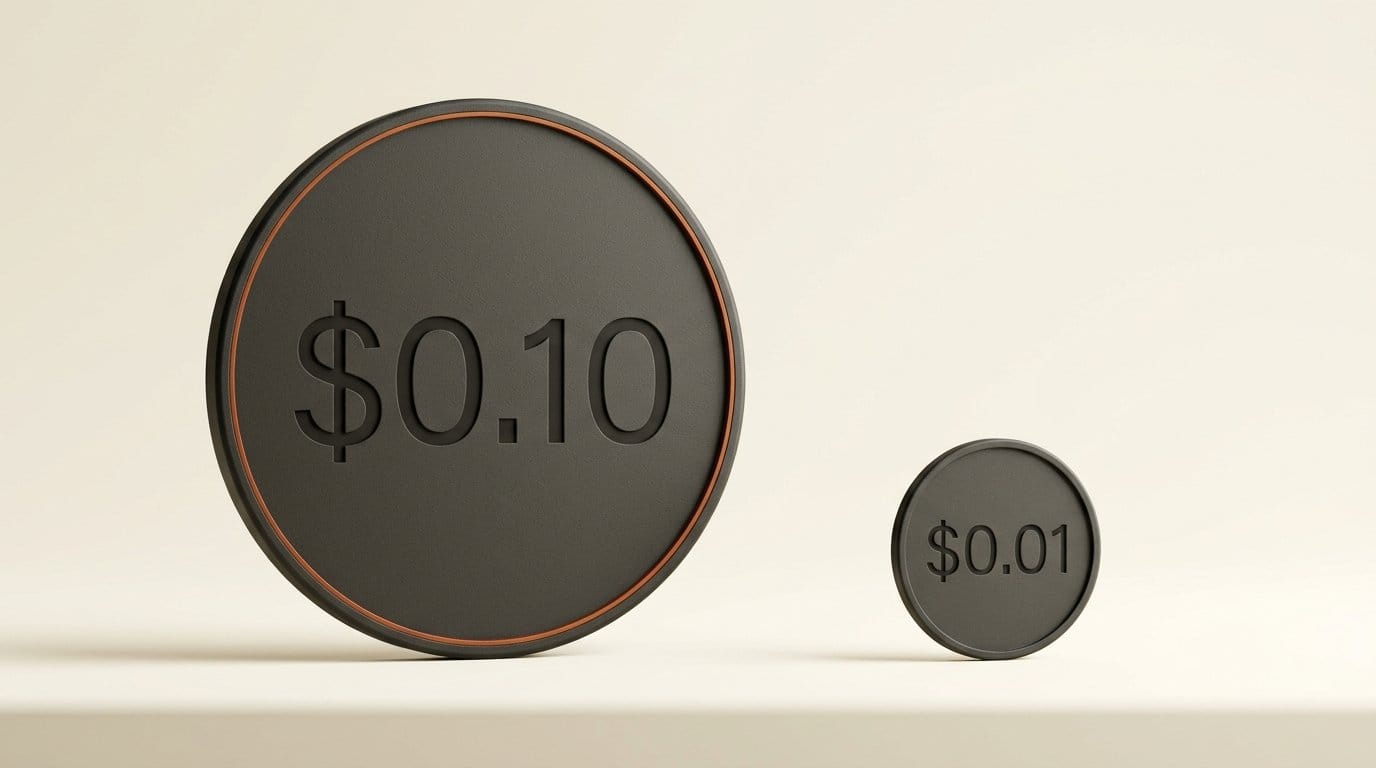
The second mode matters to anyone with a back catalog of PNGs: old Ideogram or Midjourney art, a client's pixel logo, a scanned sketch. Ideogram charges $0.10 per conversion. Recraft charges 1 credit, about 1.2 cents on Basic, and $0.01 per image through its developer service. That is close to a tenfold gap for the same job.
Ideogram's converter accepts JPEG, PNG and WEBP files up to 50 MB, according to its image-to-SVG documentation, and offers two detail levels: a Simple mode that "draws fewer, simpler shapes" and a default mode that keeps more fine detail. For a logo or a cut file, Simple is the one to try first, because every extra shape becomes an extra cut or an extra click to clean up.
If conversion is all you need, a dedicated tracer may beat all three. Our comparison of Vectorizer.AI, Recraft, Illustrator and Inkscape found Vectorizer.AI has the most tools for fixing a trace before download, and Inkscape does it free on your own computer.
The catch: SVG only, and no layers yet
Two details in Ideogram's documentation matter for print and cut work. First, the output is SVG. Ideogram's pages mention no PDF, EPS or DXF export, so if your print shop wants a PDF or your laser software wants DXF, you will convert the SVG in a free editor like Inkscape, which saves both.
Second, shapes are not grouped. The image-to-SVG documentation lists a grouping option that would organize shapes into layers, then adds: "Grouping is not yet available." In practice that means a file arrives as a flat list of shapes rather than one layer per color. A screen printer needs one layer per ink, and a Cricut sorts by color, so you will do that grouping yourself. It takes a minute in any editor (the steps are below), but it is a minute per file that Recraft's built-in editor partly saves you.
One more limit from Ideogram's download guide: an SVG downloads as the original .svg file, and SVG assets cannot go through Ideogram's pixel tools such as Remix, Upscale or Remove BG. Do any background removal or remixing on an image first, then convert the finished image to a vector.
How to make a print-ready SVG with Ideogram Vector
This route uses only apps, no code, and works for a t-shirt graphic, a sticker sheet or a cut file.
- Open the model. Sign in at ideogram.ai, open Apps and Models, choose Ideogram Vector, then Create a vector (or Vectorize an image if you are converting artwork).
- Write a print-friendly prompt. Ask for flat colors, a small palette and a plain background, and name the words you want exactly, in quotes. For example: a round badge logo reading "NIGHT MARKET" in bold rounded letters, three flat colors, plain white background.
- Draft at Low, finish at High. Run your first ideas at Low (13 credits each). When one is close, re-run that prompt at High (20 credits) for the final file. Check the credit cost on the button every time.
- Download the SVG and open it in Illustrator, Inkscape (free), Figma or Affinity Designer.
- Delete the background shape if you asked for a plain background; a cutter will otherwise trace a box around your design.
- Group by color. Click one shape, then use Select, Same, Fill Color in Illustrator or Edit, Select Same, Fill Color in Inkscape, and group the selection. Repeat for each color. Now each color is one layer for a screen, a vinyl sheet or a Cricut mat.
- Zoom in and clean up. Delete any tiny specks and check that letters are closed shapes.
- Export what the next step needs. Upload the SVG straight into Cricut Design Space, or save as PDF for a print shop or DXF for laser software from Inkscape.
To compare tools fairly, run the same prompt in Recraft's free plan before you subscribe anywhere. Count how many shapes each file has (most editors show it when you select all) and whether the lettering is spelled right. Fewer shapes and correct words mean less cleanup.
Which one to pick
Pick Ideogram Vector if the design is mostly words: wordmarks, lettering, quote posters, labels. That is the job Ideogram has been best at in pixels, and the first thing it shows off in vectors. Budget about 13 to 20 cents a file and a minute of grouping per file.
Pick Recraft if you make a lot of files, want the lowest price per SVG, or want to edit inside the same app. At about 5 cents a generation and 1 cent a conversion, it is the volume choice, and its free plan lets you test before paying, as long as you are fine with free results being public.
Pick QuiverAI Arrow 2 if you need diagrams, technical line work or an SVG that moves. Animated SVGs are something neither of the others offers. Its plans start at $8 a month, and its earlier Arrow model is also available inside ComfyUI.
Frequently asked questions
Is Ideogram Vector free?
You can try it free, but every file costs credits. Ideogram says Vector is live on all plans, and a free account gets 30 credits a week, enough for two Low-quality SVGs at 13 credits each. After that, a prompt-made SVG costs $0.13 to $0.32 and an image conversion costs $0.10, in credits worth one cent each.
What file formats does Ideogram Vector export?
SVG. Ideogram's pages mention no PDF, EPS or DXF export. Open the SVG in Inkscape, which is free, to save it as PDF, EPS or DXF.
Can I use an Ideogram Vector SVG with a Cricut?
Yes. Cricut Design Space accepts SVG uploads. Delete the background shape first and group shapes by color, because Ideogram does not yet group shapes into layers.
Is Ideogram Vector better than Recraft?
Neither company has published a head-to-head, and we have not run one. Ideogram's strength is readable lettering; Recraft is about a third of the price per file and has its own vector editor. Run the same prompt in both and compare the spelling and the number of shapes.
How much does it cost to vectorize an image with Ideogram?
$0.10 per image, for JPEG, PNG or WEBP files up to 50 MB. Recraft charges about 1 cent for the same job, and Inkscape's Trace Bitmap is free.
Can Ideogram Vector use my own reference images?
Yes, in text-to-vector mode you can add reference images to steer the style. Low and Medium cost the same with or without references; High rises from $0.20 to $0.32.