
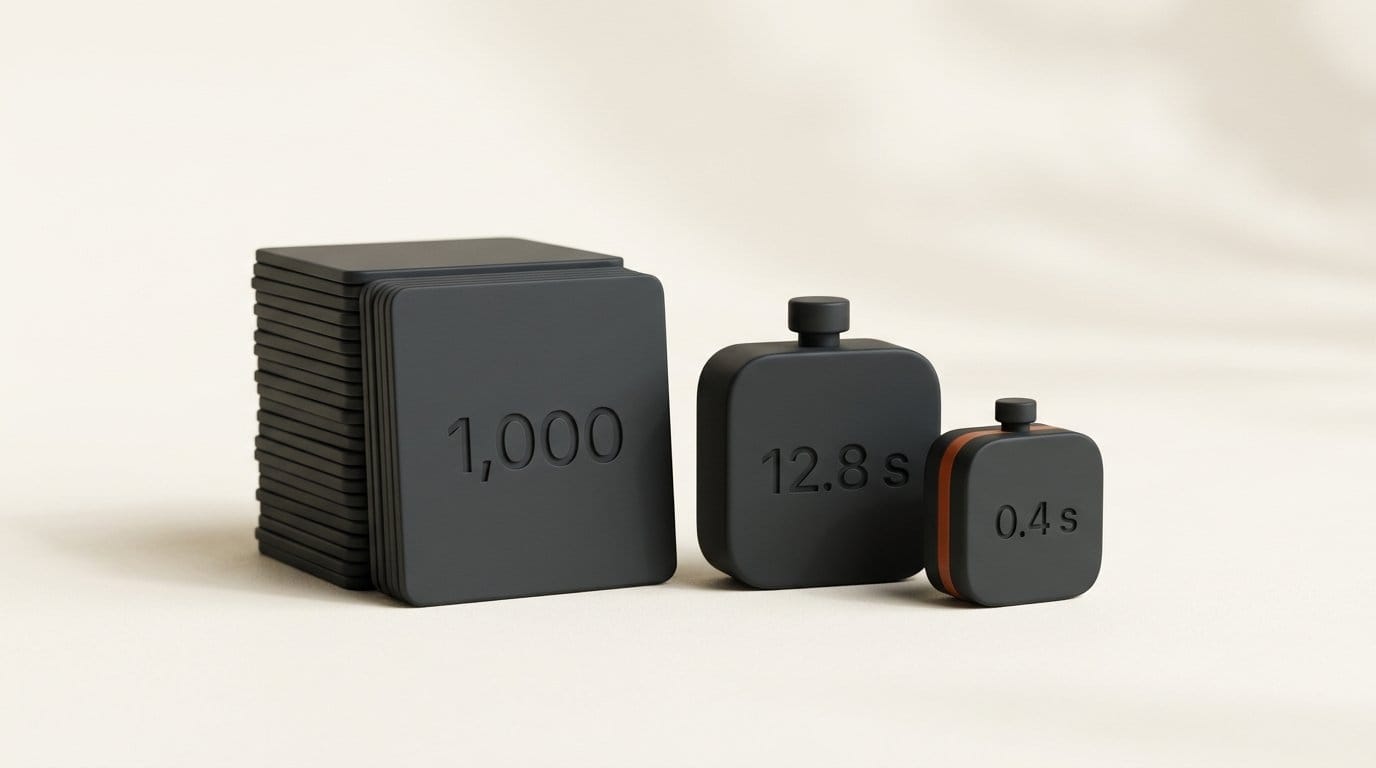
You can search a folder of photos by typing what is in them, offline and for free, with rclip, an open-source command-line tool (MIT license) that runs a CLIP model on your own machine. We indexed 1,000 photos in 12.8 seconds on a CPU with no GPU, and each search after that took 0.4 seconds. Typing a one-sentence description of a photo put it first 55.8% of the time and in the top 10 91.5% of the time.
We also found three places where it breaks, and a fix for each. Adding "with no people" to a query brought back more photos with people in them, not fewer. Asking for "two dogs" finds some of the right shots but is not a filter. And a text banner on an edited copy, "SUMMER SALE 40% OFF", hid that copy from image search even though black and white, heavy compression, cropping and mirroring did not. Below are the test, the numbers and the workflow to copy.
What You Need
- rclip 4.0.1 or later. Linux:
sudo snap install rclip. macOS on Apple Silicon:brew install yurijmikhalevich/tap/rclip. Windows: the MSI installer on the release page. Any system with Python:pip install rclip. - About 600 MB of disk for the model, downloaded once on first run (a 352 MB image encoder and a 254 MB text encoder).
- About 1 GB of free RAM while indexing. Peak memory was 976 MB in our run. Searching an existing index peaked at 321 MB.
- A folder of images. JPG, PNG, WebP, TIFF and GIF always work. HEIC works on macOS and Windows with the system codec, not on Linux. RAW (ARW, CR2, DNG) needs
--experimental-raw-support. - Optional: a terminal with Kitty graphics, such as Kitty or Ghostty, to see thumbnails inline.
No account, no upload and no photo library to import into. rclip keeps one small index database for every folder you search. On Linux it lives in ~/.local/share/rclip and on macOS in ~/Library/Application Support/rclip. Our index of 1,001 images was 4.4 MB.
How We Tested It
We needed photos where we already knew the right answers, so we used 1,000 images drawn at random (fixed seed) from the COCO 2017 validation set. Each COCO photo comes with five one-sentence descriptions written by people and a label for every object in it, so for any search we could count exactly how many results were correct.
rclip 4.0.1 uses the OpenCLIP ViT-B/32 model trained by LAION on DataComp-1B at 256 pixels, which its model card puts at 72.7% zero-shot accuracy on ImageNet. It turns every image and every query into a list of numbers and ranks images by how close they are. We ran rclip itself to build the index and time it, then scored thousands of queries by reading rclip's own index with its own model code. Three spot checks returned exactly the same top results as the rclip command. The machine was a 6-core slice of an AMD Ryzen 7 9700X with no GPU. The scripts and raw results are in our repository.
Describe the Shot, Not the Category
The first test is the everyday one: you remember a photo and type what you remember. We used the first COCO description of each of the 1,000 photos as the query, for example "A woman holding a tennis racquet in the air", and checked where that exact photo landed.
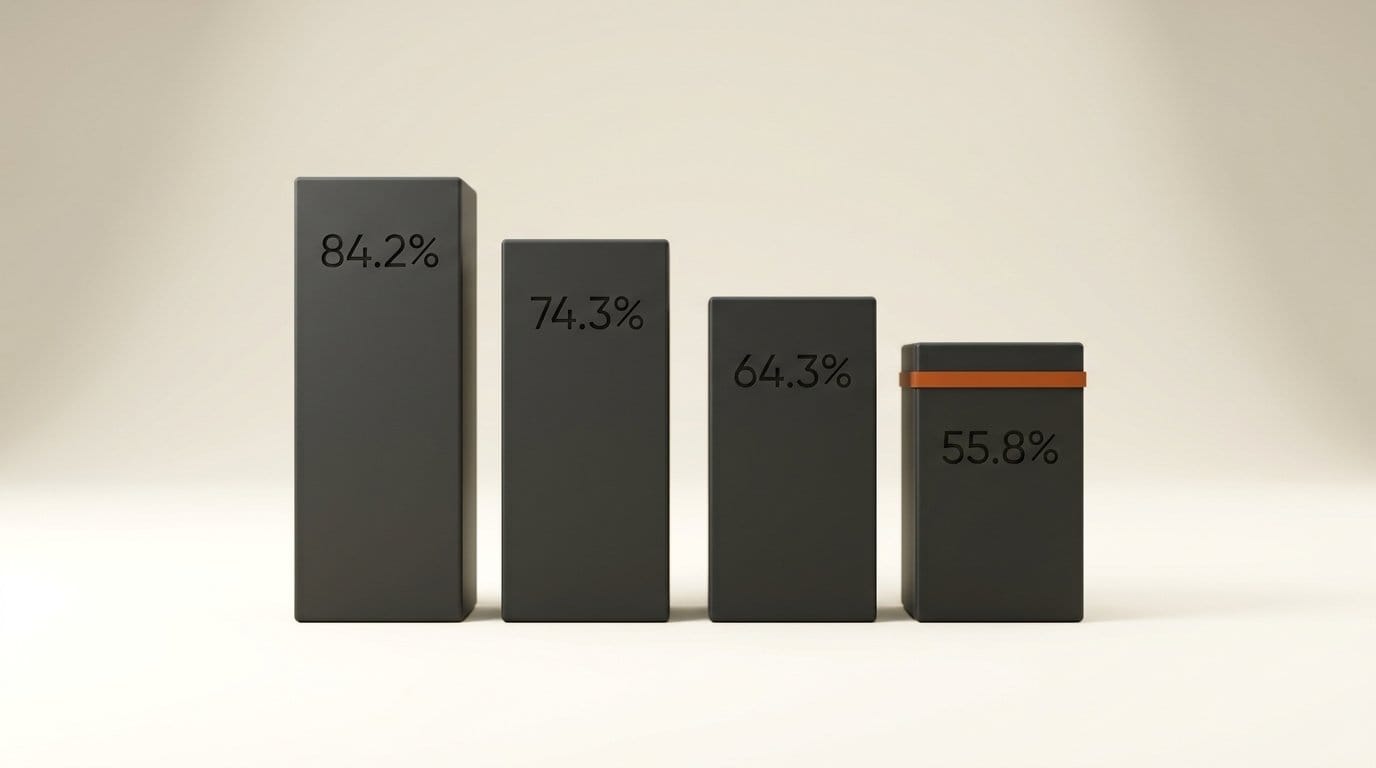
| Library size | Right photo ranked first | Right photo in top 10 |
|---|---|---|
| 100 photos | 84.2% | 99.7% |
| 250 photos | 74.3% | 99.2% |
| 500 photos | 64.3% | 96.3% |
| 1,000 photos | 55.8% | 91.5% |
The lesson in the table: as a library grows, the right photo slides from first place into the first screen of results, not off the list. At 1,000 photos it was in the top 50 for 99.3% of queries. So ask rclip for 20 or 30 results, not the default 10, and scan them. The misses were vague descriptions. "A european city in nice a sunny bright day" ranked its photo 856th, and "A couple of men standing next to each other" 197th. Specific nouns, colors and actions are what the model can match.
Searching for a single object works less well than a full description. Across the 69 object types that appeared in at least 10 of our photos, a one-word query such as "giraffe" returned the object in 73.3% of the top 10 slots on average. Writing "a photo of a giraffe" raised that to 75.1%, better for 20 objects and worse for 9. Big, distinctive subjects were perfect: bus, cake, cat, clock, elephant, giraffe, pizza, sheep, surfboard, teddy bear and zebra all returned 10 of 10. Small things inside busy scenes were not: "cup" and "knife" returned 1 of 10, and "spoon" 2 of 10. If the thing you want is small in the frame, describe the whole scene around it.
Where Plain Words Fail: "No", and Counting
"No" does not work, and it backfires. We ran 12 searches of the form "a photo of a bench", then the same with "with no people" and "without any people" added, and counted the photos with people in the top 10 of each. Plain queries returned 40 photos with people out of 120 results. Adding "with no people" returned 43, and "without any people" 47. The model sees the word "people" and moves toward it. This matches the research: a 2025 study titled "Vision-Language Models Do Not Understand Negation" found CLIP-style models often perform at chance on negated queries.
rclip has a fix built in: subtract the thing you do not want. rclip "a photo of a car" - people cut photos with people to 31 of 120, and raised the photos showing the object with nobody in them from 68 to 73. Cars improved most, from 2 of 10 people-free car photos to 6 of 10. A full-strength subtraction sometimes pushes out the object itself (106 results had the object with the plain query, 101 with the subtraction). A half-strength version, - "0.5:people", kept all 106 and still cut people to 34.
Counting is a hint, not a filter. For seven animal types, "a photo of two dogs" and similar queries put exactly two animals in 23 of 70 top-10 slots. The library held only 43 such photos across those seven animals. So rclip found about half of the pairs, mixed in with singles and herds. "Three giraffes" found all 3 photos of exactly three giraffes. Crowded subjects failed: "a photo of two cars" returned 1 photo with exactly two cars. One caveat for the counting numbers: COCO labels count every instance, including small ones deep in the background.
Finding Every Edited Copy of a Photo
Creators rarely have one version of an image. There is the export, the crop for Instagram, the black and white version and the thumbnail. rclip searches by example image too: rclip ./IMG_1234.jpg returns the most similar images in the folder. We picked 50 photos, made 8 edited copies of each, added all 400 to the library, and searched with each original.
Six kinds of edit ranked the copy first for all 50 photos: a crop to the center 60%, a black and white conversion, a warm color grade with extra contrast, JPEG quality 15, a mirror flip and a dark bar over the bottom quarter. A copy resized to a quarter of the width ranked first 49 times and never worse than third. Adding 350 of the copies took 5.0 seconds, model load included, because rclip indexes only new files.
The eighth edit broke it. We put the words "SUMMER SALE 40% OFF" in white on the same dark bar. That copy ranked first for only 13 of 50 photos, reached the top 5 for 26, and fell as far as 95th. Its median similarity to the original, 0.63, was lower than the closest unrelated photo in the library (0.682). The empty bar scored 0.92 and ranked first every time, so it is the words, not the covered area. CLIP models read text in images, which the researchers who studied CLIP's multimodal neurons showed can be used to fool it. A sale banner makes the image mostly about the sale.
The fix is to add the text back into the query: rclip ./IMG_1234.jpg + "sale banner" ranked the banner copy first for 37 of 50 photos and in the top 5 for 48, with a worst rank of 7. "text overlay" as the added phrase helped less (19 first, 36 in the top 5), so describe what the overlay says or is, not that there is one.
The Workflow
Step 1: Install and index once
Install rclip, cd into the top folder of your library and run any search, such as rclip "test". The first run downloads the model and indexes every image in that folder and all folders below it. rclip only searches the folder you are in and its subfolders, so start at the top level to search everything.
Step 2: Search the way you remember the shot
Write a sentence with nouns, colors, actions and setting: rclip -t 30 "red double decker bus on a wet street at night". The -t 30 asks for 30 results instead of 10, which matters once your library passes a few hundred images.
Step 3: Subtract instead of saying "no"
Never type "without" or "no". Use -: rclip "empty beach at sunrise" - people. If the subject starts disappearing from the results, lower the weight with - "0.5:people". Add with + the same way: rclip horse + snow.
Step 4: Find every version of an image
Search with the file: rclip -t 20 ./exports/hero-final.jpg. The path must start with ./ or be absolute. If any versions carry text, such as a thumbnail title or a promo banner, add the words: rclip ./hero-final.jpg + "youtube thumbnail title".
Step 5: Pipe the results into your tools
The -f flag prints only file paths. To copy the top 20 matches into a folder for a moodboard or a client pick: rclip -f -t 20 "golden hour portrait" | xargs -I {} cp {} ~/picks/. With -p in a Kitty-graphics terminal the results show as thumbnails.
Step 6: Keep it fast
Every run checks for new, changed and deleted files and indexes only those. With nothing new, a run took 0.6 seconds. When you know nothing changed, add -n to skip the check. That is the 0.4 second search.
Troubleshooting
- The first run is slow or seems stuck. It is downloading about 600 MB of model files. Later runs start in under a second.
- A folder is missing from results. You are probably in a subfolder. rclip searches down from where you run it, not up.
- Images get skipped. rclip skips very large images to protect memory, with a limit set by your free RAM. Raise it with
--max-image-megapixels. Hidden files and folders are skipped unless you pass--include-hidden. - "File not found" for an image query. Relative paths need
./in front, otherwise rclip treats the filename as text. - Results ignore small details. rclip shrinks each image until its short side is 256 pixels, so a small logo or a phone on a table barely registers. Describe the scene, or crop the detail and search with the crop.
- Things at the sides of wide shots are never found. rclip indexes only the center square of each image. On a 16:9 frame that is the middle 56% of the width, so a subject near the left or right edge is never seen by the model. For wide shots you need to find by what sits at the edges, save a square crop of that area into the folder so rclip indexes it too.
What to Try Next
If you want a full photo app instead of a terminal, Immich's smart search runs the same kind of CLIP search on your own server, adds search by face, location and text inside images (OCR), and lets you swap in larger models. For video, Framedex indexes a video archive locally. If you would rather have written captions you can grep, Caption Creator writes them with a local model.
Key Takeaways
- rclip indexed 1,000 photos in 12.8 seconds on a CPU and searched them in 0.4 seconds, with no upload and no account.
- A one-sentence description put the right photo in the top 10 91.5% of the time in a 1,000-photo library, so ask for 20 to 30 results.
- "No people" brought back more people. Subtracting with
- peopleor- "0.5:people"brought back fewer. - Crops, grades, compression, flips and resizes did not hide an edited copy. A text banner did, and adding the banner words to the query brought it back.
What to Watch
rclip still uses a ViT-B/32 model, the small end of the CLIP range, which is why it runs on almost anything. Larger models understand longer and odder descriptions, and Immich already offers them as a setting. A larger default model would probably help most on the small-object and vague-description misses we measured. The negation problem is in how these models are trained, so until newer training fixes it, subtraction is the tool to use.
Frequently asked questions
Can I search my photos by description without uploading them?
Yes. rclip runs a CLIP model on your own computer. After the one-time model download it works offline, and your images never leave the machine.
How long does rclip take to index a photo library?
On a 6-core AMD Ryzen 7 9700X slice with no GPU, 1,000 photos took 12.8 seconds, about 81 images per second. Later runs only index new or changed files.
Why does "photos with no people" still show people?
CLIP-style models do not understand negation, so the word "people" pulls results toward people. Subtract instead: rclip "a beach" - people.
Can rclip find edited versions of the same image?
Yes. In our test, crops, black and white, color grades, heavy JPEG compression, flips and resizes were found first 49 or 50 times out of 50. Copies with added text were found first 13 times out of 50 unless the text was added to the query.
Does rclip work with RAW and HEIC files?
RAW files (ARW, CR2, DNG) work with --experimental-raw-support. HEIC works on macOS and on Windows with the system HEIF codec, but not on Linux.