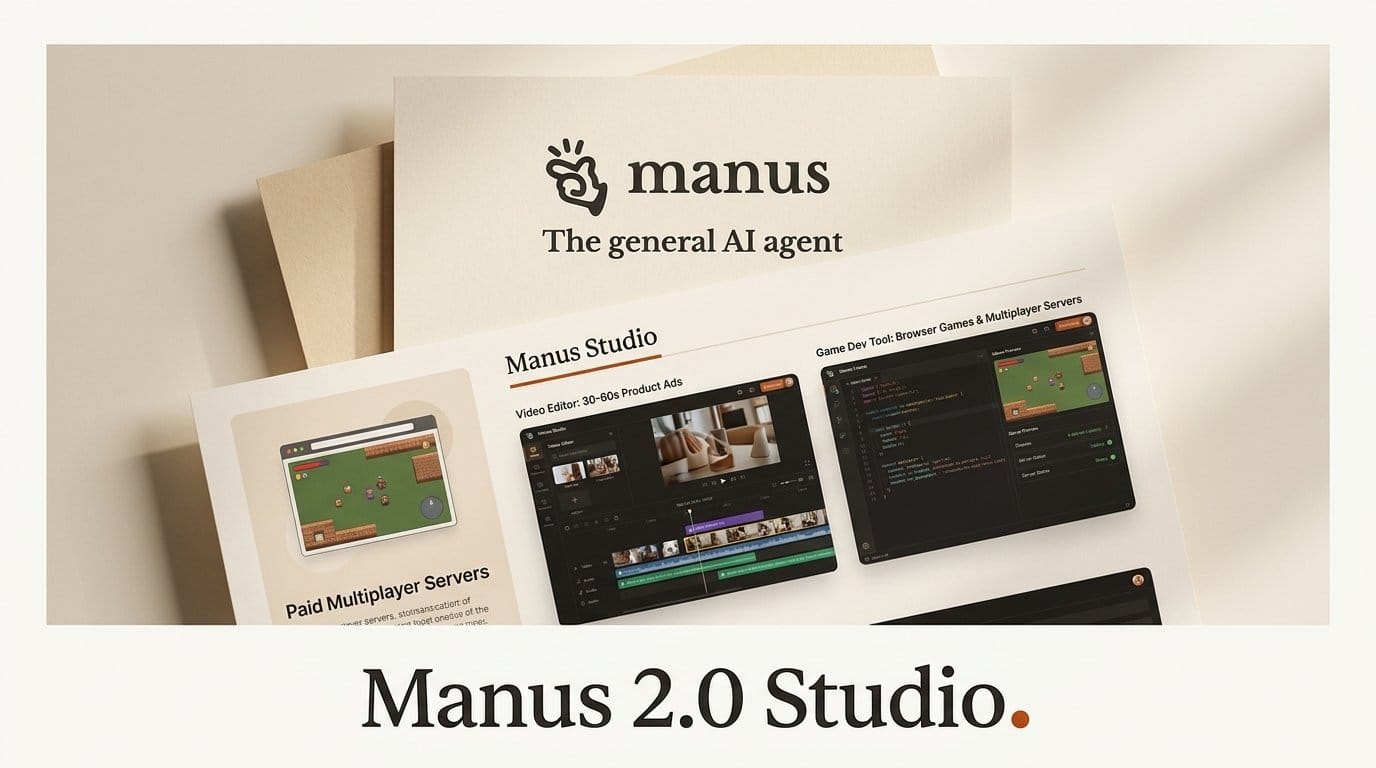
Manus released Manus 2.0 on September 28, 2026, turning its desktop app into Manus Studio and adding two tools aimed squarely at creators: a Video Editor that makes a first cut and then hands you the timeline, and Game Dev, which builds a playable browser game from a template and can put it on a server for multiplayer. We read every official page a buyer would check before spending credits on either one: the launch post, the help center, the docs, the API docs and the pricing page, 10 pages in all, fetched on September 29. Not one states what a Video Editor cut or a Game Dev session costs in credits. The only hard price anywhere in the launch is the server behind a multiplayer game: $30 a month, at minimum.
Our verdict: the design is right. Editing a timeline instead of regenerating a whole clip, and changing one character without resetting a game, fix the two things that make AI video and game tools tiring to use. Try both on credits you already have, watch your usage history, and hold off on building paid client work on them until Manus publishes what each one costs.
What Manus Shipped on September 28
Manus calls 2.0 "not a version update" but a new architecture. The pieces, as the Manus help center lists them:
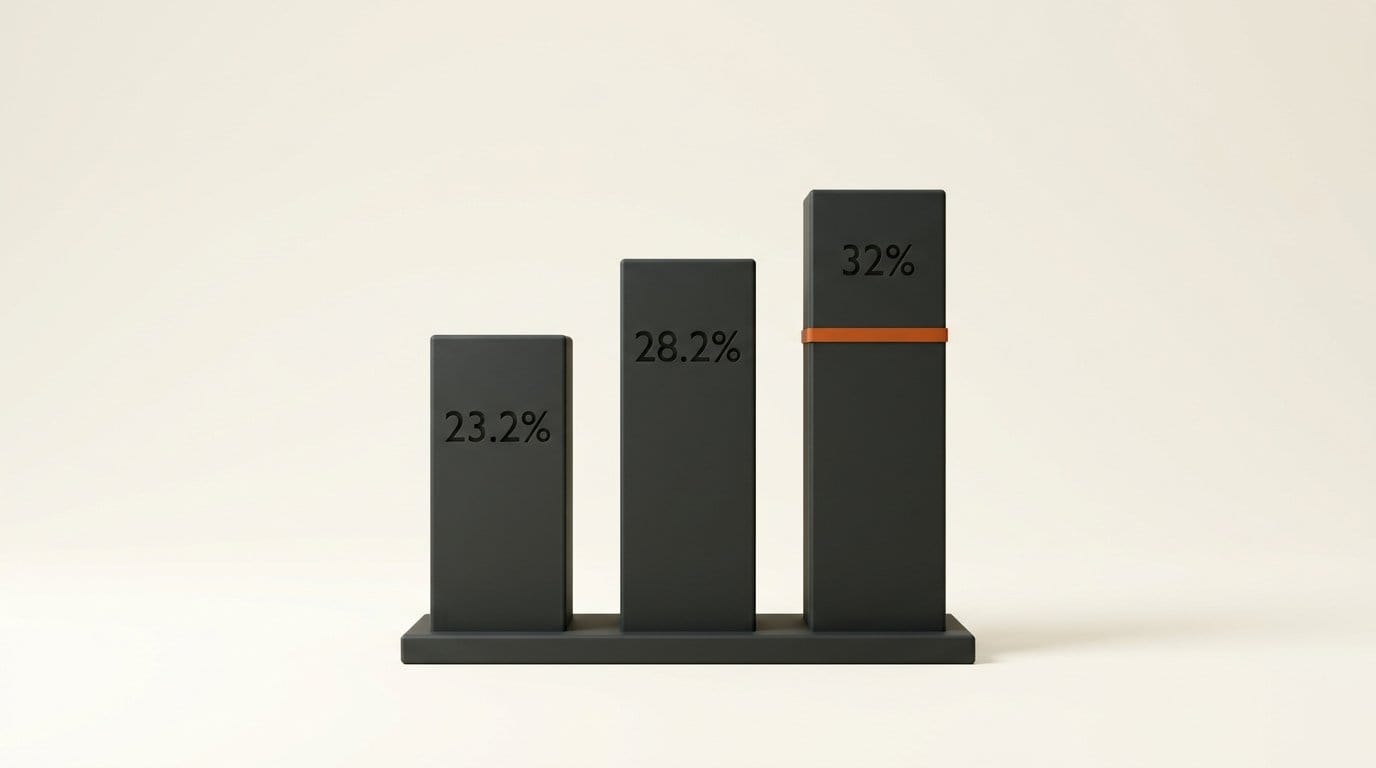
- Cascade, a rebuilt agent harness that keeps a project light and loads specialized tools only when the work needs them. In one tested configuration it used 23.2% fewer tokens, finished tasks in 28.2% less time and cost 32% less to run. The help center adds the caveat itself: "These results come from one tested configuration, not an overall average."
- Manus Studio, the desktop workspace. In an authorized session it works directly with your local files and folders, so you can point it at a folder of footage or product photos and start there.
- Video Editor and Game Dev, the first two Studio "add-ons".
- Cloud Computer, a dedicated machine you buy for a game server or an always-on automation.
- Automations, which replace time-only scheduled tasks with triggers: a new email, a change in ad performance, a calendar event, a Slack message or a Notion update.
- Remote Control, voice commands from your phone that drive your desktop while it streams live.
- Cue, a separate app for personal agents, each with its own email, phone number, wallet and computer.
The release comes weeks after the Singapore-based company resumed independent operations after China blocked Meta's acquisition, and its founders and backers bought Meta's stake back, Implicator reports. Manus 2.0 is available now on web, desktop and mobile.
Video Editor: A First Cut You Can Keep Editing
Most AI video tools answer a one-second complaint by regenerating the whole clip. Video Editor works the other way. Manus makes the first cut, then gives you the clips, images, text, motion graphics and audio as separate pieces on a timeline. The help article lists what you can do by hand:
- Fix a typo in a subtitle
- Swap the music track
- Trim a pause
- Drag in your own product shot to replace a generated one
- Move an animation so it lands on the beat
- Preview, then export
You can also hand the project back and ask Manus for another pass. It works from your edits rather than starting over. Manus says the editor is built for 30 to 60 second product ads, AI UGC, data motion graphics, tutorials, vlogs and motion-led videos, and that you need no editing experience.
There is also Alchemy mode, where Manus takes the creative direction and uses "video and code generation together". Manus calls the quality jump "surprisingly big". The result still lands on the same timeline, so you can fine-tune it afterward. This is the same generate-then-edit pattern we saw in Moto's timeline-first editor, now inside a general agent that also writes your landing page and slides.
What none of the 10 pages says: the export resolution, the file format, or the length limit beyond the 30 to 60 second target.

Game Dev: Templates, an Edit Panel and a Server You Rent
Game Dev starts from a playable template, "such as a scrolling, jumping, or block-puzzle game", and the Game Dev help article says you can play the first version in the first session. From there, the Edit panel lets you watch the game run, manage assets, adjust the code and change movement, art and scenes by hand. Manus's own example: if one villager's hair should be silver instead of brown, select that villager and change it, and "everything else stays as it was".
Under the hood it combines video, image and coding models. The launch post names a Max Ultra mode in which "your game looks great, plays well, and feels right in your hands". That is the only one of the 10 pages to mention Max Ultra, and none of them says which plan includes it.
Publishing is a link: the game becomes a website anyone can play. Multiplayer takes four steps, in Manus's words: "Configure → Multiplayer → Select Cloud Computer → Buy one." Manus says it works for racing, head-to-head, competitive and 3D games, and that you do not need to set up your own server or networking. It does not say how many players a game can hold. For where this sits among other options, see our guide to AI tools for game developers.
What We Checked, and What Is Missing
On September 29 at 13:10 UTC we ran a script against 10 official Manus pages and searched each one's text for the answers a creator needs before committing money. The pricing page draws its plan cards with JavaScript, so we also rendered it in headless Chrome 154 and read the visible text.
| Question a buyer asks | Pages that answer it (of 10) | What we found |
|---|---|---|
| Credit cost of a Video Editor cut or a Game Dev session | 0 | No per-cut, per-minute or per-game figure anywhere |
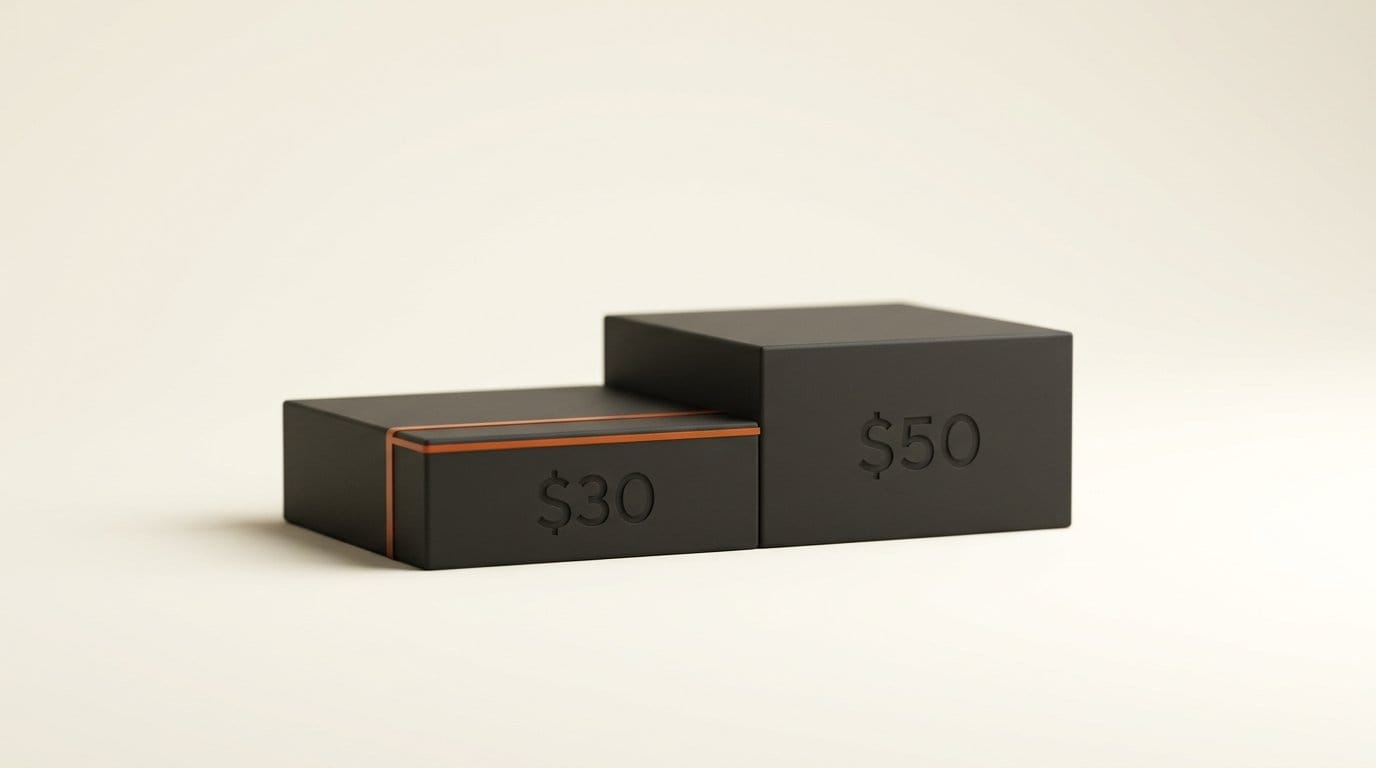
| Price of the Cloud Computer behind multiplayer | 1 | Standard $30/month, Advanced $50/month (billing help page) |
| Which plan includes Max Ultra mode | 0 | Named once, in the launch post, with no plan attached |
| Multiplayer player limit | 0 | Not stated |
| Video export resolution or format | 0 | Not stated |
| Add-ons available through the API | 0 | The v2 API covers tasks, projects, files, webhooks, skills and agents only |
The plan pages have not caught up with the release either. The rendered pricing cards show $20 for 4,000 credits a month, $40 for 8,000 and $200 for 40,000, each with 300 refresh credits a day, 20 concurrent tasks and "20 scheduled tasks". None of them mentions Studio, Video Editor, Game Dev, Cloud Computer or Automations. The membership help article still describes plans in terms of Manus 1.6 Lite, Manus 1.6 and Manus 1.6 Max.
None of this means the tools are expensive. It means you cannot know in advance, and the Manus docs say credits are "consumed based on the complexity" of each task, so a video with several revision passes could cost very differently from a one-shot cut.

The Real Cost of a Multiplayer Game
Multiplayer is the one part of Game Dev with a price tag, and it comes from the Cloud Computer billing page, not from the launch post:
- Standard, $30 a month (marked Recommended): 2 vCPUs, 4 GB of RAM, 70 GB of storage.
- Advanced, $50 a month: 2 vCPUs, 8 GB of RAM, 120 GB of storage.
Both run Ubuntu Server 24.04 LTS with a dedicated public IP, billed monthly. When Cloud Computer launched in April it came in three tiers, including a Basic one. The billing page now describes "two distinct plans", so the cheapest server is $30. On the $20 plan, a shared multiplayer game therefore starts at $50 a month before any extra credits.
Two terms on that page matter more for a game than for a script. Upgrading to a bigger tier restarts the machine, so a match in progress pauses until it comes back. And if you stop paying, "the persistent virtual machine will be shut down" and the working files, installed tools and databases on it "will be deleted". Whatever your game keeps on that server, such as saves, leaderboards and player accounts, goes with it. Only what Manus already delivered in chat survives.
How to Try Manus 2.0 Without Burning Credits
Because the add-ons have no published cost, measure your own. Budget about 30 minutes on any paid plan.
- Write down your balance. The dashboard shows your current credits and a per-task usage history. Note both before you start.
- Start the video from a folder, not a prompt. In Studio, point Manus at a folder holding one product photo and a music track you have the rights to, and ask for a 30-second product ad using both.
- Make the small fixes by hand. Swap the song, replace one generated shot with your photo, fix a subtitle. Manus says these need no new prompt. It does not say whether hand edits cost credits, so check the usage history after this step.
- Hand it back once. Ask for one refinement pass and record what that pass cost. Now you know the price of a first cut and of a revision, the two numbers the docs leave out.
- Build the game single-player first. Pick the block-puzzle template, change one asset in the Edit panel, publish the link and send it to a friend. Only buy a Cloud Computer once people actually want to play together.
- Before you buy the server, plan the exit. Ask Manus to back up anything the game stores to your own machine, since cancelling deletes it.
Who Should Use It, and Who Should Wait
Video Editor suits marketers and solo creators who already pay for Manus and make short product ads or UGC-style clips. The editable timeline is the feature to test, because it is what saves you from paying to regenerate a clip you mostly like. Game Dev suits hobbyists who want a browser game their friends can open from a link, with multiplayer as a paid upgrade.
Wait if you need predictable per-deliverable costs for client work, fixed export specs for a platform, or want to script these tools from your own code: the Manus API documentation does not expose Studio, Video Editor or Game Dev yet. Take the Cascade numbers as a vendor figure from one configuration, which Manus itself says is not an average.
Cue is a separate decision. It is free in early access with an invite code (Manus is offering MEETCUE to a limited number of early users), and its agents can spend money within a budget you set, so set a small one. Pricing after early access has not been announced.
Frequently asked questions
What is new in Manus 2.0?
A rebuilt agent harness called Cascade, a desktop workspace called Manus Studio with two add-ons (Video Editor and Game Dev), Cloud Computer as a game or automation server, event-triggered Automations, voice Remote Control, and a separate personal-agent app called Cue. It launched September 28, 2026 on web, desktop and mobile.
How much does the Manus Video Editor cost?
Manus has not published a figure. None of the 10 official pages we checked on September 29 gives a credit cost for a Video Editor cut or a Game Dev session. Paid plans are $20 for 4,000 credits, $40 for 8,000 and $200 for 40,000 a month, and credit use depends on the task.
How do I make a multiplayer game in Manus?
Build the game in Game Dev, then choose Configure, Multiplayer, Select Cloud Computer and buy one. The Cloud Computer is the always-on server behind the game. The Standard plan is $30 a month and Advanced is $50 a month.
What happens to my game server if I cancel Cloud Computer?
Manus shuts the machine down and deletes the working files, installed tools and databases on it. Outputs Manus already delivered in chat remain. Back up anything the game stores before you cancel.
Is Cascade really 32% cheaper?
Manus reports 23.2% fewer tokens, 28.2% less time and 32% lower cost in one tested configuration, and its help center says these are "not an overall average". The testing method has not been published, so treat it as a vendor figure.
Can I use Video Editor or Game Dev through the Manus API?
Not according to the current documentation. The v2 API covers tasks, projects, files, webhooks, skills and agents, and does not mention Studio or its add-ons.
How do I get into Cue?
Cue is in early access and free with an invite code. Manus is offering the code MEETCUE to a limited number of early users, first come, first served, and everyone who gets in receives extra codes to share. The iOS app is waiting on App Store review.





