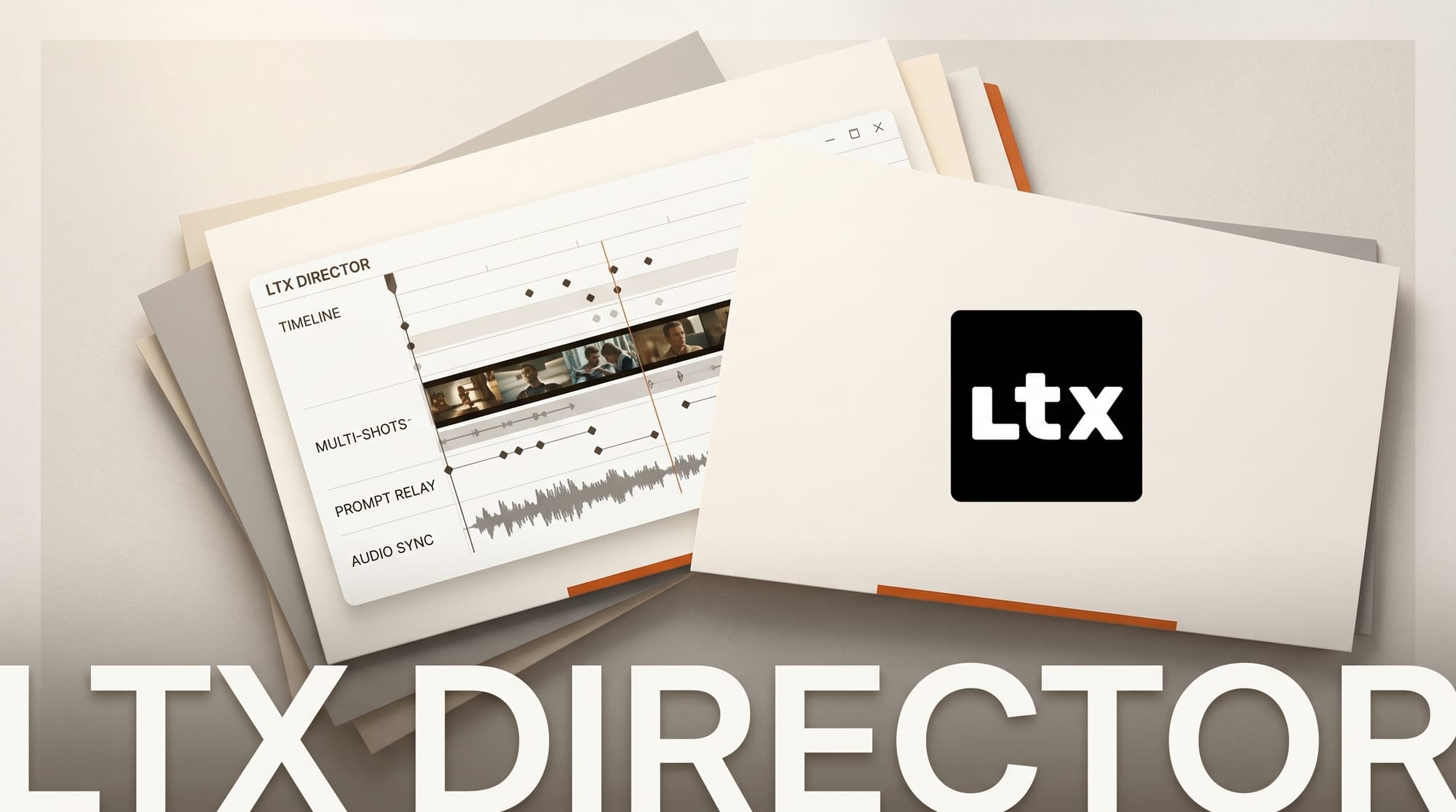
LTX Director v1.3.0 released on May 14, 2026, bringing a free, open-source ComfyUI node that consolidates every LTX 2.3 video generation workflow into a single timeline editor. The tool, built by community developer WhatDreamsCost, replaces the earlier LTX Sequencer and Multi Image Loader nodes with a unified interface designed after professional video editing software.
For creators working with Lightricks LTX 2.3, the 22B open-source model that generates synchronized audio and video at up to 4K, managing multiple disconnected ComfyUI nodes has been a friction point. LTX Director removes that friction entirely.
LTX Director v1.3.0, released May 14, 2026 by developer WhatDreamsCost, is a free, open-source ComfyUI node that unifies every LTX 2.3 video workflow into a single timeline editor. It bundles I2V, T2V, FLFF, prompt relay, and custom audio with up to 8 keyframes, replacing the older LTX Sequencer and Multi Image Loader nodes.
What Is LTX Director?
LTX Director is a custom ComfyUI node that bundles image-to-video (I2V), text-to-video (T2V), first/last frame (FLFF), prompt relay, and custom audio into one timeline workspace. Version 1.3.0 introduces it as the most feature-complete tool in the WhatDreamsCost-ComfyUI repository, a project iterating on LTX 2.3 workflow improvements since April 2026.
The node builds on Kijai's ComfyUI-PromptRelay, which enables per-beat prompt control across a single video clip. LTX Director extends this with a full timeline metaphor: you place clips, assign prompts to time segments, set keyframes, and attach audio, all without switching between separate node sets.
Key Features in v1.3.0
| Feature | What It Does |
|---|---|
| I2V (Image to Video) | Animate a static image with built-in resizing for LTX 2.3 resolution requirements |
| T2V (Text to Video) | Generate video from text descriptions using per-segment prompt control |
| FLFF (First/Last Frame) | Set start and end keyframes; LTX 2.3 generates the transition between them |
| Prompt Relay | Assign different prompts to time spans within one generation, no separate clips needed |
| Custom Audio | Import, trim, and combine audio clips; toggle on/off without breaking the workflow |
| 8 Keyframes | Up to 8 middle frames for complex motion arcs and character consistency |
The timeline interface is a deliberate design choice. The developer studied existing video editors before building the layout, which means the mental model maps to tools creators already know: Premiere, DaVinci, CapCut. You are not learning a new paradigm; you are applying a familiar one inside ComfyUI.
Why Prompt Relay Changes Everything
Standard LTX 2.3 generation applies a single text prompt to the entire clip. Prompt Relay routes different prompts to different time spans within one generation pass. You write a global prompt for overall style and scene, then add per-beat instructions separated by | characters. The model blends between segments, creating smooth narrative transitions that would otherwise require multiple chained generations.
For a 10-second video, consider this prompt sequence: "woman walks through rain | she opens an umbrella | she looks up at clearing sky." One generation, three distinct visual beats, continuous motion.
LTX Director makes this accessible without manually wiring PromptRelayEncode nodes. The timeline presents each segment as an editable cell. The underlying complexity stays invisible.
Audio Workflow
LTX 2.3 natively generates synchronized audio alongside video. LTX Director adds an audio layer above the timeline: import an existing audio clip (voice, music, sound effect), trim it, combine multiple clips, then attach it to a video generation. A single toggle disables audio without removing it from the workflow, which matters for iterating on visuals before finalizing sound.
This combines well with the audio-video sync that LTX 2.3 already does. You can attach a narration track, generate matching video visuals, and fine-tune the motion without re-recording audio.
How to Integrate LTX Director Into Your Workflow
Getting started takes three steps:
- Install the node. Navigate to
/ComfyUI/custom_nodes/and rungit clone https://github.com/WhatDreamsCost/WhatDreamsCost-ComfyUI. Alternatively, search "WhatDreamsCost" in ComfyUI Manager. - Load the example workflow. The
example_workflowsfolder contains a pre-built LTX Director setup. Open it in ComfyUI to see the node arrangement before modifying anything. - Connect LTX 2.3 models. LTX Director requires the ComfyUI-LTXVideo extension from Lightricks. If you already run LTX 2.3, it is already present.
Start with a simple I2V test: drop in a source image, write a short prompt, generate 5 seconds, review the output. Then add a second prompt segment and compare. Once you understand how prompt relay shapes motion, the FLFF and audio features layer in naturally.
What This Enables for Creators
LTX Director reduces the node count for a full LTX 2.3 production workflow substantially, meaning fewer points of failure, faster load times, and easier sharing of workflows with collaborators.
For YouTube creators producing AI video content, the audio integration is the standout feature. You can now match custom music or voice narration to generated video in the same workflow pass. For Blender artists using LTX 2.3 as a rendering layer, the FLFF mode maps cleanly to storyboard sequences.
Frequently Asked Questions
Is LTX Director free to use?
Yes. The node is released under an open-source license on GitHub. LTX 2.3 itself is also open-source (Apache 2.0), so the entire stack, model, ComfyUI, and LTX Director, costs nothing to run locally.
What hardware does LTX 2.3 require?
LTX 2.3 is a 22B parameter model. At minimum 16GB VRAM for FP8 mode. On an RTX 4090 (24GB), typical generation runs in 2 to 4 minutes per 5-second clip. CPU offload is available for lower-VRAM setups but adds significant generation time.
Does LTX Director replace ComfyUI-LTXVideo from Lightricks?
No. LTX Director builds on top of ComfyUI-LTXVideo. You need the Lightricks extension installed first. LTX Director adds the timeline interface and workflow management layer on top of the existing model nodes.
Can I use custom LoRA models with LTX Director?
The underlying LTX 2.3 model supports LoRA conditioning. LTX Director does not add specific LoRA UI, but the standard ComfyUI LoRA loader nodes connect to the same pipeline.
Is the Civitai all-in-one workflow the same as LTX Director?
No. The LTX23 All-in-One workflow on Civitai (last updated May 6) is a separate community workflow. LTX Director is a custom node released in v1.3.0 today, offering a native timeline editing interface rather than a pre-wired workflow file.
Where can I get support or follow development?
The developer posts updates and tutorials on the GitHub repository. Tutorial videos are in development. The README is actively maintained, with multiple updates today alongside the v1.3.0 release.