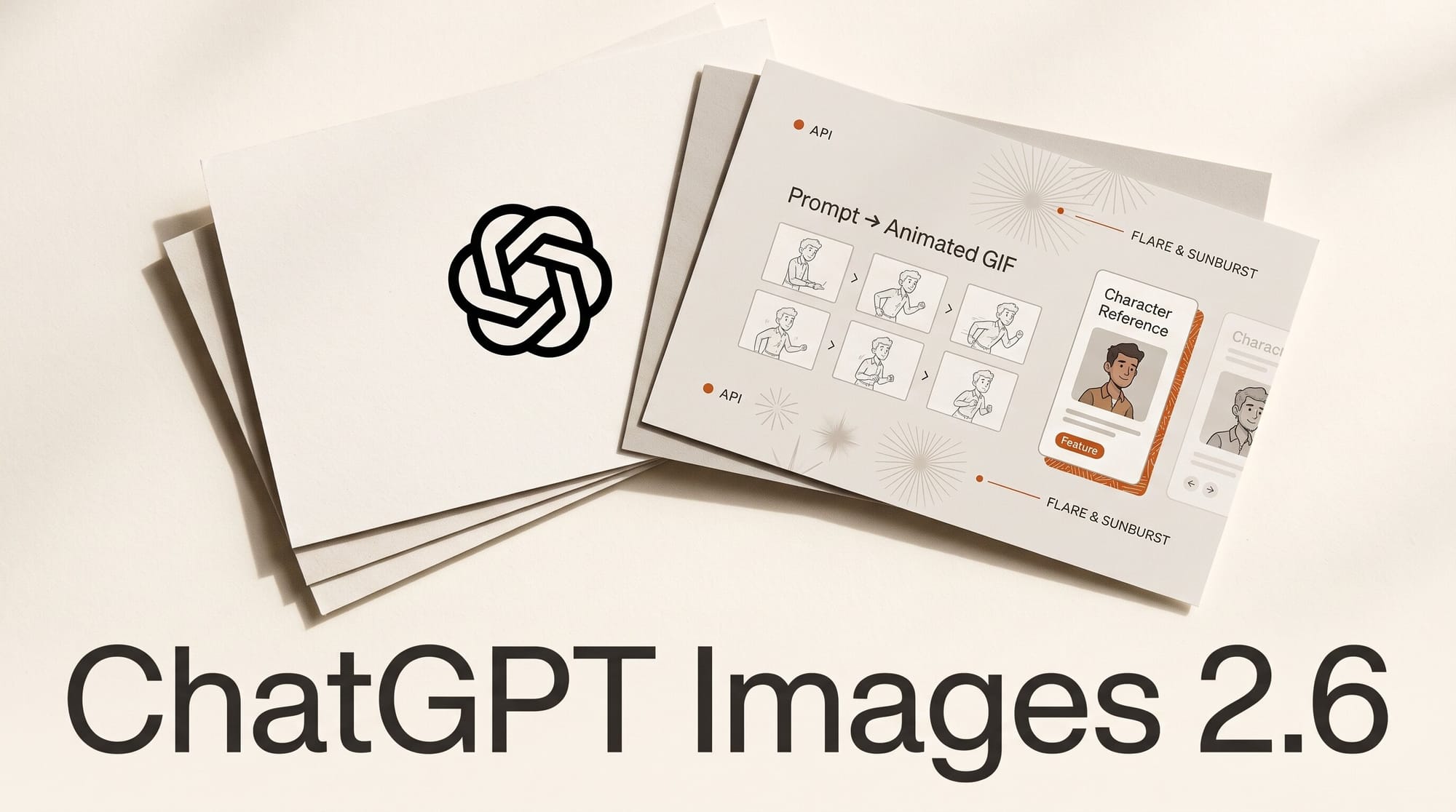
OpenAI released ChatGPT Images 2.6 on November 4, 2026, and its headline feature is one ChatGPT never had: type a prompt or upload a photo and get back an animated GIF, then change its speed or fix single frames before you share it. The update also lets you save reference images of yourself, your pets and your characters so you stop uploading them again, and it brings two new API models, GPT-Image-2.6 Flare and GPT-Image-2.6 Sunburst, that OpenAI says generate images 50% faster. The API price per token is unchanged from GPT Image 2.5: $30 per million image output tokens.
OpenAI announced the release on X at 6:35 PM ET and says people now make more than 4 billion images a week across ChatGPT and its API, up from 3 billion in September. The rollout is gradual: Decrypt reported that the GIF feature was not yet live on its accounts on launch day, and we have not run our own test yet. This piece covers what changed, how the GIF workflow works, what it costs, and when a GIF is the wrong tool and a video clip is the right one.
What ChatGPT Images 2.6 adds
Four changes matter to people who make things in ChatGPT:
- GIFs from a prompt or a photo. Describe a short animation, or upload an image and ask ChatGPT to animate it. Afterwards you can adjust the playback speed, look at and edit individual frames, and share the loop. OpenAI's demo request was simply "can you make a gif of a cat dancing?"
- Saved reference images. Keep a picture of yourself, a pet or a character ready to drop into new images without uploading it each time.
- Faster images. OpenAI says generation is 50% faster than before.
- Steadier edits. TestingCatalog's launch write-up says the update aims to keep characters, products and brand details consistent across rounds of edits.
The GIF feature works like a flipbook, not like a video model. The Decoder describes Images 2.6 drawing several slightly different images of the same character and playing them in sequence, and points out that keeping one character recognizable across those frames is what earlier models could not do. The Next Web, summarizing The Verge's report, says the release is rolling out to all ChatGPT and Codex users on the web, desktop and mobile apps.
How to make a GIF in ChatGPT, step by step
These steps follow what OpenAI has shown and described. Button names may shift while the feature rolls out, and if your account does not have it yet, ChatGPT may hand back a row of still frames instead of an animation, which is what Decrypt saw.
- Pick one simple motion. A wave, a blink, a bounce, a logo turning a quarter circle. AlphaSignal notes that the loops are built from related still images rather than a continuous video model, so complex motion, objects touching and scenes with several characters are where glitches appear.
- Start from your own image when you can. Upload the mascot, product shot or sketch you want animated, or pick a saved reference. A known starting picture keeps the character on-model better than a description alone.
- Ask for the GIF in plain words. For example: "Make a looping GIF of this mascot waving, plain cream background, last frame matching the first."
- Set the speed. Slow it down for a calm reaction loop, speed it up for an energetic one.
- Fix the frames that break. Open the frame view, find the frame where a hand or a face goes wrong, and ask for that frame to be redone instead of regenerating the whole loop.
- Share or download it. Drop it into a newsletter, a Discord or Slack reaction, a product page or a storyboard pitch.
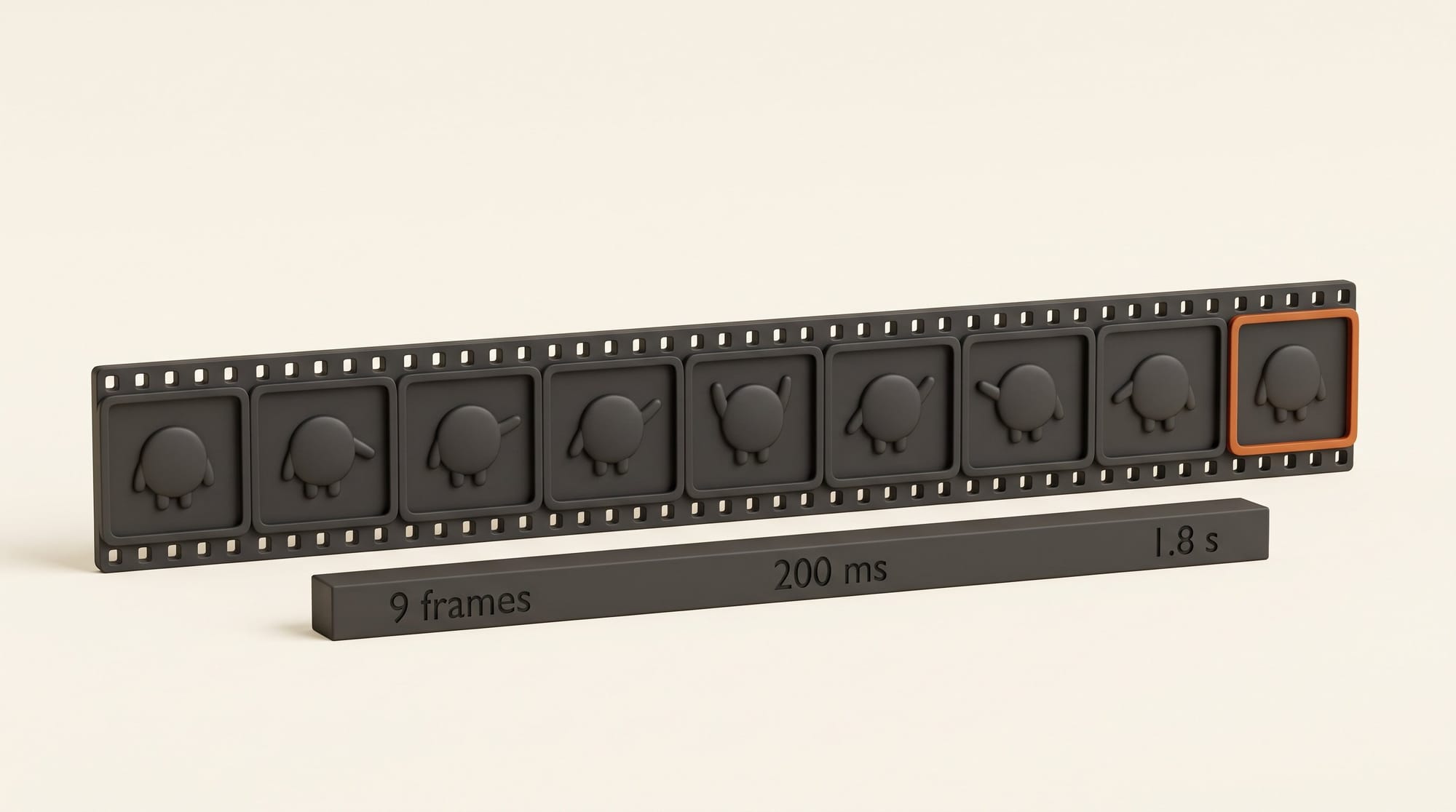
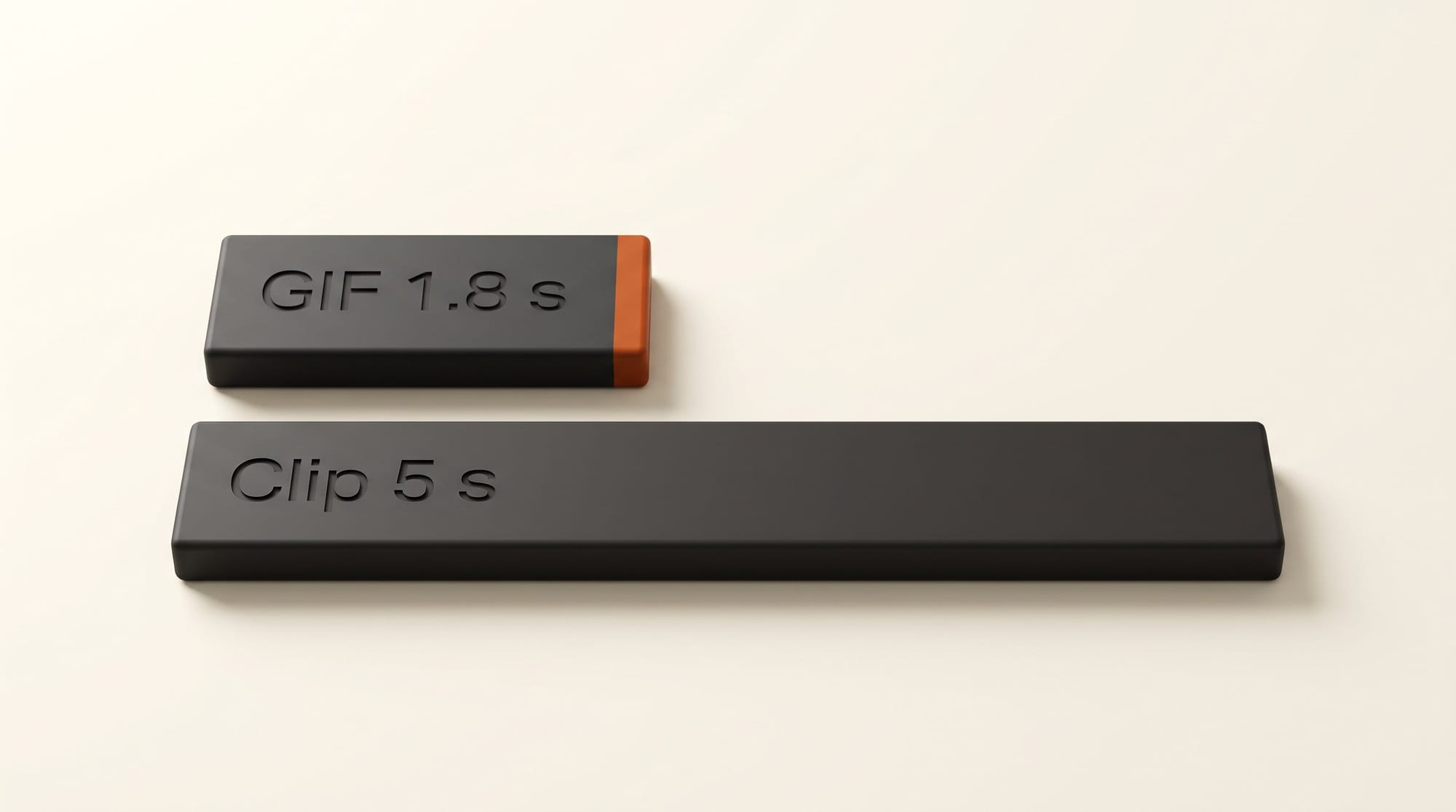
For a sense of scale, OpenAI's image generation guide sets the API's default GIF at 9 frames of 200 milliseconds each, a 1.8-second loop, and allows 2 to 64 frames at 20 to 2,000 milliseconds per frame. ChatGPT has not published its own limits, so read those numbers as a guide to what the model is built for: short loops, not clips.
Saved reference images: one character, many images
The second feature removes a chore anyone with a recurring character knows. Until now, every new chat meant uploading the same mascot, product photo or selfie again before asking for a new scene. OpenAI's post sums it up as "Save once. Create again and again": you keep references of yourself, pets and characters and pull them into new creations.
That matters most for three kinds of work: a channel mascot that appears in every thumbnail, a picture-book or comic character who has to look the same on every page, and product photos where the label must not drift. Combined with GIFs, it means a saved character can become a looping reaction without a single upload.
What OpenAI has not said is how many references you can save, how long they are kept and how you delete them. AlphaSignal also cautions that results can still vary from one image to the next. If you plan to save photos of yourself or your family, open ChatGPT's data controls in Settings first and decide what you are comfortable storing.
Flare vs Sunburst: the two models behind your apps
If you only use ChatGPT, OpenAI picks the model for you. The choice matters when you use GPT Image inside other creative apps, which buy it from OpenAI's API and choose between two versions. The split carries over from 2.5, and the Flare and Sunburst model pages list the same features for both:
| GPT-Image-2.6 Flare | GPT-Image-2.6 Sunburst | |
|---|---|---|
| Built for | Speed and quick iteration, posters and product layouts | Detail, and consistent results from one edit to the next |
| Speed | As little as 6 seconds per image at low quality | No figure published |
| Best for | Drafts, many variations, layout tests | Final product shots, characters, multi-round edits |
| Image output price | $30 per 1M tokens | $30 per 1M tokens |
| GIF and SVG output | Yes | Yes |
| Draw-on-image (markup) edits | Yes | Yes |
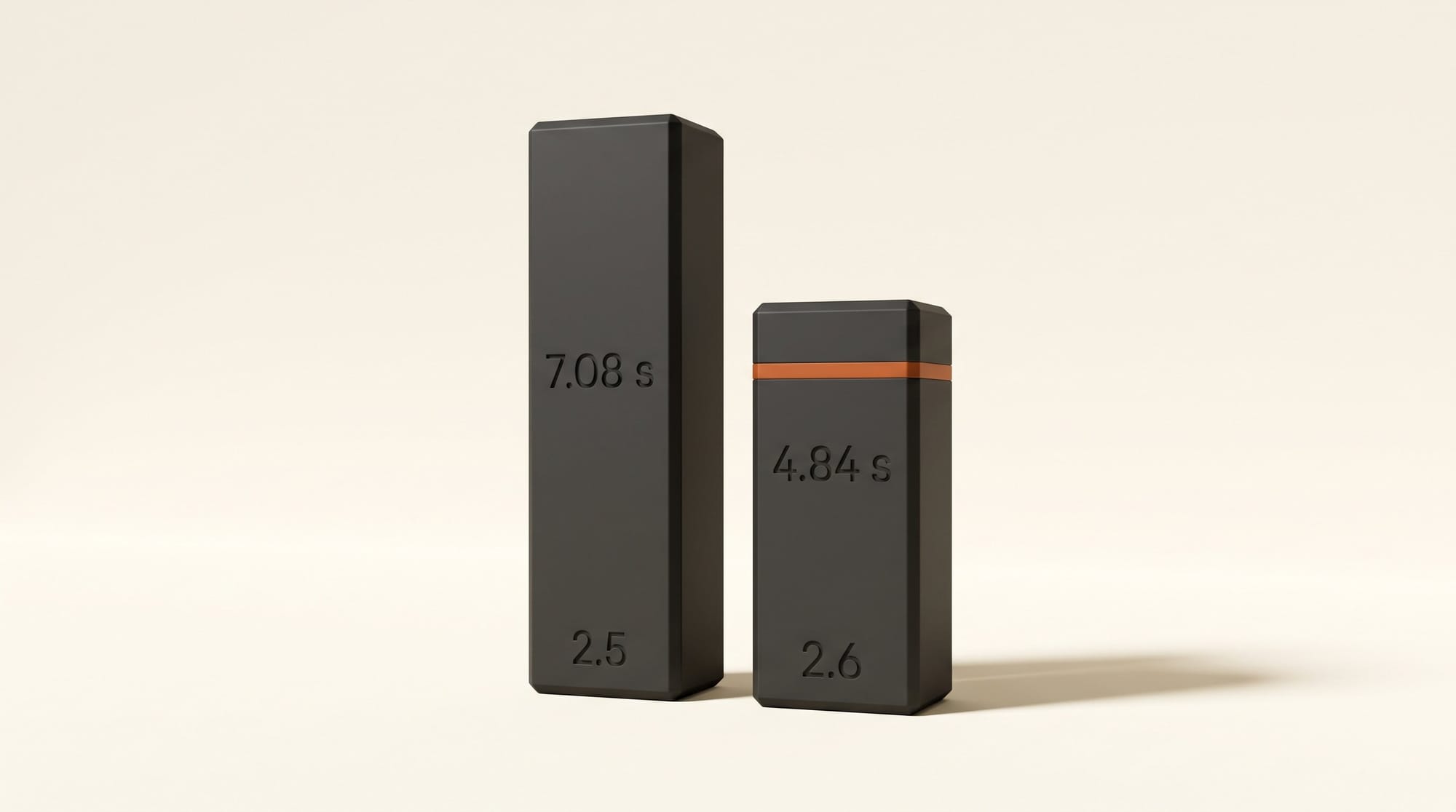
OpenAI's developer announcement says Sunburst "keeps details more consistent from one edit to the next" at medium or high quality. AlphaSignal, reading OpenAI's benchmark chart, puts Flare at 4.84 seconds per image against 7.08 seconds for the 2.5 version. That is about 32% less waiting, a smaller cut than the 50% headline, so expect the real speed-up to depend on the job. Blind votes add a caveat on quality. On Arena's text-to-image board, where voters pick between two unlabeled images made from the same prompt, Sunburst (Medium) entered at #2 with 1,409 points and Flare (Medium) at #4 with 1,384, and Arena says OpenAI now holds all five top spots. Both ranks are marked preliminary. Arena's last board before the launch had GPT Image 2.5 Sunburst at #1 with 1,427 points, above either new score, so on early votes 2.6 buys you speed rather than a clear quality win. In image editing, Sunburst sits at #3 (1,476) and Flare at #5 (1,462).
Both models also gain a "complexity" setting that controls how much planning the model does before it draws. The guide lists low, medium and high, with high as the default and no extra fee. Low suits quick, focused fixes; high helps with dense text and busy layouts but is slower and can change things you did not ask to change. If an app you use exposes it, start low for small edits.
What Images 2.6 costs
In ChatGPT there is nothing new to buy. AlphaSignal reports that GIFs have no separate paywall and count against your existing image limits. Those limits are the vague part: when we checked ChatGPT's plans for our cost-per-image study in October, Go ($8 a month), Plus ($20) and Pro ($100) promised more image creation without giving a number, and OpenAI has published nothing new for 2.6. A GIF is several images in one request, so heavy GIF use may reach your cap sooner; we have not been able to measure that yet.
In the API, OpenAI's pricing page lists both 2.6 models at exactly the 2.5 rates:
| Billed item, per 1M tokens | GPT Image 2.6 (Flare or Sunburst) | GPT Image 2.5 (Flare or Sunburst) |
|---|---|---|
| Image output | $30 | $30 |
| Image input | $8 | $8 |
| Cached image input | $2 | $2 |
| Text input (your prompt) | $5 | $5 |
OpenAI has not published a dollar price per image for 2.6, because the cost depends on size, quality and how many tokens each picture uses. For reference, GPT Image 2.5 cost about $0.21 per image at its top quality in the API, as we noted in our MAI Image 2.7 vs GPT Image 2.5 comparison, and creator apps charged 18 cents (Magnific) to 22 cents (Krea Pro) per image in our October check. With token prices unchanged, the likeliest outcome is that 2.6 lands near those numbers in the apps that add it: faster, not cheaper. Check the app's credit cost before you queue a hundred images.
SVG export and markup for designers
Two API features will reach designers through the tools they already use. Markup lets you draw on an image to show exactly what should change, the way you would circle something on a printout; TestingCatalog notes this is ChatGPT's own image markup, now open to other apps. The guide describes it as a transparent drawing layer sent along with the picture.
SVG export turns a generation into a vector file with editable paths, shapes and colors, meant for icons and illustrations you can resize for a website, an app or print. According to the guide, the model first draws a regular reference image and then writes the vector, and you pay for both steps, with no per-file price published. Dedicated vector tools do publish theirs: Ideogram Vector costs $0.13 to $0.20 per SVG from a prompt and Recraft about 5 cents on its Basic plan, as we found in our SVG tool comparison. Until an app shows you what a GPT Image SVG costs, those stay the benchmark for logos and icons.
A ChatGPT GIF or a real video clip?
OpenAI shut down its standalone Sora video app in March, so GIFs are now the only motion ChatGPT itself makes. They are not a substitute for video. A GIF has no sound, runs about two seconds at the API default and is built from stills. That makes it right for reactions, stickers, mascot loops, animated icons and quick storyboard beats, and wrong for camera moves, dialogue or anything longer than a few seconds.
| ChatGPT Images 2.6 GIF | TBC mischief 1 | Grok Imagine Video 1.5 Lite | |
|---|---|---|---|
| What you get | Looping GIF built from stills | Silent video clip from one image | Video clip |
| Length | 1.8 s at the API default | 3 or 5 s | 1 to 15 s |
| Price | Inside your ChatGPT plan limits | $0.025 per 5 s clip at 480p | About $0.11 per 5 s clip |
| Vertical 9:16 | Not stated | No | Yes |
When an idea needs real motion, cheap image-to-video models now cost cents, as our image-to-video price comparison shows. A practical split: design the character and its key pose in ChatGPT with a saved reference, make the GIF for social posts and chat, and send the same still to a video model when the idea needs a proper shot.
Who should use it now, and who should wait
Use it now if you already make images in ChatGPT and keep uploading the same character, or if you want quick reaction loops and animated stickers. Saved references alone save a step every session.
Wait a week if the GIF option has not reached your account yet, or if you reach GPT Image through another app such as Krea or Magnific. Those apps have to add the 2.6 models and set a credit price first.
Skip it for paid client video. A GIF built from stills is a sketch, not a deliverable.
The test worth running first: save a character you already use as a reference, then ask for the same one-second wave as a GIF three times. If the character stays on-model in all three, the feature is ready for your work.
Frequently asked questions
What is ChatGPT Images 2.6?
It is OpenAI's November 4, 2026 update to image generation in ChatGPT and Codex. It adds animated GIFs from a prompt or photo, saved reference images, faster generation, and two API models called GPT-Image-2.6 Flare and GPT-Image-2.6 Sunburst.
How do I make a GIF in ChatGPT?
Describe a short animation or upload an image and ask ChatGPT to turn it into a GIF. You can then change the playback speed, edit individual frames and share it. The feature is rolling out gradually, so some accounts do not have it yet.
Is ChatGPT Images 2.6 free?
It is rolling out to all ChatGPT users, and GIFs have no separate charge, but they count toward your plan's existing image limits. OpenAI does not publish how many images or GIFs each plan includes.
How much does GPT Image 2.6 cost in the API?
Both models cost $30 per million image output tokens, $8 per million image input tokens and $5 per million text input tokens, the same as GPT Image 2.5. OpenAI has not published a price per image; GPT Image 2.5 cost about $0.21 per image at top quality.
What is the difference between Flare and Sunburst?
Flare is built for speed, as little as 6 seconds per image at low quality. Sunburst is built for detail and keeps edits more consistent at medium or high quality. Both support GIFs, SVG export and draw-on-image edits. On Arena's preliminary text-to-image ranking from blind votes, Sunburst placed #2 and Flare #4.
Can ChatGPT keep my character consistent across images?
Saved reference images are meant to do that: you store a character, pet or person once and reuse it in new images. OpenAI has not published limits or retention rules for saved references, and results can still vary between images.
Can I export an SVG from GPT Image 2.6?
Yes, through the API: the model draws a reference image and then writes an editable vector file. You pay for both steps. Dedicated tools such as Ideogram Vector and Recraft publish per-file prices; OpenAI does not yet.