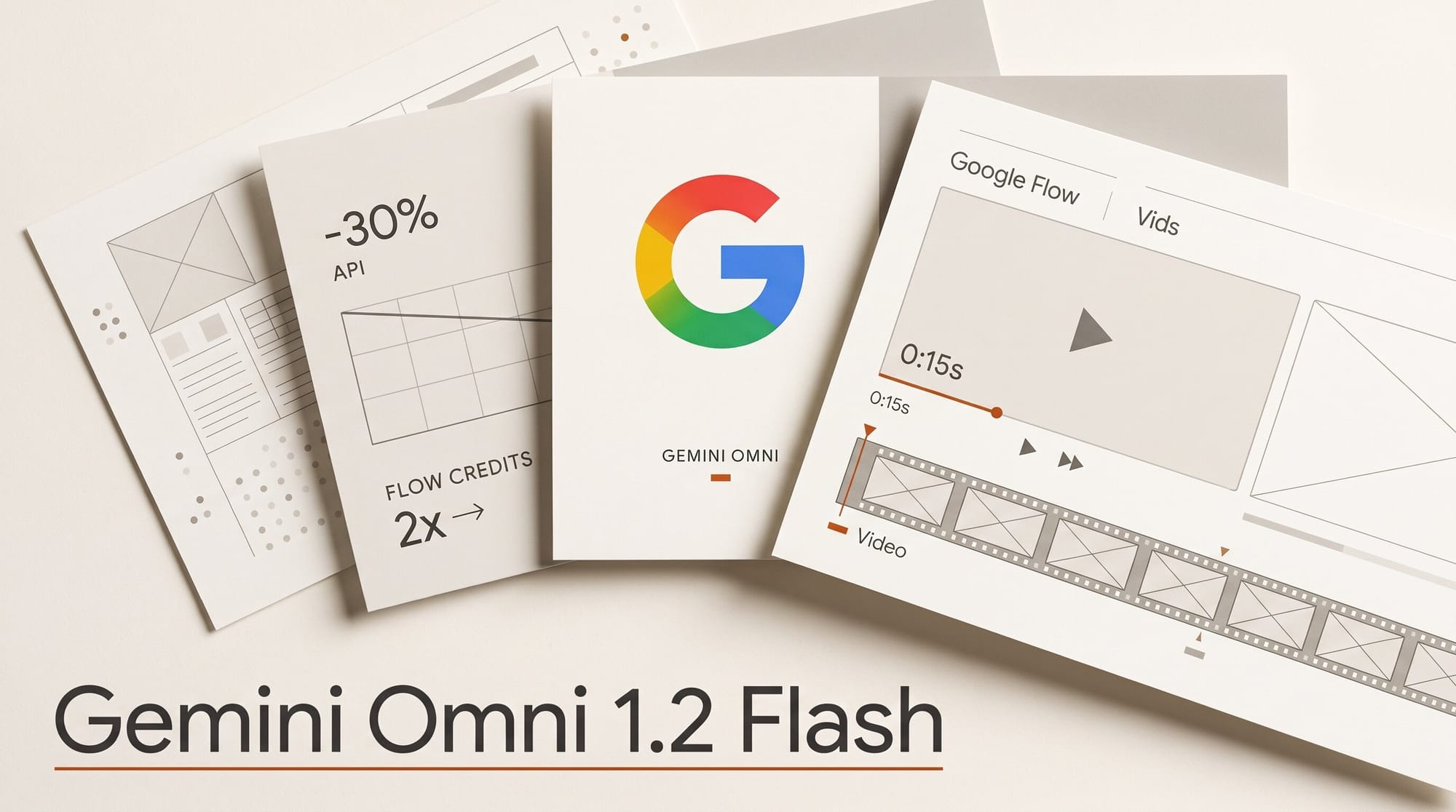
Google released Gemini Omni 1.2 Flash on November 5, 2026, the new version of the video model behind Google Flow, Google Vids and the Gemini app. It makes clips up to 15 seconds long (up from 10), sticks closer to your reference images, and lets you fix a finished clip by asking for a change instead of starting over. Google cut the developer price 30%, to $0.07 a second of 720p video.
Flow is where most creators will meet it, and there the math runs the other way. A 10-second 720p clip that cost 15 Flow credits on Omni Flash 1.1 now costs 30. Edits got cheaper, though, and upscaling stays free up to 1080p, so the way you work decides what you pay. Below: what changed, what a 15-second clip costs on each Google plan, the cheap route through 360p drafts, and the Veo models leaving Flow on December 5.
What Google shipped
Omni 1.2 Flash is an upgrade to the Omni Flash model Google launched in May, not a new family. Google lists five changes, and its Google Cloud announcement repeats them for business users:
- Longer clips. Any length from 3 to 15 seconds, in one-second steps. Omni Flash 1.1 stopped at 10.
- Closer to your references. Give it character sheets, product shots or a style frame, and faces, garments, packaging text and brand colors hold steady across camera moves. The Omni developer guide allows up to 6 reference images and short motion clips of up to 3 seconds. Clips of 11 to 15 seconds take one reference video; shorter clips take up to three.
- Editing by conversation. Ask for a different background, lighting, weather, product or aspect ratio on the same clip, turn after turn, and the rest of the scene stays put. This now works on full 15-second clips.
- Better speech. Clearer lip-sync and separate voices for several speakers in one scene.
- Steadier camera work. Long drone flythroughs, orbits and zoom-outs with fewer unwanted jump cuts.
Every clip carries Google's invisible SynthID watermark. Google is also clear about what is not fixed yet: fast sports action, rapid script changes and complex physics. Audio references (a voice sample to copy) exist, but Google Cloud says they are limited to approved accounts for now.
Where you can use it today
Google is rolling 1.2 out to its creative apps on the same day. Here is where each kind of creator finds it:
- Google Flow, Google's AI film studio: generate, edit and extend scenes. Clips over 10 seconds need a paid Google AI plan.
- Google Vids, the video editor in Google Workspace: Google says you can make 15-second clips "at no additional cost" with a Google account or a Workspace subscription, and combine them with avatars, music and voiceover. We covered the avatar side in our Google Vids avatars deep dive.
- The Gemini app: 15-second videos are rolling out to Google AI Ultra subscribers first.
- Apps built on it: Google names Artlist, FLORA, invideo, Krea, Picsart, Runway, Photoroom and QuickFrame AI as already using 1.2. Check each app's model menu; Google's quotes describe use, not a launch date in every app.
In Flow, the same clip now costs twice the credits
Flow charges in credits, and Google's Flow credits help page now lists Omni Flash 1.2 at 1 credit a second at 360p and 3 credits a second at 720p, for both new clips and edits. Seconds 11 to 15 cost double (2 or 6 credits each), and only subscribers can go past 10 seconds.
The same page still lists the retiring Omni Flash 1.1 rates, which match the page as archived on October 21. Side by side:
| Job in Flow | Omni Flash 1.1 | Omni Flash 1.2 |
|---|---|---|
| New 8-second clip, 720p | 12 credits | 24 credits |
| New 10-second clip, 720p | 15 credits | 30 credits |
| New 10-second clip, 360p | 7 credits | 10 credits |
| New 15-second clip, 720p | Not possible | 60 credits (subscribers) |
| Edit a 10-second clip, 720p | 40 credits | 30 credits |
| Edit a 10-second clip, 360p | 40 credits | 10 credits |
| Upscale to 1080p, up to 10 seconds | 0 credits | 0 credits |
| Developer API, per second at 720p | $0.10 | $0.07 |
So the 30% cut is real for developers, as the Gemini API price list shows: about $1.04 for a 15-second 720p clip. In Flow, a fresh 720p clip costs double. What got cheaper in Flow is fixing a clip: editing a 360p draft fell from 40 credits to 10. If you used to re-roll a clip until it came out right, you will burn credits faster. If you edit, you may spend less than before.
What a 15-second clip costs on each plan
Everyone gets 50 free Flow credits a day, which do not roll over. Paid plans add a monthly allowance. The table uses the US prices on Google's Google AI plans page and counts only the monthly credits, at 60 credits per 15-second 720p clip:
| Where | Price | Video credits | 15-second 720p clips | Cost per clip |
|---|---|---|---|---|
| Flow, no plan | Free | 50 a day | None (10 seconds max) | One 10-second 720p clip a day |
| Google AI Plus | $4.99/month | 200 a month | 3 | About $1.50 |
| Google AI Pro | $19.99/month | 1,000 a month | 16 | About $1.20 |
| Google AI Ultra | $99.99/month | 10,000 a month | 166 | About $0.60 |
| Google AI Ultra (20x) | $199.99/month | 25,000 a month | 416 | About $0.48 |
| Gemini API, pay as you go | $0.07 a second | None | Unlimited | About $1.04 |
| Google Vids | Included | Not stated | Not stated | No extra charge |
Two catches for free users. Clips over 10 seconds are off limits, and Google warns that during peak hours, roughly 2 PM to 5 PM UTC (9 AM to noon Eastern), you may not be able to make videos at all without a plan. Your 50 daily credits still cover one 10-second 720p clip plus two 10-second 360p drafts.
The cheap route: draft at 360p, upscale for free
Google's own launch post recommends this way of working, and Flow's price list rewards it. Upscaling to 1080p costs nothing for the first 10 seconds and 1 credit a second after that, so a 15-second clip made at 360p and then upscaled costs 25 credits, against 60 for the same clip made at 720p. Here is the order to work in Flow:
- Set up your references first. Upload the character, product or style images you want the clip to follow (up to 6). This is where 1.2 improved most, so it pays to give it good ones.
- Draft at 360p. Choose Omni Flash 1.2 at 360p. A 10-second draft costs 10 credits; 15 seconds costs 20. Flow shows the current credit costs under Settings, at the top right of the prompt box.
- Fix by asking, not by re-rolling. If the clip is close, type the change ("make it dusk", "swap the mug for the blue one") instead of generating again. At 360p an edit costs the same as the draft, and the parts you liked stay.
- Upscale only the keeper. Upscale the finished clip to 1080p: free up to 10 seconds, 5 credits for a 15-second clip. 4K upscaling is for Ultra subscribers only, at 50 credits for the first 10 seconds.
- Use 720p when detail matters from the start. Small text, faces in a wide shot, fine textures. Upscaling cannot add detail the 360p draft never had, so judge one clip at both settings before you commit a whole project.
We have not run our own side-by-side yet, so treat the 360p route as a cost plan to test on one clip, not a quality promise.
What the first outside test found
PixelDojo ran five identical prompts through 1.1 and 1.2 on launch day, one try each. Four came out tied: two people talking, starting from a photo, a product from a reference photo, and a rain-to-snow edit. On a product shot of a coffee set, 1.1 won: its camera moved around the set, while 1.2's camera barely moved and its glass carafe started out green. PixelDojo's conclusion matches Google's own pitch: the upgrade is length and editing, not a jump in single-shot quality. Five prompts is a small sample, but it is a useful warning against switching an old project over blind.
Veo 3.1 Fast and Quality leave Flow on December 5
The same help page carries a bigger change for Flow users. On December 5, 2026, Flow retires Veo 3.1 Fast, Veo 3.1 Quality and Omni Flash 1.1. Veo Extend was retired on November 5, and extending a clip now needs a paid plan and Omni Flash 1.2. After December 5, Flow's video menu comes down to two models:
- Omni Flash 1.2: 3 to 15 seconds, edits, extends, references, 24 credits for 8 seconds at 720p.
- Veo 3.1 Lite: 4, 6 or 8-second 720p clips for 10 credits (5 on Ultra), listed for new clips only. For a quick 8-second shot it is less than half the price of Omni.
If you built a look on Veo 3.1 Quality (100 credits a clip), re-make one of those shots in Omni 1.2 now, while both are still in the menu, so you can compare them side by side. Developers get a shorter window: from December 3, every API request to Omni Flash 1.1 is sent to 1.2 automatically and billed at the new rate. Our guide to AI model retirement notice periods covers how much warning each vendor usually gives.
Verdict: who should switch, and how
For anyone who makes short ads, product spins or social clips, 1.2 is the better model: 15 seconds holds a whole spot, and editing in place beats re-rolling. Whether it costs you more depends on habit. People who generate a fresh 720p clip every time will spend about twice the credits in Flow. People who draft at 360p, fix with edits and upscale the keeper will spend less than on 1.1.
Pro at $19.99 buys about sixteen 15-second 720p clips a month, which is a test budget, not a production one. Regular producers will land on Ultra, where a clip works out to about 60 cents. If you mostly need 8-second shots without edits, Veo 3.1 Lite remains the cheapest video in Flow. Our Omni vs Veo, Sora, Runway and Kling comparison covers how the Omni line stacks up against rivals, and our Omni Flash 1.1 launch post has the version you are moving off.
What to Do Next
Open Flow, check the current credit costs under Settings in the prompt box, and run one project clip through the 360p route: draft, one edit, upscale. Compare the credits against what you would have spent at 720p. If you rely on Veo 3.1 Fast or Quality, re-make one key shot in Omni 1.2 before December 5 and save the settings that work.
Frequently asked questions
Is Gemini Omni 1.2 Flash free?
Partly. Everyone gets 50 Flow credits a day, enough for one 10-second 720p clip. Clips longer than 10 seconds, extends and upscaling need a Google AI plan. Google Vids includes 15-second clips at no extra cost with a Google account or a Workspace subscription.
How long can a Gemini Omni 1.2 Flash video be?
Any length from 3 to 15 seconds, in one-second steps. Omni Flash 1.1 topped out at 10 seconds. In Flow, the extra 5 seconds are for paid subscribers only.
Did Gemini Omni get cheaper or more expensive?
Both, depending on where you use it. The developer API dropped 30%, from $0.10 to $0.07 a second at 720p. In Flow, a new 10-second 720p clip went from 15 to 30 credits, while editing a clip got cheaper (a 360p edit fell from 40 credits to 10).
Which Google AI plan gives the most Omni videos?
Google AI Ultra at $199.99 a month includes 25,000 Flow credits, about 416 fifteen-second 720p clips. Ultra at $99.99 includes 10,000 credits (about 166 clips), Pro at $19.99 includes 1,000 (about 16), and Plus at $4.99 includes 200 (about 3).
When is Veo 3.1 removed from Google Flow?
Veo 3.1 Fast and Veo 3.1 Quality leave Flow on December 5, 2026, along with Omni Flash 1.1. Veo 3.1 Lite stays. Veo Extend was retired on November 5, and extending a clip now uses Omni Flash 1.2.
Can I use my own photos as references in Omni 1.2 Flash?
Yes. Google's documentation allows up to 6 reference images, plus short motion clips of up to 3 seconds, to keep characters, products and styles consistent. Voice references exist, but Google Cloud says they are limited to approved accounts for now.