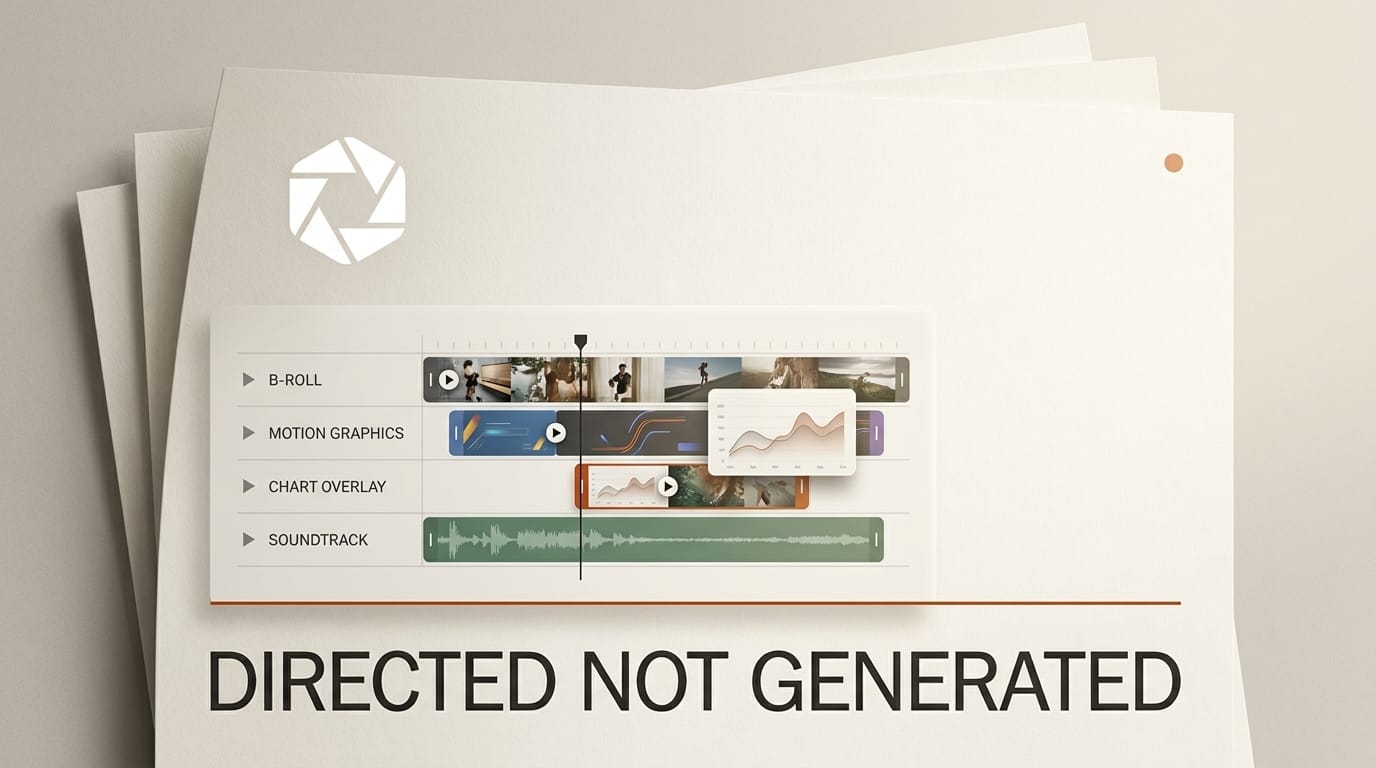
VizNow launched Idea to Video on August 14, 2026, a workflow that turns an idea, a finished script or a voice recording into a publish-ready video with B-roll, charts, motion graphics and overlays. No on-camera presenter required.
The design decision that separates it from the text-to-video wave is that it directs real assets rather than generating synthetic ones. That single choice changes what the tool is good for, and what it is not.
Directing Assets Instead of Generating Them
Most AI video tools synthesise pixels. You describe a scene and a model invents it. Tools like Runway made this the default expectation of what "AI video" means. That is remarkable technology with a specific weakness: it produces footage that is plausible rather than true, which is fine for a mood piece and a problem for anything explanatory.
VizNow takes the other path. It assembles a video from real B-roll, charts and motion graphics, acting as an editor rather than a generator. For explainer content, product walkthroughs, data storytelling and internal comms, that is usually what you actually want. Nobody needs a hallucinated bar chart.
The charts detail is the one worth pausing on. Charts are built from web-sourced data and verified against found references before rendering. Whether that verification holds up under pressure is the thing to test, but the fact that it exists as a step is a meaningful acknowledgement that a wrong number rendered beautifully is worse than no chart at all.
Where You Stay in Control
The workflow exposes review points rather than running end to end in one shot. You can review and refine the story angle, the outline, the script and the visual plan before the final render.
This is the right structure, and it is worth understanding why. In a single-shot generator, if the output is wrong you regenerate and hope. Errors compound invisibly: a wrong story angle produces a wrong outline, which produces a wrong script, and you only see the damage at the end. Exposing the intermediate artefacts means you catch a bad angle in ten seconds instead of after a four-minute render.
It also means the tool degrades gracefully. If the automated story angle is mediocre but the assembly is good, you fix the angle and keep the value. All-or-nothing generation gives you no such option.
The Specifications That Matter
Original-Voice Mode ships with eight AI voice presets, and there are 22 visual themes spanning Editorial, Cinematic, Minimal and Bold.
| Setting | Supported |
|---|---|
| Format | MP4, H.264 |
| Frame rate | 30fps |
| Aspect ratios | 16:9 and 9:16 |
| Target length | Under 90 seconds to over 5 minutes |
| Access | Free tier available |
H.264 at 30fps is the pragmatic choice rather than the impressive one, and it is correct for the use case. It plays everywhere, uploads without transcoding surprises, and drops into an existing edit without a codec conversation. If you needed 60fps or ProRes you were never the target user.
Both 16:9 and 9:16 from the same source is the detail that saves the most time in practice, since the alternative is recutting for vertical by hand.
Where It Will Not Help
Anything where the footage is the point is the wrong job for this. A brand film, a personality-led channel, a documentary. Directed stock assembly has a ceiling, and audiences recognise it.
Editing-first tools such as Descript and repurposing tools like Opus Clip solve adjacent problems and are worth comparing against if your input is existing footage rather than an idea. Voice is the second limit. Eight presets plus your own recording is enough for utility content and not enough for a distinctive channel voice. If you already record your own narration, use the voice recording input rather than the presets.
The third is the sameness risk that comes with any theme system. Twenty-two themes is generous, and it is still a finite set that many people are drawing from. If your differentiation is visual, treat the themes as a starting point rather than a finish.
If you want the generated-footage approach instead, our coverage of LTX-2.5 open weights video covers the opposite end of this tradeoff.
Key Takeaways
1. Idea to Video assembles real B-roll, charts and motion graphics rather than synthesising footage, which suits explainer and data content.
2. You review the story angle, outline, script and visual plan before rendering, so errors get caught early rather than compounding.
3. Charts are built from web-sourced data and verified against references before render. Test that claim on a topic you know well.
4. MP4 H.264 30fps in both 16:9 and 9:16, from under 90 seconds to over 5 minutes, with a free tier.
What to Watch
Sourcing quality is what will decide this. Directed assembly lives or dies on the relevance of the B-roll it picks. When the topic is specific and the library is not, you get generic footage of people at laptops, which is the failure mode of every stock-driven tool ever made. Try it on a narrow subject rather than a broad one.
The chart verification step is the other thing to probe. Verified against found references is a strong claim and an unusual one to make. Run it on a topic where you already know the numbers and see what it does.
Frequently Asked Questions
What is VizNow Idea to Video?
A workflow launched August 14, 2026 that turns an idea, a script or a voice recording into a finished video with B-roll, charts, motion graphics and overlays, without an on-camera presenter.
How is it different from text-to-video tools?
It directs real assets rather than generating synthetic footage. That makes it a better fit for explainer and data-driven content, and a worse fit for anything where original footage is the point.
Can I use my own voice?
Yes. It accepts a voice recording as input, and Original-Voice Mode also offers eight AI voice presets.
What formats does it export?
MP4 in H.264 at 30fps, in both 16:9 and 9:16, with target lengths from under 90 seconds to over five minutes.
Are the charts accurate?
Charts are built from web-sourced data and verified against found references before rendering. Verify anything consequential yourself, as you would with any automated data pipeline.
Is there a free tier?
Yes, Idea to Video is available at viznow.ai with a free tier.
Deep dive by Creative AI News.
Subscribe for free to get the weekly digest.