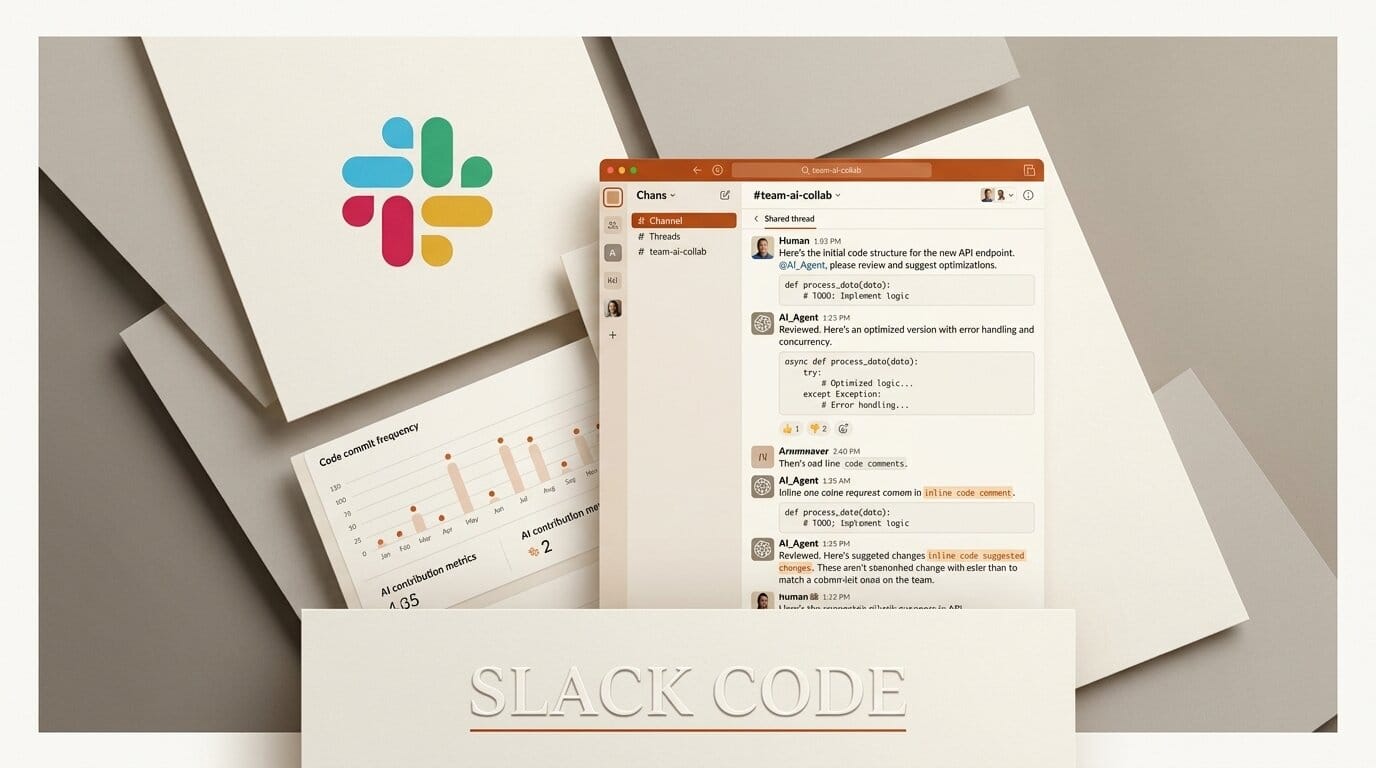
Slack shipped Slack Code on August 20, 2026, a channel type where a team and its AI coding agents work in the same shared thread. It launched live with Claude, Devin from Cognition, GitHub Copilot, and Vercel, with OpenAI's ChatGPT listed as coming. Slack reports that more than 70 percent of code channels open and close within a single day, which tells you the intended unit of work: one task, one channel, then archive.
The interesting claim is not that agents are in Slack. It is that agent work stops being private. Until now, a coding agent ran inside one person's terminal or IDE and the team saw a pull request at the end.

What Slack Code actually does
Per the announcement, mentioning an agent creates a code channel automatically. Inside it, the channel renders embedded code diffs and live HTML previews, so reviewing a change does not mean leaving the conversation. Teammates watch the agent work in real time rather than waiting for a finished artifact, and high-stakes changes route through an approval step. When the work is done, the channel auto-archives.
There is no separate setup. Slack Code inherits the workspace's existing permissions and admin controls, which matters more than it sounds: the governance question for agent tooling is usually the blocker, and reusing an approval surface an organisation has already configured sidesteps it.
Slack also describes a new Agents and Tools management hub. The parent announcement sits on Salesforce's site.
Which agents work today
| Agent | Vendor | Status |
|---|---|---|
| Claude | Anthropic | Live |
| Devin | Cognition | Live |
| GitHub Copilot | GitHub | Live |
| Vercel Agent | Vercel | Live |
| ChatGPT | OpenAI | Coming soon |
Four vendors at launch with a fifth named is an unusually broad first day. It also means the channel, rather than any one agent, is the surface being standardised. If your team runs Claude and another runs Devin, both appear in the same place with the same review flow.
Why shared beats private for agent work
The failure mode of agent-assisted development is not bad code. It is invisible work. An agent runs for twenty minutes inside one engineer's session, and nobody else can see what it decided until a diff appears. If the approach was wrong, the cost is the whole twenty minutes plus the review.
Putting the run in a channel changes when a colleague can intervene. A teammate who spots a wrong assumption at minute three says so at minute three. That is the same argument behind the shared-session tooling we covered in Zed Delta's multiplayer agent coding and cross-session messaging in Claude Code, arriving now in the tool most teams already sit in all day.
The 70 percent same-day statistic supports the design. These are not long-lived project channels. They are disposable workspaces for a single task, which is why auto-archiving is a feature rather than housekeeping.
The governance angle nobody asked for but everybody needed
The detail most likely to decide whether Slack Code gets adopted is not the diffs or the previews. It is that the channel inherits existing Slack permissions and admin controls rather than introducing its own.
Agent tooling has a consistent adoption failure. The engineering team wants it, security asks who can approve what, and the answer involves a new console, a new role model, and a review that takes a quarter. By reusing a permission surface that is already configured and already audited, Slack removes that conversation from the critical path. Whether or not the agent experience is better than a terminal, this is the part that determines if it ships inside an organisation.
The approval routing for high-stakes changes matters for the same reason. It is a hook that lets an organisation express a policy it already has, rather than asking it to invent one. That is a lower bar than any standalone agent platform can clear, and it is the structural advantage Slack has here over better-engineered competitors.
What this means for small teams and studios
For a solo builder, Slack Code is mostly irrelevant. The value is entirely in other people seeing the work.
For a two to ten person studio, it addresses a specific and common problem: a client-facing project where one person drives an agent and everyone else is guessing at status. The embedded diffs and live HTML previews mean a non-engineer, a designer or a producer, can look at a change without being walked through a repository.
The approval routing for high-stakes changes is the piece worth configuring before you need it. Agent tooling fails expensively when nobody defined which actions require a human, a gap we examined in agent permission threats humans miss. Slack Code gives you the hook; it does not decide your policy.
The honest limitation: this only helps if your team already lives in Slack. It is not a reason to adopt Slack, and everything it does is achievable with a pull request and discipline. What it removes is the latency between an agent making a decision and a human seeing it.
Getting a first code channel running
1. Connect one agent, not four. Pick the agent your team already uses most and connect that first, following the setup on Slack's code channels page. Multiple agents in the same channel is a governance question you do not need on day one.
2. Run a low-stakes task in public. A dependency bump or a small refactor. The goal is to see what the channel renders, not to test the agent's ceiling.
3. Define what needs approval before the first risky task. Decide which changes route through the approval step, and write it down where the team can see it.
4. Let a non-engineer watch one run. The diff and preview rendering is the actual product claim. Confirm it works for the person who is not going to open a terminal.
Frequently asked questions
What is Slack Code?
It is a channel type in Slack where a team and its AI coding agents work together on a task in real time, with embedded code diffs, live HTML previews, approval routing, and automatic archiving when the work completes.
Which AI agents are supported?
Claude from Anthropic, Devin from Cognition, GitHub Copilot, and Vercel are live as of the August 20, 2026 launch. OpenAI's ChatGPT is listed as coming soon.
Do I need to configure new permissions?
No. Slack Code inherits the workspace's existing permissions and admin controls, so it reuses the governance your organisation already has rather than adding a separate surface.
How is a code channel created?
Automatically, when you mention an agent. The channel then auto-archives once the project completes.
How long do code channels usually last?
Slack reports that more than 70 percent open and close within one day, which reflects the design intent of one channel per task rather than per project.
Is this useful if I work alone?
Not particularly. The entire benefit is other people seeing agent work as it happens, so a solo builder gains little over running the same agent in a terminal.





