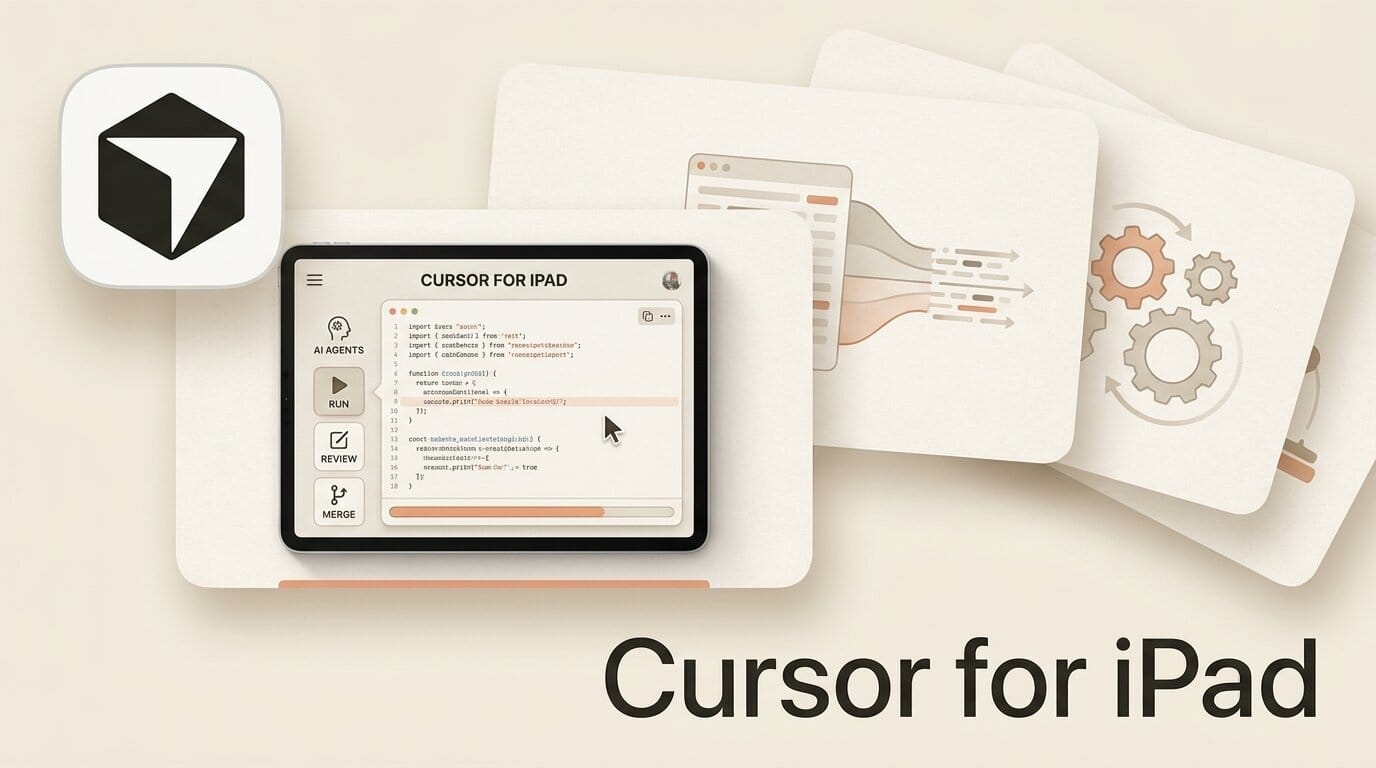
Cursor shipped a dedicated iPad experience on July 29, 2026, rebuilding its mobile app around the tablet's larger screen so you can run, review, and merge AI coding agents without a laptop. It is a distinct surface from the iPhone app that arrived in June: pinned sidebar chats let you watch several agents work at once, split screen keeps a pull request open next to a live conversation, and Apple Pencil markup turns a screenshot into a review comment. For solo builders and reviewers, the couch just became a viable place to close out a coding task.
This is the second mobile milestone in a month for the SpaceX-owned editor, and it changes the calculus of what "mobile coding" means. The iPhone app made agents launchable from your pocket. The iPad app makes them reviewable at a level that used to require a desktop.
What Cursor for iPad Actually Ships
The release is available on all paid plans and installs from the App Store as a universal app. According to 9to5Mac's coverage of the original mobile launch, Cursor first brought iPhone and iPad support online in late June; the July 29 update is the iPad-optimized redesign that treats the tablet as a first-class review environment rather than a stretched phone layout.
The headline additions are concrete:
- Pinned sidebar chats so multiple agents stay visible while you monitor progress.
- Split screen that keeps a diff or PR review open alongside an active chat.
- Full pull request surface with comments, checks, and approvals, so you can create, review, and merge from the device.
- An inbox that tracks which PRs are in progress, need attention, or are under review.
- Apple Pencil markup for drawing directly on screenshots to direct an agent.
- Bitbucket and Azure DevOps source control support, plus multi-PR session access and in-app team switching.
iPad vs iPhone vs Desktop: What Each Surface Is For
Cursor now spans three form factors, and each one has a job. The iPhone app is a launcher and a notifier. The desktop editor remains where you write and refactor at speed. The iPad sits in the middle as a review-and-direct surface, which the full changelog history makes clear was the design intent behind the rebuilt layout.
| Capability | iPhone app | iPad app | Desktop editor |
|---|---|---|---|
| Launch agents | Yes | Yes | Yes |
| Watch multiple agents at once | One at a time | Pinned sidebar, several | Yes |
| Full PR review (comments, checks, approvals) | Limited | Yes | Yes |
| Split-screen review + chat | No | Yes | Yes (windows) |
| Apple Pencil markup | No | Yes | No |
| Write and refactor code by hand | Impractical | Possible | Primary |
| Best for | Kicking off work on the go | Reviewing and merging away from desk | Deep building |
The practical read: you start a task on the phone, let cloud agents run, then pick up the iPad to review the diff, mark up a screenshot, and merge. The desktop is no longer a hard dependency for the review half of that loop.
The Reviewer Workflow: Merging a PR From the Couch
Here is the end-to-end flow the iPad app is built around. It assumes you have a paid plan and are signed in, and it mirrors the agent controls documented in Cursor's docs.
- Open the inbox. It surfaces PRs that need attention first, so you triage without hunting through repos.
- Pin the agent chats you care about to the sidebar so their progress stays visible while you work on something else.
- Split the screen: put the pull request on one side and the agent conversation on the other.
- Read the full diff, including checks and existing review comments, rendered at full size instead of a phone-sized preview.
- Mark up a screenshot with Apple Pencil when words are slower than a drawn arrow, then hand it back to the agent to fix.
- Leave comments, request changes, or approve, then merge once checks pass, all without opening a laptop.
What This Enables for Creators and Solo Builders
The value here is not "code on a tablet." It is decoupling the review loop from your desk. A solo founder can approve an agent's overnight work over breakfast. A freelancer can clear a client's PR queue between meetings. An indie hacker running several agents in parallel can keep them all moving from the sidebar instead of context-switching between terminal tabs.
Because the iPad renders the complete PR surface, the review is real rather than cosmetic: you see the checks, the comments, and the file changes, so an approval on iPad carries the same weight as one from the desktop. Paired with the June iPhone app that first put coding agents on mobile, Cursor now covers the full lifecycle of a delegated task from any Apple device. It is the same trajectory the desktop app has been on with releases like Cursor 3.11's side chats, now extended to the tablet.
How to Get Started
If you already pay for Cursor, the iPad app is a free download and uses your existing account. Install the universal app, sign in, connect your GitHub, Bitbucket, or Azure DevOps repositories, and open the inbox to see any PRs already waiting. Start one agent, pin it, and run through a review to learn the split-screen rhythm before you rely on it for real work. The App Store listing has the current requirements.
Frequently Asked Questions
Is Cursor for iPad free?
The app itself is free to download, but it requires a paid Cursor plan to use. There is no separate iPad charge; it uses the same subscription as the desktop and iPhone apps.
How is the iPad app different from the iPhone app?
The iPhone app is optimized for launching agents and quick checks. The iPad app adds pinned sidebar chats for watching multiple agents, split screen for review-next-to-chat, a full pull request surface, and Apple Pencil markup, taking advantage of the larger display.
Can I actually write and edit code on the iPad?
Yes, though the app is designed primarily for directing agents and reviewing their output. Hand-writing large amounts of code is possible but the desktop editor remains the better surface for deep building.
Which source control providers does it support?
GitHub, plus newly added Bitbucket and Azure DevOps support. You can access all pull requests generated in a session, not just the most recent one.
Do I need the desktop app to review and merge a PR?
No. The iPad renders the complete pull request surface, including comments, checks, and approvals, so you can review and merge entirely from the tablet.
When did Cursor for iPad launch?
The iPad-optimized experience shipped on July 29, 2026, building on the iPhone and iPad mobile apps Cursor first released in late June 2026.