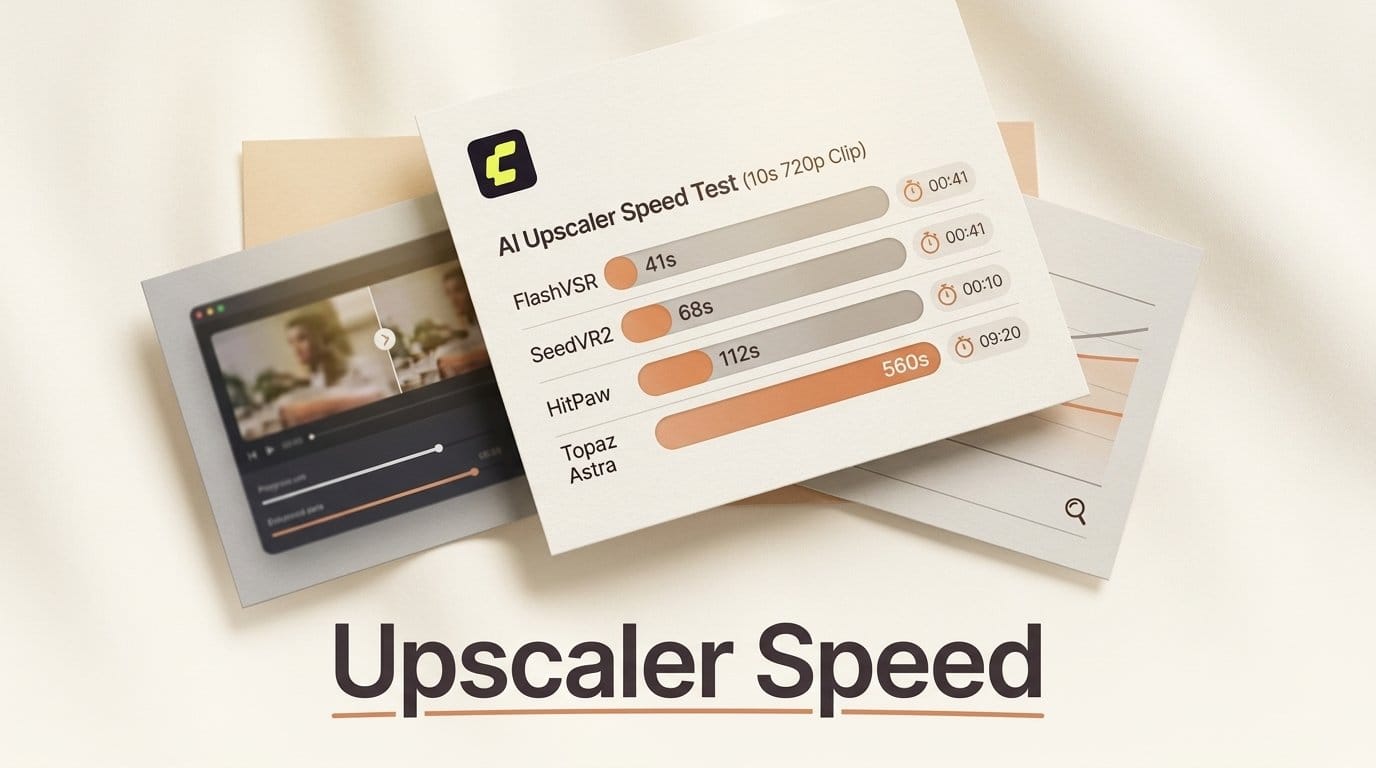
Upscaling is the step most AI video workflows treat as an afterthought, and it is usually the step that decides whether a project finishes tonight or tomorrow. On the same test, a ten-second 720p clip, the fastest upscaler finishes a 1080p pass in about 41 seconds and the slowest finishes a 4K pass in about 560 seconds. That is a 13.7x spread for a job most people pick by habit.
Those figures come from ComfyUI's own upscaling handbook, published in February 2026, which timed the major video upscalers on an identical clip. This piece reads that data rather than repeating it: where the time actually goes, which model wins which job, and the two caveats that stop the table being a straight ranking.
Background: One Clip, Four Upscalers
Every timing below is the same test: a ten-second clip at 720p input, upscaled to the resolution named. That consistency is what makes the numbers usable, because upscaling cost scales with pixels and clip length, and most published benchmarks change both at once.
| Model | Output | Time | Multiple of real time | Per minute of footage |
|---|---|---|---|---|
| FlashVSR | 1080p | 41s | 4.1x | 4.1 min |
| FlashVSR | 4K | 52s | 5.2x | 5.2 min |
| HitPaw | 2K | 80s | 8.0x | 8.0 min |
| HitPaw | 4K | 175s | 17.5x | 17.5 min |
| SeedVR2 | 1080p | 312s | 31.2x | 31.2 min |
| Topaz Astra | 1080p | 374s | 37.4x | 37.4 min |
| Topaz Astra | 4K | 560s | 56.0x | 56.0 min |
The last column is the one to internalise. Upscaling a single minute of finished footage to 4K is a five-minute job on FlashVSR and a fifty-six-minute job on Topaz Astra. On a ten-minute edit those become roughly 52 minutes and just over nine hours.
Deep Analysis: Where the Time Goes
The fastest model at 4K beats every rival at 1080p
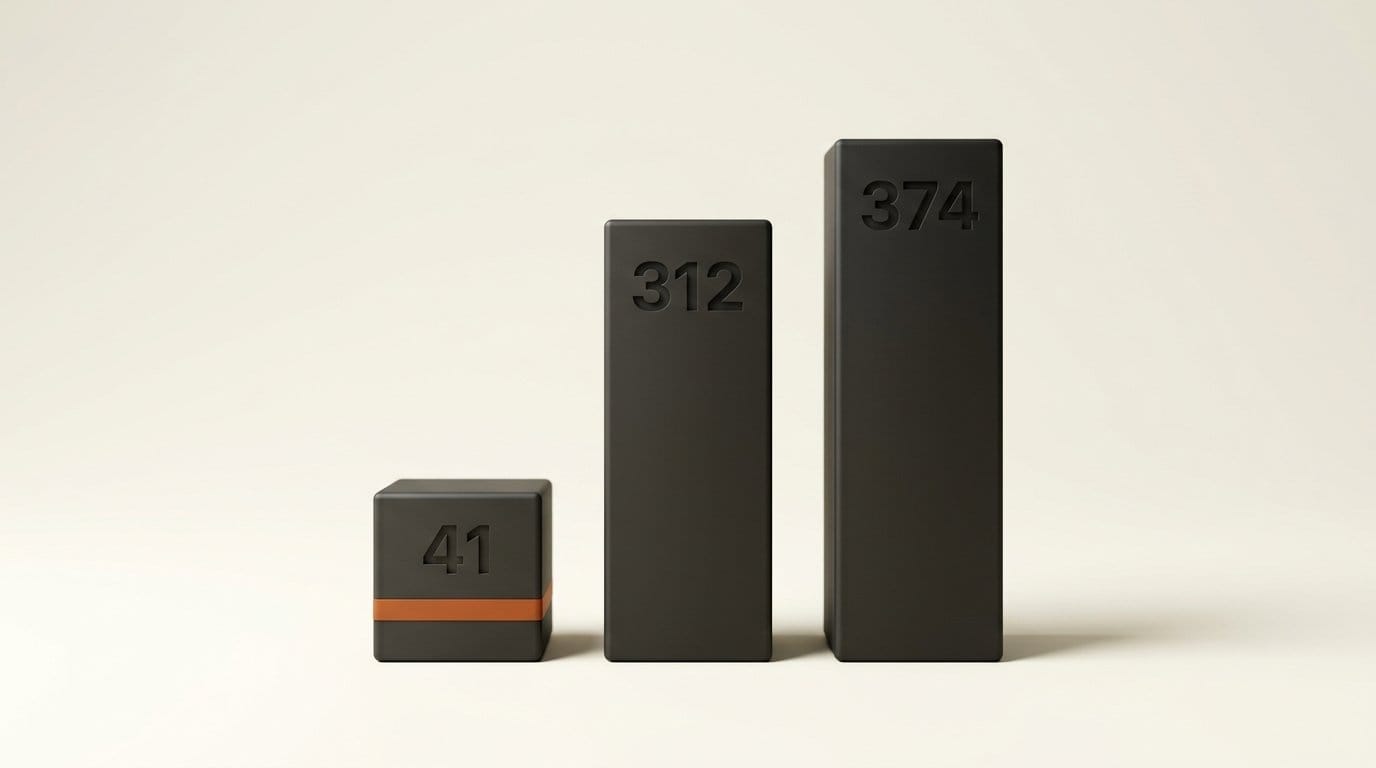
FlashVSR takes about 52 seconds to reach 4K. The next fastest time on the board is HitPaw at 2K, 80 seconds, and every 1080p result from the other models is slower still: SeedVR2 at 312 seconds, Topaz Astra at 374. So the model doing the hardest version of the job finishes before anyone else finishes an easier one.
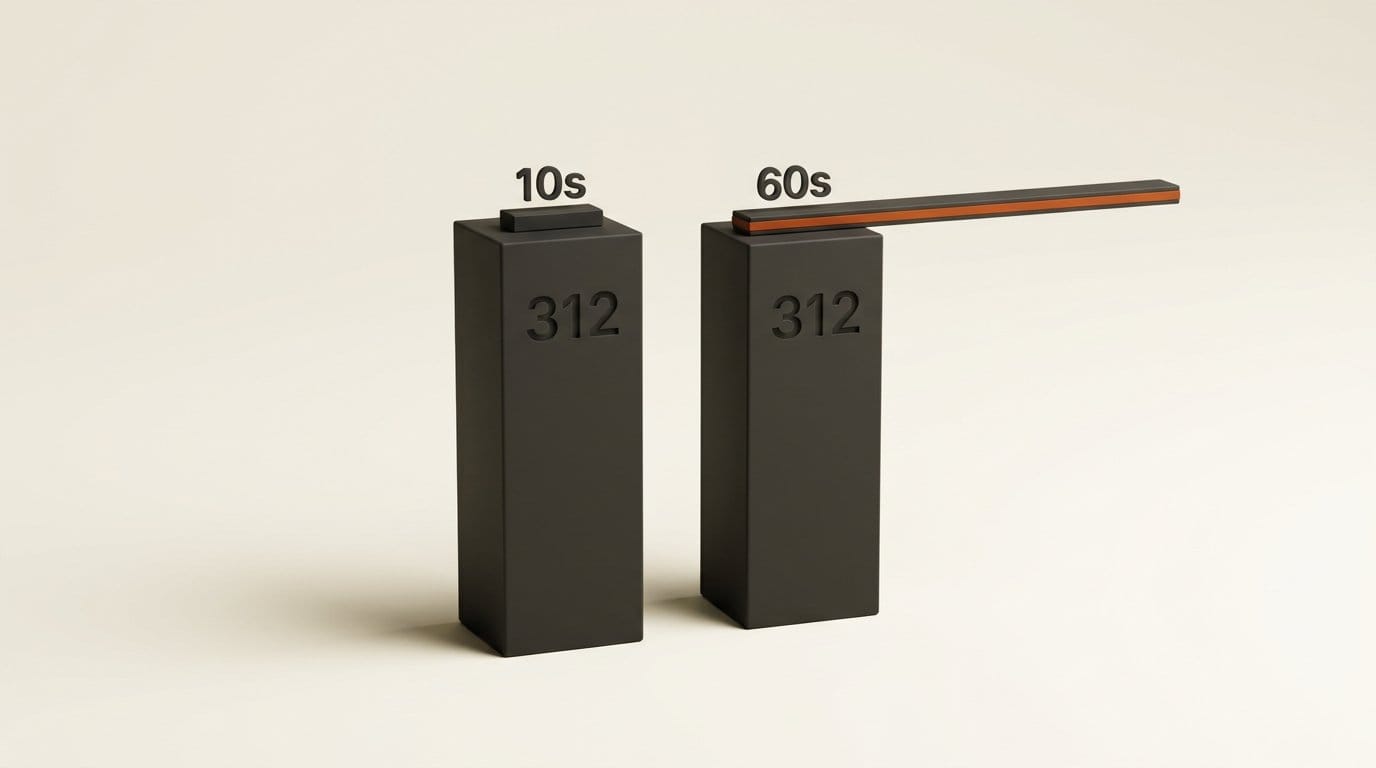
The cleanest way to state the gap: in the 312 seconds SeedVR2 needs to take ten seconds of footage to 1080p, FlashVSR takes a full minute of footage to 4K. Six times the material at four times the pixels, in the same wall-clock time.
Resolution is nearly free for one model and punishing for the others
The interesting number is not the absolute time but what a resolution tier costs you. Going from 1080p to 4K costs FlashVSR 11 extra seconds, about 27% more. The same jump costs Topaz Astra 186 seconds, about 50% more. HitPaw going from 2K to 4K costs 95 seconds, about 119% more, which is more than doubling.
This changes how you should plan a project. On FlashVSR there is almost no reason to render a 1080p intermediate, because 4K is nearly the same price and you keep your options open in the grade. On HitPaw the resolution decision is the expensive one, and picking 4K when 2K would do more than doubles the render.
The accuracy pick is also one of the slowest
Speed is not the only axis, and the handbook is explicit that it is not the deciding one. On quality it says "SeedVR2 and HitPaw deliver the most accurate results," and for restoration work that "SeedVR2 is particularly impressive for archival restoration, preserving the original structure and detail of the source footage while enhancing clarity." On repairing AI-generated footage it favours Topaz: "Topaz Astra Creative produces very smooth and visually consistent outputs." For CGI and 3D renders it rates Topaz, SeedVR2 and HitPaw all highly.
Line those up against the timings and the trade is stark. The model named most accurate, SeedVR2, needs 312 seconds where the speed pick needs 41. You are paying roughly 7.6x the time for the accuracy verdict. That is a reasonable trade on a hero shot and an unreasonable one on a batch of ninety social cuts, which is why the right answer is almost always two models in one pipeline rather than one favourite.
What the Numbers Do Not Tell You
Two caveats keep this table from being a straight leaderboard, and both matter before you rebuild a pipeline around it.
The first is that the runs are not all the same kind of run. SeedVR2's 312 seconds is recorded as a local result on an RTX 5090. FlashVSR's times are also marked local, though the handbook's workflow listing puts it under an API provider, so its classification is genuinely ambiguous. Topaz Astra and HitPaw are hosted services. A local number measures your GPU; a hosted number measures someone else's GPU plus queueing and transfer on the day of the test. They are not interchangeable, and a hosted service that looks slow in a benchmark can be the faster option for someone without a 5090, because the alternative is not 312 seconds, it is not running at all.
The second is that these are single timings with no quality score attached, no VRAM figures, and no pricing. The quality guidance is qualitative prose, not a scored comparison, so "most accurate" is a judgement you should verify on your own footage. Cost is absent entirely, which matters because the hosted options bill per run. The open-source side of the list, which the handbook gives as SeedVR2, Wan2.2 Upscale and Fast GAN, costs you electricity and a GPU you already own. The hosted side, Topaz and HitPaw among them, costs money per clip and that recurring number is the one a benchmark never shows.
Treat the table as a map of orders of magnitude, which is what it is good for. A 13.7x spread is not going to reverse because of test-day noise. A 20% difference between two adjacent entries might.
Impact on Creators: Which One to Pick
Pick FlashVSR if throughput is the constraint. Social cuts, dailies, long-form, anything where you are upscaling more than a couple of minutes at a time. It is the only model on the board where 4K is not a scheduling decision, and at 5.2 minutes per finished minute of 4K it is the only one you can run without planning around it.
Pick SeedVR2 if the source is damaged or precious. Archival footage, restoration, anything where inventing detail is worse than missing it. It is open source, so it runs on your own hardware with no per-clip bill, and the 312-second cost is defensible on the small number of shots that justify it. The SeedVR2 video upscaler node is in the ComfyUI registry and there is a ready-made workflow to start from.
Pick Topaz Astra if you are repairing AI-generated video. This is the specific job the handbook singles it out for, and its weakness, creative interpretation, is a strength when the source is already synthetic and needs smoothing rather than faithfulness. Topaz runs through partner nodes inside ComfyUI, and we covered the same route when Starlight 2.5 arrived there.
Pick HitPaw if you want hosted quality without the Topaz wait. It shares the accuracy verdict with SeedVR2 while finishing 4K in 175 seconds against Topaz's 560, which is the best quality-per-minute position on the board. Just remember the 2K to 4K jump more than doubles the time, so choose the output resolution deliberately.
The pipeline answer, for most people, is two of these rather than one. Run the fast model across the whole timeline to see the cut at final resolution, then re-run the handful of shots that carry the film through the accurate model. If you are assembling that in ComfyUI, our production workflow collection is a reasonable starting point, and ComfyUI's own video upscaling tutorial covers the node wiring.
Key Takeaways
- On the same ten-second 720p clip, times run from 41 seconds to 560 seconds, a 13.7x spread.
- FlashVSR reaches 4K in about 52 seconds, faster than any other model on the board reaches even 1080p or 2K.
- In the 312 seconds SeedVR2 takes for ten seconds of 1080p, FlashVSR covers a full minute at 4K.
- Moving up one resolution tier costs about 27% on FlashVSR, about 50% on Topaz Astra and about 119% on HitPaw.
- The accuracy picks are SeedVR2 and HitPaw; the speed pick is FlashVSR; Topaz Astra is singled out for repairing AI-generated footage.
- SeedVR2, Wan2.2 Upscale and Fast GAN are the open-source options. Topaz and HitPaw are paid services with a per-run cost the timings do not show.
- The runs mix local GPU results with hosted services, so the table is reliable for orders of magnitude and not for close calls.
What to Watch
The gap worth tracking is whether accuracy and speed stay on opposite ends of this table. Right now the ranking is clean enough to plan around: the accurate models are slow, the fast model is less accurate, and you resolve it by running two. A single model that posts SeedVR2's fidelity at FlashVSR's speed would collapse the entire decision into one node, and the fact that nothing on this list does that yet is the most useful thing the benchmark says.
The second thing to watch is the local versus hosted line. Open-weight upscalers that fit comfortably on consumer cards shift the economics permanently, because a per-clip fee disappears the moment a model runs on hardware you already bought. That is the same dynamic playing out across the rest of the stack, from local 3D pipelines to image generation, and upscaling is a good bellwether for it because the workload is heavy, repetitive and easy to price. Watch whether the open-source column of this table grows faster than the hosted one.
FAQ
What is the fastest AI video upscaler?
FlashVSR, by a wide margin. It completes a 1080p pass on a ten-second 720p clip in about 41 seconds and a 4K pass in about 52 seconds, where the next fastest result on the same test is 80 seconds for a 2K output.
Which AI video upscaler gives the best quality?
ComfyUI's handbook names SeedVR2 and HitPaw as the most accurate, with SeedVR2 singled out for archival restoration because it preserves the structure of the source rather than inventing detail. The guidance is qualitative rather than scored, so verify it on your own footage.
How long does it take to upscale a minute of video to 4K?
About 5.2 minutes on FlashVSR, about 17.5 minutes on HitPaw and about 56 minutes on Topaz Astra, extrapolating from the ten-second clip timings. A ten-minute edit at 4K is roughly 52 minutes on the fastest option and over nine hours on the slowest.
Are there open-source AI video upscalers?
Yes. The handbook classifies SeedVR2, Wan2.2 Upscale and Fast GAN as open source, which means no per-clip fee if you have the hardware to run them. Topaz and HitPaw are paid services. FlashVSR's classification is ambiguous: its timings are marked local while its workflow listing sits under an API provider.
Should I upscale to 1080p or straight to 4K?
It depends entirely on the model. On FlashVSR the 4K pass costs only about 27% more than 1080p, so there is little reason not to go straight there. On HitPaw the step from 2K to 4K costs about 119% more, so choose deliberately and only render 4K where the delivery actually needs it.
Can I run more than one upscaler in the same pipeline?
Yes, and for most projects you should. Run the fast model across the whole timeline so you can judge the cut at final resolution, then re-run only the shots that carry the piece through the more accurate model. That keeps the expensive 312-second-per-clip cost on the handful of shots that earn it.