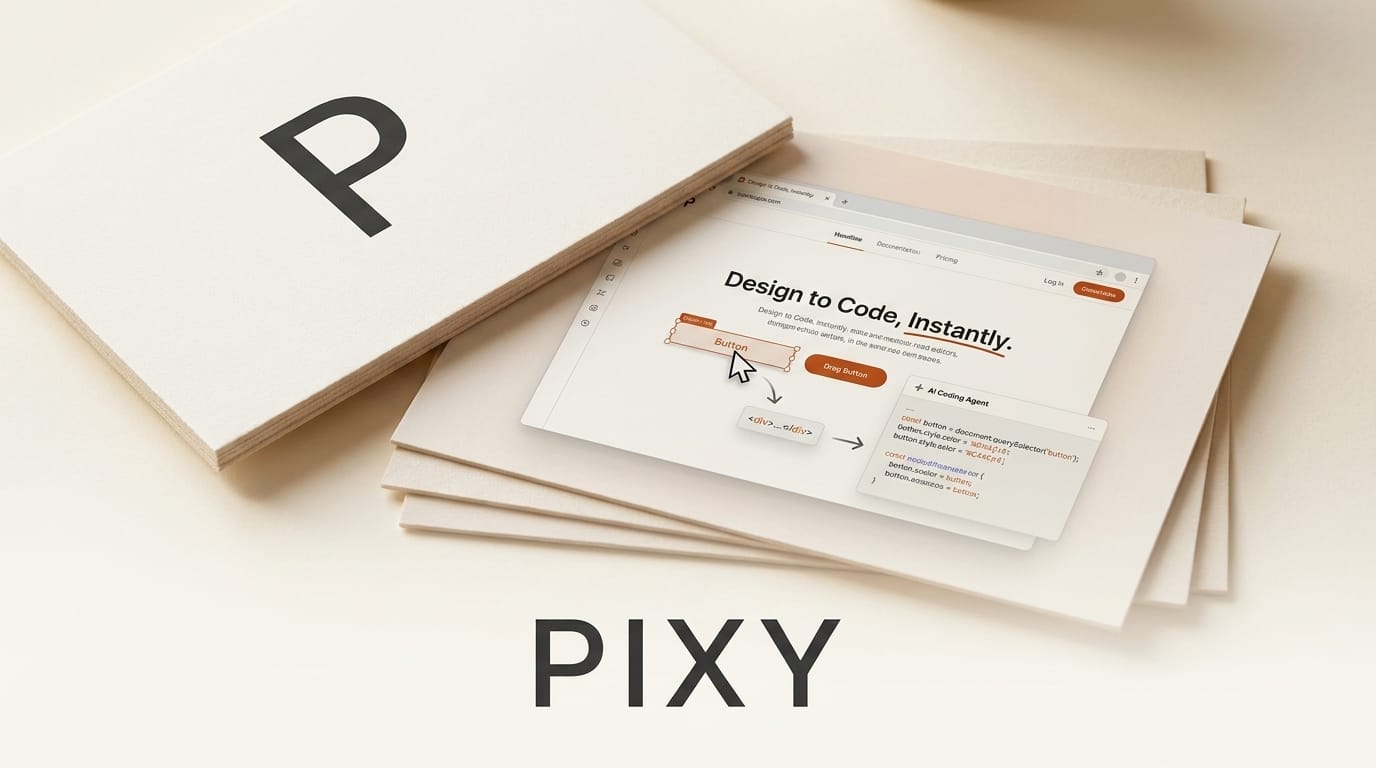
On August 13, 2026, a developer tool called Pixy launched as a Show HN, pitching itself as "Figma on your live site" for people who work with AI coding agents. The idea is narrow but useful: instead of describing a design change in a prompt and hoping the agent guesses your intent, you drag, resize, and restyle elements directly on your running page, and Pixy records every change as a structured edit that an agent can pull in and turn into real code. It installs with a single script tag and works on localhost, staging, and production, including authenticated pages and popups.
Pixy enters a crowded but fast-moving category. Visual editors that write real code, from open-source projects like Onlook to platform features like Figma Make, are converging on the same promise: close the gap between what you see in the browser and what the agent writes. Here is what Pixy does, how it fits a coding-agent workflow, and how it stacks up against the alternatives.
What Pixy Actually Does
Pixy adds a design mode to any live web page. You paste a script tag into your site, toggle the mode on, and the page becomes an editable canvas. You can move and resize elements by dragging, change styling properties such as colors, border radius, and font sizes, and edit text directly in the live DOM. Because it operates on the real running page rather than a static mockup, it captures the actual server-rendered output, popups, and logged-in states that a design file cannot reproduce.
The part that matters for agent workflows is what happens under the hood. Every edit is recorded as a structured change: the element selector, the property touched, and the before and after values. Those records are what an AI coding agent reads. Instead of interpreting a sentence like "make the hero heading bigger and warmer," the agent receives an explicit instruction that the heading font size went from 32px to 44px and the color changed. The edits live in the browser until you reload, at which point the agent's committed code takes over. Pixy offers a free tier with no credit card required.
How Pixy Fits Into an AI Coding Workflow
The tool is designed to slot between you and whatever agent you already use, whether that is Cursor, Claude Code, or GitHub Copilot. The loop looks like this:
- Install once. Add the Pixy script tag to your site so the design layer loads on the pages you want to edit.
- Toggle design mode. Open the running page and switch Pixy on. The live DOM becomes draggable and restylable.
- Make visual edits. Nudge spacing, resize a card, recolor a button, rewrite a headline. Each change is captured as a selector plus property plus before and after value.
- Hand the edits to your agent. Tell your coding agent to pull the Pixy changes. It reads the structured records and writes the corresponding code in your components.
- Reload and review. The in-browser edits clear on reload, and the agent's committed code renders in their place. You review the diff like any other change.
This is the same direction the broader ecosystem is heading. Figma's own Figma Make on local code lets you edit a live codebase visually, and coding assistants increasingly read a live design source while they generate. Pixy's bet is that you do not need to leave your own site, or adopt a design platform, to get that feedback loop.

Pixy vs Other Visual Editors for Coding Agents
The visual-to-code space splits into three rough camps: overlay tools that sit on top of your existing site (Pixy), open-source editors that own the codebase (Onlook, whose code is on GitHub, and Webstudio), and design-to-code bridges from established platforms (Builder.io Visual Copilot, Figma Make). They solve overlapping problems with different tradeoffs.
| Tool | Approach | Works on your live site | Open source | Best for |
|---|---|---|---|---|
| Pixy | Script-tag overlay, edits handed to any agent | Yes, including auth and popups | No, free tier | Editing a running app and feeding an agent |
| Onlook | Visual editor over a real React codebase | Local dev projects | Yes | Designers working directly in React code |
| Webstudio | Visual builder that outputs code and CMS | Its own hosted projects | Yes | Building full sites visually |
| Builder.io Visual Copilot | Design-to-code from Figma into your framework | Import to code | No | Converting Figma designs to components |
| Figma Make | Visual editing bound to local code | Local codebase | No | Teams already living in Figma |
The distinction that makes Pixy interesting is agent-agnosticism. Onlook and Webstudio want to be the editor you live in; Builder.io and Figma Make anchor to a design source. Pixy stays deliberately thin, capturing edits and leaving code generation to the agent you have already chosen. If you are happy with Cursor or Claude Code and just want a faster way to point at the screen, that thinness is the selling point.

What This Enables for Creators
For creators building web projects with AI, the value is in cutting the translation tax. Describing a layout change in words is lossy, and agents routinely misread intent, producing three wrong iterations before the right one. Direct manipulation removes the ambiguity: you show the exact pixels you want, and the agent gets an unambiguous record instead of a paragraph to parse. That is fewer prompt cycles, fewer tokens burned on rework, and a tighter feedback loop for anyone shipping a marketing site, an app UI, or a client build.
It also lowers the barrier for non-engineers on a team. A founder or designer can restyle a live page without touching a code editor, then let the engineer's agent commit the result. The visual edit becomes the shared language between the person who sees the problem and the agent that fixes it.
How to Try Pixy Today
Pixy is available now with a free tier and no credit card. Grab the script tag from the Pixy site, add it to a staging or local build, and point your existing coding agent at the captured edits. Start small: restyle one component, hand the change to your agent, and confirm the committed code matches what you dragged on screen. If the round trip feels faster than prompting, expand it to a real page. Because the edits are non-destructive until an agent commits them, there is little risk in testing it against a page you already know well.
Frequently Asked Questions
Is Pixy open source?
No. Pixy is a proprietary tool with a free tier that requires no credit card. If you specifically want an open-source visual editor, Onlook and Webstudio are the closest alternatives, both of which are open source and operate on real code.
Which coding agents does Pixy work with?
Pixy is agent-agnostic. It captures structured edit records that any agent can read, so it is meant to complement tools like Cursor, Claude Code, and GitHub Copilot rather than replace them. You keep your current agent and add Pixy as the visual layer.
Does Pixy work on a production site?
Yes. Pixy installs via a script tag and runs on localhost, staging, and production, including authenticated pages and popups. Edits stay in the browser until you reload, so viewing a change in design mode does not alter what other visitors see.
How is Pixy different from Figma?
Figma edits a design file, a separate representation of your interface. Pixy edits the live running page itself, capturing the real DOM, server responses, and logged-in states that a static design file cannot reproduce, then converts those edits into instructions for a coding agent.
Do the visual edits become permanent automatically?
No. The edits live in the browser and clear on reload. They become permanent only when your coding agent reads the structured records and commits the corresponding code, which you review like any other diff before merging.
Is Pixy a replacement for a coding agent?
No. Pixy does not generate code on its own. It is a capture-and-handoff layer that makes visual intent explicit so the agent you already use can implement it. Think of it as the input device, not the builder.





