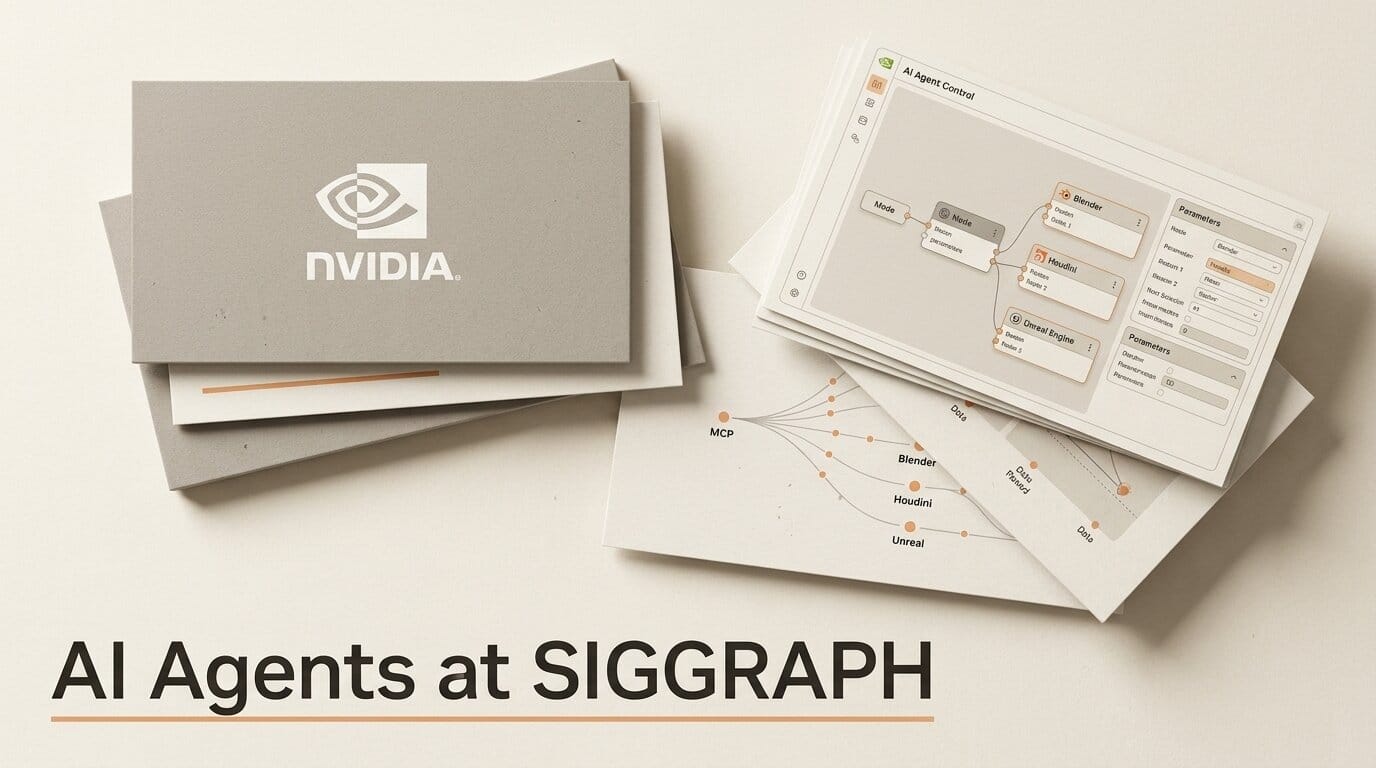
At SIGGRAPH 2026 in Los Angeles on July 20, NVIDIA and a lineup of the creative industry's biggest software makers announced a coordinated wave of AI-agent integrations built on the Model Context Protocol (MCP). The short version for anyone who makes images, video, 3D, or VFX for a living: the AI assistant you already talk to can now reach inside Blender, SideFX Houdini 22, Unreal Engine, Boris FX Silhouette, Foundry's Nuke pipelines, Adobe Creative Cloud, and Affinity by Canva, and actually operate the tool while you stay in control.
This is not a single model launch. It is a stack-wide shift: MCP is becoming the standard socket that lets an agent inspect a scene, build a node tree, rename layers, or generate rigging code inside the application where the work actually happens. Here is what shipped, what is still a preview, and how to wire an agent into your own pipeline this week.
What Happened
NVIDIA framed the SIGGRAPH news around one idea: AI agents are moving off the chat window and into professional creative tools. In its Omniverse SIGGRAPH announcement, the company expanded its Agent Toolkit with new Omniverse libraries (openly published on GitHub as components like ovrtx, ovphysx, and CAD-to-SimReady skills) that give agents the tools to inspect scenes, test changes, and prepare 3D assets for simulation. Running alongside that, NVIDIA said leading creative applications are opening MCP connections so agents can work directly on scenes, shots, timelines, assets, and edits.
Coverage from GamesBeat at the show captured the pitch bluntly: agents are meant to let millions of non-technical people use creative tools in new ways, automating the repetitive production work that eats a creator's day. The agents can run locally on NVIDIA RTX Pro workstations, DGX Spark, and DGX Station hardware, which matters for studios that cannot send client assets to a cloud API.
The Creative Apps Getting AI Agents
The through-line across every integration is MCP: an open standard that exposes an application's scripting API as a set of tools an agent can call. The table below breaks down what each creative app announced, what the agent can actually do, and whether it is live now or still a preview.
| App | What the agent can do | Status |
|---|---|---|
| Blender (Blender Lab) | Natural-language interface to Blender's Python API, docs, and complex setups | Available |
| SideFX Houdini 22 | APEX Script MCP server; generate and refine procedural character-rig code | MCP infra in H22; AI-assisted scripting is a preview |
| Unreal Engine | Connect AI clients to the Unreal Editor to drive editor capabilities | Announced |
| Boris FX Silhouette | Inspect projects, build node trees, edit shapes and keyframes, render frames | Available (online and offline modes) |
| Foundry (Griptape) | Native MCP orchestration across Blender and Nuke with traceability | Available |
| Adobe Creative Cloud | Agent orchestrates multistep workflows across Firefly, Express, Creative Cloud; Express Developer MCP Server | Available |
| Affinity by Canva | AI Connector for Claude; rename layers and artboards, resize and reformat assets | Free beta |
Houdini, Boris FX, and the VFX Pipeline
The deepest integrations land in the VFX and 3D pipeline, where scripting has always been the bottleneck. SideFX built the MCP hook into its brand-new release: Houdini 22's APEX Script workflow ships an MCP server that gives an AI assistant a curated library of APEX syntax, functions, documentation, and examples so it can help artists write and refine the code behind procedural character rigs. One honest caveat worth stating plainly: SideFX describes the AI-assisted APEX scripting as a preview for a later release, so the MCP infrastructure is in Houdini 22 today while the full assistant experience is still maturing.
Boris FX Silhouette takes the more finished route. Its MCP server, exposed through the FX Scripting API, lets an assistant inspect a roto or paint project, build node trees, edit shapes and keyframes, and render frames, in both interactive online and offline modes. Foundry's Griptape adds native MCP support aimed at studios, letting a pipeline securely coordinate multiple models and agents across Blender and Nuke while keeping the traceability and creative control a supervising artist needs.
How This Builds on Claude for Creative Work
The SIGGRAPH wave did not come from nowhere. Anthropic laid the groundwork on April 28 with Claude for Creative Work, a coordinated release of nine MCP connectors reaching into Adobe, Blender, Autodesk Fusion, Ableton, Splice, Affinity by Canva, SketchUp, and more. As 9to5Mac reported at the time, that release established the pattern of Claude operating pro tools through natural language with no coding required.
What is genuinely new at SIGGRAPH 2026 is the breadth and the hardware story. Houdini 22's APEX MCP, Boris FX Silhouette's server, Foundry's native pipeline orchestration, and the Unreal Editor connection extend the pattern from consumer-facing design apps into the heavy VFX and real-time engines that studios run, and NVIDIA's Agent Toolkit and Omniverse libraries give those agents a local runtime and a set of 3D-native skills to call.
How to Wire an AI Agent Into Your Tool
You do not need to wait for SIGGRAPH's show floor to try this. The fastest on-ramp is a design app with a hosted connector. Using Affinity by Canva as the example, the flow looks like this:
1. Open the connector settings. In Affinity, follow the AI Connector setup guide to enable the Claude connector, which is free during the current beta.
2. Authorize the MCP link. The connector registers Affinity's scripting actions as MCP tools that Claude can call, so the model can see your layers, artboards, and export presets.
3. Describe the outcome, not the clicks. Ask in plain language, for example: rename every layer by its content, then export the artboard at 1x, 2x, and 3x for web, iOS, and print. The agent chains the steps.
4. Review before you commit. The agent proposes the operations; you keep the final say. For heavier 3D and VFX apps, the same three-part pattern applies: install the tool's MCP server, point your agent client at it, and start with low-risk batch tasks before handing over creative decisions. If you want to run the agent locally, deploy the MCP server on your own machine following our guide to deploying an MCP server for Claude and ChatGPT.
Why It Matters for Creators
For years, automating a creative tool meant learning its scripting language: Python for Blender, APEX for Houdini rigs, expressions for compositors. MCP collapses that barrier. The agent knows the API so you do not have to, which turns hours of layer wrangling, format exports, shot validation, and rig boilerplate into a sentence. That is the same shift we covered when After Effects gained an agent hook in our look at the After Effects Claude Code MCP integration, now happening across the whole stack at once.
The control model is the part studios will scrutinize. Every vendor stressed that the artist stays in the loop: the agent proposes and executes discrete operations, and Foundry's traceability angle exists precisely so a supervisor can audit what an agent touched. Run locally on RTX or DGX hardware, the agent never has to see a cloud, which keeps client work and unreleased assets on-premises.
What to Do Next
Pick the one tool where repetitive production work costs you the most time, and check whether it now ships an MCP server. If you are on Affinity, Adobe, Blender, or Boris FX, the connector is available today. If you rig in Houdini, install 22 to get the APEX MCP infrastructure in place, and treat the AI-assisted scripting as a preview rather than a finished feature. Start with reversible batch tasks, keep a human review step, and expand the agent's responsibilities only as you learn to trust its output.
Frequently asked questions
What is MCP and why does it matter for creative tools?
Model Context Protocol is an open standard that exposes an application's scripting API as a set of tools an AI agent can call. It matters because it lets one agent operate many different creative apps in a consistent way, so the assistant can inspect scenes, edit projects, and run production tasks inside Blender, Houdini, Unreal, and others without custom glue code for each.
Which creative apps can AI agents control after SIGGRAPH 2026?
NVIDIA and partners named Blender, SideFX Houdini 22, Unreal Engine, Boris FX Silhouette, Foundry's Griptape pipeline tooling, Adobe Creative Cloud, and Affinity by Canva. Most are available now; Houdini 22 ships the MCP infrastructure with AI-assisted APEX scripting still in preview.
Do I need NVIDIA hardware to use these agent integrations?
No. The MCP connectors work with agent clients like Claude regardless of hardware. NVIDIA's angle is that its Agent Toolkit, Omniverse libraries, and RTX Pro, DGX Spark, and DGX Station systems let you run the agent locally, which is useful for studios that cannot send assets to a cloud, but it is not a requirement for the connectors themselves.
Is the Houdini 22 AI assistant fully available?
Not yet. Houdini 22 introduces the APEX Script MCP server, but SideFX describes the AI-assisted scripting as a preview for a later release. You can install the MCP infrastructure today; the full assistant experience is still in development.
How is this different from Anthropic's April Claude connectors?
Anthropic's April 28 Claude for Creative Work shipped nine MCP connectors for mostly design and music apps. The SIGGRAPH 2026 news extends the pattern into heavy VFX and real-time engines (Houdini, Boris FX, Foundry, Unreal) and pairs it with NVIDIA's Agent Toolkit and Omniverse libraries for local, 3D-native agent workflows.
Does the AI agent replace the artist?
No. Every vendor designed these integrations so the agent proposes and executes discrete operations while the artist keeps final control. The value is in offloading repetitive scripting and production chores, not creative decisions, and pipeline tools like Foundry's add traceability so a supervisor can audit what the agent changed.





