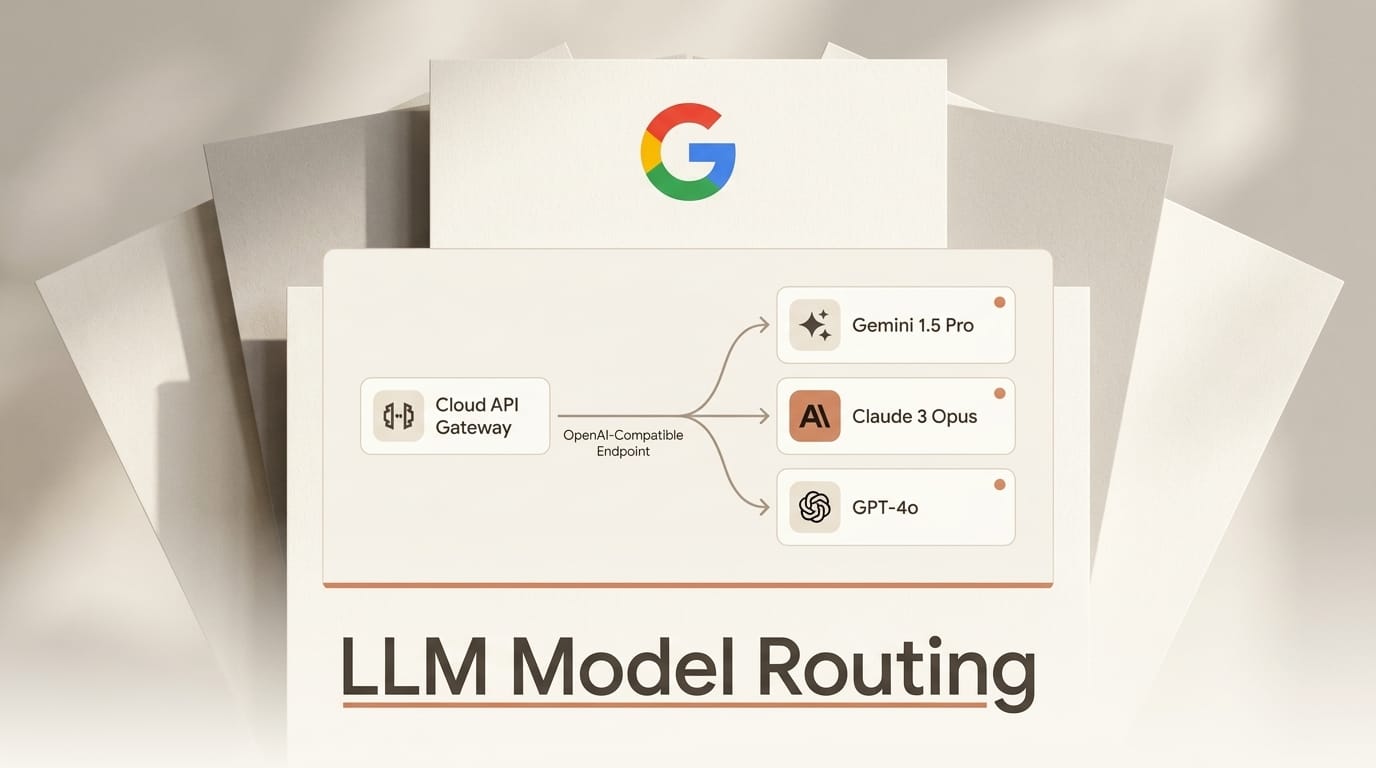
Google shipped model routing for its Cloud API Gateway on August 4, 2026, and the pitch is simple: one OpenAI-compatible endpoint that dynamically forwards each request to Gemini, Claude, or an OpenAI OSS-GPT model based on the model name in the payload. The feature is in public preview and turns a job that most teams currently hand to a client-side proxy into managed, serverless infrastructure. If you build agents or apps that call more than one model, this changes where your routing logic lives.
The gateway is a thin ingress layer. You send it a standard OpenAI-formatted JSON request, it transcodes the payload into each backend's native schema in-flight, and it returns the response. Rate limiting and token tracking come along for free, and you can run it standalone or wire it into the Gemini Enterprise Agent Platform for governance. Below is what it does, how it stacks up against the gateways you may already use, and a step-by-step setup so you can try it this week.
What Google Shipped
Model routing lives inside Google Cloud API Gateway, a product that already handled auth, quotas, and traffic management for generic APIs. The new piece is a routing rule set defined through an OpenAPI 3.x spec extended with a Google-specific x-google-api-management block. You declare which model names map to which Vertex AI backends, deploy the config, and the gateway resolves each incoming request by its model field.
According to the official overview, the preview assumes text-based prompt requests formatted as OpenAI-compatible JSON, and it routes exclusively on the model tag or name. There is no quality-based or cost-based routing yet: this is deterministic name routing, not the "pick the cheapest model that passes" logic some third-party routers advertise. Google is explicit that this is a managed alternative to client-side proxies such as LiteLLM, so the framing is infrastructure replacement, not a new model.

How It Compares to the Gateways You Already Use
Multi-model routing is a crowded category. OpenRouter and LiteLLM own the developer mindshare, Vercel and Cloudflare bundle gateways into their edge platforms, and Microsoft is racing the same public-preview clock with an AI Gateway tier in Azure API Management. Here is how Google's entry lines up.
| Gateway | Hosting model | Routing logic | Best for |
|---|---|---|---|
| Google Cloud API Gateway | Managed, serverless | Model-name routing, same host per router | Teams already on Vertex AI and Google Cloud |
| OpenRouter | Hosted SaaS | Name, price, and fallback routing across 300+ models | Fastest path to many providers with one key |
| LiteLLM | Self-hosted proxy or SDK | Name routing, load balancing, budgets | Full control, on your own infrastructure |
| Vercel AI Gateway | Managed, edge | Name routing with failover and caching | Apps already deployed on Vercel |
| Cloudflare AI Gateway | Managed, edge | Caching, rate limiting, analytics | Observability and caching in front of any provider |
| Azure API Management AI Gateway | Managed | Token limits, load balancing, semantic caching | Teams standardized on Azure |
The pattern is clear: every major cloud now wants the LLM gateway to be a first-class product rather than an open-source library you run yourself. Google's differentiator is not features, it is placement. If your models already live on Vertex AI, routing through the same platform means one IAM boundary, one billing surface, and one audit trail instead of a separate proxy to secure and monitor.

How to Set Up Multi-Model Routing
The configuration guide walks through the full flow. Here is the short version for a first router that fronts Gemini and Claude behind one endpoint.
- Enable API Gateway and Vertex AI. In your Google Cloud project, turn on the API Gateway and Vertex AI APIs, and confirm the models you want to route to are available in your region.
- Write the OpenAPI spec. Author an OpenAPI 3.x document and add an
x-google-api-managementextension block that lists each target model name and maps it to its Vertex AI backend. All backends in one router must share the same host, for exampleaiplatform.googleapis.com. - Create the API config and gateway. Upload the spec as an API config, then deploy a gateway that uses it. Google provisions the serverless ingress and returns a gateway URL.
- Send an OpenAI-compatible request. Point your existing OpenAI client at the gateway URL and set the
modelfield to a name your spec declares. The gateway transcodes the payload and forwards it to the right backend. - Add limits and tracking. Attach rate-limit and quota policies at the gateway level so token usage is capped and logged centrally, independent of any single client.
Because requests stay OpenAI-formatted, most SDKs need only a base-URL change. That is the same migration shape teams already use to point an OpenAI client at OpenRouter or a LiteLLM proxy, so switching is low-friction if you decide the managed route is worth it.

What This Enables for Builders
The practical win is separating model choice from application code. When routing lives in the gateway, you can swap Gemini for Claude on a given endpoint, throttle a runaway agent, or track token spend per team without redeploying the app. That is the same operational leverage that made budget caps on the Gemini Enterprise Agent Platform useful, extended to any OpenAI-compatible client.
For agent builders specifically, a single governed endpoint means every tool call, retry, and sub-agent flows through one place you can rate-limit and audit. If you are routing to Claude for hard reasoning and Gemini for cheap bulk work, the gateway lets that policy live in config rather than scattered across your codebase. The tradeoff is lock-in: your routing rules now speak Google's OpenAPI extension, so treat that as a deliberate bet on the Google Cloud stack.
The Limits You Should Know
Public preview means real constraints. Routing is text-only for now, so multimodal image and audio prompts are out of scope. Every backend in a single router must share one host, which rules out mixing a Vertex-hosted model and a truly external endpoint in the same router. Routing decisions are made solely on the model name, so there is no automatic cost or quality arbitrage. And Google has not published preview pricing, so budget for the gateway itself on top of per-model inference costs before you move production traffic.
Frequently Asked Questions
Is Google Cloud API Gateway model routing free?
Google has not disclosed preview pricing for the routing feature. You still pay standard Vertex AI inference costs per model, and API Gateway itself is a billable product, so factor in both before moving production traffic.
Which models can it route to?
During public preview the gateway routes text requests to Gemini, Claude, and OpenAI OSS-GPT models available through Vertex AI. All backends in a single router must share the same host.
Do I have to rewrite my code to use it?
No. The gateway accepts OpenAI-compatible JSON requests, so in most cases you change only the base URL your existing OpenAI client points to and set the model field to a name your router declares.
How is this different from OpenRouter or LiteLLM?
OpenRouter is a hosted SaaS that fronts hundreds of models with one key, and LiteLLM is a proxy you self-host. Google's gateway is managed infrastructure inside Google Cloud, so its advantage is unified IAM, billing, and auditing for teams already on Vertex AI rather than the widest model catalog.
Can it route based on cost or quality?
Not yet. Preview routing is deterministic and based only on the model name in the request. There is no automatic selection of the cheapest or best-performing model.
Does it support streaming and multimodal prompts?
The preview documents text-based prompt requests. Multimodal image and audio inputs are outside the current scope, so verify support in the official docs before relying on them.





