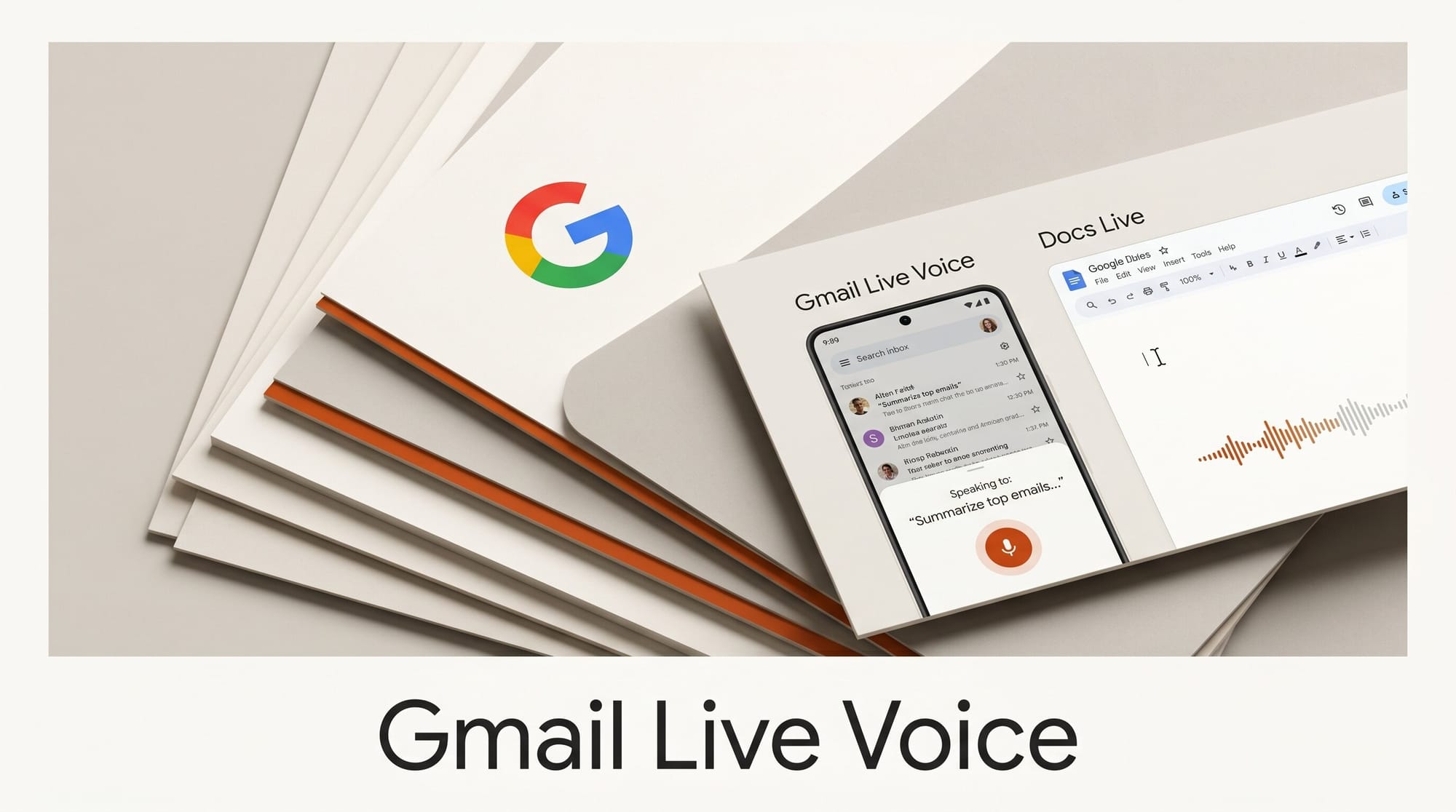
At Google I/O 2026, Google introduced three voice-powered features for Google Workspace: Gmail Live, Docs Live, and a voice mode for Google Keep. All three let you speak directly to your Google apps rather than type, and all three are rolling out this summer to Google AI Pro and Ultra subscribers. For creators who spend hours in email and documents, these features shift the question from what you can type to what you can say.
What Happened
Google announced Gmail Live, Docs Live, and Keep voice mode at the I/O 2026 keynote on May 19, 2026. The features share a common design: each one adds a Gemini-powered voice interface to an existing Workspace app. You speak, Gemini interprets, and the app responds.
Gmail Live answers spoken questions about your inbox. You can ask "What's my flight gate number?" or "What's happening at my kid's school this week?" and Gmail searches your emails to deliver a spoken summary rather than a list of messages. Docs Live works in the opposite direction: you speak your ideas, and Gemini organizes them into a structured document draft. Keep voice mode captures spoken input as organized notes and lists. SiliconAngle noted that Google is making Workspace a more AI-powered productivity suite by merging voice interaction with the ability to generate images and automate tasks.
Gmail Live: Conversational Inbox Search

Gmail Live is a spoken query layer on top of your inbox. Instead of opening Gmail, scanning threads, and reading through messages to find a single piece of information, you ask a question and receive a summarized answer derived from your actual email content.
Confirmed example queries from Google's demo:
- "What's my flight gate number?" - Gmail searches your travel confirmation emails and reads back the gate.
- "What's happening at my kid's school this week?" - Gmail pulls event announcements, newsletters, and teacher emails, and summarizes them into a spoken digest.
This is not a generic search interface. Gmail Live specifically searches your personal inbox and structures the answer around the question you asked. The feature works on Android and iOS and is rolling out in English to Google AI Pro and Ultra subscribers this summer.
Docs Live: Voice to Structured Draft

Docs Live positions itself as a thought partner and co-writer. Android Central described the feature as a brainstorming partner that can "organize spoken ideas, structure a document, and, with user permission, pull relevant details from Gmail, Drive, Chat, and the web."
The workflow this enables is meaningfully different from dictation tools. Dictation captures your words verbatim. Docs Live takes your raw spoken ideas, structures them into a document outline, fills in supporting details by pulling from your existing files if you grant permission, and presents a draft. You review and edit rather than starting from a blank page.
For content creators, this is relevant for any workflow that starts with brainstorming before writing: blog posts, video scripts, client briefs, project proposals. Speaking a loose outline and receiving an organized draft cuts the time between having an idea and having a workable document.
Keep Voice Mode: Spoken Notes and Lists
Google Keep's voice mode is the simplest of the three: you speak, and Keep organizes your words into structured notes and lists. If you say "I need to buy milk, eggs, bread, and coffee," Keep creates a formatted shopping list. If you describe a project idea, Keep formats it as a note with headers and bullet points.
This feature closes a long-standing gap. Keep has always been a quick-capture tool, but quick capture has historically required typing. The voice mode extends that to hands-free scenarios: cooking, commuting, or any situation where typing is inconvenient.
Availability and Pricing
All three features share the same rollout timeline: summer 2026 for Google AI Pro ($19.99 per month), Google AI Ultra ($100 per month), and Google Workspace business preview participants. No free tier has been confirmed.
Gmail Live and Keep voice mode launch on both Android and iOS. 9to5Google confirmed that Docs Live follows the same summer rollout for subscribers, though initial launch targets are US English only. International language support has not been confirmed for the first release.
These features ship alongside Gemini Spark and Google Pics, both announced at the same I/O 2026 keynote, as part of Google's push to build a full AI-powered productivity and creative suite behind its premium subscription tiers.
How to Use Gmail Live for a Creator Workflow

- Surface client updates at the start of your day: Ask Gmail Live "What have my clients sent in the last 48 hours?" to get a spoken digest of emails that need attention, without scrolling through your full inbox.
- Find specific information fast: Ask "What did Jordan say about the project deadline?" and Gmail Live pulls the relevant thread and reads back the answer. No subject-line scanning required.
- Prepare before calls: Before a client call, ask "What has Jane sent me this month?" to quickly recall the conversation history without opening multiple threads.
- Draft with Docs Live after calls: Immediately after a meeting, speak your notes and action items into Docs Live. It organizes them into a structured recap document, which you can share as a follow-up.
- Capture ideas in Keep during commutes: Speak project ideas, blog topics, or to-do items into Keep while walking or driving. The structured output is ready to review when you return to your desk.
Frequently Asked Questions
What is Gmail Live?
Gmail Live is a voice-powered inbox query feature announced at Google I/O 2026. You ask a spoken question about your email, and Gmail searches your inbox and delivers a spoken summary of the relevant messages. It is designed for hands-free information retrieval from your email account.
What is Docs Live?
Docs Live is a voice-to-draft feature for Google Docs. You speak your ideas, and Gemini organizes them into a structured document draft. With user permission, it can pull supporting details from Gmail, Drive, Chat, and the web to fill out the draft.
When are Gmail Live and Docs Live available?
Both features are rolling out in summer 2026 to Google AI Pro ($19.99/month), Google AI Ultra ($100/month), and Workspace business preview participants in the US. No free tier has been confirmed.
Do Gmail Live and Docs Live require a subscription?
Yes. Both features require a Google AI Pro or Ultra subscription, or a qualifying Workspace business account. A free tier has not been announced.
Can Docs Live pull from my Google Drive files?
Yes, with explicit permission. When you use Docs Live, Gemini can pull relevant content from Gmail, Drive, Chat, and the web to supplement the draft. You control whether this happens, and permission is asked at the feature level.
Does Gmail Live read my emails aloud or just answer questions?
Gmail Live answers specific questions by searching your inbox and delivering a spoken summary. It is not an email-reading feature. It is a query interface: you ask what you want to know, and it searches for and summarizes the answer from your actual email content.
Is Gmail Live available on iPhone?
Yes. Gmail Live is rolling out on both Android and iOS to qualifying subscribers starting in summer 2026.