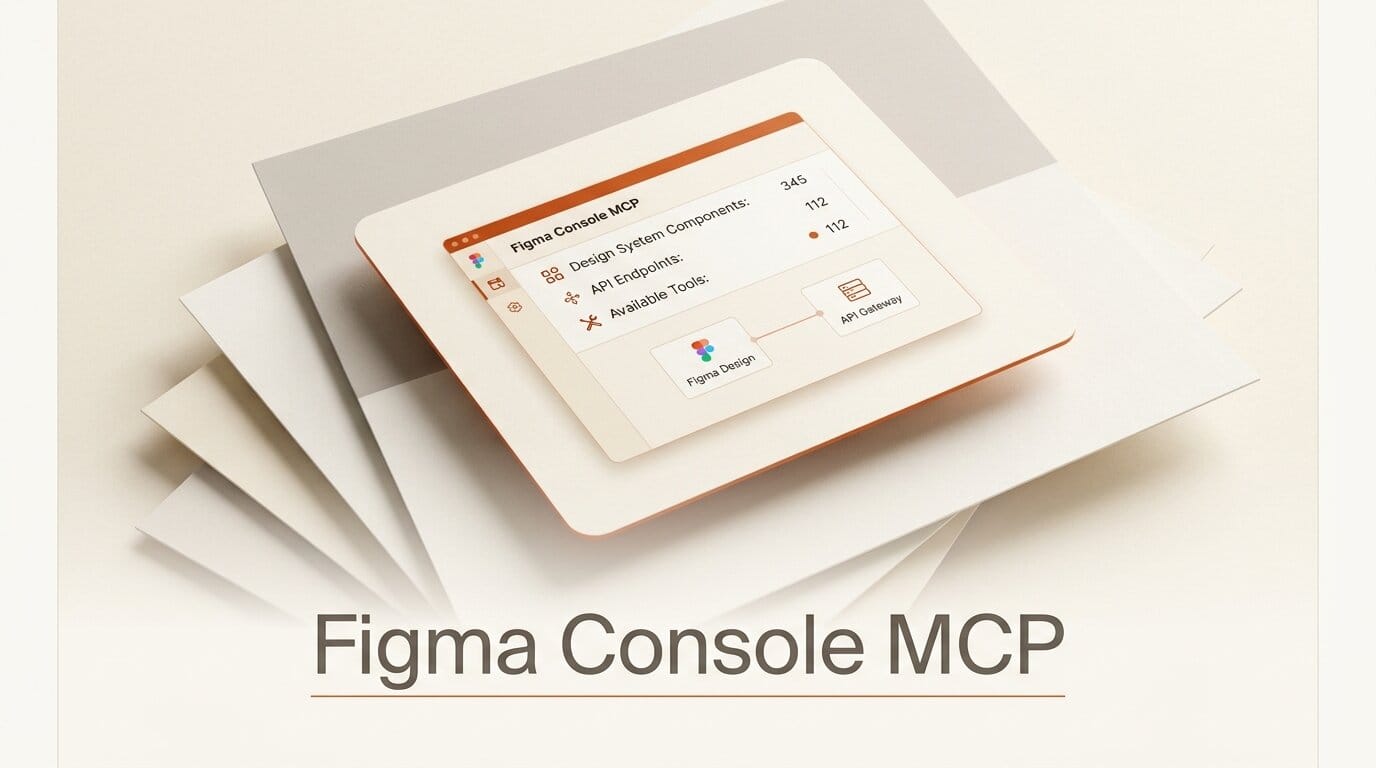
Figma has quietly become the place where AI agents and designers meet, and Figma Console MCP is one of the most complete bridges between them. It is a free, MIT-licensed Model Context Protocol server that exposes a Figma file to an AI assistant as a live, writable API. The project describes itself in five words: "Your design system as an API." At version 1.36.0, it ships 112 tools that let Claude, Cursor, or any MCP client read variables, generate components, sync design tokens in both directions, and even watch a plugin's console logs in real time.
What Figma Console MCP Actually Is
Most AI-to-design integrations are read-only. They pull a file's structure so a coding agent can turn a mockup into React. Figma Console MCP goes further in two directions at once: it reads the full design system, and it writes back into Figma through the Plugin API. That means an agent can create frames, build a component set from a variant matrix, rename a variable collection, or apply an entire token diff without a human touching the canvas.
The project is actively maintained, with a new minor version landing roughly every week across its release history. The v1.36.0 build adds a target-lock flag so an agent can pin one file while a designer works in another, v1.35.0 added write support for Figma Slots, and v1.34.0 delivered the second generation of bidirectional token sync. It reports 1,200-plus passing tests, which is unusual for a solo-maintained MCP server.
How It Compares to Figma's Official Dev Mode MCP
Figma shipped its own Dev Mode MCP server in 2025, and it is excellent at one thing: turning a selected frame into clean, variable-aware code inside Dev Mode. Figma Console MCP is aimed at a different job. The two are complementary, and the project explicitly recommends running both together.
| Capability | Figma Console MCP | Official Dev Mode MCP |
|---|---|---|
| Primary focus | Design creation, extraction, token sync, debugging | Design-to-code generation |
| Writes into Figma | Yes, via Plugin API | Limited create and update |
| Token export formats | 10, including DTCG, Tailwind, SCSS, Style Dictionary | Not the focus |
| Console logs and screenshots | Yes, real-time | No |
| FigJam and Slides tools | Yes, 24 tools | No |
| License | MIT, self-hostable | Figma-hosted |
| Tool count | 112 in local mode | Focused code toolset |
The short version: reach for the official server when your goal is production code from a finished design, and reach for Figma Console MCP when you want an agent to build, audit, or restructure the design system itself.
The 112 Tools, Grouped
The tool surface is large but organized into clear families. Understanding the groups is the fastest way to know what an agent can do:
- Design system extraction: pull variables, components, styles, and full file structure, including library components across teams without an Enterprise API plan.
- Design creation: create frames, shapes, text, and components; generate component sets from variant matrices; manage slots and instances.
- Token synchronization: export to 10 formats and import with full diff application, including renames and variable aliases.
- Variable management: batch create, update, rename, and delete up to 100 variables per call, with mode management.
- Console debugging: retrieve and stream plugin logs, capture screenshots, and reload plugins for visual debugging.
- FigJam and Slides: 9 FigJam tools and 15 Slides tools for stickies, connectors, flowcharts, and deck content.
- Quality checks: a 14-point WCAG accessibility scan, design-to-code parity comparison, and version-history awareness.

Setting It Up: A Four-Step Workflow
The recommended NPX path takes about 10 minutes and unlocks all 112 tools. Here is the shape of it:
- Install the prerequisites. You need Node.js 18 or newer, the Figma Desktop app (the web app alone is not enough), and an MCP-compatible client such as Claude Desktop, Cursor, Windsurf, or Claude Code.
- Create a Figma personal access token with read scopes for file content, file versions, and variables, plus read and write for comments. Store it as an environment variable.
- Import the Desktop Bridge plugin once via Plugins, then Development, then Import plugin from manifest. It connects over a WebSocket on ports 9223 to 9232 with automatic fallback and survives Figma restarts.
- Register the server in your MCP client and confirm the connection with a status check. From there, prompts like "export all color variables as Tailwind v4" or "build a button component set from these variants" run directly against your file.
If you cannot run Node locally, Cloud Mode connects Claude.ai, v0, Replit, or Lovable through OAuth in about 5 minutes with 101 tools. A read-only remote option exposes 9 tools in roughly 2 minutes for pure exploration. Figma's own MCP getting-started guide is worth reading alongside it if you also plan to use the official server.
Bidirectional Token Sync Is the Standout Feature
The single most valuable capability is round-trip token synchronization. Design tokens are the shared vocabulary between design and code, and keeping them in step is a chronic maintenance tax. Figma Console MCP exports variables to the DTCG token format, CSS custom properties, Tailwind v3 and v4, SCSS, TypeScript, Style Dictionary, and the Tokens Studio multi-file layout.
Import is where it gets interesting. The server applies a full diff back into Figma: it creates missing collections, applies renames, writes variable aliases, and gates deletions behind an explicit replace flag. Because it preserves variable IDs across a rename, a round trip does not spawn duplicate tokens, which is the failure mode that has historically made automated token sync untrustworthy.

What This Enables for Creators
For a designer or design-systems engineer, the practical payoff is delegating the tedious, mechanical parts of maintaining a system. You can ask an agent to audit every color for contrast, rename a token collection across hundreds of references, generate a full component set from a spec, or reconcile the design file against the code that ships from it. The work that used to eat an afternoon of careful clicking becomes a reviewable prompt.
For a small team without a dedicated design-ops person, it lowers the floor: the same token discipline that large design systems rely on becomes accessible through natural language. And because the whole thing is MIT-licensed and self-hostable, there is no per-seat cost and no vendor lock-in on the automation layer itself.
Frequently Asked Questions
Is Figma Console MCP free?
Yes. It is open source under the MIT license and can be run locally or self-hosted. You still need a Figma account, and some write operations depend on Figma Desktop being installed.
Do I have to choose between this and Figma's official MCP server?
No. They target different jobs and are designed to run together. Use the official Dev Mode server for design-to-code, and Figma Console MCP for creating, extracting, and syncing the design system.
Which AI clients does it work with?
Local mode works with Claude Desktop, Cursor, Windsurf, and Claude Code. Cloud Mode adds Claude.ai, v0, Replit, and Lovable through OAuth.
Does it require a Figma Enterprise plan?
No. It can inspect library components across teams without the Enterprise API, though a personal access token with the right read scopes is required for local modes.
Can it actually change my design file, or only read it?
It can write. Through the Plugin API it creates frames, components, and variants, applies token diffs, and manages variables in batches of up to 100. Deletions are gated behind an explicit replace flag to prevent accidents.
What is the newest version and what did it add?
Version 1.36.0, released on July 17, 2026, added a target-lock flag so an agent can pin one file for parallel work while a designer edits another without command conflicts.





