
On October 2, 2026, Apple told developers it will add new controls to Full Disk Access in macOS, the setting that lets one app read every file, message, mail and browsing record on a Mac. Apple's reason is AI agents: "As AI agents become increasingly capable and autonomous, the risks associated with this level of access will grow substantially." Going forward, users will only be able to grant the permission with "very explicit user action."
Apple gave no macOS version, no date and no description of the new controls. That makes this a planned change, not a shipped one. The useful part is what the notice says about the Macs builders run today: if you have ever granted Full Disk Access to your terminal so Claude Code, Codex or another agent stops asking for permission, every agent you launch from that terminal already has it. Here is what Apple announced, how the permission actually flows to agents, and a 10-minute audit you can run before Apple changes anything.
What Apple announced on October 2
The note is four short paragraphs on Apple's developer news page. Apple says Full Disk Access "largely sidesteps" the per-app privacy controls in macOS so backup apps can work, and that "some developers are using Full Disk Access in ways that could put users at risk, exposing everything on their systems, including files, mail, messages, and even browsing history, without users' full knowledge and understanding." For communication apps, Apple adds, that also exposes the people you talk to.
The commitment is one sentence: Apple "will introduce additional controls to ensure that users who genuinely wish to grant an app this extraordinary level of access can only do so with very explicit user action." 9to5Mac and MacRumors both confirm the same thing: no version number, no beta, no timeline.
So treat any detailed list of "the new controls" you see this week with suspicion. Nothing beyond those sentences is official. What is confirmed:
- Confirmed: Apple will make Full Disk Access harder to grant, and it names AI agents as the reason.
- Not announced: which macOS release, whether existing grants are revoked, how "very explicit user action" will look, or whether developer tools get any exception.
Why agents changed the math
Full Disk Access was built for backup tools. Apple's own Mac User Guide describes it as access to "all files on your computer, including data from other apps (for example, Mail, Messages, Safari, and Home), data from Time Machine backups, and certain administrative settings for all users on this Mac." A backup app reads that data and copies it. An agent reads it, reasons about it, and can send it to a model or act on it.
The trigger was a week of always-on desktop agents. Meta's Muse for Mac can read Messages, and on September 30 TechCrunch reported Meta's dispute with an Inc. columnist who said Muse knew the content of his messages. Meta's position is that the Messages integration "is entirely opt-in. You have to enable both Full Disk Access and the Messages connector." OpenAI launched its always-on Dots agents a day earlier, on September 29, set up through the ChatGPT desktop app, as MacRumors covered. Muse is the case Apple's move follows most directly.
Meta's defense is the point: on macOS today, Full Disk Access is the switch that opens Messages to an agent. Apple is not banning that. It is making the switch harder to flip by accident.
The quiet route: your terminal
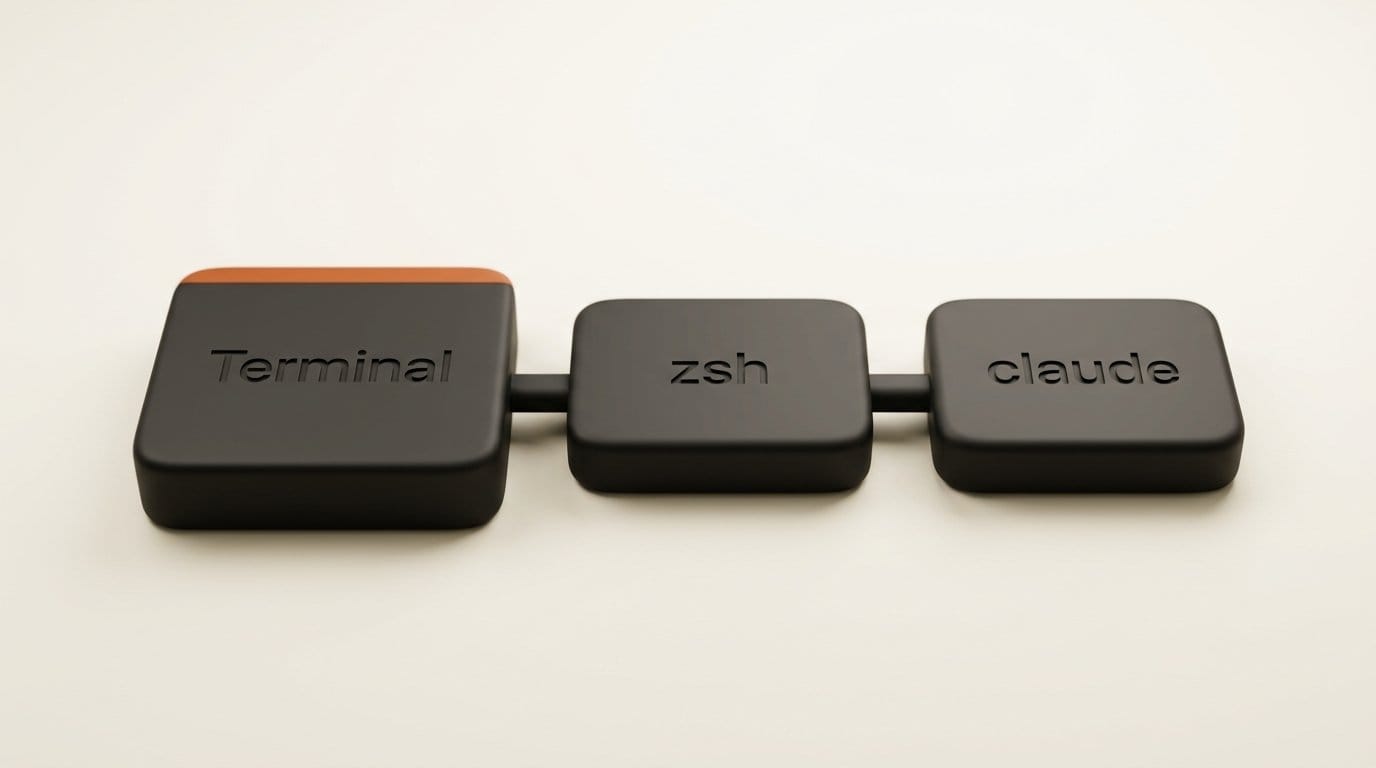
Most builders never grant Full Disk Access to an agent app. They grant it to a terminal, and that is the bigger exposure. A bug report on the Claude Code repository spells out the process chain: Terminal.app has Full Disk Access, it starts zsh, zsh starts claude, and claude "inherits Terminal's FDA." The same report shows the opposite case: the Claude Code binary embedded in the Claude desktop app sits outside the app bundle, so it does not inherit the desktop app's grant and gets silently denied.
Why do so many terminals end up with the grant? Prompt fatigue. Claude Code installs each version as a separate binary, and a September 16 issue documents macOS asking again after every auto-update ("2.1.273 would like to access data from other apps"), because each version directory gets its own permission row. A cmux issue from July describes Claude Code still asking for file access inside a terminal that already had Full Disk Access. The fastest way to make the prompts stop is to give the terminal everything.
Once you do, the grant is not scoped to the agent. Every script, package install hook and MCP server you launch from that window can read ~/Library/Messages, Mail, Safari history and your Time Machine backups. We covered how coding agents escape their intended scope through an exposed Docker socket; a terminal with Full Disk Access is the same pattern with no exploit required.
What each grant actually exposes
The table below maps the common setups to what an agent running in them can read today. It is based on Apple's description of each permission and the process-inheritance behavior documented in the reports above.
| Setup | Who holds the grant | What an agent can read | Exposure |
|---|---|---|---|
| Full Disk Access on Terminal, iTerm2, Ghostty or cmux | The terminal app | Everything, for every process started in it: Messages, Mail, Safari, Home, Time Machine data | Highest |
| Full Disk Access on an agent app (for example Muse with the Messages connector) | That one app | Everything the app's features reach, subject to its own connectors | High, but scoped to one vendor |
| Claude desktop app with Full Disk Access | The desktop app only | The embedded Claude Code binary does not inherit it, per the bug report | Lower than it looks |
| Files & Folders (Desktop, Documents, Downloads) only | The terminal or app, per folder | Only the folders you approved | Medium |
| No grant, project outside protected folders | Nobody | Your project directory; protected folders trigger a prompt | Lowest |
The pattern is simple: the exposure follows the process tree, not the agent's name. An agent is only as contained as the app that launched it.
How to audit Full Disk Access in 10 minutes
You do not need to wait for Apple. These steps work on current macOS and leave you with a setup that will survive whatever the new controls turn out to be.
- Open the list. Apple menu, System Settings, Privacy & Security, Full Disk Access. Write down every app that is switched on. Backup tools and security software belong there. Terminals, IDEs and agent apps deserve a second look.
- Find the terminals. If Terminal, iTerm2, Ghostty, Warp, cmux or an IDE with a built-in terminal is on the list, every agent you run inside it has Full Disk Access. Decide whether you actually need that.
- Check hidden entries. Path-based grants, such as a versioned CLI binary added with Cmd+Shift+G, may not show in the Settings list, as the Claude Code report notes. A macOS hardening guide on TCC shows the read-only query: run
sqlite3against /Library/Application Support/com.apple.TCC/TCC.db with sudo and filter forkTCCServiceSystemPolicyAllFiles. An auth_value of 2 means allowed. Only inspect it; never write to that database. - Revoke what you do not need. Switch the app off in Settings, or reset it from the command line:
tccutil reset SystemPolicyAllFiles com.apple.Terminal. Swap in the bundle ID of your terminal;osascript -e 'id of app "iTerm"'prints it. - Give agents a home outside protected folders. Keep code in a directory such as ~/code rather than Desktop or Documents, so agents never need the broad grant to do their work. Where a tool needs one protected folder, approve it under Files & Folders instead.
- Isolate anything that needs more. If a workflow genuinely needs broad file access, run the agent in a disposable VM or container where "everything" means a scratch disk, not your Messages history.
- Re-check after agent updates. CLI updates can add new permission rows. A two-minute look at the list after a major update catches grants you clicked through.
What changes for agent builders
If you ship a Mac app that asks for Full Disk Access, plan for the request getting harder, because Apple has said that much. The safe design is to stop needing it: request the narrow permission for the data you actually use (Contacts, Calendars, Photos, a chosen folder), explain in your own onboarding what the agent reads, and fail gracefully when access is denied. The Claude Code issues show the cost of the opposite approach: when permission handling is confusing, users grant the broadest option to make the prompts stop.
For agent users, the change is likely to land as more friction at the moment of granting. That friction is the feature. Builders who already run agents in a project directory with no broad grant should notice nothing. Builders who rely on a terminal with Full Disk Access should expect some workflow to break the day Apple ships, which is one more reason to run the audit now. Our earlier analysis of Muse's sandbox and Sentinel security model covers how one vendor scopes its own agent.
Who should act now
Anyone who runs coding agents or always-on desktop agents on a Mac they also use for personal messages and mail. If your terminal is on the Full Disk Access list, you are in this group whether you meant to be or not.
Agent app developers should read Apple's note as an early warning and review every place their onboarding asks for the permission. Readers who only use agents in the browser, or in cloud sessions, have nothing to change. We will update this page when Apple names the macOS release and shows the new consent flow.
Frequently asked questions
What did Apple announce about Full Disk Access?
On October 2, 2026, Apple said it will add controls so users can only grant Full Disk Access with "very explicit user action," citing the growing risk from autonomous AI agents. It did not give a macOS version or date.
Is the change live in macOS now?
No. Apple announced a plan, not a release. Current macOS still grants Full Disk Access with the existing System Settings switch.
Does Claude Code get Full Disk Access automatically?
Not by itself. It inherits the permissions of the app that launched it, so if your terminal has Full Disk Access, Claude Code running in that terminal has it too. The Claude Code bundled inside the Claude desktop app does not inherit the desktop app's grant, according to a bug report on the project's repository.
How do I see which apps have Full Disk Access?
Open System Settings, Privacy & Security, Full Disk Access. Path-based entries can be hidden there; a read-only sqlite3 query on the system TCC database shows every row for kTCCServiceSystemPolicyAllFiles.
How do I remove Full Disk Access from my terminal?
Switch it off in System Settings, or run tccutil reset SystemPolicyAllFiles followed by the terminal's bundle ID, for example com.apple.Terminal. Restart the terminal afterwards.
Will my agents stop working after I revoke it?
Agents that work inside a project folder outside Desktop, Documents and Downloads keep working. Anything that reads Messages, Mail, Safari data or other apps' containers will ask again or fail, which is the point of revoking it.