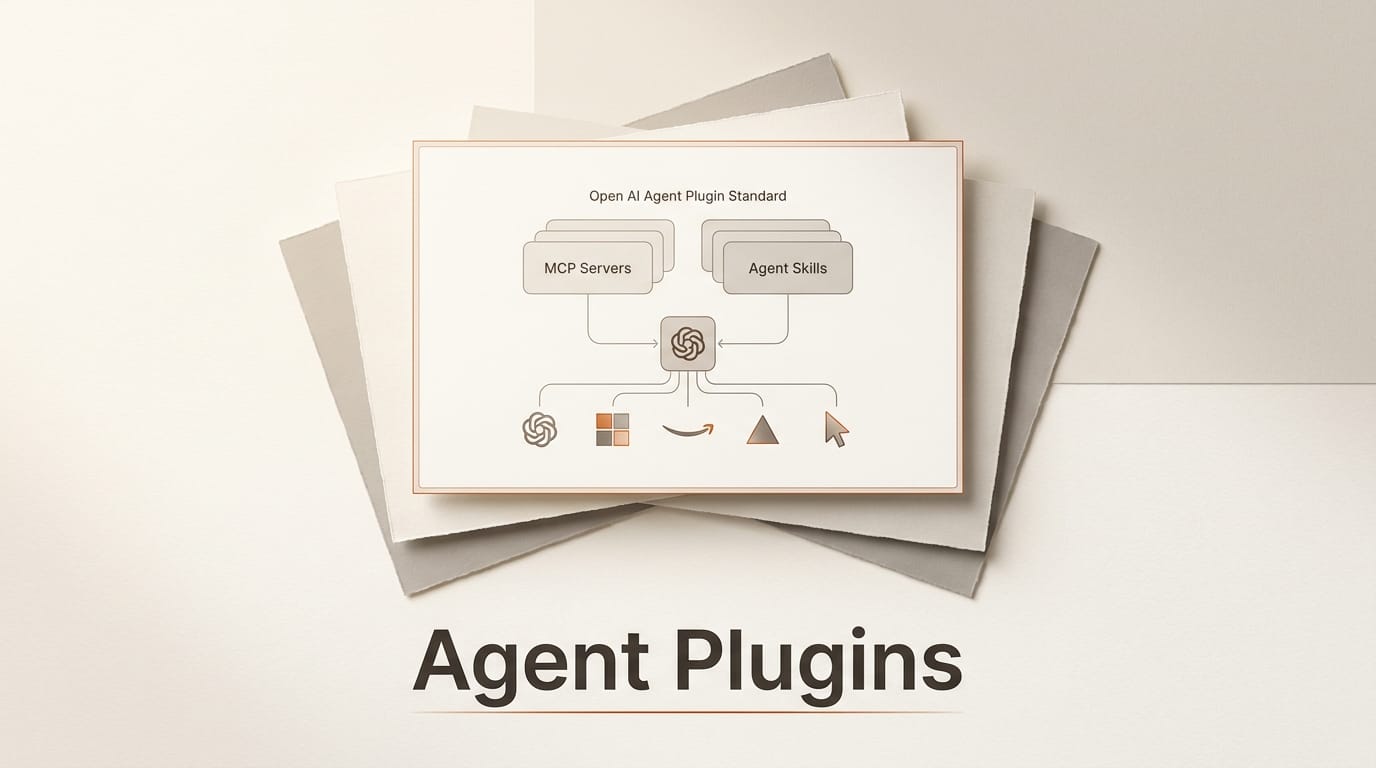
On August 6, 2026, five of the biggest names in AI development agreed on a single way to package the tools that AI agents use. The standard is called Agent Plugins, and its version 1.0.0 specification is backed by a Technical Steering Committee drawn from Amazon (AWS), Cursor maker Anysphere, Microsoft, OpenAI, and Vercel, with GitHub among the early collaborators. Vercel initiated the proposal and published the launch announcement, authored by engineer Jonathan Hefner. The goal is blunt: let a plugin author build one package that runs across ChatGPT, Codex, Cursor, GitHub Copilot, Kiro, and VS Code instead of repackaging the same skill or server for every client.
For creators and builders, this is bigger than a spec release. It is the moment the fragmented world of Model Context Protocol servers and Agent Skills got a shared container. If you have ever wanted your custom workflow to work the same way in Claude, ChatGPT, and Cursor, this is the plumbing that makes that realistic.
What the Agent Plugins standard actually is
Agent Plugins is an open, vendor-neutral packaging format. It does not invent a new protocol. Instead it wraps two things that already exist, Model Context Protocol servers and Agent Skills, into one portable directory that any supporting client can read. Think of it as the "npm package" layer for agent capabilities: MCP and Skills are the ingredients, and Agent Plugins is the box they ship in.
The specification is deliberately narrow. It defines how a plugin is structured and discovered, and nothing else. Marketplaces, permission prompts, sandboxing, and trust decisions are left entirely to each client. That restraint is the point. By refusing to legislate business models or security policy, the standard gave five competitors enough common ground to actually sign on. The full spec, its JSON Schemas, and author guides live in a public repository at github.com/agentplugins/agent-plugins-spec.
Who is backing it
The coalition matters as much as the format. The initial steering committee spans Amazon Web Services, Anysphere (Cursor), Microsoft, OpenAI, and Vercel, with GitHub contributing to the early drafts. That lineup covers the two dominant coding assistants (Copilot and Cursor), the largest consumer AI app (ChatGPT), a hyperscaler (AWS), and the framework company that ships much of the modern web (Vercel). When rivals who compete for the same developers agree on a file format, adoption tends to follow, because none of them wants to be the odd client that cannot read a popular plugin.

Before and after: why this matters for builders
Until now, shipping a capability to multiple assistants meant maintaining several packaging variants of the same underlying logic. Each client discovered and bundled skills and servers differently, so authors repackaged identical work again and again. Agent Plugins collapses that into one artifact.
| Dimension | Before Agent Plugins | With Agent Plugins |
|---|---|---|
| Packaging | One variant per client | One portable plugin folder |
| MCP + Skills | Wired up separately per tool | Bundled together in one package |
| Portability | Rewrite to add a new client | Carries automatically to supporting clients |
| Discovery | Client-specific conventions | Shared directory structure |
| Governance | Whoever owns the client | Open license, multi-company committee |
Inside the package format
A plugin is just a directory. The minimum structure is small enough to memorize:
my-plugin/
  plugin.json
  skills/
  mcp.json
  com.example.client/
The plugin.json manifest identifies the plugin and the Agent Plugins version it targets. The absolute minimum is two fields:
{
  "$schema": "https://agent-plugins.org/schemas/1.0.0/plugin.schema.json",
  "name": "my-plugin"
}
The skills/ folder holds Agent Skills that follow the Agent Skills specification. The mcp.json file describes MCP servers, including stdio, Streamable HTTP, or legacy HTTP with SSE transports. Reverse-domain folders such as com.example.client/ carry client-specific behavior without polluting the portable core. You can validate any manifest against the public 1.0.0 JSON Schema.

How to build your first plugin
You do not need permission or a review queue to start. Here is the fast path:
- Create the folder. Make a directory and drop in a
plugin.jsonwith the schema reference and a name. - Add a skill. Put a Markdown-based Agent Skill in
skills/, describing the task and instructions your agent should follow. - Wire a server. If your plugin calls external tools, declare the MCP server in
mcp.jsonwith the transport it uses. - Namespace the extras. Anything specific to one client goes in a reverse-domain folder so it never breaks other clients.
- Validate and share. Check the manifest against the published schema, commit the folder to a repo, and any supporting client can install it.
Google has already shipped a large public example. Its google/skills repository bundles 80-plus agent skills for Google Cloud, BigQuery, GKE, Google Ads, and more, installable with a single npx skills add google/skills command. That repo is a preview of what a healthy plugin ecosystem looks like: one command, dozens of capabilities, no per-client rewrites.

What this enables for creators
If you build creative or business workflows, the practical win is reuse. A prompt chain that turns a brief into a storyboard, a skill that formats research into a newsletter, or an MCP server that pulls assets from your DAM can now travel with you between assistants. You author the logic once and it follows you into whichever tool fits the moment, the chat window for ideation, the IDE for production, the terminal for batch runs. Teams get consistency: everyone runs the same plugin, so the same brief produces the same structured output regardless of which client a teammate prefers. For anyone selling templates, skills, or automation, a single distributable artifact means a far larger addressable audience than a Cursor-only or ChatGPT-only extension ever reached.
The catch: what the spec deliberately leaves out
Portability is not safety. Because the standard defines packaging and discovery only, every security guarantee still rests with the client. A plugin that runs in five assistants can misbehave in five assistants, and each vendor decides how to sandbox, prompt for permissions, and vet what you install. The spec also does not mandate a marketplace, so discovery quality will vary by client at first. Treat third-party plugins the way you would treat any code you run: read the skill instructions, inspect the MCP servers, and prefer plugins from sources you trust. The launch announcement is explicit that trust and permissions are a client responsibility, not a standard-level promise.
Frequently asked questions
Is Agent Plugins a replacement for MCP?
No. It sits on top of MCP and Agent Skills. MCP defines how an agent talks to a server; Agent Plugins defines how you package that server, plus any skills, into one portable folder. You still write MCP servers exactly as before.
Which tools support it today?
At launch the announcement names ChatGPT, Codex, Cursor, GitHub Copilot, Kiro, and VS Code. Because the committee spans OpenAI, Microsoft, AWS, Anysphere, and Vercel, broader client support is likely to expand quickly.
Do I need to publish to an official store?
No. A plugin is just a directory you can host in any repository. Clients handle their own marketplaces and installation flows; the standard only governs the package format and discovery structure.
Is it free and open?
Yes. Agent Plugins is openly licensed and developed in public, with proposals handled through GitHub Discussions and the specification hosted in a public repository. No single company controls the roadmap.
What is the difference between a Skill and an MCP server in a plugin?
A Skill is instruction-level knowledge: a Markdown description that tells the agent how to perform a task. An MCP server is executable connectivity: it exposes tools, data, or actions the agent can call. A plugin can carry either or both.
Will my existing MCP servers break?
No. Existing servers keep working. Agent Plugins simply gives you a standard way to bundle and distribute them alongside skills, so you can stop maintaining one packaging variant per client.