Adobe has put more than 70 of its creative and productivity tools directly inside ChatGPT. The Adobe plugin for ChatGPT, announced on August 6, 2026, lets you edit photos, cut video, design graphics, and generate polished PDFs without leaving the chat window. It is the clearest sign yet that the creative stack is moving from standalone apps to conversation-driven workflows, and it lands first on OpenAI's platform before Gemini and Slack get their turn.
What Adobe Shipped
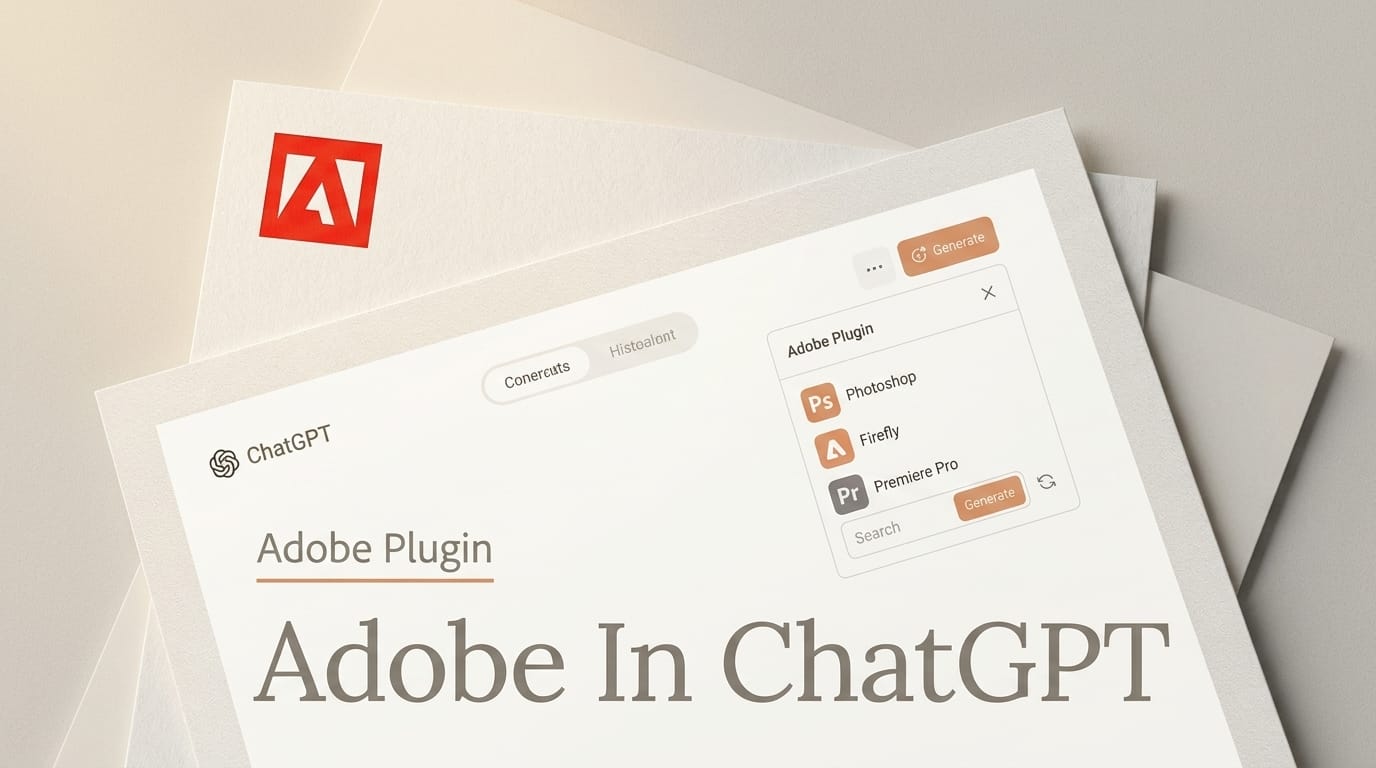
The release is a single unified plugin, not a scattering of separate app connectors. Once installed, it routes your natural-language request to whichever Adobe tool fits the job, so asking ChatGPT to "remove the background and brighten this product shot" quietly calls Photoshop-grade editing, while "turn these three clips into a 15-second promo" reaches for Premiere. 9to5Mac confirmed the plugin spans Photoshop, Firefly, Premiere, Acrobat, Express, Lightroom, Illustrator, InDesign, and Adobe Stock, coordinating them behind one conversational surface.
OpenAI framed the launch as part of its plugin ecosystem push. "We're building ChatGPT to connect our users with the best capabilities for the task at hand," said Vibhor Chhabra, product lead for the ChatGPT Ecosystem at OpenAI. Adobe positioned it around outcomes: the plugin supports "editing photos and creating campaign videos to designing marketing assets and generating polished PDFs, all through rich, interactive experiences right in the flow of the conversation." Engadget notes the plugin is available globally starting today on ChatGPT web and mobile.

The 70-Plus Tools, and What Guest Mode Leaves Out
You can start using the plugin as a guest, which opens up a broad set of Adobe tools for immediate creation. Signing in with an Adobe account is where the real value sits: it unlocks generative capabilities, access to your existing Creative Cloud files, and the ability to save project state across sessions so a design does not vanish when the chat ends. That last detail matters for anyone who works in iterations rather than one-shot prompts.
The nine named apps span the full creative pipeline. Firefly and Photoshop handle image generation and retouching, Premiere and Express cover video and quick social edits, Illustrator and InDesign carry vector and layout work, Lightroom manages photo grading, Acrobat produces documents, and Digital Camera World highlights that Lightroom and Photoshop favorites like masking and background removal are exposed through plain-language commands. The Firefly generative models sit underneath much of the image and video output.
How to Use Adobe Inside ChatGPT
Getting the plugin running takes under a minute, and the invocation pattern mirrors other ChatGPT plugins:
1. Install it. Open ChatGPT, go to the Plugins directory, search "Adobe," and add the plugin.
2. Invoke it. Start a new chat and type @Adobe, or use the + menu to select it from your installed plugins.
3. Sign in (optional but recommended). Connect your Adobe account to unlock generative features, pull in Creative Cloud files, and persist your work between sessions.
4. Describe the outcome. Prompt in plain language ("make a 1080x1080 launch graphic with our logo," "color-grade this to a warm cinematic look"), and the plugin selects the underlying tool for you.
Because the plugin also runs in ChatGPT Work and Codex, teams can wire creative steps into the same surface they use for documents and code, instead of context-switching into the desktop apps.

Why It Matters for Creators
For working creators, the shift is less about new capability and more about where the work happens. A solo marketer can now draft copy, generate a hero image, cut a short promo, and export a PDF one-pager in one continuous thread, without owning or learning four separate Adobe apps. Guest mode lowers the barrier further, letting someone try a Photoshop-grade edit before ever touching a Creative Cloud subscription.
There is a real trade-off. Chat-driven editing is fast for common operations but gives up the pixel-level control of the full desktop apps, and anyone doing precision retouching or complex compositing will still open Photoshop directly. The plugin is best read as a front door for quick, high-frequency tasks, and as a funnel that pulls ChatGPT's roughly one billion weekly users toward Adobe accounts. It also sits alongside Adobe's own in-app AI work, like Project Indigo's AI photo critique, showing the company hedging across both surfaces.
The competitive read is just as important. Firefly's biggest weakness against rivals was never model quality, it was reach: creators live inside tools they already pay for, and asking them to open a separate Firefly tab was friction. Putting the models where a billion people already type removes that friction entirely. It also pressures pure-play generative startups, whose distribution edge shrinks the moment Photoshop-grade editing answers a chat prompt for free in guest mode.

Adobe's Multi-Platform Play
ChatGPT is the marquee launch, but it is one move in a broader distribution strategy. Adobe said in June 2026 it would bring its creative tools to every leading AI platform, and that rollout is now visible. Claude and Microsoft Copilot integrations are already live, ChatGPT arrives today, and Gemini and Slack are scheduled for later in August. The pattern echoes how Microsoft folded generative imaging into its own apps when it replaced DALL-E with MAI-Image in PowerPoint and Bing: the creative tool becomes an ambient capability rather than a destination.
| Platform | Status | Surface |
|---|---|---|
| ChatGPT | Live (Aug 6) | Web, mobile, ChatGPT Work, Codex |
| Anthropic Claude | Live | Claude apps |
| Microsoft Copilot | Live | Copilot |
| Google Gemini | Coming (later Aug) | Gemini apps |
| Slack | Coming (later Aug) | Slack |
For Adobe, being present on every major assistant hedges against any single platform winning the distribution war. For creators, it means the tool you reach for may increasingly depend on which chat window you already have open.
Frequently asked questions
How much does the Adobe ChatGPT plugin cost?
Adobe did not publish standalone pricing for the plugin at launch. You can use a broad set of tools in guest mode for free, while generative features, Creative Cloud file access, and saved projects require an Adobe account, which follows existing Creative Cloud entitlements.
Which Adobe apps are included?
The plugin draws on more than 70 tools across Photoshop, Firefly, Premiere, Acrobat, Adobe Express, Lightroom, Illustrator, InDesign, and Adobe Stock, plus additional creative and productivity apps.
Do I need a Creative Cloud subscription to use it?
No, not to start. Guest mode works without an account. But generative output, access to your existing Creative Cloud files, and cross-session saving all require signing in with an Adobe account.
Does it work in ChatGPT on mobile and at work?
Yes. The plugin is available globally on ChatGPT web and the mobile app, and it also runs inside ChatGPT Work and Codex, so teams can use it in the same surface where they handle documents and code.
Is the plugin coming to Claude, Gemini, or Copilot?
Adobe's tools are already integrated with Claude and Microsoft Copilot. Google Gemini and Slack integrations are scheduled to arrive later in August 2026 as part of Adobe's multi-platform expansion.