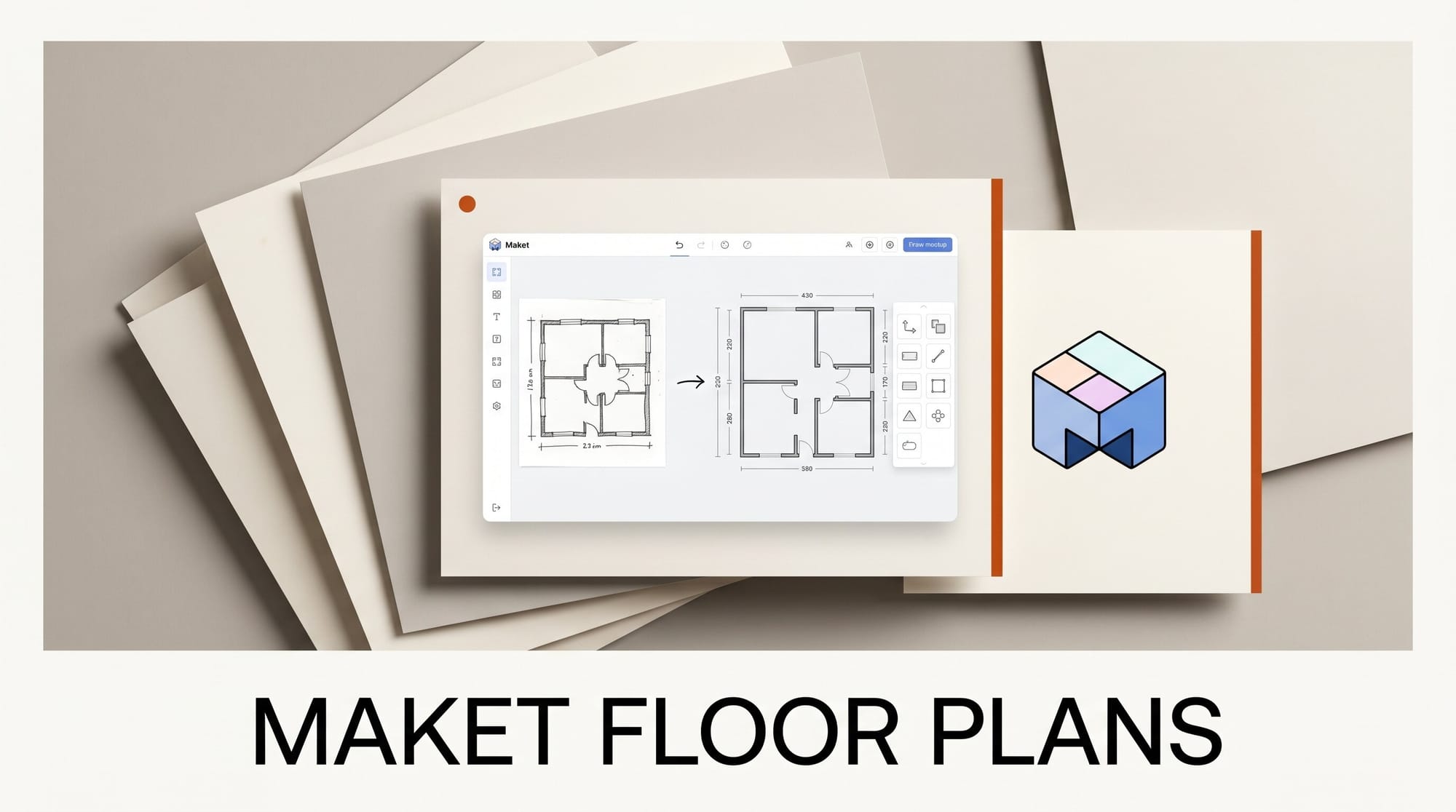
Maket has launched a Floor Plan Upload feature that uses AI to turn existing floor plan images into fully editable digital layouts. Announced on June 11, 2026, the tool reads a PDF, JPG, or PNG of a floor plan, automatically traces the walls, doors, and windows, and rebuilds it as a dimension-accurate plan you can edit and view in 3D. Maket is positioning the feature for renovation work, where designers start from an existing plan rather than a blank canvas.
What This Enables
Instead of redrawing a client's old blueprint by hand, you upload the file and get an editable layout in minutes. From there you can add or remove walls, resize rooms, rearrange furniture, apply finishes and styles, view the result in 3D, and export a CAD-compatible file. For designers and architects, that collapses the slowest part of a renovation project, the manual re-tracing, into a single import step. It is part of a wider push to turn flat inputs into editable 3D, the same shift we covered when a single photo became a 3D scene on the web.
Why It Matters
Most residential projects are renovations, not new builds, so the starting point is almost always a plan that already exists on paper or in a flat PDF. According to the launch coverage, Maket's recognition algorithms detect rooms and furniture, not just the outer walls, which is what makes the imported plan editable rather than a static trace. That moves AI floor-plan tools from generating new layouts from text toward working with the messy, real-world documents designers actually receive.
Key Details
Inputs. Upload PDF, JPG, or PNG floor plans. The system traces walls, doors, and windows and detects rooms and furniture automatically.
Output. An editable, dimension-accurate layout with a 3D view, applied finishes, and CAD-compatible export.
Status and limits. The feature is in beta on paid plans, starting around 20 dollars a month. Maket notes that scale calibration can be unreliable where the model's confidence is low, so some imported plans need minor cleanup.
What to Do Next
Test the feature on one existing plan before committing a live project to it. Upload a clean, high-resolution file, then verify the scale and dimensions against a known measurement, since calibration is the weakest link. Once the import looks right, use the 3D view to pressure-test layout changes with a client. If you only generate new plans from scratch, the free tier still covers text-to-layout generation without the upload step.