Blackmagic Design used NAB 2026 to make its boldest move yet: DaVinci Resolve 21 now includes a full Photo page and nine AI-powered tools, all available in a free download. For creators who have watched Adobe subscription costs climb year after year, the calculus just changed.
The announcement, made during CEO Grant Petty's two-hour NAB livestream on April 13, positions DaVinci Resolve as the first professional creative application to unify video editing, color grading, visual effects, motion graphics, audio post-production, and now still photography in a single interface. The public beta is available immediately.
Background
DaVinci Resolve has been the film and television industry's standard color grading tool for over a decade, used on productions from Marvel films to Netflix originals. Blackmagic Design has steadily expanded the software from a color-only tool into a full post-production suite, adding editing (Resolve 11), Fusion visual effects (Resolve 15), and Fairlight audio (Resolve 15).
What makes Blackmagic's approach unusual in the creative software market is its pricing model. The full application is free, with a Studio version at $295 as a one-time purchase. Compare that to Adobe's Photography Plan at $9.99 per month, which totals $360 over three years for just Lightroom and Photoshop.
NAB 2026 marks the point where Blackmagic stops competing with Adobe on individual features and starts competing on workflow. One application versus five. One price versus recurring subscriptions.
The final release: DaVinci Resolve 21 ships (June 2026)
Blackmagic Design shipped the final release of DaVinci Resolve 21 on June 3, 2026, turning the NAB preview covered below into a stable build. The headline addition is a brand-new Photo page that brings Resolve's node-based color tools to still-image editing, so a hybrid shooter can grade photos and video in one project under the same color science. It ships alongside two AI workflow tools, IntelliSearch (natural-language clip discovery) and CineFocus (focus adjustment), plus native RAW decoding across six camera ecosystems. Both the free build and the $295 Studio edition get the upgrade. Full breakdown in PetaPixel's release coverage.
Deep Analysis
The Photo Page: Hollywood Color Science Meets Still Photography
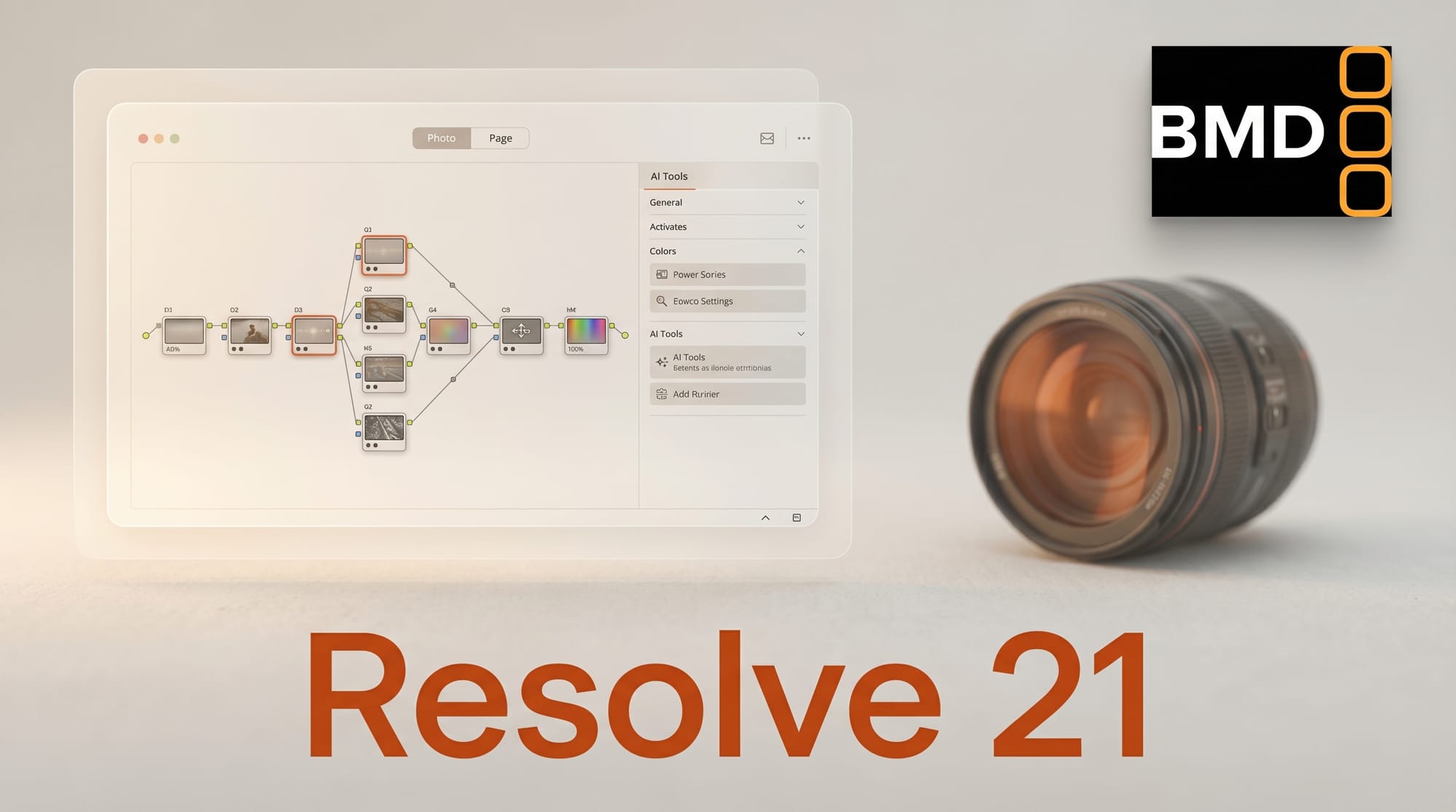
The Photo page is not a simplified photo editor bolted onto a video tool. It brings DaVinci Resolve's full node-based color grading pipeline to still images, processing RAW files from Canon, Fujifilm, Nikon, Sony, and iPhone ProRAW at source resolution up to 32K (over 400 megapixels).
The node-based approach is what separates this from Lightroom's slider model. Where Lightroom applies adjustments in a fixed linear order, Resolve's signal-flow architecture lets photographers isolate, transform, and layer corrections with the same precision that Hollywood colorists use on $200 million productions. Every one of the 100-plus GPU-accelerated Resolve FX plugins works on photos.
Practical features include LightBox view for browsing full albums with real-time grade previews, album organization by shoot day or camera model, and direct import of existing Lightroom catalogs and Apple Photos libraries. Tethered shooting supports Sony and Canon cameras with live capture and full ISO, exposure, and white balance control from the software.
As PetaPixel noted, this positions Resolve as a genuine Lightroom alternative, not just a video editor with photo capabilities.
Nine AI Tools That Ship Free
Resolve 21 introduces nine AI-powered tools that cover a wide range of production needs. IntelliSearch uses natural language to find clips across your entire media pool by analyzing faces, objects, and dialogue. AI Speech Generator creates voiceovers from text using Blackmagic's voice models or custom voices cloned from as little as 10 seconds of recorded audio.
On the visual effects side, AI CineFocus generates synthetic depth-of-field with adjustable aperture and keyframeable rack focus. AI Face Age Transformer ages or de-ages tracked subjects for flashback sequences. AI Face Reshaper adjusts facial proportions on moving subjects. AI Blemish Removal handles skin retouching while preserving natural texture.
Two more tools address common production pain points: AI Slate ID automatically reads clapperboard metadata even from dark or out-of-focus footage, saving hours of manual data entry. AI UltraSharpen enhances upscaled video and corrects focus issues, while AI Motion Deblur reduces motion artifacts for slow-motion and freeze frames.
The critical detail: most of these tools work in the free version. The DaVinci Neural Engine powers the advanced AI features, but basic functionality does not require the Studio license.
NAB 2026: The Broader Creative AI Wave
DaVinci Resolve 21 was the headline, but NAB 2026 revealed a broader shift. The show added a second AI Pavilion to the floor, a direct response to the volume of companies shipping production-ready AI tools rather than demos and previews.
JALI Research demonstrated real-time facial animation at the HP booth, powering a live interactive character experience. JALI's technology, built on eight years of R&D and used by studios including Blizzard, CD Projekt Red, and Riot Games, generates procedural facial animation with expressive lip sync. The NAB demo showed the system running in Unreal Engine with real-time audience interaction.
Boris FX brought over 20 AI tools across its product family, including advanced stem separation for audio. DigitalGlue launched creative.space Intelligence, which makes video footage searchable through natural language. FOR-A showcased fully software-defined, AI-powered live production workflows replacing traditional hardware-centric broadcast systems.
The pattern across the show floor: AI tools that ship in production software at accessible price points, not research demos behind enterprise sales calls.
The Adobe Threat: Unified vs. Fragmented
The competitive threat to Adobe is structural, not just about features. A photographer who edits video needs Lightroom plus Premiere. A filmmaker who shoots stills needs Premiere plus Lightroom. Add visual effects and you need After Effects. Audio post-production requires Audition. Motion graphics means learning a separate interface in After Effects.
DaVinci Resolve 21 handles all of these in one application with one learning curve. As Y.M.Cinema wrote, the update "hits Adobe where it hurts" by attacking the subscription model and the fragmented workflow simultaneously.
Creative Bloq asked the question directly: "Did DaVinci Resolve just kill Lightroom?" The answer depends on whether photographers value Lightroom's polished simplicity over Resolve's deeper toolset, but the fact that the question is being asked at all marks a shift.
Resolve's limitations remain real. There is no Clarity tool equivalent yet, tethered shooting only supports Sony and Canon, and AI Magic Mask requires the Studio license while Lightroom includes masking in its base subscription. But these are feature gaps, not architectural ones.
Impact on Creators
For creators working across photo and video, DaVinci Resolve 21 eliminates the cost of entry entirely. A photographer who also shoots video no longer needs to choose between learning Premiere or paying for both Lightroom and a separate video editor. The unified color pipeline means grades developed for video projects can be applied directly to stills from the same shoot.
The AI tools lower the technical barrier for independent creators. Voice cloning from 10-second samples means solo creators can produce professional narration without hiring voice talent. Automated slate reading saves production assistants hours per shoot day. Natural language media search replaces the tedious process of scrubbing through hours of footage.
For studios and post-production houses already using Resolve for color grading, the Photo page means photographers on the same team can work in the same application with the same project files, shared via Blackmagic Cloud.
Key Takeaways
- DaVinci Resolve 21 adds a full Photo page with node-based color grading, RAW support up to 32K, and Lightroom catalog import
- Nine AI tools ship in the free version, covering speech generation, natural language search, facial effects, and automated metadata
- Blackmagic's one-time $295 Studio price undercuts Adobe's recurring subscription model by design
- NAB 2026 showed a broader industry shift toward production-ready AI tools at accessible prices
- The unified workflow threat to Adobe is structural: one application replacing five separate subscriptions
What to Watch
Adobe's response will be telling. The company has invested heavily in Firefly AI features across its Creative Cloud suite, but the pricing gap with Resolve is only widening. Watch for whether Adobe introduces a unified creative application or adjusts its subscription tiers to compete on value.
The Photo page's Lightroom catalog import feature could drive meaningful migration from photographers already frustrated with subscription fatigue. Blackmagic will need to close the remaining feature gaps quickly, particularly around masking in the free tier and expanding tethered camera support beyond Sony and Canon.
For the broader creative AI market, NAB 2026 set a precedent: professional AI tools can ship free or at one-time prices. The era of AI features locked behind enterprise contracts is giving way to accessible tools that independent creators can actually use.