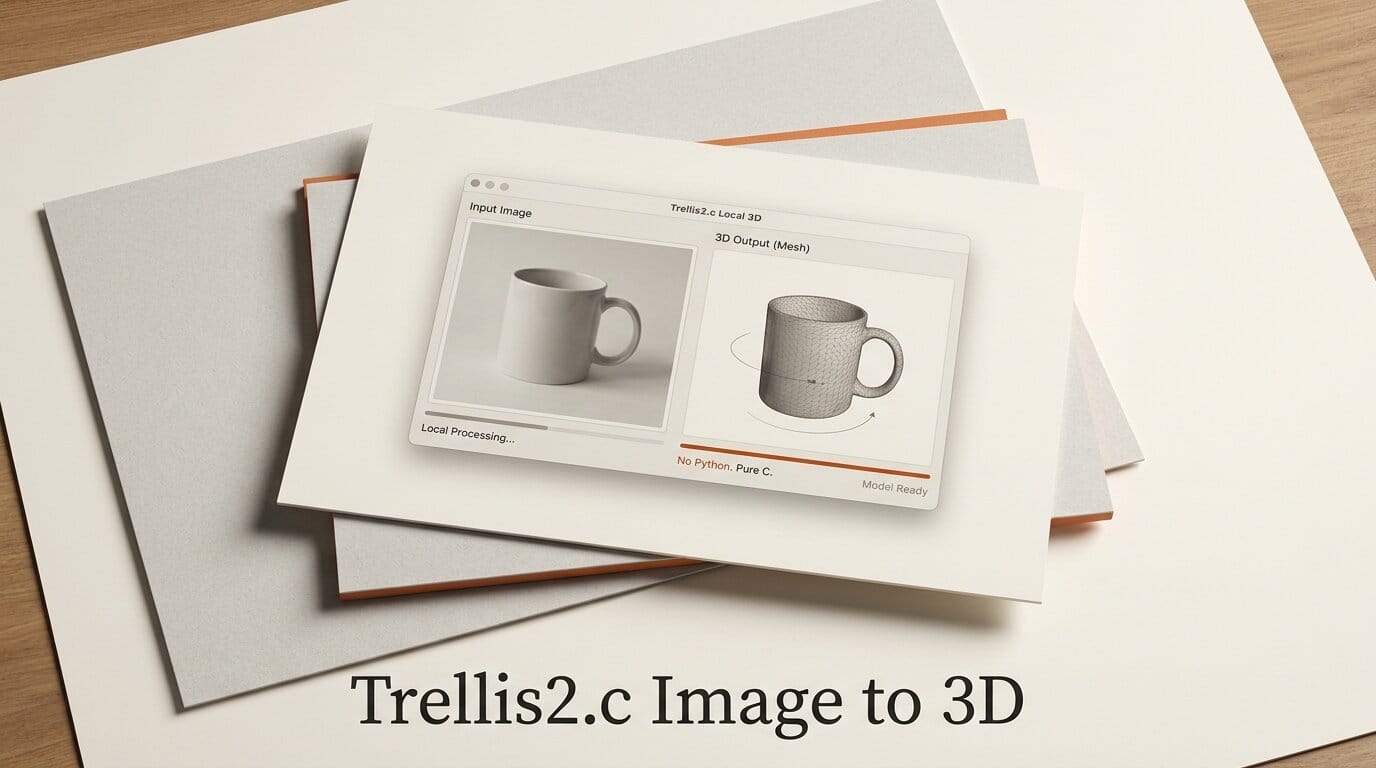
On July 15, 2026, a developer known as Wimacs published trellis2.c, an open-source toolkit that runs Microsoft's TRELLIS.2 image-to-3D model natively on CUDA or Vulkan with no Python and no PyTorch installed. The v0.1.0 release turns a single photo into a textured, decomposed, and rigged 3D asset entirely on your own GPU, wrapping four separate models (TRELLIS.2, Pixal3D, SegViGen, and TokenSkin) behind five command-line pipelines. For creators who have wanted local 3D generation without a fragile Conda environment, this is the first serious attempt to ship the whole workflow as compiled native code.
TRELLIS.2 is a 4-billion-parameter image-to-3D model, and until now the only way to run it was Microsoft's Python reference implementation with its full deep-learning stack. trellis2.c reimplements the inference path in C, so the barrier to entry drops from "set up a machine-learning environment" to "build a C project and point it at a JPEG."
What trellis2.c actually is
trellis2.c is not a new model. It is a native runtime that loads existing 3D generation model weights and executes them directly through GPU compute, without a Python interpreter in the loop. The project describes itself as an all-in-one local 3D generation system covering image-to-3D, mesh texturing, part decomposition, and rigging. Everything runs offline once the weights are downloaded.
The practical difference is the install footprint. A Python TRELLIS.2 setup pulls in PyTorch, CUDA-matched wheels, and a chain of geometry libraries that frequently break across driver versions. trellis2.c compiles to a set of native binaries that link against the Vulkan SDK and, optionally, the CUDA Toolkit. There is a bundled raylib viewer so you can inspect results without a separate 3D application. At release the repository sits at v0.1.0 with a Windows installer and a source build path for Linux.
How it compares to the alternatives
Most creators reach 3D generation through one of three routes today: the official Python model, a hosted cloud API, or a native toolkit like this one. The trade-offs are straightforward.
| Factor | trellis2.c (native) | Official TRELLIS.2 (Python) | Cloud image-to-3D APIs |
|---|---|---|---|
| Runtime | Native CUDA or Vulkan, no Python | Python + PyTorch stack | Remote servers |
| Install footprint | C toolchain + Vulkan SDK | Conda, CUDA wheels, geometry libs | None (API key only) |
| Runs offline | Yes, after weights download | Yes | No |
| Full pipeline (texture, segment, rig) | Yes, five pipelines | Shape and texture focused | Varies, usually shape and texture |
| Marginal cost per asset | Electricity only | Electricity only | Per-generation fee |
| Hardware control | Full, your GPU | Full, your GPU | None |
The official TRELLIS.2 repository remains the reference for quality and the source of the model weights. trellis2.c is best understood as a deployment layer that makes those weights runnable without the Python dependency chain, plus three extra models that extend the output into a production-ready asset.
The four models inside the toolkit
What makes v0.1.0 more than a single-model wrapper is that it chains four distinct models, each handling one stage of asset creation. The lineage traces back to the original TRELLIS project, a CVPR 2025 spotlight that introduced Structured LATent (SLAT) representations for 3D generation.
TRELLIS.2 generates a textured 3D asset from a single image, with 512 and 1024 resolution profiles and a --shape-only flag when you want geometry without texture. Pixal3D is an alternative generator that uses Neural Adaptive Fields conditioning with projected image data, running a 1024 cascade pipeline by default. SegViGen decomposes a static mesh into physical parts while preserving faces and vertex attributes, which matters when you need separable components rather than one fused blob. TokenSkin generates a skeleton, joints, inverse bind matrices, and skin weights for an existing mesh, so the model comes out ready to animate.
The underlying SLAT approach, detailed in Microsoft Research's structured 3D latents paper, is what lets a single representation decode into meshes, Gaussians, or radiance fields. That flexibility is why the toolkit can hand off cleanly between generation, texturing, and rigging stages.
The five-pipeline workflow, step by step
trellis2.c exposes its capabilities as five named pipelines. A typical asset creation run walks through them in order:
- trellis2-image-to-gltf: feed a single reference image and get a textured glTF mesh out. Pick the 512 profile for speed or 1024 for fidelity, or add
--shape-onlyto skip texturing. - pixal3d-image-to-gltf: run the same input through the Pixal3D generator when you want a second interpretation of the geometry to compare against TRELLIS.2.
- trellis2-texture-mesh: apply PBR materials to an existing untextured mesh, useful when you brought your own geometry.
- trellis2-segment-mesh: split the result into physical parts with SegViGen so you can edit or swap components individually.
- tokenskin-rig: generate a skeleton and skin weights so the asset is animation-ready without manual weight painting.
Because each stage is a separate binary reading and writing standard mesh files, you can stop at any point. Someone printing a static prop stops after generation; someone building a game character runs all the way through rigging.

What this enables for creators
The headline benefit is a full local asset pipeline with no per-generation fee and no cloud dependency. If you generate dozens of iterations while dialing in a character or prop, the marginal cost is electricity rather than API credits, and nothing about your reference images leaves your machine. That privacy and cost profile is the reason local generation keeps pulling creators away from hosted services, and it echoes the same shift we covered in turning photos into 3D Gaussian splats for the web.
The rigging stage is the part most cloud tools skip. A generated mesh that arrives with a skeleton and skin weights collapses the gap between "I have a 3D model" and "I can animate it," which is usually where a hobbyist workflow stalls. Combined with automatic part decomposition, the output is closer to a usable game or animation asset than the single fused mesh most image-to-3D tools return. If your target is 3D printing rather than animation, the same geometry-first approach pairs well with the workflow in our guide to AI text-to-CAD for printable models.
How to get started
Getting a build running takes a working C toolchain and the Vulkan SDK. On Linux you need Git, CMake 3.22 or newer, GCC or Clang, the Vulkan SDK, and OpenGL and X11 development packages for the bundled viewer; the CUDA Toolkit is optional if you want the CUDA backend. On Windows you build with Visual Studio 2022 from a developer shell, and both CUDA and Vulkan backends are available through CMake. Default CUDA compute capability is set to 8.9 and can be changed with a CMake flag for older or newer GPUs.
If you would rather not compile, the v0.1.0 release page ships a prebuilt Windows installer (Trellis-Studio-0.1.0-Windows-x64-Setup.exe). As a v0.1.0 project it is early, so expect rough edges, and check the repository for the current weight-download instructions before your first run.
Frequently asked questions
Do I need Python installed to use trellis2.c?
No. The entire point of the project is that inference runs on native CUDA or Vulkan without a Python or PyTorch runtime. You need a C/C++ toolchain and the Vulkan SDK to build it, not a machine-learning environment.
Is trellis2.c the same as Microsoft's TRELLIS.2?
No. TRELLIS.2 is the model developed by Microsoft. trellis2.c is an independent open-source runtime that executes the TRELLIS.2 weights (plus Pixal3D, SegViGen, and TokenSkin) as native code. The model quality comes from Microsoft's weights; trellis2.c provides the local execution path.
What can I actually produce with it?
From a single input image you can generate a textured 3D mesh, apply PBR materials to your own meshes, decompose a mesh into separate physical parts, and auto-rig a mesh with a skeleton and skin weights. The five pipelines cover generation through animation-ready output.
Which platforms are supported?
Linux and Windows. Linux builds through CMake with CUDA or Vulkan backends. Windows builds with Visual Studio 2022, also supporting both backends. There is a prebuilt Windows installer on the v0.1.0 release page.
Is it production-ready?
It is a v0.1.0 release, so treat it as early software. The scope is ambitious and the pipeline is complete, but you should expect the rough edges typical of a first public version. It is best suited to creators comfortable building a C project and experimenting.
How much does it cost to run?
The software is open source and free. Because generation happens locally, there is no per-asset fee; your only marginal cost is the electricity your GPU uses. That is the main economic argument for local generation over cloud image-to-3D APIs.





