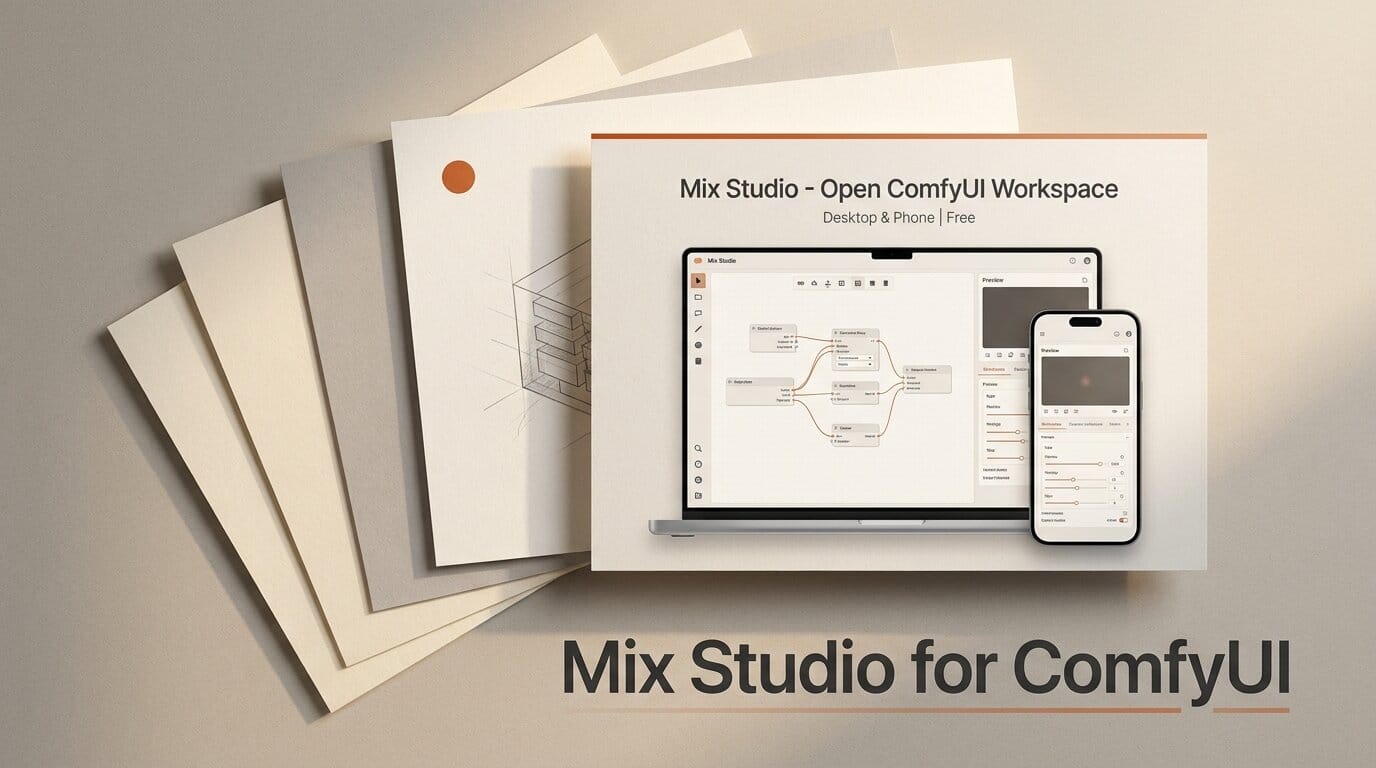
ComfyUI is the most powerful local generator most creators never fully tame. Its node graph is flexible and free, but wiring Krea 2, Flux Klein, LTX video, and motion-transfer models into a workflow you can actually use every day is a project in itself. Mix Studio, released as version 1.0.1 on July 22, 2026, is a free, open-source answer to that problem: a clean web workspace that builds and submits ComfyUI graphs for you, and runs the same interface on your desktop or your phone.
What Mix Studio actually is
Mix Studio is a local web interface, not a cloud service and not a fork of ComfyUI. It is one Node.js server with a vanilla JavaScript frontend, no build step, and no app dependencies. Under the hood it assembles ComfyUI API graphs and submits them to a ComfyUI instance running on your Windows desktop. You get curated builders for image generation, regional prompting, image editing, video generation, motion transfer, and upscaling, all in a single responsive layout.
The project comes from BlackMixture, a creator known in the ComfyUI community for tutorials and workflow packs. It is licensed GPL-3.0, and the showcase gallery on the official download page was, by the author's account, generated locally with most jobs submitted from a phone.
The models it ships with
Rather than leave you to hunt for checkpoints, Mix Studio ships curated routes for specific model families and rates each one against your GPU. Image generation runs on Krea 2 and Flux 2 Klein, editing runs through Flux Klein, Qwen Image Edit 2511, or Krea 2, and video covers LTX 2.3, LTX Director, Face ID, LTX Edit, 10Eros, Wan 2.2, and SCAIL 2. The table below shows the guided VRAM tiers the installer uses for its default graphs.
| Workflow family | Guided offload tier | Recommended | Task |
|---|---|---|---|
| Flux 2 Klein 4B edit | 4 GB | 16 GB | Image editing on low VRAM |
| Krea 2 image and edit | 8 GB | 16 GB | Text-to-image, control, regional |
| LTX 2.3, LTX Edit, 10Eros | 8 GB | 24 GB | Image-to-video, lipsync, edit |
| Wan 2.2 14B and SCAIL 2 | 8 GB | 24 GB | Video and motion transfer |
| Klein 9B and Qwen Edit | 16 GB | 24 GB | Multi-reference edits |
These are guided ratings for the curated defaults, not hard caps. Mix Studio reads your NVIDIA VRAM, labels each family as recommended, usable with offload, or difficult, and warns before a below-tier install. Its lowest documented route is the Flux 2 Klein 4B FP8 edit path at 4 GB with system-memory offloading, though ComfyUI's own Flux 2 Klein reference workflow measures the distilled FP8 pipeline at roughly 8.4 GB without that constraint, so expect slower runs on the smallest cards.
Desktop to phone, on your own hardware
The most distinctive feature is that the same workspace runs on a phone. Because Mix Studio serves a responsive touch layout from the same Node.js server, you can start generations from your desktop or from a phone on the same Wi-Fi. To reach it from outside the local network, the app documents access through Tailscale rather than opening a port to the internet. Optional profile PINs keep separate galleries, folders, and presets scoped to each workspace, so a private profile stays private.
Setting it up, step by step
Mix Studio is distributed as a portable Git checkout, not a packaged executable, which is what lets its owner-only Update button run a safe fast-forward Git update. The install flow on Windows is short:
- Install Git for Windows and Node.js 22 or newer. The one-file bootstrap can fetch both through winget if they are missing.
- Download
install_MixStudio.batfrom the download page and place it in the parent folder where you want the app. For example, running it fromD:\AI\createsD:\AI\Mix Studio. - Run the batch file. It clones the repository, starts the local server, and opens
http://127.0.0.1:3300/in your browser. - Complete the Generation setup panel that opens automatically. It looks for a live ComfyUI endpoint, offers to start a detected portable or Desktop install, or installs the signed official ComfyUI Desktop.
- Choose Quick setup for the recommended starter, install only the workflow you need, or open the full guide to enter model URLs and folders manually.
Because it reads a running ComfyUI for registered model filenames, existing installations and already-downloaded weights are reused instead of duplicated.
What this enables
The practical win is turning a scattered ComfyUI setup into a repeatable studio. Regional prompting lets each bounding box carry its own prompt, LoRA stack, and reference image, so an ocean, an island, and a volcano can resolve into one coherent Krea 2 image. Editing accepts up to three references addressed by @Image tokens, so one reference supplies a character, another a jacket, and a third the setting. Depth guidance uses Depth Anything V3 plus a Krea 2 Control LoRA to lock a generation to a source structure. On the video side, SCAIL 2 drives a generated scene from a phone clip, and LTX 2.3 Face ID conditions a talking-head lipsync from a reference image and a voice recording. Every result lands in a searchable Library with model metadata, folders, and reuse actions attached, which is the part most raw ComfyUI setups never give you.
How it compares to other ComfyUI front-ends
Mix Studio joins a small wave of production layers built on top of ComfyUI, alongside projects like Velorn (formerly ComfyStudio) and workspace managers. Where many of those focus on timeline video editing or workflow organization, Mix Studio's angle is curated model routes plus genuine phone access and hardware-aware setup. It does not replace ComfyUI, add a paid tier, or phone home; it is a front end you own. That also means it inherits ComfyUI's realities: you still need the models on disk, and heavy video graphs still want a large GPU.
The catch: VRAM and manual steps
Mix Studio is honest about its limits, and creators should be too before installing. Video is the expensive part. It uses the heavier Wan 14B and LTX 2.3 22B families, so an 8 GB card is labeled experimental and 24 GB is the practical recommendation. ComfyUI documents an 8 GB native-offload route for Wan 2.2 5B, and ModelScope's DiffSynth-Studio documents a managed-offload route for LTX-2, but Mix Studio's curated graphs use the larger variants, so users at the low tier should start with short, small videos and expect long model-loading pauses. Guided setup installs the ComfyUI-GGUF loader but does not download third-party GGUF weights or quantized text encoders, and regional prompting currently stops before installing an unreviewed replacement custom node, so a few advanced routes still need manual file placement. Krea 2 also requires ComfyUI 0.26.0 or newer, with native INT8 ConvRot needing 0.27.0.
What to do next
If you already run ComfyUI on a Windows machine with an NVIDIA GPU, Mix Studio is a low-risk addition: it reuses your existing models and installs as a portable Git checkout you can delete cleanly. Start with the Flux Klein or Krea 2 image route to confirm your connection, then add video families once you have confirmed VRAM headroom. Grab install_MixStudio.bat from the official download and showcase page and complete the guided setup before pulling in the heavier graphs.
Frequently asked questions
Is Mix Studio free?
Yes. Mix Studio is free and open source under the GPL-3.0 license, with no accounts, no watermark, and no paid tier. Generations run locally through your own ComfyUI install.
Do I need ComfyUI already installed?
No. Mix Studio detects an existing ComfyUI endpoint if you have one, and otherwise offers to start a portable install or download the signed official ComfyUI Desktop during its Generation setup step.
Can I really use it from my phone?
Yes. The same Node.js server serves a touch layout, so you can submit jobs from a phone on the same Wi-Fi, or remotely through Tailscale. The generation still runs on your desktop GPU.
What GPU do I need?
Mix Studio targets Windows PCs with NVIDIA GPUs and does not enforce a hard cutoff. Image editing has a guided 4 GB route, Krea 2 images sit at 8 GB, and curated video graphs recommend 24 GB for comfortable use.
Which models does it support?
Curated routes cover Krea 2 and Flux 2 Klein for images, Flux Klein, Qwen Image Edit 2511, and Krea 2 for editing, and LTX 2.3, LTX Edit, 10Eros, Wan 2.2, and SCAIL 2 for video and motion transfer.
Is it available for Mac or Linux?
The guided one-file installer targets Windows. The code is a Node.js server and can be cloned manually, but the packaged bootstrap, hardware rating, and installer helpers are built around Windows with NVIDIA GPUs.





