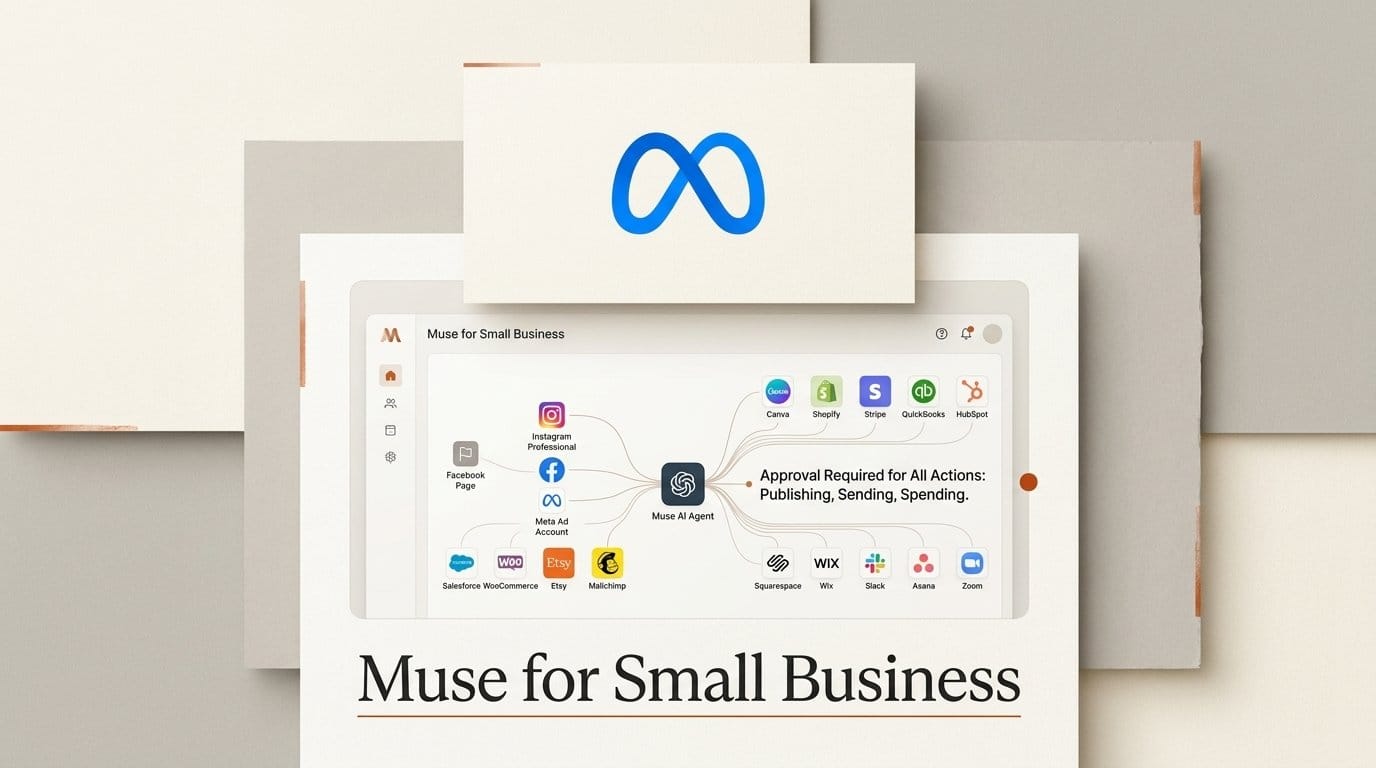
Meta launched Muse for Small Business on September 29, 2026. The update adds business skills and connectors to the Muse agent it released three weeks earlier: 15 named services including Canva, Figma, Lovable, Shopify, Klaviyo and Stripe, plus your Facebook Pages, Instagram professional account and Meta ad account. It is free with a usage limit for people 18 and over in the US and Canada. The Muse for Small Business page answers the obvious question in one line: "Nothing publishes, sends or spends without your approval, and you can undo it."
We read the 12 official Meta pages behind that sentence on launch day. For purchases, the promise holds. For publishing and sending, it describes a default you can switch off one connector at a time, and Meta's own approval article says a sent email "cannot be reversed." None of the 12 pages says Muse can post to Instagram or launch an ad by itself. Every example stops at analyze, draft or plan.
What Meta shipped on September 29
Muse for Small Business is not a separate app. It is the Muse agent Meta launched on September 8, with a new set of skills and connectors aimed at people who run a shop, a studio or a creator business. Meta's launch post says Muse "can connect your Instagram professional account analytics, Facebook Pages, and Meta ad accounts in a few clicks" and then works with "your brand, storefront, books, and customer records."
The named connectors are Asana, Box, Canva, Dropbox, Figma, Granola, HighLevel, Intuit QuickBooks, Klaviyo, Lovable, Notion, Shopify, Slack, Stripe and Zoom. TechCrunch reports that Muse topped the US and Canada app charts ahead of ChatGPT after launch. Canva co-founder Cameron Adams is quoted in the announcement: "By connecting Muse with Canva, all of that becomes part of your conversations."
Meta suggests five starter prompts, including "How do I improve my ads and content? Can you analyze what's working or not, and draft a campaign for next week?" An Ideas tab offers proactive suggestions, and Muse keeps working on goals and scheduled tasks after you close the app.
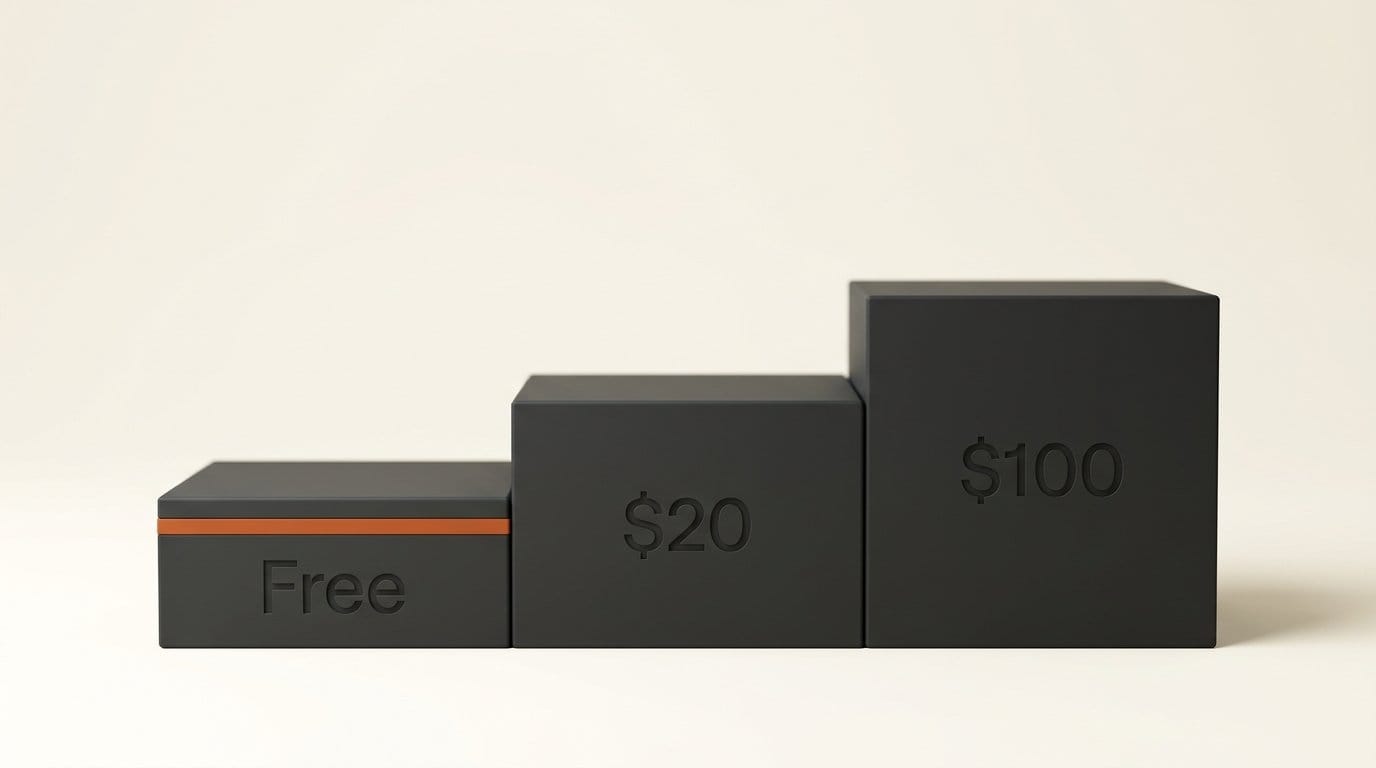
Pricing sits on Meta's Muse subscriptions page: free with a weekly usage limit, then Power at $20 a month for 500M Muse tokens a week, or Maximum at $100 a month for 3B Muse tokens a week. Meta does not publish the size of the free allowance.
Our audit: 12 official pages, one promise
We rendered 12 Meta pages in headless Chrome 154 on September 29 (the help centers load their text with JavaScript) and ran the same pattern checks on each: the launch post, the Muse for Small Business page, two Meta Business Help Center articles, seven Muse help articles and the subscriptions page. The script and the rendered text are kept with our measurements, so the check can be re-run when Meta edits the pages.
| Question a shop owner asks | Pages that answer it (of 12) | What the pages say |
|---|---|---|
| Does it promise nothing publishes, sends or spends without approval? | 2 | Launch post and product page. Only the product page adds "and you can undo it." |
| Can some actions be undone? | 1 | The approval article: sending an email "cannot be reversed." |
| Can I tell it to stop asking? | 1 | Yes. "Always allow" skips approval for that action on that connector from then on. |
| Is approval a setting I control? | 3 | Settings, then Permissions. The default is "Ask for some actions." |
| Can it publish a post to Instagram or Facebook? | 0 | No page says so. Examples say analyze, draft and plan. |
| Can it launch or edit a Meta ad? | 0 | No page says so. The business help page says "plan an ad campaign ... for my review." |
| Are my Meta accounts connected automatically? | 1 | Facebook, Instagram and Threads, if they share your Accounts Center. |
| Is AI training on by default? | 2 | Yes: "This setting is on when you first use Muse." |
| How big is the free allowance? | 0 | Paid tiers are in tokens per week. Free has "a usage limit." |
| Is there a spending cap? | 0 | None stated. Purchases always need approval. |
| Who is responsible for what it does? | 4 | You: "that action is yours." |
The pages do not contradict each other on facts. They contradict each other on emphasis: the marketing promise is absolute, and the help articles make it conditional.

Approval is a setting, not a rule
Meta's guidance and approval article splits everything Muse does into read actions (checking a calendar, reading an email) and write actions (sending a message, making a purchase). Under Settings, then Permissions, connectors have two modes. "Ask for some actions" is the default, and asks "before every write action and important read actions." "Always ask" asks before any action at all.
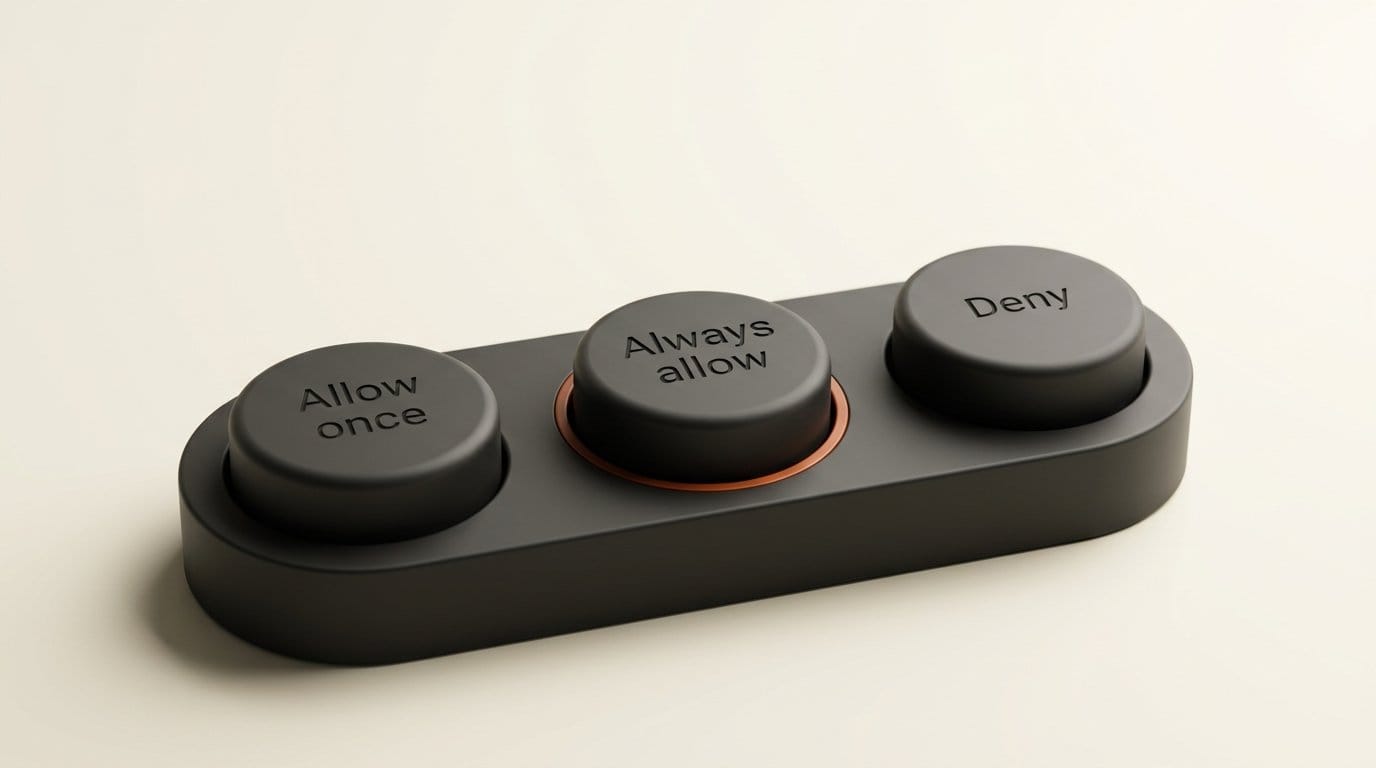
When Muse does ask, you get five buttons: Allow once, Allow for this task, Allow for this site, Always allow, and Deny. "Always allow" means "Muse can take this type of action for this Connector in the future without asking again." One tap on a busy Tuesday turns the product page's promise off for that connector. That covers email, Slack and Klaviyo, the connectors that talk to customers.
Spending is the exception, and the one place the marketing line is fully backed. The payments article says Muse "will always ask for your approval prior to completing a purchase," and recommends Link by Stripe, which issues a one-time card number per purchase. The same article ends with the sentence every shop owner should read twice: "You're responsible for all transactions your Muse makes on your behalf."
"You can undo it" is the weakest claim. Meta's approval article says you can ask Muse to undo or stop some actions, "like reading a website or comparing prices." It then adds: "Some other actions, like sending an email, cannot be reversed, just like if you were doing them yourself."
What it does with your Instagram and ad account
The About Muse for Small Business article is precise about the Meta assets. Muse will "use information from Facebook Pages, Instagram professional accounts and Meta ad accounts alongside the other services you connect." That is read access, used to learn what sells and how your brand sounds. Its content example is a draft: "Analyze my best-performing posts and ads. Then draft a week's worth of posts and plan an ad campaign using my existing content and industry trends for my review."
The same page compares Meta's four AI tools for business, which is the clearest map of where Muse fits:
| Meta tool | What Meta says it does | Where it runs |
|---|---|---|
| Muse | Turns goals into plans and completes multi-step or scheduled work across connected services; checks with you before you publish, send, spend or share | muse.ai, Muse app on macOS, iOS and Android |
| Meta AI | Helps with the task in front of you, including Instagram, Facebook and Meta ad account information | Meta AI app, meta.ai |
| Meta AI Business Assistant | Analyzes Meta ad campaigns, fixes common account issues, gives benchmarks | Ads Manager, Business Support Home, Business Help Center |
| Meta Business Agent | Messages customers, captures leads, books appointments | WhatsApp, Messenger, Instagram Direct (coming soon) |
Two data points matter for anyone who runs ads. First, Meta says it "does not use your Muse conversations, or the files Muse works on for you, to choose the ads you see." Second, what Muse does in the world counts as you: "if Muse visits a website or posts for you, that can affect the ads you see." The connectors article adds that Facebook, Instagram and Threads "are connected automatically if you have your accounts in the same Accounts Center," so the Meta side is already wired in before you choose anything.
The privacy and security article confirms the training default: interactions can be used to improve Meta's AI models, "this setting is on when you first use Muse," and turning it off applies to previous interactions too. We covered the other open door, custom connectors that Meta does not review, in our Muse connector platform analysis.

Set it up in ten minutes before you connect anything
Every setting below is documented in Meta's help center. Do these in order, before the first business prompt.
- Decide on training. Settings, then Data controls, then toggle off "Help improve our AI models" if you do not want customer emails and sales data in training. It is on by default.
- Set connectors to "Always ask". Settings, then Permissions, then Connectors. Meta's own advice is to "start with low risk tasks" while you learn how the agent behaves.
- Set web access to "Always ask". Same screen. Otherwise Muse asks only when information may be shared or a site is unfamiliar.
- Check your Accounts Center. Facebook, Instagram and Threads connect automatically if they share it. If your personal and business accounts are mixed, fix that first.
- Connect read-only where you can. The connectors article says many connectors "can also be set up so that Muse is only able to retrieve data, but not take actions." Start QuickBooks, Shopify and Stripe that way.
- Never tap "Always allow" on a connector that talks to customers. Email, Slack and Klaviyo sends cannot be pulled back.
- Pay with Link. The one-time card number keeps your real card away from the merchant and the agent.
- Run Meta's content prompt as a draft. "Analyze my best-performing posts and ads. Then draft a week's worth of posts and plan an ad campaign ... for my review." Edit the drafts in Canva or your own tools, then publish them yourself.
- Read the Activity log weekly. Tap the assistant icon. It lists every step Muse took and every permission you granted.
Who should use it, and who should wait
If you run a small creator business in the US or Canada with an Instagram professional account and a Meta ad account, the useful part is the analysis. Muse reads your posts, your ads and your Shopify or Stripe numbers in one conversation. Engadget notes the access covers "analytics tied to business and creator accounts on Facebook and Instagram," so it is not only for storefronts. The drafting and planning are a reasonable first pass. They are not a replacement for your own final edit, and Meta's business goal guide says as much: "Edit drafts before you send, publish or use them."
Wait if you need predictable costs. The free tier has no published number, paid tiers are measured in Muse tokens with no guide to what a task costs, and there is no spending cap beyond per-purchase approval. Wait too if you are outside the US and Canada, where Meta says it has no timing to share. If you are comparing agents for the same job, our Claude for Small Business comparison covers the rival approach.
Frequently asked questions
Is Muse for Small Business free?
Yes, with a usage limit Meta does not publish. Power costs $20 a month for 500M Muse tokens a week, and Maximum costs $100 a month for 3B Muse tokens a week.
Can Muse post to my Instagram account by itself?
None of the 12 official pages we checked says it can. Meta describes Instagram professional accounts as a source of analytics, and its content examples end with drafts "for my review." If Muse ever posts for you, Meta says that counts as your own action.
Can Muse spend money on ads without asking?
Meta's payments article says Muse will always ask before completing a purchase. No page says Muse can launch or fund a Meta ad campaign, and no page states a spending cap.
Can I undo something Muse did?
Sometimes. You can ask it to stop or undo actions like reading a website or comparing prices. Meta says sending an email "cannot be reversed."
Does Meta use my Muse conversations for ads?
Meta says Muse conversations and the files Muse works on are not used to choose the ads you see. Actions Muse takes for you, like visiting a website or posting, can affect your ads the same way your own actions would.
Where is Muse for Small Business available?
In the US and Canada for people 18 and over, at muse.ai and in the Muse app on macOS, iOS and Android.