A new ComfyUI custom node released on May 23, 2026 brings the Untwisting RoPE technique to Z-Image Turbo, enabling training-free style transfer in diffusion transformer models without any fine-tuning. Developed by BigStationW on GitHub, the node implements frequency-controlled rotary positional embeddings to separate stylistic attributes from spatial composition when a diffusion model attends to reference images.
What Is the Untwisting RoPE Technique?
Style transfer in diffusion models has long suffered from a specific failure mode: when a model uses shared attention between a reference image and the generation process, the Rotary Positional Embedding (RoPE) mechanism forces the model to copy the spatial layout of the reference rather than extracting only its visual style. The output looks like a composition paste rather than a style application.
The Untwisting RoPE paper (arXiv:2602.05013) from Aryan Mikaeili, Or Patashnik, Andrea Tagliasacchi, Daniel Cohen-Or, and Ali Mahdavi-Amiri, published February 4, 2026, identifies the root cause: high-frequency components within RoPE dominate attention computations, forcing queries to attend to spatially aligned reference tokens. The fix is to selectively modulate RoPE frequency bands so attention reflects semantic similarity rather than positional overlap.
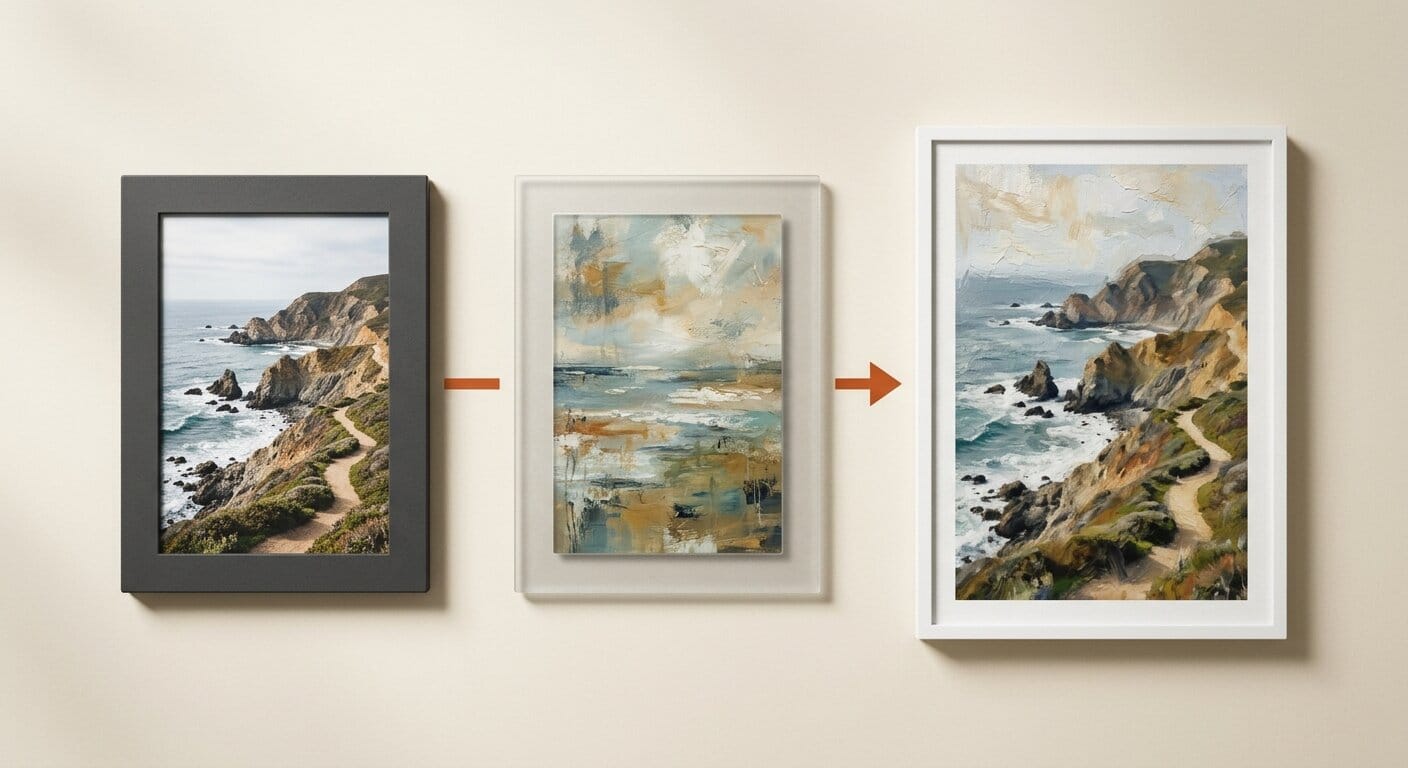
In practical terms, you pass a reference painting, texture, or photograph into the pipeline and the model extracts color palettes, brushstroke patterns, and lighting qualities while ignoring the spatial arrangement of reference elements. Your generated image keeps its own composition while adopting the aesthetic of the reference.
Z-Image Turbo: The Model Behind This Node
Z-Image Turbo is a 6-billion-parameter text-to-image model from Tongyi-MAI (Alibaba), released under the Apache 2.0 license. It uses a Scalable Single-Stream DiT (S3-DiT) architecture where text tokens, visual semantic tokens, and image VAE tokens are processed as a unified stream. The model generates images in 8 inference steps, runs within 16GB VRAM on consumer hardware, and has accumulated over 1.23 million downloads on Hugging Face. A live demo is available at the Z-Image HuggingFace Space.
Z-Image Turbo uses Qwen 3 4B as its text encoder, which gives it strong instruction-following capabilities and bilingual (English and Chinese) text rendering. Its Decoupled-DMD distillation algorithm separates CFG augmentation from distribution matching, maintaining image quality at only 8 NFEs without the visual degradation typical of other step-reduced models. Full API documentation for Diffusers integration is available at the Hugging Face Diffusers docs.
How to Install the ComfyUI Node
The ComfyUI Untwisting RoPE node installs via the standard custom node workflow. In your ComfyUI installation, navigate to the custom_nodes directory and run:
git clone https://github.com/BigStationW/ComfyUi-Untwisting-RoPEInside the cloned folder, install the Python dependencies:
pip install -r requirements.txtRestart ComfyUI to load the node. You will also need the Z-Image Turbo model files from the Hugging Face model page. Place the files in these ComfyUI directories:
z_image_turbo_bf16.safetensorsintomodels/unet/Z-image/z_image_vae.safetensorsintomodels/vae/qwen_3_4b.safetensors(text encoder) intomodels/text_encoders/
The Workflow: Running Style Transfer
The repository includes a pre-built workflow file: Workflow_zimage_turbo.json. Load this JSON file via the ComfyUI Load Workflow button to get the complete node graph. The pipeline runs in three stages:
- Reference ingestion. LoadImage takes your style reference. ImageScaleToTotalPixels resizes it before VAEEncode converts it to latent space.
- RoPE frequency control. The UntwistingRoPE node modulates frequency bands across the diffusion transformer's shared attention layers. RFInversion applies inversion to anchor the generation in the reference's style space without copying its composition. Adjust the frequency modulation scale to control style transfer intensity.
- Guided generation. CLIPTextEncode conditions generation using the Qwen 3 4B text encoder. CFGGuider and SamplerCustomAdvancedAllSteps run the denoising loop. The output is decoded through the VAE and shown via PreviewImage.
Start with the default frequency modulation value in the included workflow and adjust based on results. If the spatial layout of the reference bleeds through, lower the modulation frequency ceiling. If style transfer is too weak, increase it.
Comparison With Other ComfyUI Style Transfer Approaches

| Method | Training Required? | Model Support | Style Separation |
|---|---|---|---|
| Untwisting RoPE (this node) | None | Z-Image Turbo | High (frequency-level control) |
| LoRA-based style | Yes | FLUX, SD1.5, SDXL | Moderate (style-content entangled) |
| IP-Adapter | No | SDXL, SD1.5, FLUX (partial) | Moderate (tends to copy layout) |
| Style Aligned | No | SDEdit-based pipelines | Moderate (batch generation only) |
The key advantage of Untwisting RoPE over IP-Adapter is the principled frequency decomposition: rather than injecting reference features at the token level, which preserves spatial information, this technique decomposes RoPE into frequency components and modulates only the positional bands. Semantic content is preserved for style extraction while positional encoding is suppressed. LoRA-based style transfer requires model training and cannot adapt to arbitrary reference images at inference time.
Current Limitations
The node currently supports only Z-Image Turbo. The developer notes in the README that support for additional DiT models will be evaluated. Because the technique operates on RoPE frequency bands, it requires a model that uses RoPE positional encodings, which limits compatibility to modern transformer-based diffusion architectures. Older UNet-based models like SDXL or SD 1.5 are not compatible. The workflow also requires an additional custom node dependency for the included example, which the repository mentions without specifying its name.
What This Enables for Creators
For illustrators and designers, training-free style transfer means you can match an established visual language or adapt to a specific artistic era without building and training a LoRA. For video creators using Z-Image Turbo for storyboarding or concept frames, this gives you a one-node path to impose a consistent visual style across a generation batch. The technique's practical strength is style without spatial bleed: specify a watercolor reference and your generation gets the wash textures and pigment edges without inheriting the reference's composition or subject matter.
Also see: VOID, BiRefNet, and Gemma 4 Are Now in ComfyUI for other new nodes expanding local generation, and ComfyUI-Mesh Running LTX 2.3 Across Two GPUs for distributed generation workflows.
Frequently Asked Questions
Does this work with FLUX or Stable Diffusion 3?
Not yet. The current release only implements Untwisting RoPE for Z-Image Turbo. The developer has signaled they may add support for other DiT models. Both FLUX and SD3 use transformer architectures with RoPE, so the technique is theoretically applicable, but the specific frequency band parameters and attention implementations differ between model families.
How much VRAM does Z-Image Turbo need?
Tongyi-MAI reports Z-Image Turbo fits within 16GB VRAM. The BF16 checkpoint is 12GB on disk. With the VAE and Qwen 3 text encoder loaded simultaneously, a 16GB VRAM card is the practical minimum. The model is too large for 8GB cards without significant offloading.
Can I control how strongly the style transfers?
Yes. The UntwistingRoPE node exposes frequency modulation parameters that control the balance between style extraction and positional independence. Higher values increase style strength; lower values reduce how much composition bleeds from the reference. The included workflow uses defaults that produce moderate style transfer on most reference images.
Is Z-Image Turbo licensed for commercial use?
Z-Image Turbo is released under the Apache 2.0 license, which permits commercial use. Review the full license terms on the HuggingFace model page before commercial deployment. The ComfyUI node itself is MIT-licensed.
What is RoPE and why does it cause style transfer problems?
Rotary Positional Embedding (RoPE) encodes token positions in a transformer by rotating feature vectors based on sequence position. In shared-attention style transfer, when the diffusion model simultaneously attends to a reference image and generates new content, high-frequency RoPE components force attention to align tokens by spatial position rather than semantic meaning. This causes the model to copy the reference image's layout and content structure, which Untwisting RoPE resolves by modulating the problematic frequency bands.





