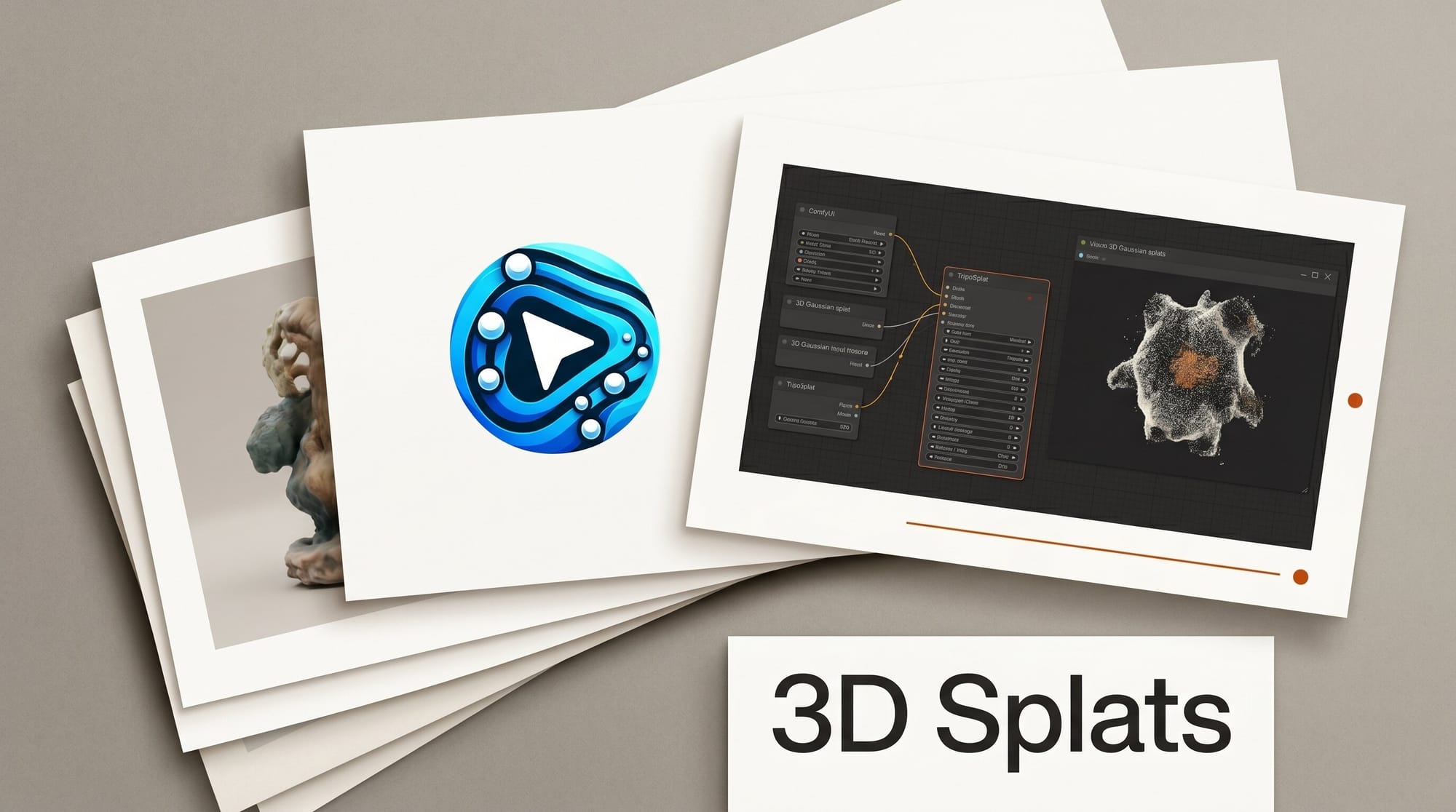
ComfyUI added native support for TripoSplat on June 1, 2026, bringing single-image-to-3D-Gaussian-splat generation directly into the workflow editor. The integration ships with ComfyUI v0.23.0 and lets creators upload one image and receive a 3D Gaussian Splat asset without multi-angle photography, specialized hardware, or a paid cloud service.
TripoSplat was developed by VAST-AI and released under the MIT license on GitHub, which means weights and inference code are freely available for local customization. The model is now accessible through the ComfyUI Template Library, eliminating the need to set up pipelines from scratch.
What 3D Gaussian Splatting Is and Why It Matters

3D Gaussian Splatting (3DGS) is a real-time rendering technique that represents a scene as millions of small Gaussian ellipsoids rather than traditional polygon meshes. The result is photorealistic 3D representations that render quickly on consumer hardware, with a file format native to game engines, AR/VR platforms, and interactive web viewers.
Until recently, generating a usable 3DGS asset required capturing 20 to 200 photos of an object from multiple angles, then running a multi-hour training process. TripoSplat replaces that pipeline with a single image and a model inference step that takes seconds to minutes depending on your GPU.
For creators working in stylized art styles, character design, and environmental concept art, this is meaningful. You can photograph a physical prototype, sketch, or even use a 2D AI-generated image as input and receive a 3D asset suitable for further editing in 3D software or direct use in real-time environments.
How TripoSplat Works Inside ComfyUI
The model uses adaptive density control to place geometric detail where the image actually needs it. High-frequency detail areas like facial features, fabric patterns, or surface textures receive more Gaussian points, while simpler backgrounds or flat areas stay lighter. This keeps file sizes manageable without sacrificing quality where it counts.
The workflow inside ComfyUI follows a standard single-image-to-3D pattern:
- Update ComfyUI to v0.23.0 or later using the built-in update tool or by pulling the latest release from the Comfy-Org/ComfyUI repository
- Open the Template Library from the ComfyUI interface
- Search for "TripoSplat" and select the 3d_triposplat_image_to_gaussian_splat workflow template (also available directly in the Comfy-Org/workflow_templates repository)
- Follow the template's instructions to download model weights from HuggingFace (VAST-AI/TripoSplat)
- Connect an image loader node to the TripoSplat node
- Set your target point count (fewer points for backgrounds, more for hero assets)
- Queue the workflow and export the resulting .splat file
The exported Gaussian Splat file works directly in standard 3DGS viewers and can be imported into tools like Unity, Unreal Engine 5.4+, and browser-based platforms that support the format.
Three Primary Workflows for Creators
3D previews from 2D concept art. If you are working on a stylized character or prop, you can run your finalized 2D illustration through TripoSplat to generate a rough 3D preview. This is not a production-ready mesh, but it gives you a rotatable spatial reference without a 3D modeling session. The result is especially useful for character riggers who need to check volume and silhouette before committing to full 3D work.
3D-to-2D guidance for image generation. The ComfyUI team specifically highlights this use case: generate a Gaussian Splat from your concept, render it from a specific camera angle as a depth or normal map, then use that map as a ControlNet conditioning input for image generation. This lets you specify the exact spatial composition of an AI-generated image without building a full 3D scene.
AR and interactive asset creation. 3D Gaussian Splats render in real time in WebGL, which makes them suitable for product visualization, interactive portfolio pieces, and AR overlays. If you are creating assets for web-based 3D experiences or AR previews, TripoSplat gives you a fast path from a single photograph or render to an interactive 3D asset.
Level of Detail Control
One of TripoSplat's distinguishing features is configurable density at export time. The ComfyUI blog explains that you can export several versions of the same asset at different point counts, which maps directly to the level-of-detail (LOD) system used in game engines.
A hero character that appears close to the camera gets a high-density export. The same character appearing in the background of a crowd scene uses a low-density export. Managing this in ComfyUI rather than in the game engine itself saves iteration time and lets you batch process multiple assets with consistent density profiles.
Limitations to Know Before You Use It
Gaussian Splats are not polygon meshes. They cannot be rigged for animation in the traditional sense, do not export as .obj or .fbx, and do not have UV maps for texture editing. If your workflow requires a clean topology mesh with PBR material channels, TripoSplat is not the right tool. For that use case, mesh-based single-image-to-3D tools like Tripo3D or InstantMesh are more appropriate.
The single-image constraint also means that occluded geometry (the back of a character, the underside of a prop) will have limited accuracy. The model infers hidden geometry from learned priors, which works well for stylized assets but may not meet accuracy requirements for industrial visualization or product design use cases.
Performance depends heavily on your GPU. Users on NVIDIA RTX 3080 or better should see inference times of 30 to 90 seconds. Lower-end GPUs will run slower, and the model may not run at all on systems with less than 8GB VRAM without quantization adjustments.
What to Do Next
- Update ComfyUI to v0.23.0. The Template Library integration requires this version or later. Use the Manager update tool or pull from the GitHub repository.
- Download the TripoSplat weights from HuggingFace. The VAST-AI/TripoSplat model page lists the required checkpoint files. Follow the template instructions for placement.
- Start with a clean, well-lit subject. Single-image 3D reconstruction works best on isolated subjects with clear silhouettes against neutral backgrounds. Characters and props photograph better than complex architectural scenes.
- Test the 3D-to-2D ControlNet pipeline. This is the highest-leverage workflow for creators already using ControlNet for image generation. The spatial control it unlocks reduces the need for complex prompt engineering to achieve specific compositions.
Frequently Asked Questions
What is a Gaussian Splat?
A 3D Gaussian Splat represents a scene as a collection of Gaussian-shaped point clouds, each with a position, color, opacity, and shape. Unlike polygon meshes, splats render efficiently in real time and capture photorealistic appearance from multiple angles without a UV-mapped texture.
Can I use Gaussian Splats in Unreal Engine or Unity?
Yes. Unreal Engine 5.4 and later supports 3DGS import natively. Unity has community plugins available. Several web-based viewers also support the format directly, enabling browser-based interactive 3D experiences.
Is TripoSplat free to use commercially?
The model and inference code are released under the MIT license, which permits commercial use. Check the specific license terms on the GitHub repository before including outputs in commercial products.
How does this compare to Tripo3D or other single-image 3D tools?
Tripo3D and similar tools produce polygon meshes with texture maps, which work in traditional 3D pipelines. TripoSplat produces Gaussian Splat files, which render faster and look more photorealistic but are not directly editable as meshes. Choose based on your downstream workflow requirements.
Does this require a cloud subscription?
No. TripoSplat runs locally on your GPU through ComfyUI. The model weights download from HuggingFace once and run offline. No API key or cloud account is required.