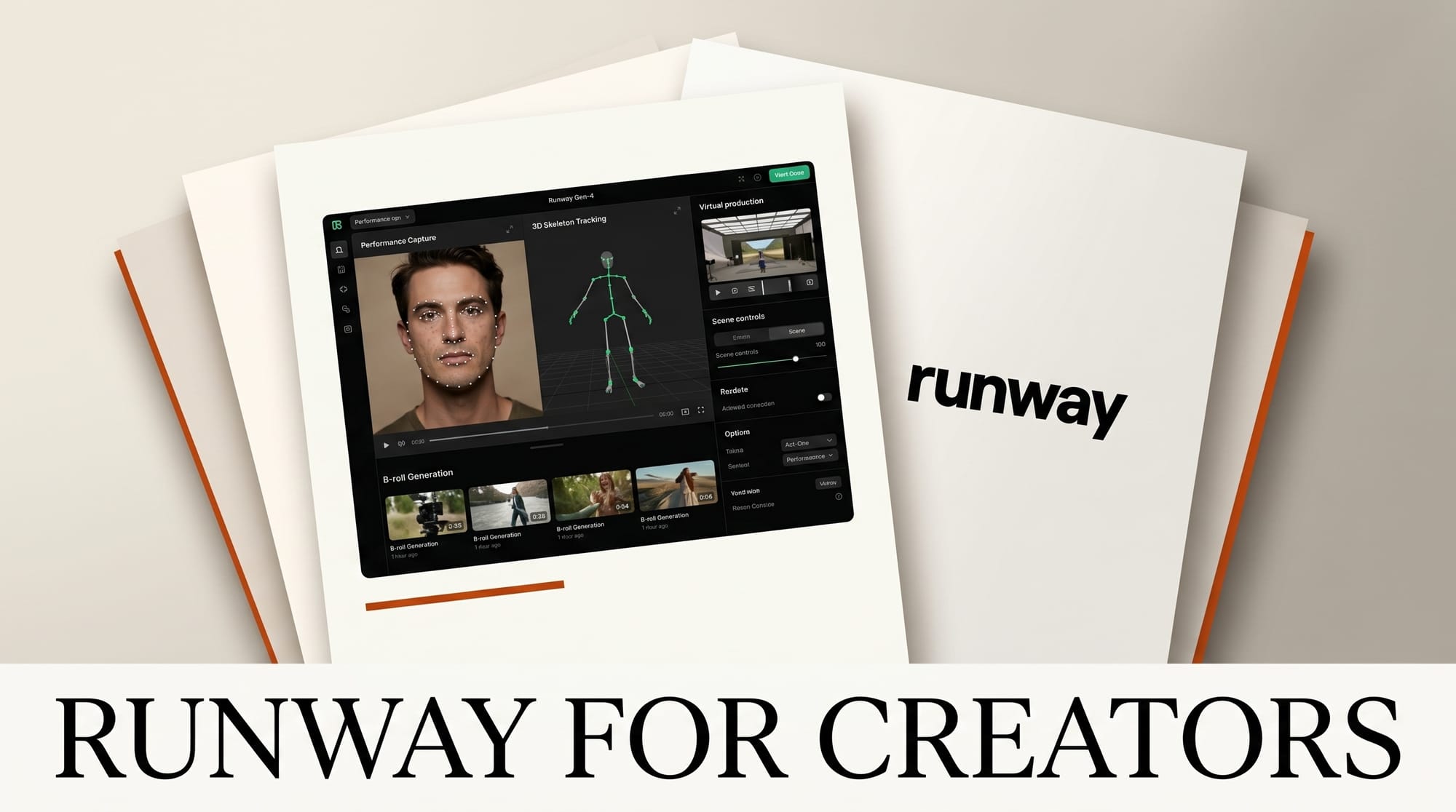
Runway in 2026 is the most editor-friendly AI video tool: web-first generation tuned for the patterns video editors already run, with a deep menu of camera controls, motion brushes, and reference modes that map to traditional shot terminology. This is the working video creator's complete guide to running Runway in production -- which models actually ship at editor quality, how to wire Runway into a Premiere or Resolve pipeline, and where Runway slots versus Sora 2 and Veo 3.
What Runway does for video creators
Runway ships a web app with a familiar timeline-and-asset-bin layout. The Generate panel lets you queue Gen-4 Turbo or Quality shots from a text or image prompt; the Edit panel offers the editor controls (Motion Brush, Camera Control, Keyframes, Reference View) that distinguish Runway from text-only models. Generation runs in the cloud; preview frames stream back as the model renders. Output is mp4 at up to 4K, suitable for direct timeline import.
The key 2026 features that matter for working editors:
- Gen-4 Turbo -- 5-10 second shots with low latency; the workhorse for B-roll and transitions.
- Gen-4 Quality -- Higher-fidelity longer shots; the model for hero shots and finished narrative.
- Act-One -- Performance capture from a single video reference. Drop a clip of an actor performing; Runway transfers the performance to a generated character.
- Multi Motion Brush -- Paint motion paths on multiple subjects in the same frame.
- Camera Control -- Pan, tilt, dolly, orbit, zoom with named camera moves; outputs respect 3D-camera intent.
- Reference View -- Lock a character across multiple shots from a single reference frame.
- Keyframes -- Set start and end frames; Runway interpolates the in-between motion.
- Live Generation -- Real-time preview while tuning parameters; shortens iteration cycles dramatically.
Setup: editor pipeline first session
- Subscribe to Runway Pro ($35/mo). Standard tier ($15) works for testing but caps generation count too low for production.
- Open runwayml.com, sign in, go to Dashboard.
- Create a new project. Set output resolution to 1080p or 4K depending on deliverable target.
- Upload reference assets to the project asset library: existing brand footage, character references, style frames.
- Run a sanity test. Generate Gen-4 Turbo with a simple prompt: "Slow dolly forward through a misty pine forest, golden hour light." Verify output renders cleanly at the requested aspect ratio.
- Test Camera Control. Re-run the same prompt with explicit Camera Control set to dolly forward. Compare results.
Production workflow 1: B-roll fill and transitional cutaways
The pattern that ships fastest in 2026: use Gen-4 Turbo to fill B-roll gaps that would otherwise require stock footage purchases or additional shoot days.
- Identify B-roll gaps in the rough cut. Mark them in Premiere or Resolve with named markers.
- Build prompt list. Each gap becomes a 1-2 sentence shot description with style cues (photo-real, anime, film stock).
- Batch-generate Gen-4 Turbo shots in Runway. Run multiple in parallel; Runway queues them.
- Pick the strongest take per gap. Download mp4.
- Drop into the Premiere or Resolve timeline at the marked locations. Match grade and motion to surrounding footage.
- Iterate. If a generated shot does not work, regenerate with a refined prompt. Cycle time: 30-90 seconds per generation on Gen-4 Turbo.
Production workflow 2: virtual production plates and environmental fill
- Identify scenes that need an environment shot (city skyline at dusk, deep-forest establishing, abandoned warehouse).
- Generate Gen-4 Quality at 4K, 5-second runtime. Use Camera Control for matched moves to live-action coverage.
- Lock continuity with Reference View if a recurring environment appears in multiple cuts.
- Comp in DaVinci Resolve Fusion or After Effects: matte the foreground, replace the background with the Runway plate, rebuild parallax with 2.5D camera moves.
Production workflow 3: character performance with Act-One
Act-One is Runway's standout feature for narrative video work in 2026.
- Record a reference performance with any actor (could be the editor on a webcam).
- Upload the reference clip to Act-One.
- Generate the character: a fully different look, age, gender, costume can replace the reference performer while preserving the timing, micro-expressions, and emotional beats.
- Output is an mp4 with the new character delivering the original performance.
- Use cases that ship: casting tests before live shoots, animated character prototypes, social-media short-form character work.
Limitations: Act-One handles head and shoulders cleanly. Full-body action capture is less consistent; for stunt or motion-heavy work, prefer traditional motion capture or Gaussian splatting workflows.
Production workflow 4: music video shot generation
- Build a shot list for the music video by song section (verse, chorus, bridge, outro).
- Generate hero shots in Gen-4 Quality with Reference View locking the artist or characters.
- Generate B-roll and texture shots in Gen-4 Turbo: abstract motion fills, environmental scenes, performance cutaways.
- Assemble in Premiere or Resolve cut to the song's beat grid. Runway timestamps export cleanly to NLE timelines.
- Color grade the assembled cut. Often the AI-generated and live-action shots need different grades to feel cohesive.
Comparison: Runway versus Sora 2 versus Veo 3
| Capability | Runway Gen-4 | Sora 2 (OpenAI) | Veo 3 (Google) |
|---|---|---|---|
| Editor controls (Camera, Motion Brush, Keyframes) | Best | Limited | Limited |
| Reference-based character lock | Reference View (good) | Limited | Limited |
| Performance transfer | Act-One (best) | Not available | Not available |
| Shot length | Up to 30s on Quality | Up to 60s on Sora 2 | Up to 60s on Veo 3 |
| Resolution | 4K (Pro+) | 4K (Plus+) | 4K (Vertex AI) |
| Audio generation | Lip-sync separate | Native audio (best) | Native audio |
| Pricing entry | $15/mo Standard | $20/mo (ChatGPT Plus) | $19.99/mo (Gemini Advanced) |
| NLE integration | mp4 download (clean) | mp4 download | mp4 download |
Editor verdict. For editors who want fine-grained shot control, Runway Gen-4 wins. For long-shot narrative pieces with native audio, Sora 2. For Workspace teams already in Vertex AI, Veo 3. Most professional editors use two of the three for variety in shot styles.
Pricing and tier picks for 2026
- Standard ($15/mo) -- 625 credits/mo, 720p output. For testing and personal use.
- Pro ($35/mo) -- 2250 credits/mo, 4K output, all editor features unlocked. The default tier for working video editors.
- Unlimited ($95/mo) -- Unlimited generations on relaxed mode + 5750 fast credits. Right for high-volume production.
- Enterprise (custom) -- Includes data residency, no-training-on-data, dedicated GPU pools, SOC 2.
- Credit math -- Gen-4 Turbo at 720p costs ~5 credits/second; Gen-4 Quality at 4K costs ~25 credits/second. Plan accordingly.
Integration with the wider video stack
- Premiere Pro -- Drop Runway exports onto the timeline. Use Adobe's color match tools to align grade between AI-generated and live shots.
- DaVinci Resolve -- Fusion comp Runway plates into live-action shots. Use Resolve's Magic Mask for clean foreground/background separation.
- Final Cut Pro -- mp4 import works cleanly. Compound clips help organize generated B-roll.
- After Effects -- Composite Runway shots with motion graphics, titles, and 2.5D camera rebuilds.
- Topaz Video AI -- Upscale and stabilize Runway exports for delivery at higher resolutions or with cleaner motion.
- Frame.io -- Review and approval cycles. Runway does not auto-publish; manual upload to Frame.io still required.
- ElevenLabs / Suno -- Pair Runway shots with generated voice or music when audio is needed.
What to watch in 2026
- Native audio in Runway -- Currently audio is separate. Watch for unified audio + video generation through Q3.
- Longer shots on Quality -- Gen-4 Quality shot length is climbing through 2026; expect 60s+ shots later in the year.
- Premiere / Resolve plugins -- Runway has hinted at native NLE plugins for in-app generation. No release date yet.
- Storyboard Studio expansion -- Runway's pre-vis tool for full episode planning gains depth through 2026.
- Live action integration -- Tighter mocap and live-action blending features are on the roadmap.
Frequently asked questions
Is Runway better than Sora 2 for editors?
For editor control (camera moves, motion brush, keyframes), yes. Sora 2 wins on shot length and native audio. Many editors run both for variety.
Can Runway replace traditional B-roll shoots?
For non-recognizable, non-talent-specific environmental shots, yes. For talent-specific shots, brand-product shots, or shots where photographic provenance matters, no -- still shoot live.
Does Runway have a Premiere or Resolve plugin?
Not yet. Workflow today is web-app generation with manual mp4 download into the NLE. A native plugin is on the public roadmap.
What about copyright on Runway-generated video?
Runway grants commercial use rights on Pro and above. Trademark, likeness, and music copyright still apply -- generating a recognizable celebrity's face is restricted.
Can I train a custom model on my own footage?
Custom Avatar training is in private beta as of mid-2026. It allows uploading reference footage to lock characters with higher fidelity than Reference View alone.
How does Act-One compare to traditional motion capture?
Act-One captures performance (head, shoulders, micro-expression) from any video reference, no motion-capture suit needed. Traditional mocap still wins on full-body action and stunt work; Act-One wins on cost and speed for dialogue scenes.
Keep reading
- AI Video Generation 2026 Complete Guide
- Claude for Creative Work: Anthropic Connector Suite
- State of AI Design Tools 2026
- AI for Content Creators 2026
This guide will be updated as Runway Gen-4, Act-One, and the Storyboard Studio toolset ship through 2026. Subscribe to our weekly Tuesday digest for what shipped this week and what is worth your time.





