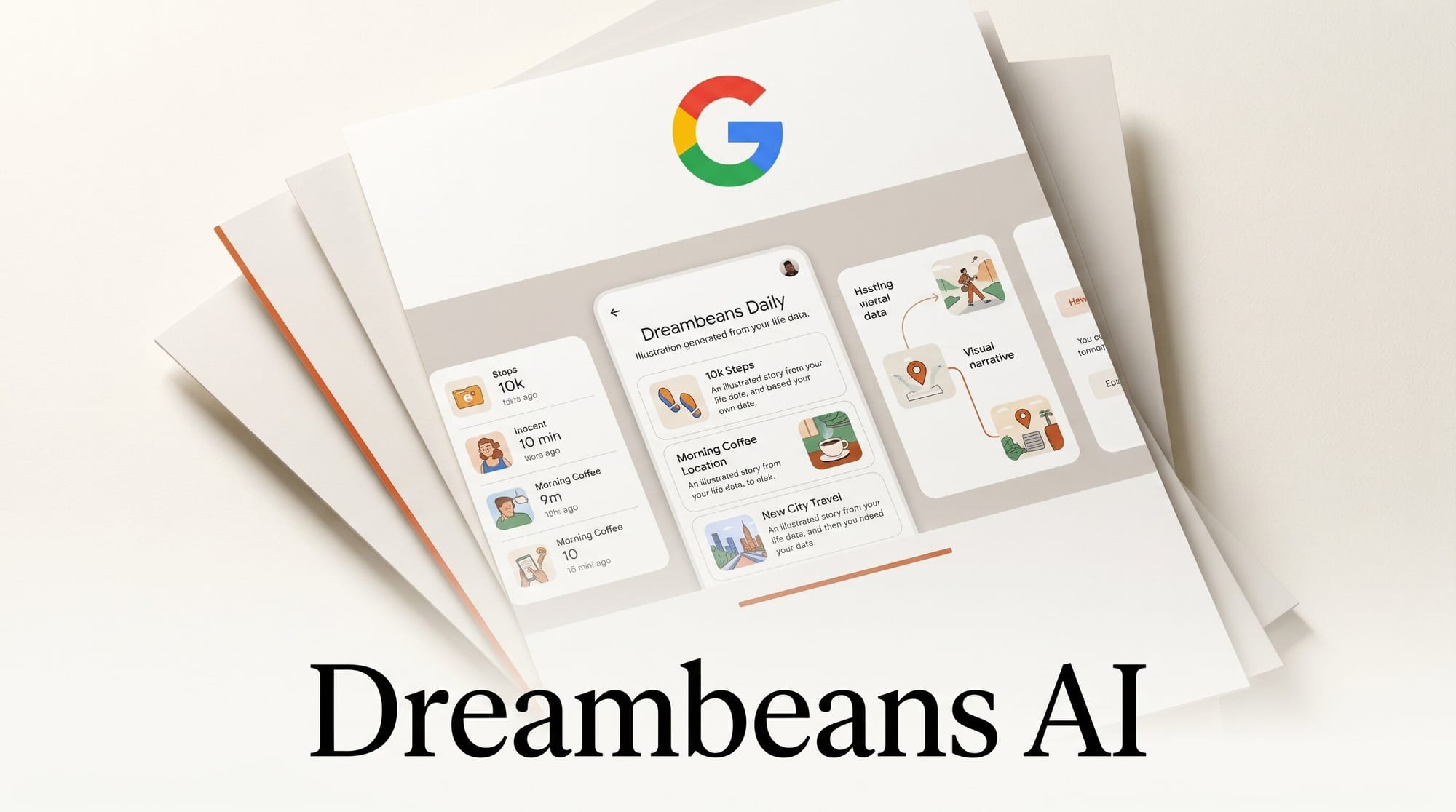
Google Labs launched Dreambeans on June 3, 2026: an AI app for Android and iOS that converts your Gmail, Google Calendar, Google Photos, YouTube history, and Search activity into a curated set of AI-illustrated daily stories. The app is powered by Google's Nano Banana 2 image model and the Personal Intelligence system already used in Gemini. As of launch, it is available to Google AI Ultra subscribers in the United States, with a waitlist open for everyone else.
Unlike Gemini's on-demand chat or AI Mode in Search, Dreambeans runs overnight and delivers a finite set of personalized story cards each morning without prompting. It is Google's clearest attempt yet to turn ambient personal data into a daily creative briefing.
What Happened
Google announced Dreambeans on June 3, 2026, via the official Google Labs blog. The app is positioned as a Google Labs experiment, meaning it is not yet a committed product. Google has labeled it a test of whether Personal Intelligence can deliver value proactively rather than reactively.

The timing is notable. Google has been under pressure to show that its AI investments produce consumer-facing features that go beyond search overlays. Dreambeans arrives the same week as the UK Competition and Markets Authority ruling requiring Google to give publishers opt-out controls over AI-generated search results, signaling both regulatory pressure and product acceleration on the AI front.
Early reviewers have called the app a hyper-personalized reimagining of Google Now, a reference to Google's 2012 predictive assistant. The difference this time is image generation: every Dreambeans story features fullscreen AI artwork created specifically for that story.
How Dreambeans Works
During setup, you connect at least one Google service to Dreambeans. Available sources are Gmail, Google Calendar, Google Photos, YouTube watch history, and Google Search history. You can connect all five or just one. Your Dreambeans data permissions are isolated from your settings in other Google products like Gemini Apps or AI Mode; changing what Dreambeans can see does not affect anything else in your account.
Overnight, the app processes signals from connected sources. A pending trip on Google Calendar, puppy supplies in a Gmail receipt, or a recent YouTube cooking deep-dive can all become story triggers. Dreambeans synthesizes these signals into roughly 5 to 10 stories, each with a narrative angle and a suggestion layer for follow-up actions.
Each story displays as a fullscreen illustrated card rendered by Nano Banana 2. Unlike a photo collage or text summary, these are original AI illustrations generated specifically for each story. A built-in chat interface lets you go deeper: generate a packing checklist, find nearby restaurants, or explore a topic further. Stories you like can be saved to a personal library.
Android Authority's hands-on coverage highlights that Dreambeans delivers a finite number of stories per day rather than an endless feed, a deliberate design choice to avoid compulsive scroll behavior.
What This Means for Creators
Dreambeans is a practical signal on two fronts that matter to creative professionals.
AI illustration in everyday products. The Nano Banana 2 model generating these illustrations is the same generation of Google image technology available through Google AI Edge for developers. Seeing it deployed in a daily consumer app sets the visual quality bar for AI-generated personal content. Creatives building newsletters, personalized reports, or branded daily digests should benchmark against this format.
Narrative-from-data as a format. Dreambeans automates a workflow many content creators run manually: pulling signals from disparate sources (email, calendar, browsing) and building a story around them. The same pattern applies to automated client briefs, personalized newsletter sections, onboarding flows, and AI-generated project summaries. Dreambeans is a public proof of concept that this format works at scale and that users will accept it.
Google is also demonstrating that users will grant broad data permissions when the output is personal, finite, and high-quality rather than an infinite feed. For anyone building subscriber-facing AI tools, that behavioral data point is worth noting.
How Dreambeans Compares to Similar Tools
| Product | Data sources | Output format | AI model | Access |
|---|---|---|---|---|
| Google Dreambeans | Gmail, Calendar, Photos, YouTube, Search | AI-illustrated story cards + chat | Nano Banana 2 | AI Ultra (US, 18+) |
| Google Photos Memories | Google Photos only | Photo collages and highlights | Gemini Vision | Free, all Google users |
| Apple Intelligence Summaries | Mail, Messages, Calendar | Text summaries, priority inbox | Apple on-device model | iPhone 15 Pro and later |
| Notion AI Digest | Notion workspace only | Text summaries, action lists | Claude / OpenAI | Notion paid plans |
Dreambeans is the only tool in this category that generates original AI illustrations per story rather than summarizing text or compiling existing photos. That visual layer is what makes it a creative AI product rather than a productivity assistant.
Privacy and Data Controls
Google has positioned Dreambeans with strict data isolation. Your choices about which services Dreambeans can access do not affect your broader Personal Intelligence settings in Gemini or AI Mode. The separation is explicit in the app's setup flow, as stated on the official product page.
Tom's Guide's first-look review notes that Dreambeans appears to process contextual signals like email subjects and calendar event titles rather than reading full message bodies. However, Google has not published a technical breakdown of exactly what data the system reads, so reviewing the permissions screen in the app before connecting sensitive accounts is advisable.
The app is limited to users aged 18 and over in the US, suggesting Google is deliberately constraining exposure while refining its consent and data-handling model. The broader question of how Google's AI products handle personal context is worth monitoring, particularly if you use Gemini as an agent across your workspace.
How to Access Dreambeans
If you are a Google AI Ultra subscriber in the US:
- Visit labs.google/dreambeans and download the iOS or Android app.
- Sign in with your Google account and connect at least one service. Google Calendar is the lowest-risk starting point.
- Review the permission scope for each service before connecting it.
- Check the app each morning for your daily stories. The first few days may feel generic as the system builds context from your data.
If you are not on AI Ultra, join the waitlist at labs.google/dreambeans. No timeline has been announced for broader rollout.
What to Do Next
- Start with one data source. Connect only Google Calendar for the first week. You get scheduling and event-aware stories without exposing email or search history. Add more services once you understand what the app surfaces about you.
- Study the format even if you cannot access the app. AI-illustrated story cards tied to personal context are a format benchmark. Tom's Guide describes them as finally breaking the infinite-scroll habit. For creators, that is a signal about what engagement looks like when content is finite and personalized.
- Apply the pattern in your own work. Dreambeans is a reference implementation for data-to-narrative synthesis: context signals from multiple sources, a story structure, original illustration, and a chat follow-through. That pipeline is replicable with Google AI Edge, Gemini API, or any multimodal model.
Frequently Asked Questions
What is Google Dreambeans?
Dreambeans is a Google Labs experimental app launched June 3, 2026 that generates personalized daily stories using data from your connected Google services. Each story features an original AI-generated illustration by Google's Nano Banana 2 image model, plus follow-up suggestions and a chat interface.
Who can use Dreambeans right now?
Google AI Ultra subscribers aged 18 and over in the United States can access Dreambeans on Android and iOS. A waitlist is open at labs.google/dreambeans for users outside that group.
What personal data does Dreambeans use?
Dreambeans can connect to Gmail, Google Calendar, Google Photos, YouTube watch history, and Google Search history. You choose which services to link; one is the minimum. These permissions are isolated from your Gemini Apps or AI Mode settings.
Is Dreambeans free?
Access is currently bundled with the Google AI Ultra subscription. No standalone free tier has been announced. Users outside AI Ultra can join the waitlist for future access.
What AI model powers Dreambeans illustrations?
Dreambeans uses Google's Personal Intelligence system for context interpretation and Nano Banana 2 for generating the fullscreen story illustrations.
Will Dreambeans read my actual emails?
Google states the system processes contextual signals such as email subjects and calendar event titles, not full message bodies. Review the specific permission scope in the app's setup flow before connecting Gmail.
How is Dreambeans different from Google Photos Memories?
Google Photos Memories creates collages from your existing photos. Dreambeans generates original AI illustrations combining signals from multiple Google services and includes a chat interface for follow-up actions. The output is a daily briefing with custom artwork, not a photo recap.





