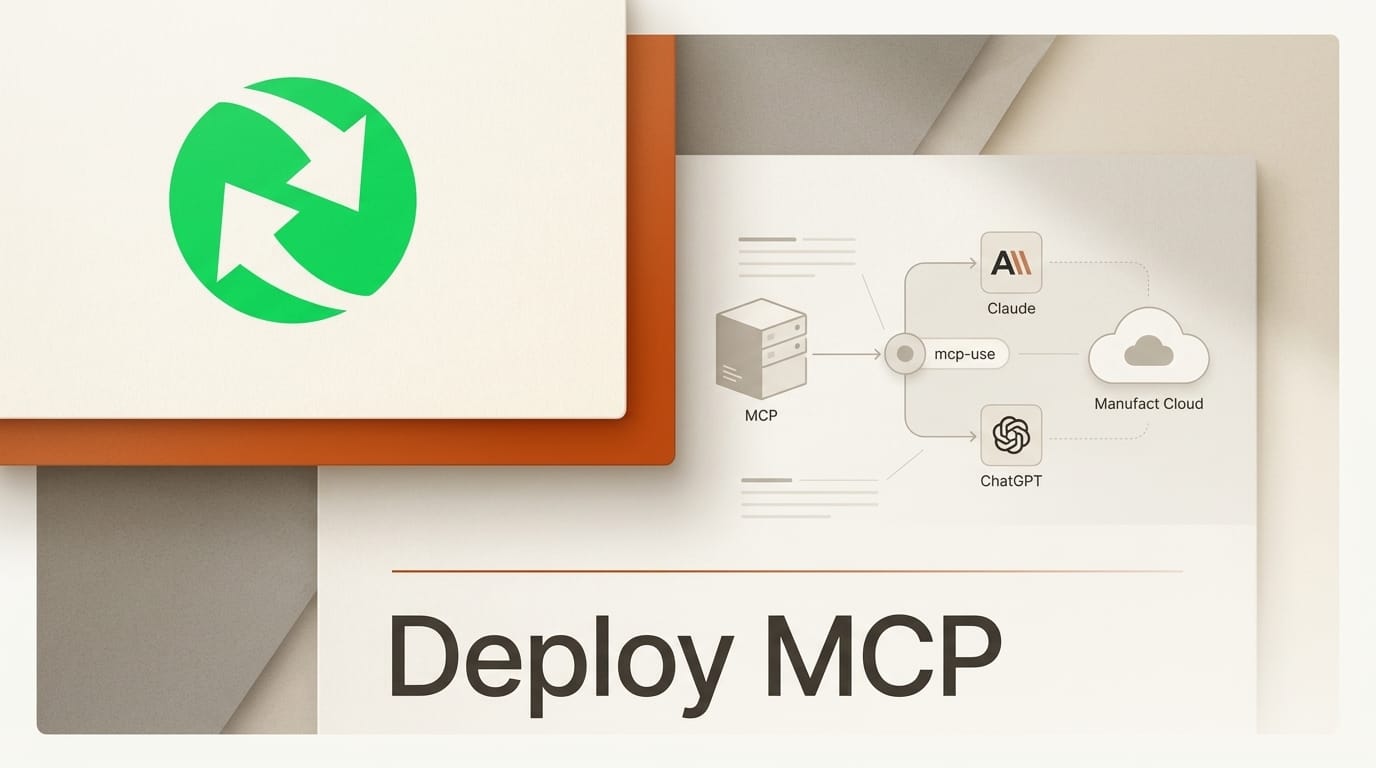
This tutorial takes an MCP server from an empty folder to a live integration that both Claude and ChatGPT can call, in about 30 minutes. You will scaffold a TypeScript project with the open-source Model Context Protocol tooling, test it locally in an inspector, deploy it to the cloud with a single command, then connect it to Claude's Connectors directory and the ChatGPT Apps SDK. No prior MCP experience is required. The only hard requirement is a free GitHub account, plus an optional custom domain if you want to ship under your own URL.
MCP is the wire format that lets an AI chat or coding agent reason about your tool the same way it reasons about its built-in ones. Build the server once and the same code answers Claude, ChatGPT, Gemini, and coding agents like Cursor and Claude Code. The steps below use the mcp-use framework and Manufact Cloud, a stack with more than 7 million SDK downloads and 10,000 GitHub stars, because it collapses the whole lifecycle (scaffold, inspect, deploy, publish, monitor) into a handful of commands.
What You Need
- Node.js 18 or newer, and npm. Python developers can substitute
pip install mcp-useat the scaffold step. - A free GitHub account, so the cloud host can auto-deploy on every push.
- A Claude account (Pro or above) to test the finished server as a custom connector, and a ChatGPT account with developer mode enabled to test it as an app.
- An idea for one tool. Start with a single read-only tool (for example, "look up an order by ID") before adding write actions.
- Optional: a custom domain with SSL, required later if you submit to the Claude Connectors directory, which verifies ownership through domain signing.
Scaffold and Build Your MCP Server Locally
Create a fully configured project with one command. The scaffolder from the open-source mcp-use repository sets up TypeScript, hot reload, a built-in inspector, and UI widget support:
npx create-mcp-use-app my-serverThen install dependencies and start the dev server:
cd my-server && npm install && npm run devThe dev server hot-reloads on every save. Open the project's server file and define your first tool. Each tool needs three things the model relies on: a clear name, a natural-language description (this is what the model reads to decide when to call the tool, so be specific), and a typed input schema. Keep read actions and write actions in separate tools. That separation matters later, because both Claude and ChatGPT ask you to annotate each tool as read-only or destructive during review.
Test It in the Inspector
Before you deploy anything, exercise the server locally. The scaffold ships an automatic inspector, and you can also run the standalone MCP Inspector against your local endpoint. In the inspector you call each tool by hand, confirm the input schema validates, and check that the returned payload is what the model will actually see. If a tool works in the inspector but the model never calls it in a real chat, the fix is almost always the description, not the code. For a deeper walkthrough of authoring individual tools, GitHub's guide on building your first MCP server is a useful companion reference.

Deploy and Connect to Claude and ChatGPT
With the server passing locally, ship it. Install the CLI, authenticate, and deploy:
npm install -g @mcp-use/cli
mcp-use login
mcp-use deploy
The deploy returns a public HTTPS URL for your MCP endpoint. If you connect the GitHub repository once, every subsequent push auto-deploys and each branch gets its own preview URL, so you can test changes before promoting them. This is the single URL you hand to both platforms below.
Connect to Claude
In Claude, add the deployed URL as a custom connector, then verify it in a real session before you go further. Claude's own MCP connector documentation covers the custom-connector flow. To reach the public Connectors directory, Anthropic's review requires every tool to carry a title and either a read-only or destructive annotation, a privacy policy, at least three working examples, test credentials if the app authenticates, and domain signing that ties a subdomain hash to your server URL. That last requirement is why a custom domain matters: point the deployment at your own domain with SSL before you submit.
Publish to ChatGPT
ChatGPT reaches the same server through the Apps SDK, which builds directly on MCP. Enable developer mode in ChatGPT, then follow OpenAI's guide to building an MCP server for ChatGPT apps and connect your deployed URL. Because the Apps SDK standardizes the wire format, authentication, and metadata, the tools you already wrote are the tools ChatGPT reasons over. If you want a richer surface, add a React widget so the app renders an interactive UI inside both ChatGPT and Claude rather than returning plain text.
Troubleshooting Common Failures
- Tools do not appear in the directory review. Every tool needs a title plus a read-only or destructive annotation, and read and write actions must be separate tools. A single tool that both reads and writes will be flagged.
- The server works locally but returns 404 after deploy. Confirm the connected branch is the one you pushed, and that the URL you gave the platform points at the MCP endpoint, not the project root.
- ChatGPT does not surface the app. Developer mode must be enabled on the account, and the server has to expose the metadata the Apps SDK expects. Re-check the connection step in OpenAI's docs.
- Domain verification fails in the Claude directory. Claude signs a subdomain hash against your server URL, so a shared or default host will not pass. Move the deployment to a custom domain with SSL and resubmit.
- The model sees the tool but never calls it. This is a description problem, not a bug. Rewrite the tool description to state exactly when it should be used, in plain language.
What to Try Next
Once the round trip works, extend it. Add a React widget (an MCP App UI) so the response renders as an interactive panel inside ChatGPT and Claude. Wire the same server into a coding agent such as Claude Code, Cursor, or Codex, which read from the identical endpoint. And add automatic evaluations in the cloud inspector so every deploy is graded against a fixed set of prompts before it reaches users. If you want to see how reusable, MCP-connected workflows come together on the design side, our guide on building Figma agent skills with MCP shows the same pattern applied to a creative tool, and our comparison of browser-automation MCP servers covers picking the right server for a coding agent.
Frequently Asked Questions
What is an MCP server?
An MCP server is a small service that exposes tools, data, and prompts to an AI model through the Model Context Protocol, an open standard. Instead of writing a custom plugin for each chatbot, you publish one MCP server and any MCP-compatible client (Claude, ChatGPT, Gemini, Cursor) can call it.
Do I need separate code for Claude and ChatGPT?
No. That is the point of MCP. The same server answers both. Claude connects through its Connectors flow and ChatGPT connects through the Apps SDK, but they call the identical tools you defined once. The differences are in submission and review, not in your code.
Is mcp-use free to use?
The mcp-use framework is open source and available on GitHub, and the scaffolding and SDK are free. Manufact Cloud is the hosting layer that runs the deploy step; check its site for current plan details before you rely on it for production traffic.
Can I build the server in Python instead of TypeScript?
Yes. TypeScript is the primary language, but mcp-use has first-class Python support. Run pip install mcp-use in place of the Node scaffold and define your tools in Python.
What does the directory review actually check?
For Claude, reviewers look for a production-ready remote server, per-tool read-only or destructive annotations, separated read and write tools, a privacy policy, at least three working examples, test credentials where authentication is used, and verified domain ownership. Meeting those requirements before you submit is the fastest way through review.
The Bigger Picture
The reason this workflow is worth learning now is that the integration surface for AI has converged. A year ago, shipping a tool to a chatbot meant a bespoke plugin per platform and a rewrite whenever an API changed. MCP turned that into a single build target, and the platforms followed: Claude exposes a Connectors directory, ChatGPT ships an Apps SDK on the same protocol, and coding agents read from the same endpoint without any extra work. The practical consequence for anyone who builds is leverage. One well-described MCP server, deployed once, is now distributable to every major AI surface at the same time. The skill that pays off is not learning each platform's quirks; it is writing clear, well-annotated tools and getting them live, because the protocol carries them everywhere else.





