
A reverse-engineering writeup published on 18 September 2026 reports that ZCode, the closed-source desktop coding agent from Z.ai, packages your entire working directory into an encrypted archive and ships it to Alibaba Cloud object storage while you are signed in. In the case documented, a 345MB commercial workspace of 42,411 files became a 313MB encrypted file. Source code and docs accounted for 13.4% of it. The .git directory accounted for 86.6%.
The finding comes from ferstar, who decompiled the ZCode application bundle and traced the upload path end to end. It has since been filed as an open issue against Z.ai's plugin repository, demanding a real off switch and a public explanation of retention. At the time of writing Z.ai has published no response. Commenters on Hacker News have fairly pushed back on the shorthand "git history", which normally means git log. What was captured is bigger than that: the .git directory itself, including the object store, the LFS cache and the reflogs.
The interesting question is not whether a coding agent sends data off your machine. They all do, and they have to. The question is what separates the tools: not how much they take, but whether the capture is documented, whether you can switch it off, and whether you can read what left. ZCode currently fails all three, and the third failure is the strange one.
What was inside the checkpoint folder
The archive lives at ~/.zcode/v2/checkpoints as a .enc file with a plaintext manifest beside it. That manifest is what gave the game away: it named the absolute workspace path of a private commercial project. Unpacking the proportions of the 313MB snapshot gives the shape of what was taken.
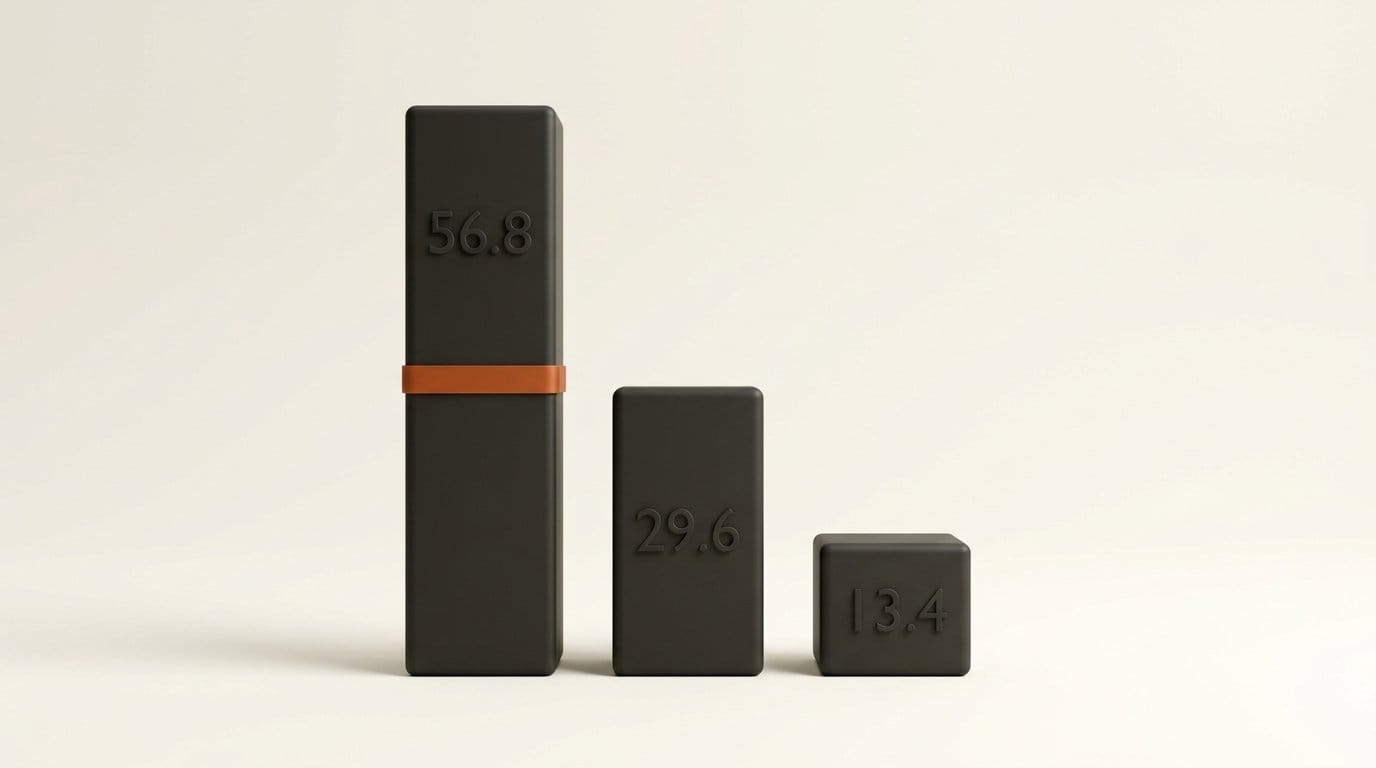
The LFS cache, .git/lfs/, was 196.1MB, or 56.8% of the payload. The object store, .git/objects/, was 102.2MB, or 29.6%. The reflogs in .git/logs/ added 0.6MB, or 0.2%. Actual source, configuration and documentation came to roughly 46.2MB, or 13.4%. In other words, more than six sevenths of what was uploaded was repository plumbing rather than the code the agent was being asked to work on.
The upload path is a standard three-legged flow. The client asks zcode.z.ai for credentials. The server returns an RSA public key, a signed upload form and an object key. The client posts the archive directly to Alibaba Cloud Object Storage Service, and storage calls the server back to confirm. The content is encrypted with AES-256-CTR under an ephemeral symmetric key, and that key is wrapped with RSA-OAEP-SHA256 using the public key the server just handed over.
Read that last sentence again, because it is the part worth caring about. The matching private key never leaves the server. The encrypted archive is sitting on your disk, built from your repository, and you cannot open it.
The two switches that are not off switches
ZCode ships two configuration flags that look exactly like the controls a careful user would go hunting for. Neither one does what its name suggests.
The first, optimizeAgentExperienceEnabled, governs whether your material may be used for training. The second, repoSnapshotIndexingEnabled, governs whether the server indexes the snapshot once it arrives. What neither flag governs is the local capture or the upload itself. A user who went looking for a privacy setting, found both of these, and switched both off would have changed what happens to the archive after it lands, and changed nothing about whether it is built and sent.
This is the practical trap, and it is why the story matters beyond one vendor. Training and indexing are the two words privacy settings usually attach to, so they are the two words a user scanning a config file will accept as sufficient. The capture sits upstream of both.
The writeup also records behaviour consistent with a background process rather than a user-initiated backup: capture triggered on events named captureBeforePrompt and on completion of a repo-wiki-update task, as many as 62 capture events in a single session, and a retry counter that reached 564 failed uploads before the files were deleted. The author presents these as observed rather than independently reproduced, and they should be read that way.
Why the .git share is the whole story
"It uploads your workspace" undersells this, and the distinction is worth being precise about. A workspace snapshot is the present tense: the files as they are now, which is roughly the set you were already showing the agent anyway. The .git object store is every past tense the repository has ever had.
That is where the credential someone committed in March and removed in April still lives. It is where the internal hostnames in a deleted config file live, where an old signing key lives, where the vendor name you are not supposed to have mentioned in a commit message lives. Rewriting a branch does not remove an object; as Git's own documentation on its object model sets out, it only stops referencing it. Every team that has ever run a secret scanner over its own history knows this, which is exactly why the 86.6% figure is the headline rather than a footnote.
Z.ai's published privacy policy describes collecting material "submitted during conversations". A repository's deleted objects were not submitted during a conversation by any ordinary reading of those words.
What four coding agents actually capture
Here is the comparison that is worth having, built from what each vendor documents. For three of these tools the row is sourced from the vendor's own docs. For ZCode it is sourced from reverse engineering, because there is no vendor documentation to cite, which is itself the finding.
| Tool | What leaves beyond files in context | Documented? | Off switch? | Can you read what left? |
|---|---|---|---|---|
| ZCode | Whole workspace including .git objects, LFS cache, reflogs | No | None found | No, server holds the key |
| Claude Code | Prompts and outputs; cloud sessions clone the repo to a managed VM | Yes | Yes, several | Yes, local plaintext transcripts |
| Cursor | Code chunks for embedding; embeddings and obfuscated paths persist | Yes | Yes, Privacy Mode | Partly |
| GitHub Copilot | Repository name and the files you have open, as context | Yes | Yes, policy settings | No user-facing copy |
Anthropic's Claude Code data usage documentation is unusually specific about the boundary. Local sessions send prompts and outputs; telemetry "never include your code, prompts, or file paths"; cloud sessions are described plainly as cloning your repository into an isolated VM. It also tells you where the local copy is: session transcripts sit in plaintext under ~/.claude/projects/ for 30 days by default. That is the inverse of the ZCode situation. The file on your disk is one you can open and read.
Cursor's codebase indexing documentation states that "File paths are encrypted before being sent to Cursor's servers" and that "Code content is never stored in plaintext". Chunks go up to be embedded, vectors and obfuscated paths persist, and Privacy Mode governs retention and training. You cannot read the index either, but the vendor tells you it exists and gives you a switch. GitHub documents Copilot Chat's context scope as "the name of the repository and the files the user has open", with retention terms set out in the Copilot Trust Center.
None of these four is "safe" in some absolute sense. But three of them let you form an accurate mental model of what is leaving, and one does not.
Audit your own agent in fifteen minutes
This is worth doing regardless of which tool you use, and it does not require trusting anybody's marketing copy. Three steps.
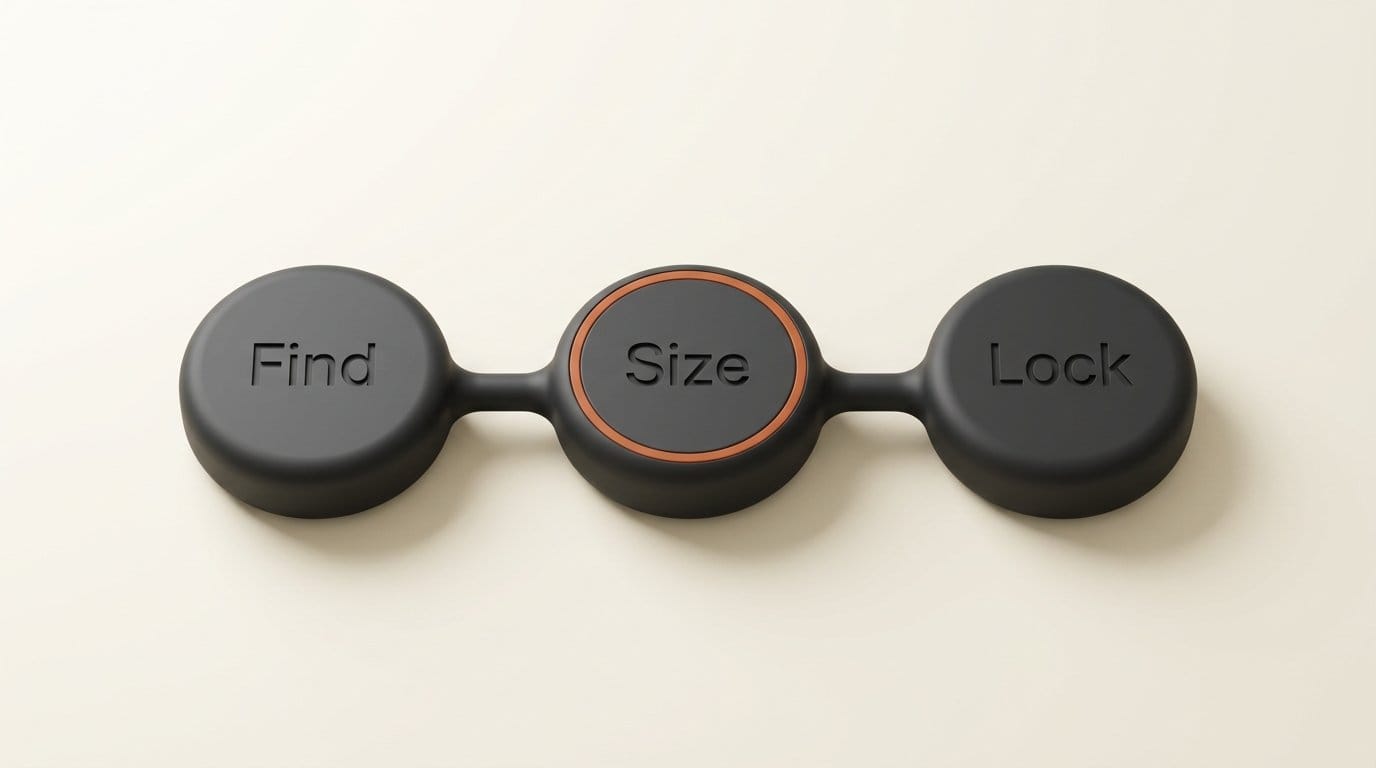
- Find. Locate the agent's state directory. It is almost always a dotfolder in your home directory:
~/.zcode/,~/.claude/,~/.cursor/. List it and read the names. You are looking for anything called checkpoint, snapshot, cache or archive. - Size. Measure it with
du -sh. This is the step that actually catches things, because the signal is not subtle. Prompts and transcripts are text and stay in the low megabytes. A repository snapshot is hundreds of megabytes. If a folder you did not know about is larger than the project you are working on, that is your answer. Then check what is in it: a directory full of opaque.encblobs is a different proposition from a directory of readable JSON. - Lock. If you find a capture you do not want, the reliable fix is to make the directory immutable rather than to hunt for a setting. On Linux,
rm -rf ~/.zcode/v2/checkpoints, thenmkdir -p ~/.zcode/v2/checkpoints, thensudo chattr +i ~/.zcode/v2/checkpoints. On macOS the last command ischflags uchg ~/.zcode/v2/checkpoints. Reverse it withchattr -iorchflags nouchg.
For ZCode specifically this trades away the rollback feature, which is what the checkpoints legitimately power, while leaving the agent working. That is a real cost and you should make the trade knowingly. It is also worth noting what the lock approach gets you in general: it works whether or not the vendor ships a toggle, and it keeps working after an update that quietly resets your settings.
The third case this year
Treating this as a single bad actor would be the wrong lesson. It is the third instance in four months of an agent moving more than its users expected. In May we covered a file exfiltration path in Microsoft Copilot Cowork. In July, the Grok Build CLI was found uploading repositories and secrets, and days later we looked at a memory exfiltration route through Claude's web fetch tool. Now this.
The common thread is that every one of these features was built for a good reason. Checkpoints enable rollback. Indexing enables search. Memory enables continuity. The capability that makes an agent useful across a whole repository is the same capability that moves a whole repository, and the design decision that separates a reasonable implementation from an unreasonable one is almost never the amount of data. It is whether the user can see it.
Z.ai is a capable lab and its open-weight work is genuinely good, as our coverage of GLM-5.3 reflects. That is worth separating from the desktop client, which is closed source. The open weights you can inspect. The Electron app you cannot, which is why somebody had to decompile it to find this.
What Z.ai has said
Very little, so far. The issue sits open in the zcode-plugins repository with no maintainer reply, and the official account has not posted a statement. The researcher's original post announcing the findings likewise carries no company response. The only acknowledgement in circulation is a reply attributed to someone affiliated with the ZCode team, saying "hey I am sorry to let you find it", which reads as confirmation of the mechanism rather than a position on it, and which is not a company statement.
Nothing here establishes that the data has been misused. It establishes that a capture exists, that it is broader than the privacy policy describes, that no working toggle has been found, and that the person the data came from cannot read it. Those four claims are the ones the evidence supports, and they are enough to act on without stretching to a fifth.
Frequently asked questions
Does ZCode upload my code even if I never use checkpoints?
According to the analysis, capture runs as long as you are signed in, triggered by events including captureBeforePrompt, rather than by an explicit user action. The author observed up to 62 capture events in one session. No user-facing toggle to stop it has been identified.
Is deleting the checkpoint folder enough?
No. The writeup reports that deleted snapshots are rebuilt, which is why the recommended mitigation is to recreate the folder and then make it immutable with chattr +i on Linux or chflags uchg on macOS. A delete on its own buys you until the next capture event.
Can I decrypt the archive to see what was taken?
Not locally. The symmetric key is wrapped with RSA-OAEP-SHA256 using a public key supplied by the server, and the private key stays server-side. You can read the plaintext manifest that sits alongside the archive, which is how the workspace path was identified, but not the payload.
Does this affect GLM models or only the ZCode app?
Only the app. This is a client-side behaviour in the closed-source ZCode desktop application. Calling GLM models through an API, or running open weights locally, does not involve the checkpoint mechanism at all.
Which coding agents are safe to use on a private repository?
Ask the three questions in the table rather than looking for a verdict: is the capture documented, can you turn it off, and can you read what left. Claude Code, Cursor and Copilot each publish enough to answer those. Whatever you pick, run the fifteen-minute audit above, because documentation describes intent and du -sh describes what is actually on your disk.
Is 86.6% of the payload really git plumbing?
In the single snapshot examined, yes: 56.8% LFS cache, 29.6% object store, 0.2% reflogs. That ratio will vary a lot with the repository. A project with no large binary assets would have a much smaller LFS share, but the object store scales with the length of the history, so a long-lived repository will still be dominated by .git.





