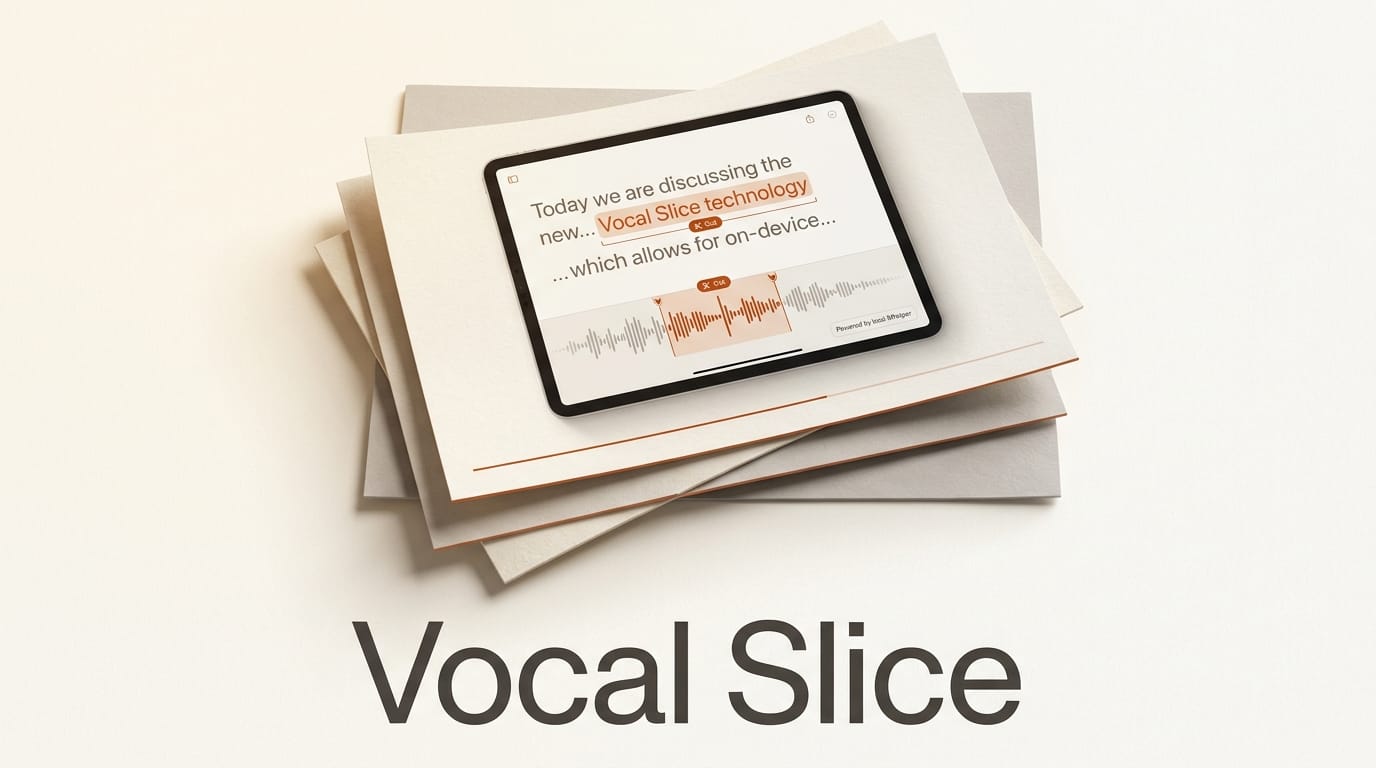
Vocal Slice is a desktop audio editor that lets you cut a recording by selecting words in its transcript, and it does the whole job on your own machine. Launched as a Show HN by independent developer Wesley Scott, the app (now at release v1.446.0) transcribes your audio locally with OpenAI Whisper, highlights the waveform as you read, and exports clean clips. Nothing is uploaded, no account is required, and a single license costs 29 dollars per year. For podcasters, video editors, and anyone who slices interviews, that combination of text-based editing and full on-device privacy is unusual enough to matter.
What Vocal Slice Actually Does
The core loop is three steps: load an audio file, select the words you want in the transcript, and export the selection as a named clip. When you highlight a phrase, the waveform jumps to that exact location because Whisper produces word-level timestamps, so the text and the audio stay locked together. You are effectively editing sound by editing a document, the same mental model that made transcript-first tools popular, without ever leaving your desktop.
Input support is broad: WAV, MP3, FLAC, M4A, AAC, and OGG all load directly. Exports of WAV files are byte-perfect and lossless, meaning the tool slices the original samples rather than re-encoding them, while other formats decode to 24-bit WAV on the way out. You can re-trim a clip without re-processing the whole file, and custom naming templates let you batch out dozens of segments with consistent filenames.

On-Device vs Cloud: Why It Matters for Creators
Most transcript-based editors send your audio to a server to be transcribed. That is fine for a lot of work, but it is a real problem for confidential interviews, unreleased music stems, legal recordings, or anything under NDA. Vocal Slice keeps transcription and slicing on your hardware, using GPU acceleration through the WebGPU API with a CPU fallback when no compatible GPU is present. The only time it touches the network is a one-time model download and license activation.
That design has three practical payoffs. Your material never leaves the room, so privacy is structural rather than a policy promise. There are no per-minute transcription fees, so long recordings do not run up a bill. And it works offline, which matters on a plane, in a studio with locked-down networking, or anywhere the connection is unreliable.
How It Compares to Descript and Other Text-Based Editors
Text-based audio editing is not new. Descript popularized the workflow and pairs it with multitrack editing, AI voice tools, and collaboration. Vocal Slice is far narrower on purpose: it is a fast, private slicing tool, not a full production suite. The table below lays out where each approach fits.
| Factor | Vocal Slice | Cloud transcript editors (e.g. Descript) |
|---|---|---|
| Where audio is processed | Fully on-device | Uploaded to the cloud |
| Transcription engine | Local Whisper, word-level timestamps | Proprietary cloud ASR |
| Pricing model | 29 dollars per year, flat | Monthly tiers, often usage-based |
| Offline use | Yes, after model download | No, requires a connection |
| Scope | Slicing and clip export | Full editing, voice cloning, publishing |
| Languages | Multiple via Whisper models | Multiple, varies by plan |
The takeaway: if you need collaboration, overdubs, or a screen recorder, a full suite still wins. If your job is turning long recordings into precise, correctly named clips without shipping sensitive audio to a vendor, Vocal Slice covers that one thing cleanly.
A Podcast Editing Workflow with Vocal Slice
Here is a concrete way to fold the tool into a real production, from raw interview to publishable segments.
- Load the master recording. Drop your WAV or MP3 interview into the app. Pick a Whisper model that matches your language and your machine, a larger model for accuracy or a smaller one for speed.
- Read for the good takes. Scan the transcript the way you would read an article. Because timestamps are word-level, you can find the exact sentence where a guest nails a point.
- Select and name. Highlight each keeper phrase and apply a naming template, for example
ep12_guest_quote_{n}, so every clip lands with a predictable filename. - Export losslessly. For WAV sources the slice is byte-perfect, so your audio quality is untouched. Batch out every selection at once.
- Assemble elsewhere. Pull the named clips into your DAW or video editor for music beds, transitions, and the final mix. Vocal Slice hands off clean assets; your existing tools handle the polish.

What This Enables
The practical unlock is speed with control. Pulling ten quotes from a two-hour interview used to mean scrubbing a waveform by ear or paying for cloud minutes. Reading a transcript and highlighting is faster, and doing it on-device means you can work with material you are contractually not allowed to upload. For solo creators, that removes a recurring subscription and a privacy worry in one move. For teams handling client or embargoed audio, it turns "we cannot use a cloud tool here" into a workable local step in the pipeline.
Pricing, Platforms, and Limitations
Vocal Slice costs 29 dollars per year, which covers all features, updates, and three machine activations, with a 7-day free trial that does not ask for payment details. Windows and macOS builds are available from the project's GitHub releases. The honest limitations: it is a slicing tool, not a mixer, so there is no multitrack timeline, no effects, and no voice generation. Transcription accuracy depends on the Whisper model you choose and your hardware, and the first run needs a network connection to fetch the model and activate the license. If you want an all-in-one studio, this is not it; if you want a sharp, private, one-job utility, that focus is the point.
Frequently Asked Questions
Does Vocal Slice really run entirely offline?
After a one-time model download and license activation, yes. Transcription and slicing happen on your device, and your audio never leaves your machine.
What transcription engine does it use?
It uses OpenAI Whisper locally, generating word-level timestamps so the transcript and waveform stay synchronized. Multiple Whisper models and languages are supported.
Is the exported audio lossless?
For WAV sources, exports are byte-perfect and lossless because the app slices the original samples. Other formats decode to 24-bit WAV on export.
How is this different from Descript?
Descript is a full production suite that processes audio in the cloud. Vocal Slice is a focused, on-device slicing tool. It does one job, privately, for a flat yearly price.
What does it cost and which platforms are supported?
It is 29 dollars per year with three machine activations and a 7-day free trial. Windows and macOS builds are published on the project's GitHub releases page.
Can it handle non-English audio?
Yes. Because it runs Whisper, it supports multiple languages including Spanish, German, Japanese, Arabic, and Hindi, depending on the model you load.