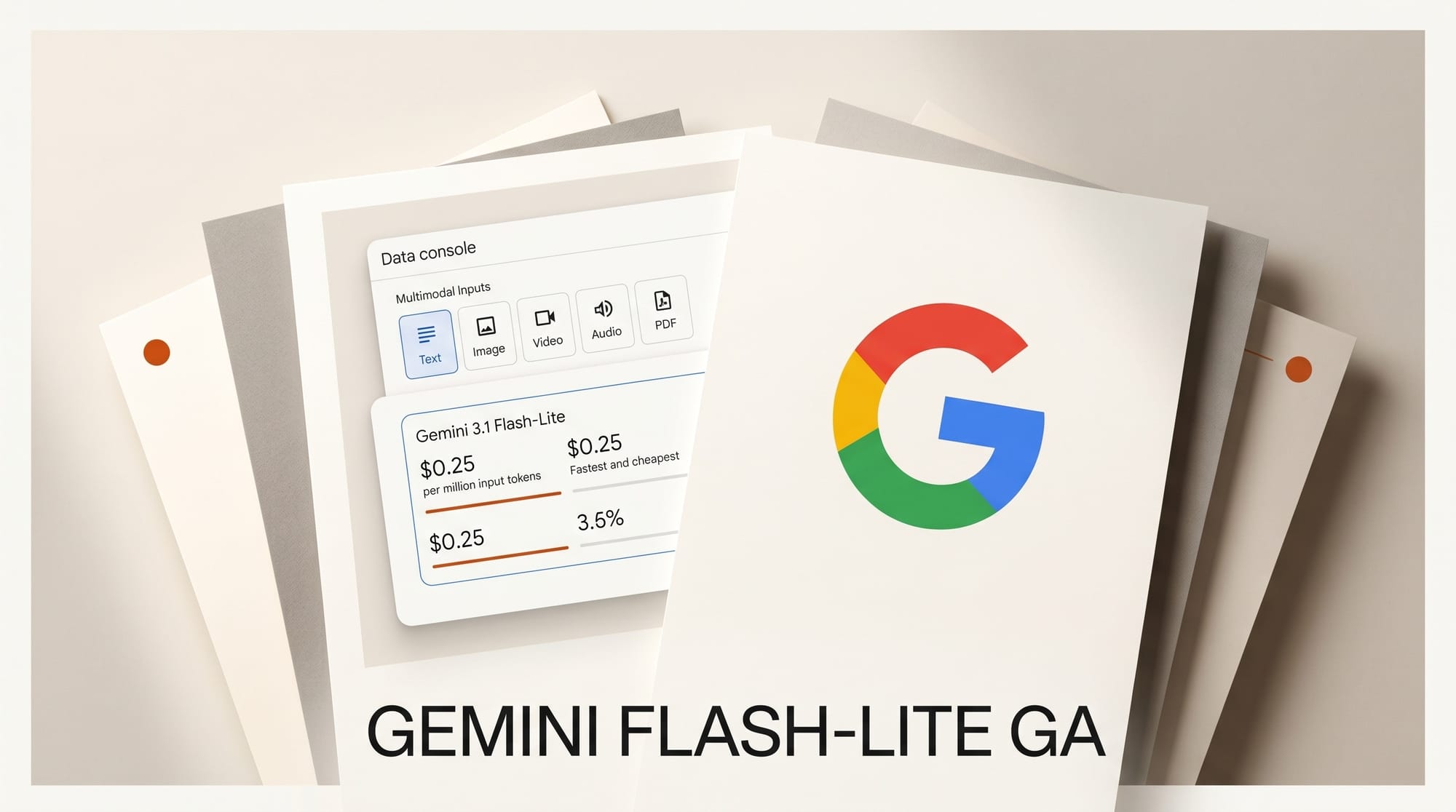
Google released gemini-3.1-flash-lite as a generally available (GA) stable model on May 7, 2026. At $0.25 per million input tokens and $1.50 per million output tokens, it is the fastest and most cost-efficient model in the Gemini 3 family, accepting text, image, video, audio, and PDF inputs across a 1 million token context window. Developers still on gemini-3.1-flash-lite-preview have until May 11 to migrate -- the preview endpoint deprecates that day and shuts down completely on May 25.
What Is Gemini 3.1 Flash-Lite?
Flash-Lite is Google's entry point into the Gemini 3 model series, built for high-throughput, cost-sensitive workloads. It launched in preview on March 3, 2026, as the first Flash-Lite model in the Gemini 3 generation. The May 7 GA release graduates it from preview to a stable production endpoint with full SLA coverage.
The model scores 86.9% on GPQA Diamond and 76.8% on MMMU Pro -- competitive results for creative and analytical tasks where response speed and cost matter more than maximum reasoning depth. Output throughput sits at 207.5 tokens per second, and context caching lets you store frequently-used prompts or reference documents to reduce cost on repeated calls.
Preview to GA: What Actually Changed

The capability set is identical between the preview and GA releases. What changed is the stability guarantee: per the official changelog, the GA model carries production SLA coverage and version-stable behavior. Preview models can change or disappear without notice; stable models follow Google's standard versioning commitments, including advance deprecation warnings before any endpoint changes.
No breaking changes were introduced. The migration is a single model ID string update.
Migrate Before May 11: One-Line Fix
The Gemini API deprecations page lists two firm deadlines for the preview model:
- May 11, 2026 --
gemini-3.1-flash-lite-previewis deprecated. New API calls may begin returning deprecation warnings. - May 25, 2026 -- The preview endpoint shuts down completely. All requests will fail.
The fix is one line in your code:
// Before
model = "gemini-3.1-flash-lite-preview"

// After
model = "gemini-3.1-flash-lite"
No other API parameters, request formats, or response formats change. If you use the Google AI Python or JavaScript SDKs, update the model string and redeploy.
Capabilities at a Glance
| Capability | Gemini 3.1 Flash-Lite |
|---|---|
| Input modalities | Text, Image, Video, Audio, PDF |
| Output modalities | Text only |
| Context window | 1,048,576 tokens (1M) |
| Max output tokens | 65,536 |
| Function calling | Yes |
| Structured outputs | Yes |
| Configurable thinking | Yes (minimal / low / medium / high) |
| Batch API | Yes (50% cost reduction) |
| Context caching | Yes |
| Search grounding | Yes |
| Image generation | No |
| Audio generation | No |
| Live API | No |
Pricing Breakdown

Full pricing is published on the Gemini API pricing page:
| Tier | Input (text/image/video) | Output |
|---|---|---|
| Free tier | Free | Free |
| Standard | $0.25 / 1M tokens | $1.50 / 1M tokens |
| Batch (async, up to 24h) | $0.125 / 1M tokens | $0.75 / 1M tokens |
Context caching adds $0.025 per 1M tokens stored plus $1.00 per million tokens per hour. Batch processing cuts all rates by 50% at the cost of asynchronous delivery -- the right choice for overnight asset pipelines, bulk metadata tagging, or weekly audit runs that do not need real-time responses.
Search grounding via Google Search is free for the first 5,000 prompts per month (shared across all Gemini 3 models), then $14 per 1,000 additional queries.
7 Creator Use Cases

Google's official developer guide documents the primary use patterns validated during the preview period. Each maps directly to creative production workflows.
1. Translation at Scale
Pass large volumes of user-generated content -- captions, comments, product descriptions -- with system instructions constraining output to translated text only. Flash-Lite's cost structure makes high-volume multilingual pipelines viable at a fraction of Flash or Pro pricing.
2. Audio Transcription
Upload audio files directly to the API and prompt for formatted transcripts with speaker labels, timestamps, or structured outputs ready for downstream hand-offs. Relevant for podcast creators, voice-over workflows, and accessibility pipelines where you need accurate text fast.
3. Document Processing
PDF parsing, summarization, and cross-document comparison within the 1M token context window. Creative studios can apply this to competitive research, brand guideline extraction, spec-sheet analysis, or any workflow requiring structured data from large documents.
4. Structured Data Extraction
Use Pydantic schemas with structured output mode to extract entities, classify content, or score sentiment from large text corpora. Useful for asset tagging, social listening pipelines, and content moderation at scale.
5. Intelligent Model Routing
Flash-Lite works well as a fast intent classifier that routes requests to more capable models only when needed. Google reports approximately 40% total cost reduction with no quality loss on complex tasks when using this routing pattern. If you already have an async Gemini pipeline, routing is a natural addition to reduce spend on high-volume jobs.
6. Configurable Thinking
Thinking levels (minimal, low, medium, high) let you tune reasoning depth per request. Set minimal for real-time chat responses, medium for code generation, and high for multi-constraint prompts like layout planning or script structure. This avoids paying for deep reasoning on tasks that do not need it.
7. High-Throughput Batch Processing
The Batch API delivers 50% cost savings for non-time-sensitive workloads: bulk image descriptions, overnight content moderation, weekly SEO audits, or retroactive metadata tagging for large asset libraries. Jobs complete within 24 hours. See the Gemini for Creative Work guide for a full walkthrough of integrating the Batch API into a production pipeline.
What to Do Next
- Update your model ID now -- change
gemini-3.1-flash-lite-previewtogemini-3.1-flash-litebefore May 11. - Review the full changelog at ai.google.dev/gemini-api/docs/changelog -- the May 6 Interactions API schema change and May 5 multimodal File Search update may affect your integration.
- Enable Batch API -- if any part of your pipeline is non-real-time, the 50% cost savings add up quickly on large volumes.
- Start on the free tier -- Flash-Lite is free up to generous usage limits, making it safe to test before committing to paid-tier capacity.
Frequently Asked Questions
What is the difference between Gemini 3.1 Flash-Lite and Gemini 3.1 Flash?
Flash-Lite is optimized for speed and cost efficiency, trading some capability depth for faster throughput and lower per-token pricing. Flash offers higher benchmark scores and deeper reasoning at a higher price point. Use Flash-Lite as your default tier and escalate to Flash or Pro only when task complexity genuinely requires it.
Do I need to rewrite any code to migrate from preview to GA?
No rewrite needed. Change the model ID string from gemini-3.1-flash-lite-preview to gemini-3.1-flash-lite and redeploy. All other API parameters, request schemas, and response formats remain identical.
What happens if I do not migrate before May 11?
The preview model deprecates on May 11, which may introduce deprecation warnings in API responses. The endpoint shuts down completely on May 25. Any application still using gemini-3.1-flash-lite-preview after that date will receive errors on every request. Migrate now to avoid production disruption.
Is Gemini 3.1 Flash-Lite free to use?
Yes. The free tier covers both input and output tokens at no charge. Paid pricing begins at $0.25 per million input tokens and $1.50 per million output tokens once you exceed free tier limits or require paid-tier features like Search Grounding at scale.
Can Flash-Lite generate images or audio?
No. Flash-Lite is a text-output model only. It accepts images, video, audio, and PDFs as inputs for analysis and understanding, but all outputs are text. For image generation, use a dedicated generation endpoint such as Imagen 3 in the Gemini API suite.
What is configurable thinking and when should I use it?
Thinking is an internal reasoning step the model performs before generating a response. Flash-Lite supports four levels: minimal (fastest), low, medium, and high (most thorough). Use minimal for simple lookups and real-time chat, medium for code and content generation, and high for complex multi-step problems like layout planning or constraint-heavy analysis.
How does the Batch API work for creative pipelines?
The Batch API accepts asynchronous jobs that process outside real-time latency requirements, completing within 24 hours. All standard pricing rates are cut by 50% in batch mode. For creative studios, this is ideal for overnight image description runs, weekly metadata audits across a full asset library, or bulk content classification that does not need immediate results.