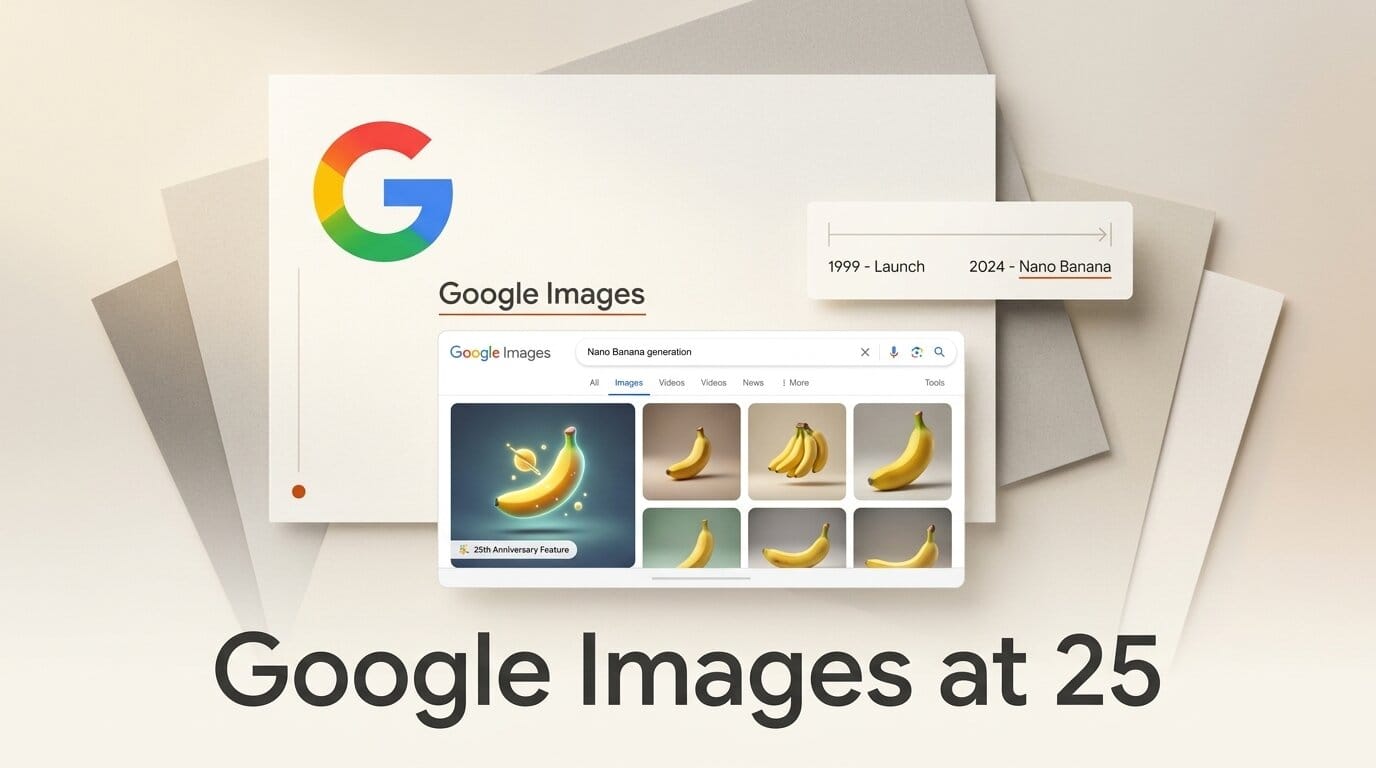
Google Images turned 25 on July 14, 2026, and Google marked the anniversary by rebuilding its most-used visual product around generative AI. Two changes matter for creators: Google is baking Nano Banana image generation directly into AI Overviews and the Search box, and it is replacing the old grid of results with a personalized, real-time gallery on desktop. Both roll out over the coming weeks, starting in English. The short version: the place a billion people already go to find images is becoming a place to make them.
What Google Actually Announced
The announcement, authored by Search Senior Engineering Director Brad Kellett, bundles two distinct shifts under one anniversary banner. The first is a redesigned home for Google Images on desktop: a dynamic gallery that updates in real time, tailors itself to your interests, and lets you save ideas into collections that appear as quick-access tabs above the feed. The second is native image creation: you can now type a text prompt into Search and get a custom image generated from scratch inside AI Overviews, with a new intelligent search box that also accepts multiple uploaded images plus a detailed question. 9to5Google notes the desktop gallery requires a signed-in Google Account and begins rolling out in the U.S. first.
This is not a small cosmetic refresh. Google Images has looked essentially the same, a dense grid of thumbnails, for most of its 25 years. Turning that surface into a generation endpoint changes what the product is for.
Nano Banana Lands in AI Overviews and the Search Box
The generation engine here is Nano Banana, Google's latest image model and the same family that powers image creation across the Gemini app and Google AI Studio. Instead of switching to a dedicated tool, a searcher can describe what they want, "a minimalist logo for a coffee cart, warm tones," and receive a generated result inside the AI Overview that already sits at the top of the page. Droid Life reports the image creation feature will expand to every region where image generation in AI Mode is already supported, in English, over the coming weeks.
We have tracked this model's rapid march across Google's surfaces. It reached paying subscribers in AI Studio, went generally available on Vertex AI for enterprises, and shipped a lighter, faster variant. Our breakdown of the Nano Banana 2 Lite and Gemini Omni Flash launch covers where the model sits on the speed-versus-quality curve. Putting it inside Search is the highest-traffic destination yet.
The Redesigned Google Images Gallery
For visual creators, the browsing changes are as consequential as the generation ones. The new gallery behaves more like a discovery feed than a search results page: it surfaces trending and interest-matched imagery continuously, and collections let you bookmark references without leaving the page. iPhone in Canada frames the update as Google reshaping Images into a creative starting point rather than a lookup tool. If you build moodboards, source visual references, or scout style directions, the collections-as-tabs layout is a native alternative to keeping a dozen browser tabs open.
Where to Generate Images Now: A Comparison
Nano Banana in Search does not replace dedicated tools, but it changes the default for quick, throwaway visuals. Here is how the in-Search option compares to the paths creators already use.
| Surface | Best for | Model | Friction | Control |
|---|---|---|---|---|
| Google Search / AI Overviews | Fast concept images while researching | Nano Banana | None, type in the search box | Low, prompt only |
| Gemini app | Iterating on a single image with chat | Nano Banana / Pro | Low, separate app | Medium, conversational edits |
| Google AI Studio | Prompt tuning, parameters, API access | Nano Banana Pro | Medium, developer surface | High, full config |
| Vertex AI | Production and enterprise pipelines | Nano Banana Pro | High, cloud setup | Highest, programmatic |
| Dedicated tools (Midjourney, Firefly) | Finished, art-directed assets | Various | High, subscription | Highest, full craft control |
The in-Search path wins on friction and loses on control. For a polished deliverable you will still open a real editor, and the enterprise-grade version of the model, detailed in our look at Nano Banana 2 and Pro going GA on Vertex AI, lives on developer surfaces. TechBuzz notes the move plants generation at the exact moment of intent, when someone is already searching for a visual.
What This Enables for Creators
The practical win is speed at the research stage. You no longer break flow to open a separate generator when you need a rough visual to think with. Here is a workflow that fits the new surface:
- Start from a search, not a blank canvas. Search the concept you are exploring and read the AI Overview for context and references.
- Generate a rough directly in the box. Type a descriptive prompt to produce a throwaway concept image inline, no app switch.
- Save keepers to a collection. Bookmark the generated and found images worth revisiting as a named collection tab.
- Upload and interrogate references. Use the new intelligent search box to upload several images and ask a specific question about style, composition, or source.
- Move winners to a real editor. Take the direction you validated into Gemini, AI Studio, or a dedicated tool for the finished asset.
The pattern is ideate-in-Search, finish-elsewhere. It compresses the messy front end of a visual project, where you are still deciding what to make, into a surface you already have open.
How the AI Overviews Surface Changes Discovery
Putting generation into AI Overviews also raises the stakes for anyone who depends on Google for visual traffic. AI Overviews already reshaped how results are read, and Google has been policing the surface aggressively; our guide to Google's AI Overviews spam crackdown lays out what creators must avoid. Now that the same panel can manufacture an image on demand, some queries that used to send a click to a photographer, stock library, or illustrator's page may resolve inside Google instead. Gigazine describes the shift as image generation via AI-powered summaries, which is exactly the layer that intercepts intent. If your work is discovered through image search, watch how much of that demand the generated results absorb, and lean into the things a model cannot fake: verifiable authorship, licensing, and finished craft. Google's broader AI Mode direction in Search makes clear this is the strategic center of the product, not a side experiment.
What to Do Next
Sign in on desktop to get the new gallery as it rolls out, and start a collection for your current project so the tabbed layout replaces scattered reference tabs. Test the in-Search generation on a real prompt to calibrate where Nano Banana's quick output is good enough and where you still need a dedicated editor. If you publish visual content, audit which of your image-search queries could now be answered by a generated result, and shift your differentiation toward originality and provenance. The tool is free to try the moment it reaches your region.
Frequently Asked Questions
What model powers image generation in Google Search?
Nano Banana, Google's latest image generation model, the same family used across the Gemini app, Google AI Studio, and Vertex AI. In Search it generates images from a text prompt directly inside AI Overviews.
When does the new Google Images experience launch?
Both features roll out over the coming weeks. The redesigned desktop gallery starts in the U.S. in English for signed-in users. In-Search image generation expands to all regions that already support image creation in AI Mode, in English first.
Do I need to pay to use it?
No. Generating images in Search and using the redesigned gallery are free. A signed-in Google Account is required for the personalized desktop gallery and collections.
Does this replace tools like Firefly or Midjourney?
No. The in-Search option is built for fast, low-friction concept images at the research stage. For art-directed, finished deliverables with full control, dedicated editors and the Pro model on developer surfaces remain the better fit.
Can I upload my own images?
Yes. A new intelligent search box lets you upload multiple images at once and ask a detailed question about them, alongside the text-to-image generation feature.
What does this mean for creators who rely on image-search traffic?
Some queries may resolve inside Google's generated results instead of sending a click onward. The durable advantages are verifiable authorship, licensing, and finished craft that a model cannot manufacture on demand.





