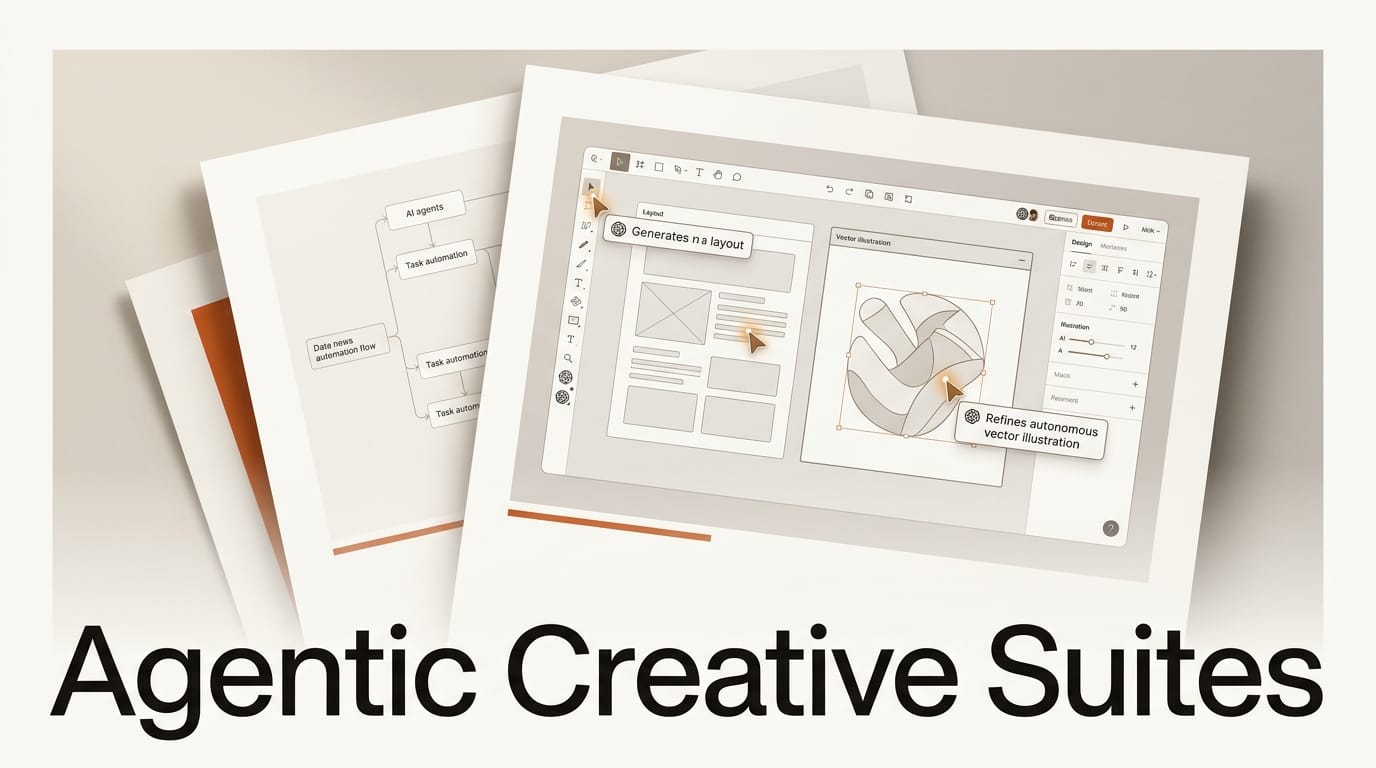
For most of the current AI wave, a creative tool meant one model in one box: you typed a prompt, you got an image, a video clip, or a web page, and then you did the rest by hand. That arrangement is quietly being dismantled. The largest creative platforms are no longer shipping a better text-to-asset model. They are embedding agents that take multi-step actions directly inside the document you are working in. The canvas is becoming the place where the AI works, not just where its output lands.
The shift is visible across the tools creators actually open every day. Framer's AI agents update copy, structure, and layout across a live site while keeping everything editable on the canvas. Adobe's Firefly now runs an agentic AI Assistant inside Premiere, Photoshop, Illustrator, InDesign, and Frame.io. Figma has a design agent fine-tuned for editing Figma files with deep context on a team's components and tokens. Underneath all of it, orchestration systems like Sakana Fugu are turning model selection itself into something an agent decides. This is not five separate product launches. It is one structural change, and it rewrites what a creator's job looks like.
Background
The first era of creative AI was built around generation. A model produced a thing, and a human assembled those things into finished work. The interface reflected that division of labor: a prompt field on the side, a result in the middle, and a creator shuttling assets between a dozen tools and browser tabs to actually ship something. The model was powerful, but it was a vending machine. It dispensed assets and stopped.
What changed is the unit of work. An agent is not a generator that hands you an asset. It is a system that plans a sequence of steps, takes actions, checks its own output, and reports back. When that capability moves inside a creative application, the application stops being a canvas you operate and starts being a workspace an agent operates alongside you. Adobe described the problem it was solving precisely: the hardest part of creative work "isn't coming up with ideas, it's everything that gets in the way of finishing them: the tab-switching, tool-jumping, model-switching." The agentic suite is the industry's bet on closing that gap.
Deep Analysis
Four shifts define the agentic creative suite, and each one moves a piece of the workflow that used to be the creator's manual responsibility.
From chat sidebar to the canvas itself
The most concrete change is architectural. For two years, "AI in your design tool" meant a chat panel bolted onto the side: you asked, it answered, you copied the answer into your document. The new generation puts the agent on the canvas. Framer's agents live in a dedicated Agent tab and co-edit a real project in real time, generating pages, building responsive layouts, wiring CMS content, and writing code components in place. Figma's agent is, in its own words, "built for direct manipulation" and fine-tuned for editing Figma files, so it acts on your actual frames rather than spitting out a detached suggestion. Figma has also opened its canvas to outside agents through an MCP server, so tools like Claude Code can write directly to a design file. The distance between the AI's output and your working file has collapsed to zero.
Agents that finish tasks, not just generate assets
The second shift is what the agent is asked to do. A generator produces one asset. An agent completes a task that used to require many assets and many manual steps. Adobe's AI Assistant ships skills like Quick Cut, which automatically assembles raw footage into a structured edit, plus brand kit creation and short product video generation from product photos. Framer's agents audit an entire site for broken links, accessibility issues, and styling inconsistencies, then fix them. Figma's agent automates the busywork around exploring directions and incorporating feedback, and Figma has folded its Weave workflow system onto the canvas as an "AI material" so multi-step creative pipelines run in the same place. The request changes from "make me a thing" to "get this done," and the agent owns the steps in between.
Orchestration underneath: who picks the model
The third shift is the least visible and arguably the most important. If an agent is doing multi-step work, something has to decide which model handles each step. Increasingly, that decision is being abstracted away from the creator entirely. Sakana Fugu packages this as a product: a single endpoint that routes each request across a pool of frontier models and synthesizes the result, so you describe the outcome instead of choosing a model. The same logic shows up inside design tools. Figma has been candid that the intelligence powering its canvas agent is, in large part, a third-party model rather than its own. The creative platform increasingly owns the canvas and the context; the raw reasoning is rented and routed. For the creator, the model menu is disappearing.
The new bottleneck: review, branching, and brand control
The fourth shift is the counterweight. An agent that takes actions can take wrong ones, and at speed. So the same launches that hand work to agents are racing to hand control back to humans. Framer wraps agent changes in Git-style branching: edits land in an isolated branch, you compare versions, and you publish only when ready, without ever touching the live site. Figma insists its agent is built so you "stay in control" and stays aligned with your established standards. Adobe leans on brand kits and reusable Elements so an agent's output keeps a project on-brand across sessions. The pattern is consistent. As generation gets cheap and automatic, the scarce, human-held step becomes review.
Impact on Creators
The practical effect is a change in role. In the generator era, the creator was an operator: you drove the tools, you knew the shortcuts, your value was fluency in the interface. In the agentic suite, the creator becomes a director. You describe the outcome, the agent executes the steps, and your job is to set the constraints up front and judge the result at the end. The tab-switching and tool-jumping that Adobe named as the real enemy of finished work is exactly the operator labor the agent is built to absorb.
That is good news and a new discipline at once. The upside is speed: faster first drafts, fewer dropped handoffs between tools, and far less mechanical assembly. The cost is that two new skills suddenly matter more than interface fluency. The first is direction, the ability to specify an outcome and the brand, system, or aesthetic constraints clearly enough that an agent does not drift. The second is verification, the habit of reviewing what an agent did before it ships, because the agent will confidently produce work that is plausible and wrong. The creators who win in this phase are not the ones with the fastest hands. They are the ones with the clearest taste and the strictest review.
Key Takeaways
- Across Adobe, Figma, and Framer, AI agents have moved from a side chat panel onto the canvas, acting directly on your live files.
- The unit of work has shifted from a single generated asset to a completed multi-step task, like assembling an edit or auditing and fixing a whole site.
- Orchestration layers such as Sakana Fugu are abstracting model choice away from the creator, and design tools are increasingly renting their intelligence from third-party models.
- As generation becomes automatic, review is the new bottleneck, which is why branching, brand kits, and "stay in control" guardrails are shipping alongside the agents.
- The creator's role is moving from operator to director, putting a premium on clear direction and disciplined verification over interface speed.
What to Watch
Three tensions will decide how this plays out. The first is consolidation: today every platform has its own in-canvas agent, but orchestration products argue the agent should sit above the tools and pick the model and the surface for you. Whether creators end up with one conductor or a dozen embedded agents is an open question. The second is governance and cost. Agentic runs fan out into multiple model calls under the hood, so an agent action is not priced or timed like a single prompt, and brand-control tooling is still immature compared to how much autonomy these agents now have. The third is dependency: when a design platform's agent is powered by an outside model, the platform's roadmap is partly hostage to a supplier it does not control, and regional gaps are already visible, with some orchestration tools unavailable in the EU at launch. The canvas has opened to agents. The interesting fights now are over who directs them, who is accountable for what they ship, and who owns the intelligence underneath.
Frequently Asked Questions
What is an agentic creative suite?
An agentic creative suite is a creative application, such as a design, video, or web tool, that embeds an AI agent capable of taking multi-step actions directly inside your working file. Instead of generating a single asset on request, the agent plans a sequence of steps, edits your project in place, and reports back, while you set the constraints and review the result.
How is an in-canvas agent different from an AI chat assistant?
A chat assistant lives in a side panel: you ask a question, it returns text or an asset, and you manually apply it. An in-canvas agent acts on your actual document, changing copy, layout, footage, or components in place, often across several steps, so there is no copy-paste gap between the suggestion and the file.
Which creative tools have AI agents in 2026?
By mid-2026, Framer runs AI agents inside the design canvas with branching, Adobe's Firefly AI Assistant operates across Premiere, Photoshop, Illustrator, InDesign, and Frame.io, and Figma offers a design agent fine-tuned for editing Figma files. Orchestration products like Sakana Fugu sit a layer below, routing requests across multiple models.
Do AI design agents replace designers?
Not in their current form. The agents automate execution and busywork, but they require clear direction up front and human review before anything ships, which is why every major launch pairs the agent with control features like branching, brand kits, and approval steps. The role shifts from operating tools to directing and verifying the agent's work.
What is orchestration and why does it matter for creators?
Orchestration is the layer that decides which AI model handles each step of a task and stitches the results together. It matters because it removes model selection from the creator's job: you describe the outcome you want, and the orchestrator picks and coordinates the models, the same way an in-canvas agent removes the manual step of assembling assets.