On February 4, 2026, Kuaishou launched Kling 3.0 and rewrote the specification sheet for AI video generation. Native 4K at 60 frames per second. Synchronized audio in five languages generated in the same pass as the video. Multi-shot storyboarding with up to six camera cuts in a single generation. For creators who produce video content, this is not an incremental upgrade. It is a workflow replacement. Here is what the technical specifications actually mean, how Kling 3.0 compares to Runway, Pika, and Sora, and what you should do about it right now.
Background: AI Video Before Kling 3.0
To understand why Kling 3.0 matters, consider where AI video generation stood at the start of 2026. The best models produced 1080p output at 24 to 30 frames per second. Sora 2 delivered impressive realism and narrative coherence but capped at 1080p. Runway Gen-3 Alpha excelled at character consistency and VFX workflows but required manual stitching for multi-shot sequences. Pika 2.5 served as the accessible entry point with fast generation and creative effects, but resolution and duration remained limited.
Every tool in the market shared three fundamental constraints. First, resolution was capped at 1080p, with 4K achieved only through post-generation upscaling that introduced artifacts. Second, audio required separate tools for speech synthesis, lip sync, and sound design, adding complexity and cost. Third, multi-shot coherence required manual editing. You generated individual clips and assembled them yourself, hoping character appearances and lighting stayed consistent across cuts.
Kling 3.0 removes all three constraints in a single model release. That is what makes this a generational shift rather than a version bump.
Deep Analysis
Technical Specifications: What "Native 4K at 60fps" Actually Means
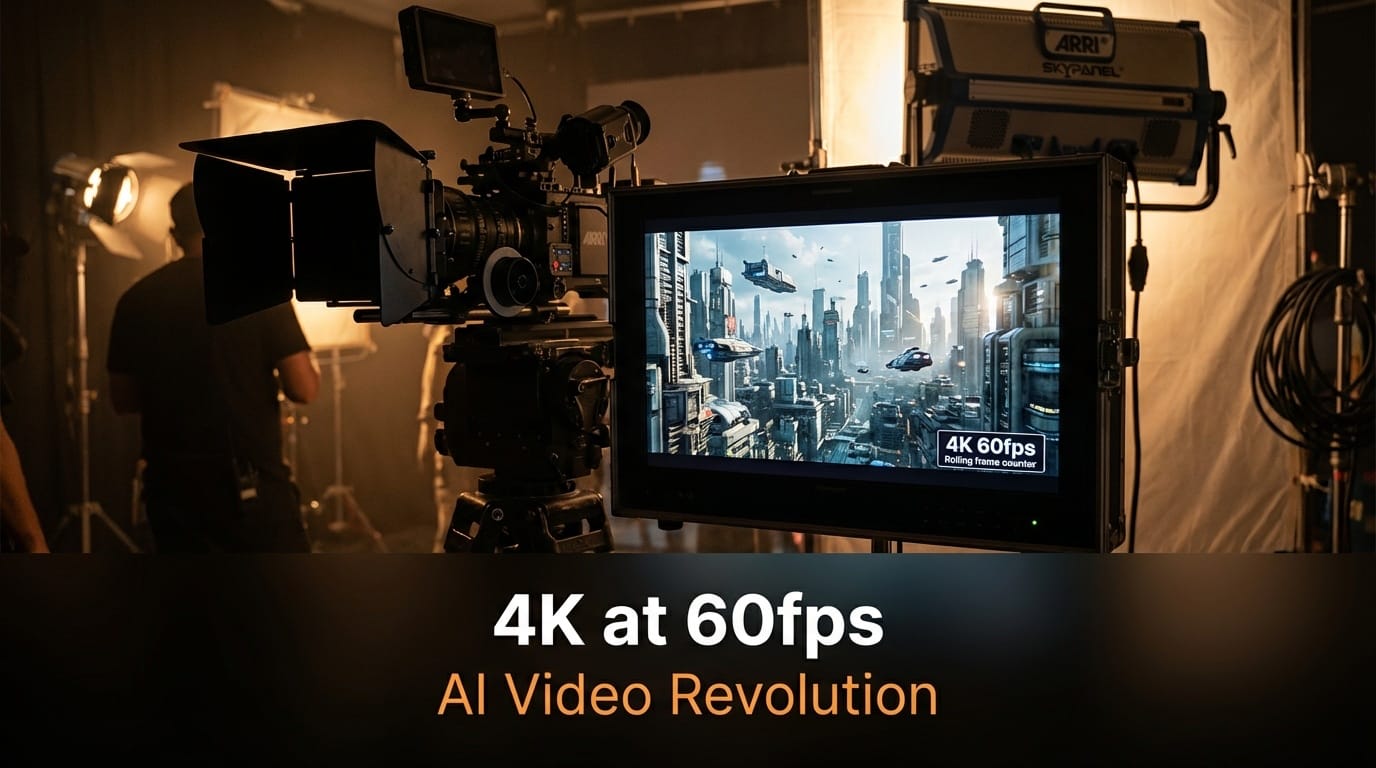
Kling 3.0 generates video at 3840x2160 resolution natively. This is not 1080p footage stretched through a super-resolution algorithm. The model produces 4K from the diffusion process itself, which means every frame contains genuine high-resolution detail in textures, lighting, and fine elements like hair strands and fabric weave.
The 60fps output is equally significant. Standard AI video runs at 24fps, which is fine for cinematic aesthetics but falls apart when you need slow-motion footage or smooth motion for product demos and social content. At 60fps, creators can extract clean 2x slow-motion at 30fps or deliver buttery-smooth playback for platforms like YouTube and Instagram that support high frame rates. Previously, achieving this required either physical cameras shooting at high frame rates or frame interpolation tools that introduced visible artifacts at motion boundaries.
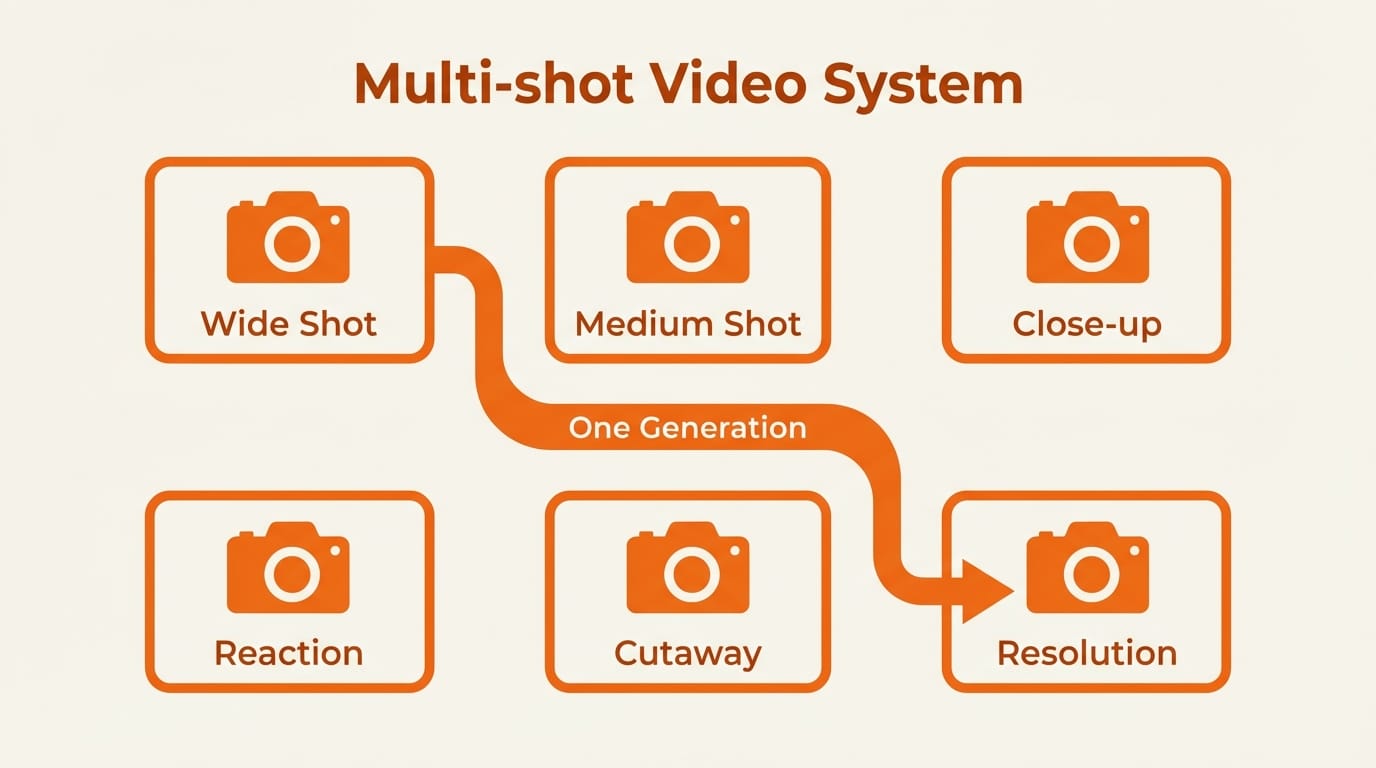
Video duration extends to 15 seconds per generation. While that sounds modest, the multi-shot system changes the calculus entirely. Six cuts in 15 seconds means each shot averages 2.5 seconds, which is standard pacing for commercial and social media editing. A single generation can produce a complete scene with proper coverage: establishing shot, medium, close-up, reaction, cutaway, and resolution.
Multi-Shot Storyboarding: The Feature That Changes Production Workflows
Multi-shot generation is Kling 3.0's most consequential feature for professional creators. The model supports up to six camera cuts within a single 15-second generation, with automatic visual consistency maintained across all cuts.
Two modes are available. Smart Storyboard uses AI to break a narrative description into multiple shots with optimal camera angles and transitions. You write a scene description, and the model decides where to cut, what angle to use, and how to pace the sequence. Custom Storyboard gives you manual control over each shot's duration, camera movement, and composition. You define the shot list, and the model executes it.
Each shot can have its own text prompt, so you control pacing and visual emphasis per segment. Transitions between shots and shot-reverse-shot patterns are handled automatically. The model maintains consistent lighting, color grade, and environmental details across all cuts.
This is significant because multi-shot coherence has been the single largest time sink in AI video workflows. Before Kling 3.0, creators generated individual clips, manually checked for consistency, re-generated failed attempts, and then stitched everything together in editing software. That process could take hours for a 30-second sequence. Kling 3.0 collapses it into one generation.
Omni Native Audio: Video and Sound in a Single Pass
Kling 3.0 is built on what Kuaishou calls a Multi-modal Visual Language (MVL) framework. The practical result is that video and audio are generated simultaneously, not sequentially. The model produces speech, ambient sound, and music as part of the same diffusion process that creates the visual frames.
The audio system supports five languages: English, Chinese, Japanese, Korean, and Spanish. It handles multilingual code-switching within a single scene, meaning two characters can speak different languages in the same shot with accurate lip synchronization for both. Multi-character dialogue supports up to three speakers with distinct voices and accurate mouth shapes.
Voice Binding locks a specific voice to a specific character and maintains it across every shot in a multi-shot sequence. This solves the "voice drift" problem that plagued earlier attempts at AI dialogue generation, where character voices would subtly change between clips.
For creators, this eliminates an entire layer of post-production. No separate text-to-speech generation. No lip-sync alignment in editing software. No audio-video timing adjustments. The output is a complete audiovisual clip ready for use.
Elements System: Character Consistency Across Shots
The Elements system addresses the most persistent problem in AI video: keeping characters looking the same across different generations. You upload 2 to 4 reference images of a character from different angles, and the model creates an identity lock that maintains visual consistency across camera angles, lighting changes, and scene transitions.
This works with the multi-shot system. You can build a six-shot sequence where the same character appears in every shot with consistent facial features, clothing, and proportions. Multi-character coreference keeps three or more characters distinct in the same scene without blending faces or outfits, which was a common failure mode in earlier models.
The practical implication is that recurring characters are now viable in AI video. Brand mascots, product spokespeople, tutorial hosts, and narrative characters can maintain their identity across an entire video series, not just a single clip.
How Kling 3.0 Compares to the Competition
The AI video landscape in February 2026 has four major players, each with distinct strengths.
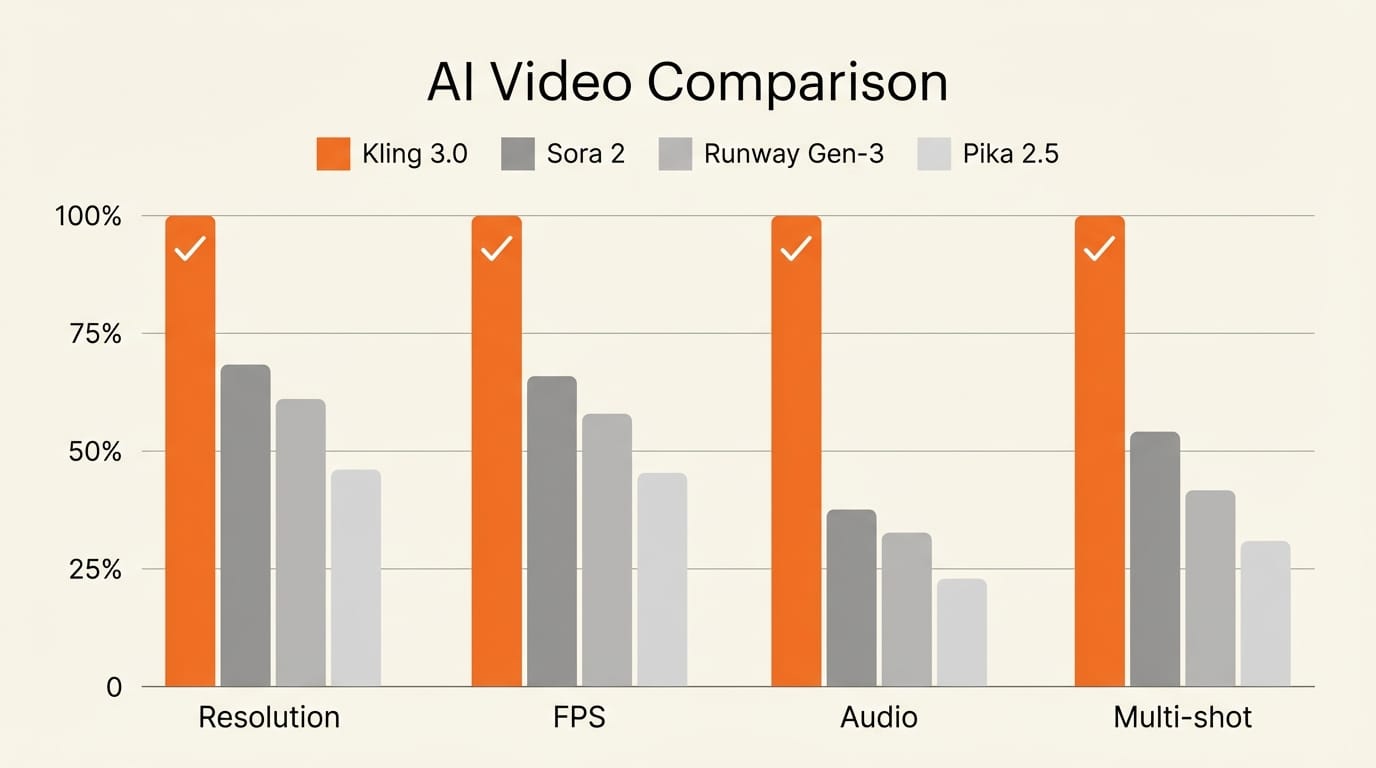
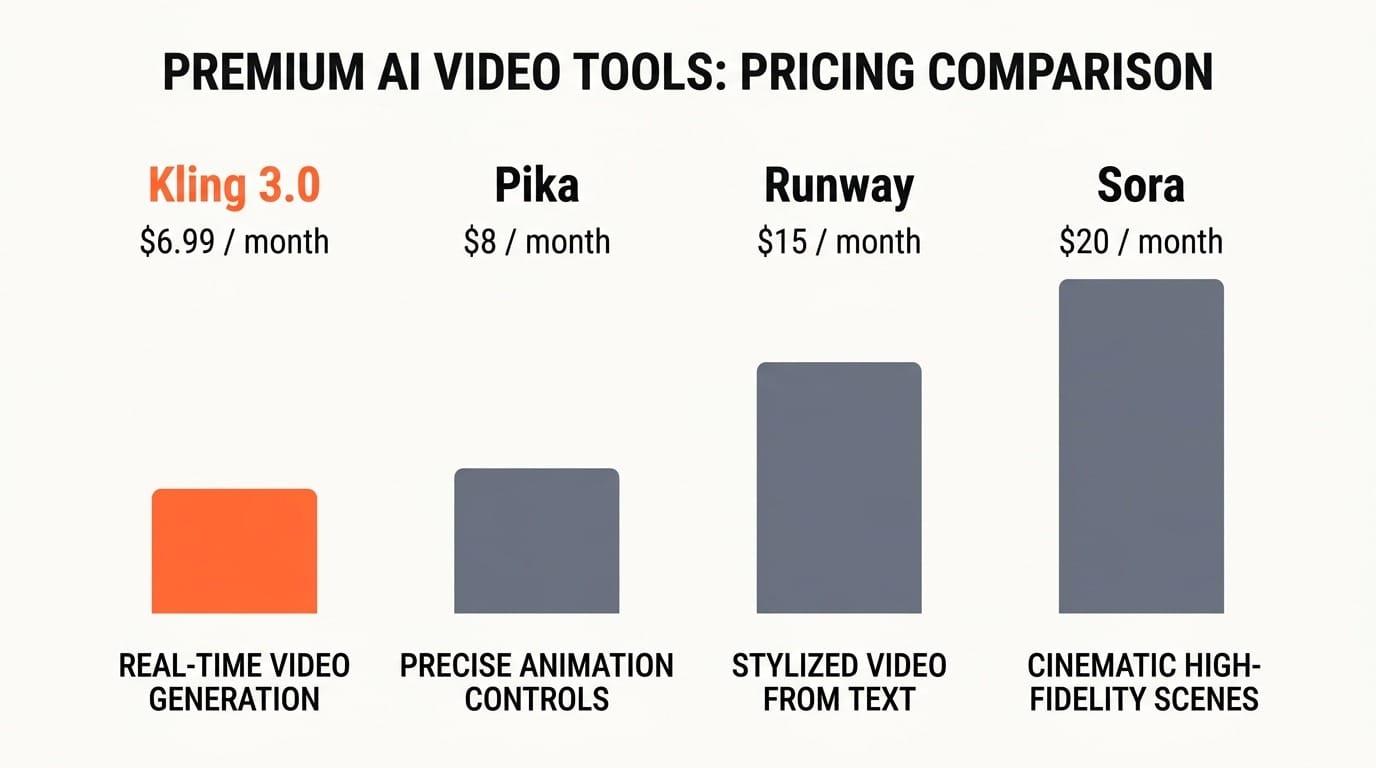
Kling 3.0 leads on technical specifications. Native 4K at 60fps, integrated audio, and multi-shot generation in a single model. Pricing starts at $6.99 per month with a free tier offering 66 daily credits. Best for creators who need high-volume, high-resolution output with minimal post-production.
Sora 2 delivers the highest realism and narrative coherence. It excels at complex physics simulations and detailed scene descriptions with precise timing. At $20 per month, it costs roughly 3x more than Kling. Best for cinematic content where photorealism matters more than resolution or speed.
Runway Gen-3 Alpha offers the strongest production pipeline integration. Character consistency workflows, reference-based continuity, and VFX compositing make it the tool of choice for professional post-production. At $15 per month, it sits in the middle on price. Best for teams integrating AI into existing video production pipelines.
Pika 2.5 remains the most accessible entry point. Fast generation, creative effects, and templates make it ideal for social media creators and beginners. Pricing is competitive with Kling. Best for creators prioritizing speed and ease over resolution.
No single tool wins across all dimensions. But Kling 3.0's combination of resolution, frame rate, audio, and multi-shot generation in one model at the lowest price point makes it the strongest overall value proposition as of February 2026.
Impact on Creators: What Changes for You
Social Media and Short-Form Video
If you produce content for TikTok, Instagram Reels, or YouTube Shorts, Kling 3.0 is immediately relevant. The 15-second multi-shot format maps directly to short-form video lengths. Six camera cuts in 15 seconds matches the pacing that performs best on these platforms. Native 4K output means your AI-generated content will not look softer or less detailed than camera-shot footage in the feed.
Product Demos and E-Commerce
Product demonstration videos are expensive to produce traditionally. Kling 3.0's multi-shot system can generate a complete product sequence: unboxing shot, detail close-up, feature demonstration, lifestyle context, comparison angle, and closing brand shot. At 4K with 60fps smooth motion, the output quality is approaching what previously required a studio, lighting rig, and professional camera operator.
Independent Filmmakers and Narrative Content
The multi-shot storyboarding system is effectively a previsualization tool. Independent filmmakers can generate entire scenes with proper coverage to test pacing, shot selection, and narrative flow before committing to production. The Elements system means character consistency across shots, and the audio integration means dialogue scenes can be prototyped with synchronized speech.
Multilingual Content Creators
The five-language audio support with in-scene code-switching opens a production technique that was previously impractical. Creators can generate content where characters switch between languages naturally, targeting multilingual audiences without separate dubbing passes. This is particularly valuable for creators serving audiences across East Asia, the Americas, and Europe.
Key Takeaways
1. Kling 3.0 is the first AI video model to generate native 4K at 60fps, eliminating the resolution and frame rate gap between AI-generated and camera-shot footage.
2. Multi-shot storyboarding with up to six camera cuts per generation removes the biggest time sink in AI video production: maintaining consistency across separate clips.
3. Integrated audio generation in five languages with lip sync and voice binding eliminates the need for separate speech synthesis and post-production audio alignment.
4. At $6.99 per month, Kling 3.0 undercuts Sora ($20) and Runway ($15) while offering capabilities neither currently matches on resolution and integrated audio.
5. The Elements system makes recurring AI characters viable for the first time, enabling series content, brand consistency, and narrative continuity across multiple generations.
What to Watch
Kling 3.0's launch will force responses from every competitor. Watch for Sora and Runway to announce 4K support and integrated audio features in the coming months. The question is whether they can match Kling's unified approach, generating video, audio, and multi-shot coherence in a single model, or whether they will rely on tool-chaining that adds complexity and cost.
For API developers, watch Kling's third-party integrations. The model is already available through fal.ai, ComfyUI, and several other platforms. As API pricing stabilizes, Kling 3.0 could become the default backend for AI video applications that need high resolution at scale.
For creators, the actionable step is straightforward: take your most common video production task and run it through Kling 3.0. Compare the output quality, production time, and cost against your current workflow. The numbers will make the decision for you.
Deep dive by Creative AI News.
Subscribe for free to get the weekly digest.