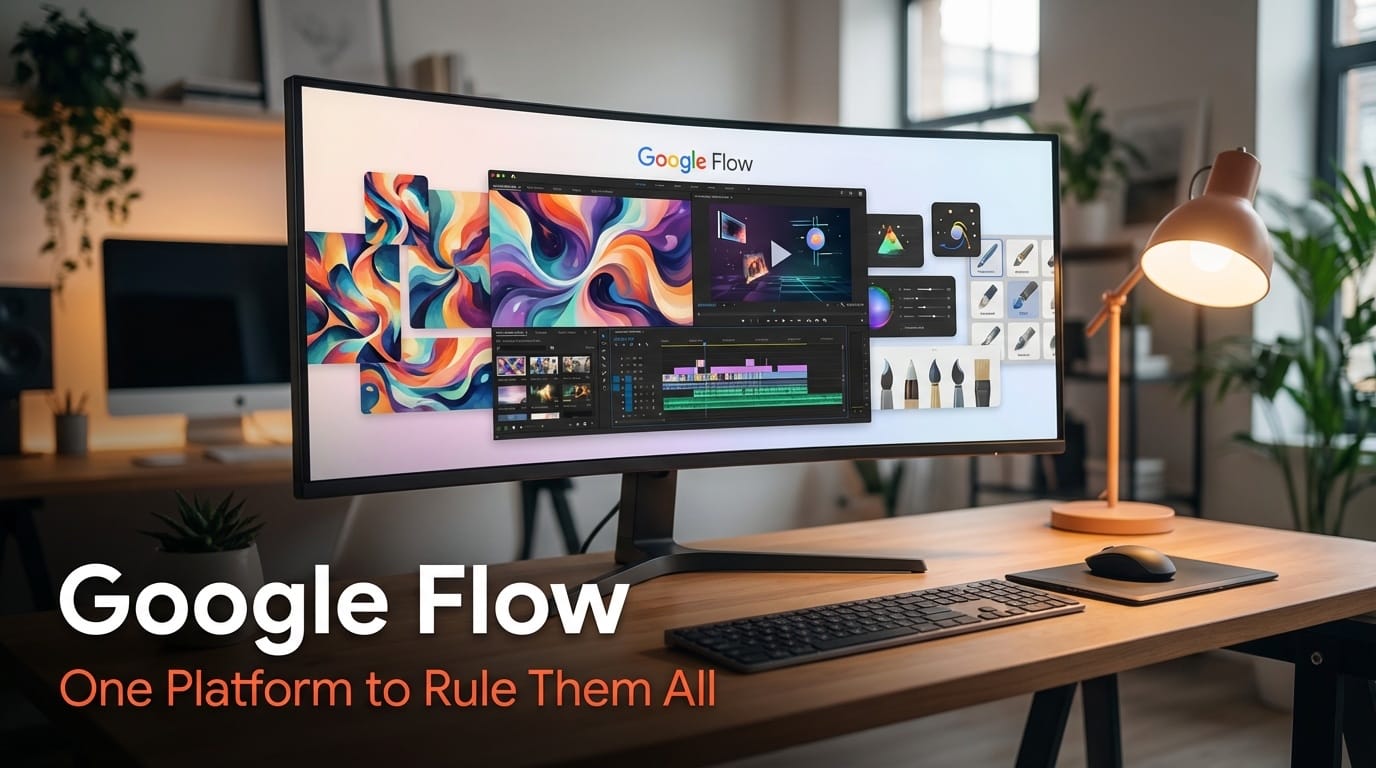
Google just killed three products and replaced them with one. On February 25, 2026, the company merged Flow, Whisk, and ImageFX into a single creative workspace powered by Veo 3.1, Nano Banana, and Gemini. The result is a unified pipeline that takes you from mood board to finished, audio-synced video without opening a second tab. ImageFX shuts down permanently on April 30. This is not a minor product update. It is Google planting a flag in the AI creative tools market, directly challenging Adobe, Runway, and every standalone AI image or video generator. Here is what changed, what it means for your workflow, and what to watch next.
Background: Google's Fragmented Creative AI Experiment
Google's approach to creative AI tools has been scattered for the past two years. The company shipped multiple standalone experiments through Google Labs, each targeting a different slice of the creative process. ImageFX handled text-to-image generation. Whisk offered visual collages and mood boards where you could mix reference images to guide AI output. Flow started as a video generation and editing tool. Each worked well enough on its own, but the experience felt like using three different apps from three different companies.
This fragmentation created real friction for creators. If you wanted to generate an image, refine it, then animate it into a video, you had to bounce between tools, re-upload assets, and re-enter context at every step. Compare that to Adobe Creative Cloud, where Photoshop, Premiere, and After Effects share assets through a common library system, or to Runway, which handles both image and video generation in a single interface.
The consolidation into Flow signals that Google has moved past the experimentation phase. The company has picked its winner. Flow generated over 1.5 billion images and videos since its original launch, proving the demand. Now Google is building a real product around it.
Deep Analysis
The Three-Model Engine: Veo 3.1, Nano Banana, and Gemini
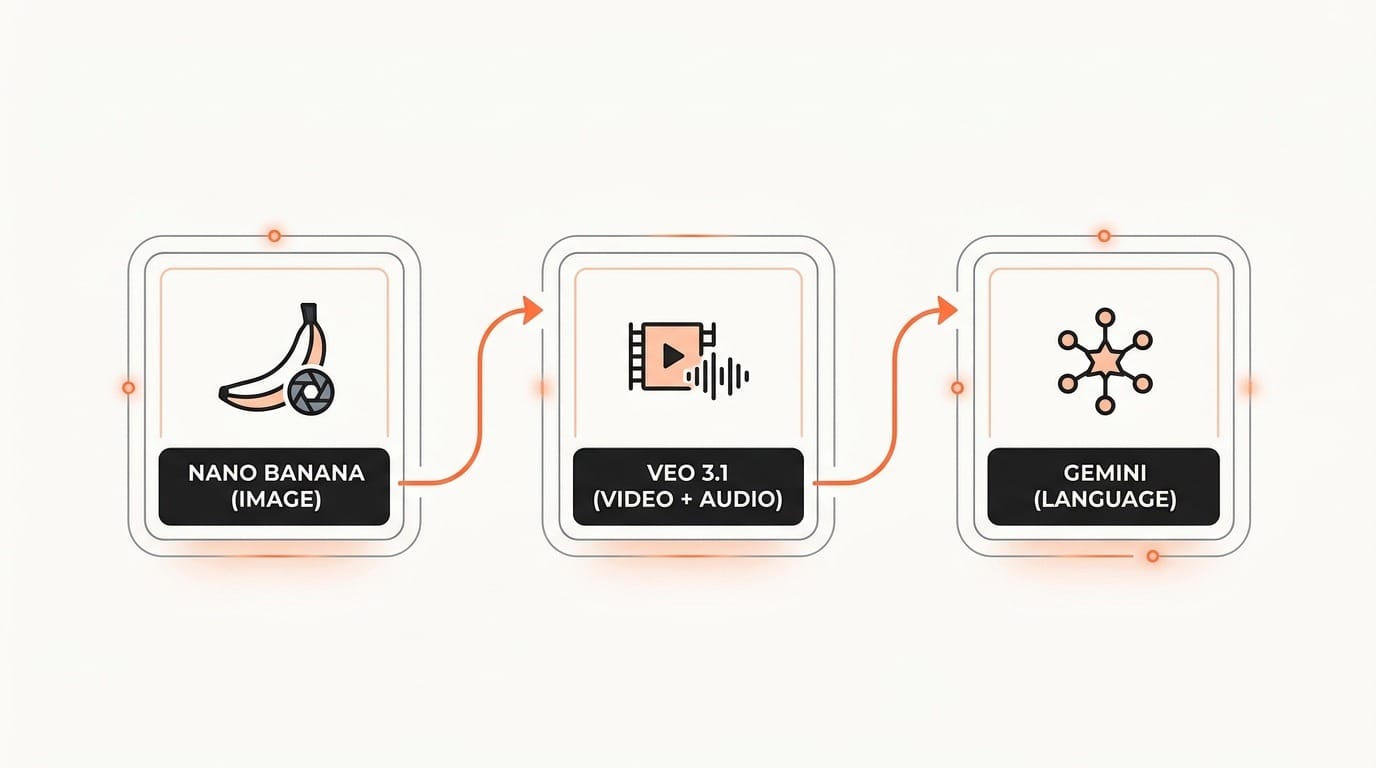
Flow's unified workspace runs on three Google AI systems working together, and understanding each one helps you predict what this platform can actually deliver.
Nano Banana handles image generation. It is now fully integrated into Flow's core experience, replacing the standalone ImageFX functionality with higher-fidelity output. The key upgrade is that images generated through Nano Banana can be used directly as frames and ingredients for video generation. No exporting, no re-uploading, no format conversion. You generate an image and immediately feed it into video production.
Veo 3.1 powers the video side. It handles text-to-video, image-to-video, and native audio generation. "Native audio" means the model generates synchronized sound alongside the video, not as a separate audio track layered on top. For creators who work with short-form video content, this eliminates one of the most tedious post-production steps: finding and syncing appropriate sound effects or ambient audio.
Gemini sits underneath both, processing natural language prompts and interpreting creative intent. When you type "make this scene feel more cinematic" or "add warm afternoon light," Gemini translates that vague creative direction into specific parameters that Nano Banana and Veo 3.1 can execute.
New Editing Features: Precision Without Complexity
The most practical addition for working creators is the lasso tool. You draw a selection around any area of an image, then describe what you want changed in plain language. "Remove the man." "Add koi fish in the water." "Change the sky to sunset." Instead of regenerating an entire image when one element is wrong, you fix just that element. This is the AI equivalent of Photoshop's content-aware fill, but controlled by text instead of manual masking.
On the video side, Flow now supports clip extension (making a video longer while maintaining visual consistency), object addition and removal within existing video, and camera motion controls via text prompts. The new timeline editor lets you trim, reorder, and sequence multiple clips with cuts, transitions, and text overlays directly inside Flow. This moves the tool from "video generator" to "video editor," even if a basic one.
An updated asset grid adds search, filtering, sorting, and collection grouping across all your images and videos. For creators managing hundreds of generated assets across multiple projects, this organizational layer is more impactful than it sounds. The difference between a toy and a production tool is often the file management, not the generation quality.
The ImageFX Sunset: Migration and What Gets Lost
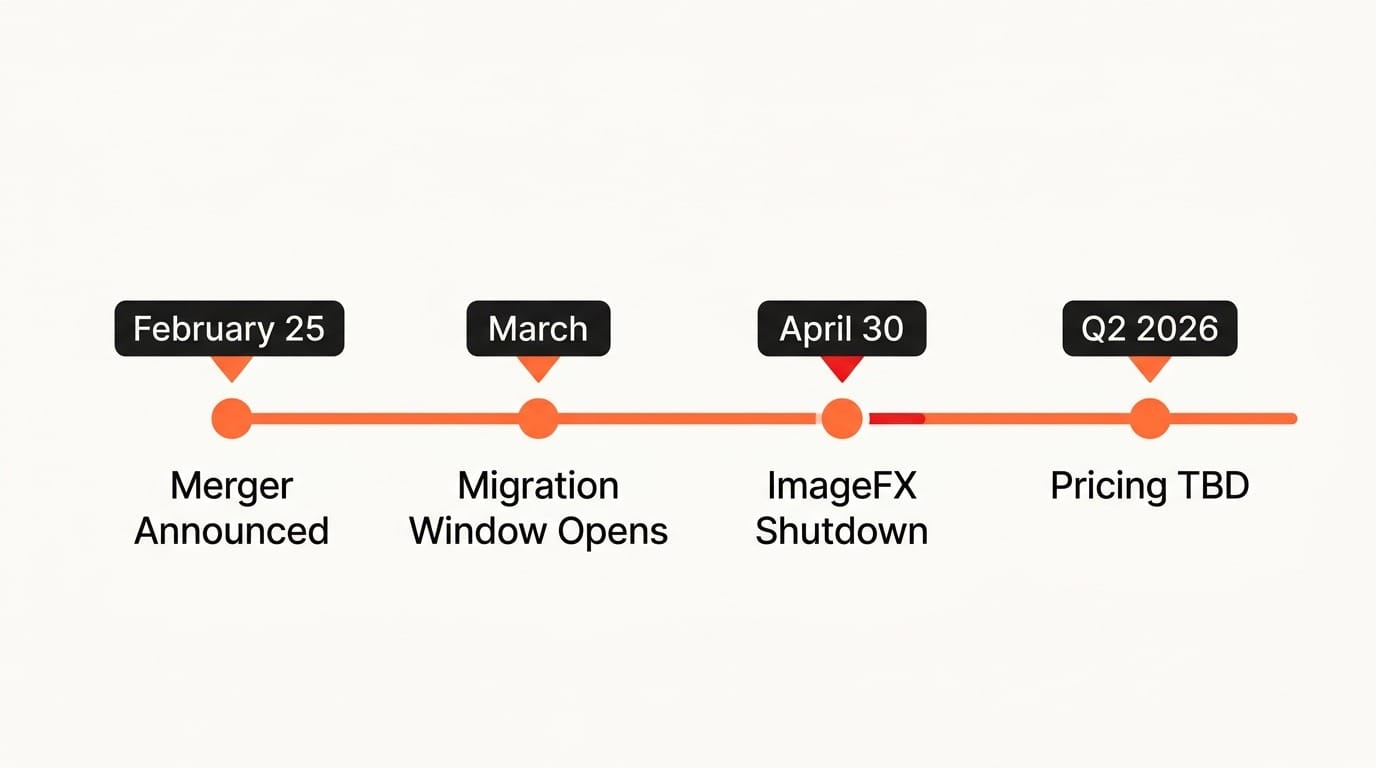
ImageFX stops working on April 30, 2026. Starting in March, users can opt in to transfer all Whisk and ImageFX projects and assets into their Flow library. Google states that no creative work will be lost in the transition.
However, there is a hard deadline. After April 30, any content left in ImageFX libraries gets permanently deleted. If you have generated images in ImageFX that you have not saved locally, the migration window is your only chance to preserve them. Whisk follows the same timeline.
The practical impact depends on your usage. If you used ImageFX casually for quick image generation, you lose nothing. The same capability exists in Flow with better integration. If you built extensive libraries of reference images and prompt histories in ImageFX, you need to actively opt in to the migration before the cutoff. Do not assume it happens automatically.
Competitive Context: Google's Play Against Adobe and Runway
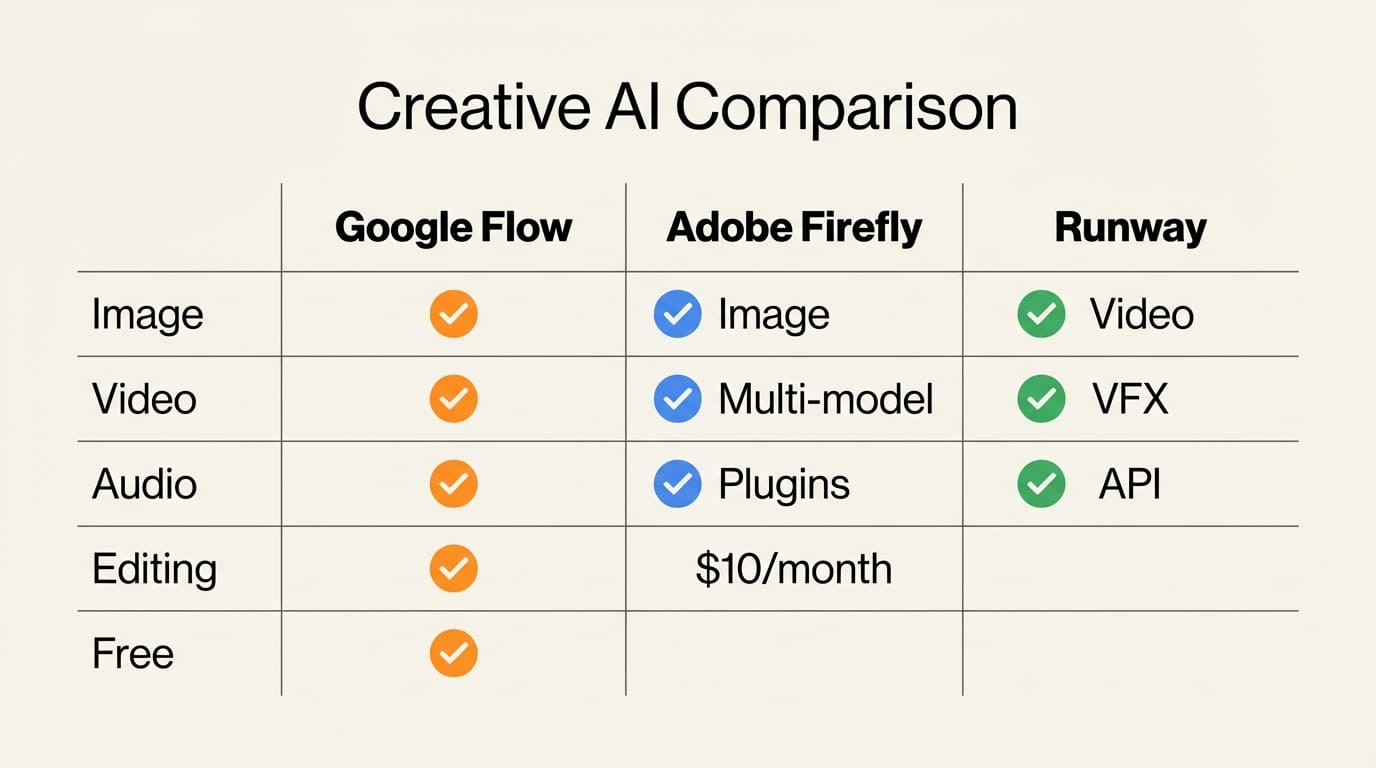
The timing of this consolidation is strategic. Adobe is pursuing a multi-model marketplace approach, partnering with Runway for video (Gen-4.5 access through Firefly), Google for images (Nano Banana integration), and Black Forest Labs for FLUX.2. Adobe is betting that curation and integration across many models beats building everything in-house.
Google is making the opposite bet. Flow is a vertically integrated stack: Google's own image model, Google's own video model, Google's own language model, all working together in Google's own interface. The advantage is tighter integration and faster iteration. The disadvantage is that you are locked into Google's models. If a competitor ships a better video generator, you cannot swap it in.
Runway occupies the middle ground with a focused, specialized platform. It excels at video generation and recently secured a multi-year distribution deal with Adobe. But Runway does not offer image generation, audio generation, or mood board functionality. Flow now covers all of those.
For independent creators, the competitive pressure is entirely positive. Google offers image-to-video in one free workspace. Adobe offers multi-model flexibility with professional tool integration. Runway offers specialized video quality. Each approach creates leverage against the others, keeping pricing low and features advancing rapidly.
Impact on Creators: What Changes for You
If You Currently Use ImageFX or Whisk
Your tools are going away. Migrate your assets into Flow before April 30. Test the unified workspace now to understand the interface differences before you lose access to the standalone tools. The image generation capabilities are the same (Nano Banana powers both), but the workflow and interface have changed.
If You Create Short-Form Video Content
Flow's image-to-video pipeline is the main draw. Generate a still image, refine it with the lasso tool until it matches your vision, then animate it with Veo 3.1 and get synchronized audio. For social media creators, product marketers, and anyone making content under 60 seconds, this single-workspace approach eliminates tool-switching overhead that previously consumed hours per week.
If You Use Adobe Creative Cloud
Flow is not a replacement for Premiere Pro or After Effects for complex projects. But for quick concepting, mood boards, and rapid prototyping of visual ideas, it is a free alternative that handles the earliest stages of the creative process. Generate reference images, test animations, and explore visual directions in Flow before bringing final assets into your Adobe workflow.
If You Build on Multiple AI Tools
The consolidation trend is worth tracking beyond Google. As AI creative tools mature, the standalone image generator and standalone video generator are becoming features inside larger platforms rather than products on their own. Expect similar consolidation from other players. Build your workflow around outputs and file formats, not specific tools, so you can adapt as the market shifts.
Key Takeaways
1. Google merged Flow, Whisk, and ImageFX into a single creative workspace powered by Veo 3.1 (video + audio), Nano Banana (images), and Gemini (language understanding). This creates a complete idea-to-video pipeline in one interface.
2. ImageFX shuts down permanently on April 30, 2026. Users must opt in to migrate their assets to Flow before that date or lose them. Whisk follows the same timeline.
3. New editing tools include lasso selection with natural language edits for images, clip extension and object manipulation for video, a timeline editor for sequencing, and an asset management grid for organizing generated content.
4. Flow has generated over 1.5 billion images and videos since launch, validating the demand. The consolidation moves Google from experimentation to building a serious creative product.
5. Google is betting on vertical integration (all Google models in one Google workspace) while Adobe bets on multi-model curation (Runway, Nano Banana, FLUX.2 through Firefly). Both approaches benefit creators through competition.
What to Watch
March 2026: The migration window opens. Test the asset transfer from ImageFX and Whisk into Flow. Report any missing assets early before the April 30 deadline.
April 30, 2026: ImageFX and Whisk shut down. Any content not migrated is permanently deleted.
Q2 2026: Watch for pricing changes. Flow is currently free through Google Labs, but Google has not committed to permanent free access. As the platform matures and compute costs add up, some form of tiered pricing is likely. Compare against Adobe Firefly ($10/month) and Runway (usage-based) to evaluate which platform delivers the best value for your specific workflow.
Mid-2026: Track whether Google opens Flow's API for developers. The combination of image generation, video generation, and audio in one API endpoint would be a powerful building block for creators who automate parts of their content pipeline.
Deep dive by Creative AI News.
Subscribe for free to get the weekly digest.